Blog

  • Fix Application Not Responding Errors Quickly

    Fix Application Not Responding Errors Quickly

    We’ve all been there. That dreaded moment when the cursor turns into a spinning wheel, the screen freezes, and your application just… stops. It's one of the most common frustrations in modern computing, bringing productivity to a screeching halt. But what’s actually happening under the hood when an app becomes unresponsive?

    It’s not a crash, at least not yet. The application is still running, but it’s stuck. It has stopped communicating with the operating system, so it can't process any new clicks, keystrokes, or commands. Think of it as being locked in a state of suspended animation.

    Why Do Applications Stop Responding in the First Place?

    Image

    That frozen screen is really just a symptom of a deeper problem. The application's main thread—the part responsible for handling all user interface interactions—is completely blocked. It’s been given a task it can't finish, or it's waiting for something that isn't coming. Until that blockage is cleared, nothing else can happen.

    Digging into the Core Issues

    From my experience, these freezes almost always trace back to one of a few common culprits. It’s rarely a random fluke; there’s a logical reason behind the stall.

    • Resource Exhaustion: This is the big one. Every application needs a certain amount of CPU power and memory (RAM) to do its job. If your system is running low on either, or if another hungry process is hogging all the resources, your app will slow down and eventually freeze. It’s like trying to run a marathon on an empty stomach.
    • Software Conflicts: Not all programs are designed to coexist peacefully. Sometimes, one piece of software can interfere with another, especially if they’re trying to use the same system files or hardware at the same time. I’ve often seen overly aggressive antivirus programs mistakenly flag a legitimate process, causing an application to lock up.
    • Outdated Drivers or Software: Developers are constantly squashing bugs and improving performance through updates. If you’re running an older version of an app, its drivers, or even your entire operating system, you’re leaving yourself exposed to known issues that have long since been fixed.

    The real issue is almost always a blockage. The application’s main thread gets stuck waiting on a long-running task to finish. This could be anything from a complex database query to a network request that never gets a response. While it waits, the entire user interface becomes unresponsive.

    As our world becomes more app-centric, stability is more critical than ever. With global app downloads projected to soar to nearly 299 billion by 2025, a simple performance hiccup like an application not responding can disrupt millions of user sessions every single day. You can find more insights on mobile app usage and growth statistics to see the scale of the issue.

    Let's quickly summarize the most common reasons for these freezes and where you're most likely to encounter them.

    Common Causes of Application Freezes at a Glance

    This table breaks down the primary reasons an application might become unresponsive, helping you quickly diagnose the potential problem based on your environment.

    Cause Common Platforms Quick Fix Hint
    Memory (RAM) Shortage Desktop OS (Windows, macOS), Mobile Close unnecessary apps and browser tabs.
    CPU Overload All platforms Check Task Manager or Activity Monitor for rogue processes.
    Software Incompatibility Desktop OS, complex development environments Check for recent software or driver installations.
    Endless Loop in Code Development, Custom Enterprise Software Requires debugging and code analysis to find the loop.
    Deadlocked Threads Multi-threaded applications, servers A classic developer problem needing code-level fixes.
    Unresponsive Network Call Web apps, mobile apps, any networked software Check internet connection; may be a server-side issue.
    Outdated Drivers Windows PCs (especially for graphics or peripherals) Update drivers through the manufacturer's website.

    Understanding these root causes is the first real step. Once you can identify whether the freeze is from a resource shortage, a software clash, or a bug in the code, you can start moving toward a permanent solution instead of just force-quitting and hoping for the best.

    Immediate Steps to Unfreeze a Stuck Application

    We've all been there. You're deep in your workflow, and suddenly, everything grinds to a halt. The dreaded "Application Not Responding" message appears, or worse, just a frozen window staring back at you. When this happens, you don't need a deep-dive diagnostic; you need to get back on track—fast.

    The first order of business is to regain control. Fortunately, every major operating system gives you a way to pull the plug on a misbehaving program without taking the whole system down with it.

    Forcing the Application to Quit

    The most direct method is to force the application to close. This is like an emergency override that tells the operating system to terminate the process immediately, skipping the standard shutdown procedure that the app is too locked up to follow.

    On a Windows machine, your best friend is the Task Manager. The quickest way to bring it up is with the Ctrl+Shift+Esc shortcut. Once it's open, look for the frozen app in the "Processes" tab, click on its name, and hit "End task." It's a blunt but effective way to shut down a program that's ignoring every other command.

    If you're on a Mac, you have a similar tool called the Activity Monitor, but for a faster fix, use the "Force Quit Applications" window. Just press Command+Option+Esc, select the unresponsive app from the list, and click the "Force Quit" button. For mobile users on Android or iOS, the process is usually as simple as opening the recent apps view and swiping the frozen application away.
    Image

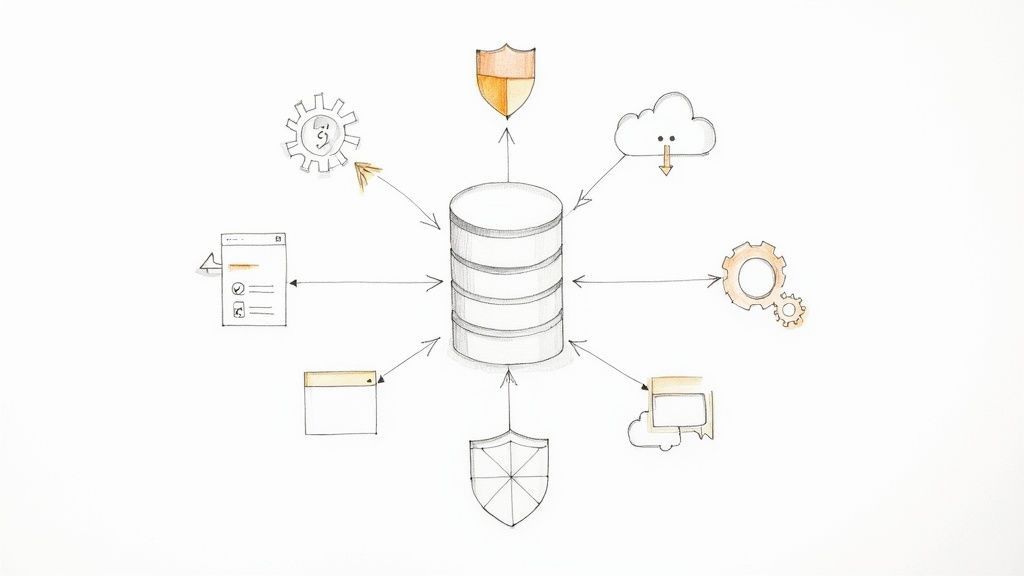
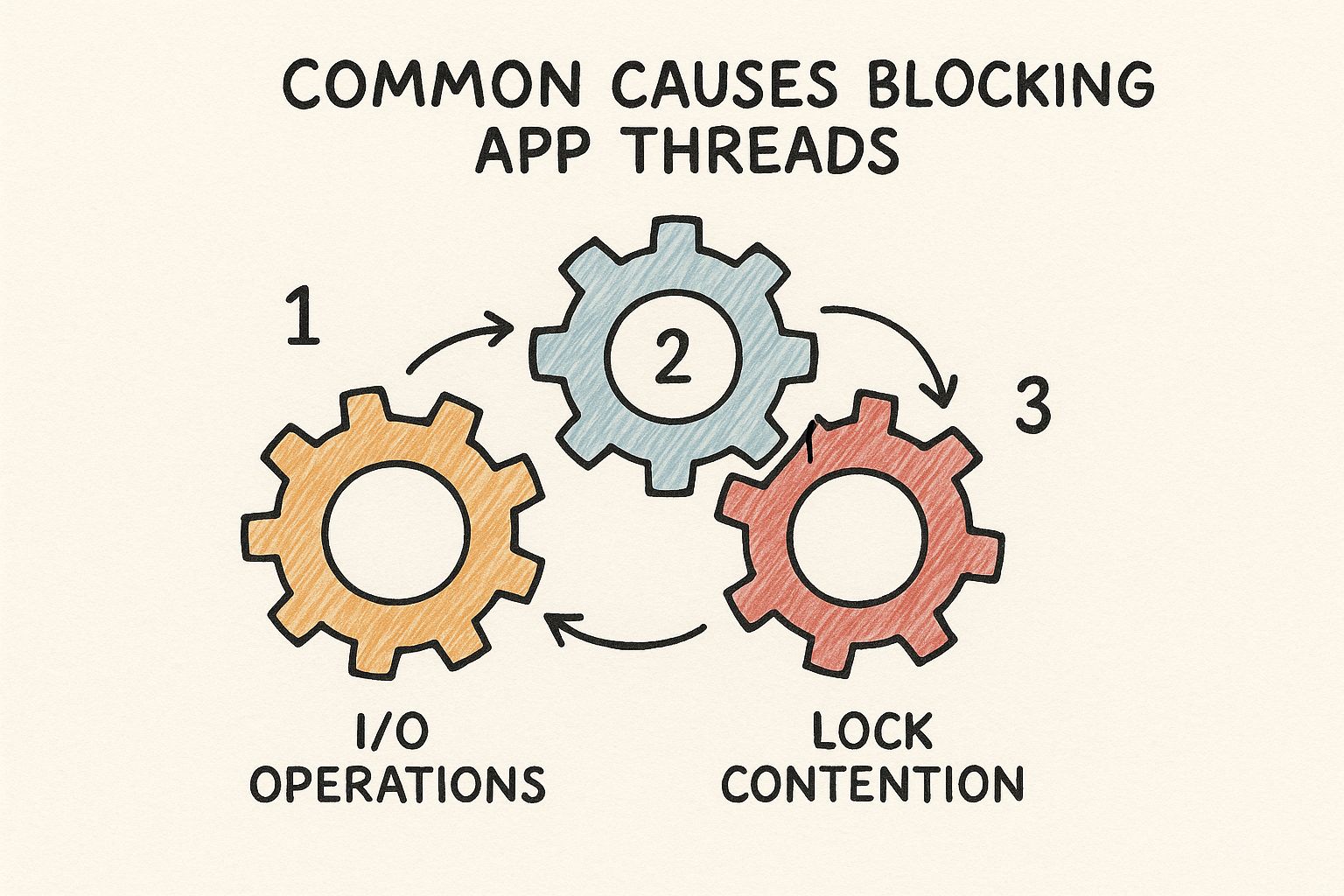
    Think of your system's processes as interlocking gears. As the image above illustrates, a single stuck gear—whether it's a software bug or a resource conflict—can jam up the entire machine. A force quit essentially removes that one jammed gear so the rest can start moving again.

    Beyond the Force Quit

    Sometimes, force-quitting is just a temporary fix, and the problem comes right back. If the application freezes again almost immediately after you restart it, the issue might not be the app itself. It could be another process gobbling up all the system resources.

    The old IT standby, "Have you tried turning it off and on again?" is popular for a reason—it works. A complete system reboot clears out temporary files, flushes the RAM, and kills off any rogue background processes that might be causing the conflict.

    If a force-quit isn't cutting it or the problem persists, here are a couple of other quick things to check before you dig deeper:

    • Look for Pending Updates: It’s entirely possible you’ve hit a known bug that has already been patched. A quick check for updates to both the application and your operating system can often provide a permanent fix.
    • Hunt for Resource Hogs: Open your Task Manager or Activity Monitor again, but this time, sort the processes by CPU or Memory usage. You might discover that a totally unrelated background process is the real villain, starving your active application of the resources it needs to run properly.

    These immediate actions are your first line of defense and will resolve most common freezing incidents, letting you get back to what you were doing with minimal fuss.

    Tackling Persistent Freezes: Time to Play Detective

    When an “application not responding” error stops being a rare annoyance and starts becoming a regular part of your day, you’ve got a bigger problem on your hands. A simple force-quit gets you back to work, but it’s just a band-aid. The real fix requires you to put on your detective hat and start looking for clues.

    Think about the patterns. Does the application lock up every time you try to export a large video? Or maybe it only grinds to a halt when you have your web browser open with dozens of tabs. These aren't random occurrences; they're breadcrumbs leading you straight to the root cause.

    Finding the Resource Hogs and Hidden Conflicts

    More often than not, chronic freezing boils down to one thing: resource contention. Your computer only has so much CPU power and RAM to go around. When one greedy application starts gobbling up more than its fair share, every other program on your system starts to feel the squeeze. This is where your system's own monitoring tools become your best friend.

    If you’re on Windows, the Resource Monitor is your go-to utility. It gives you a live, detailed breakdown of exactly what’s happening under the hood. To get there, just open Task Manager (Ctrl+Shift+Esc), head to the "Performance" tab, and click "Open Resource Monitor." You’ll see exactly which processes are maxing out your CPU, hammering your hard drive, or hogging all the memory.

    Let's say you notice that right before your design software freezes, your cloud backup service suddenly spikes to 100% disk usage. Bingo. You've just found a major suspect. The two programs are fighting for resources, and your design tool is losing.

    This isn't just a Windows issue, either. The same principles apply on a Mac, where frequent freezes often signal resource shortages or software incompatibilities, particularly after a major OS update. You can discover more insights about unresponsive Mac applications and see how their Activity Monitor serves the same diagnostic purpose.

    An application rarely freezes in a vacuum. Its behavior is almost always connected to the overall health of your system. The culprit might not be the app you're using, but a completely unrelated process running silently in the background.

    Isolate the Issue by Creating a Clean Slate

    Once you've got a suspect in mind, the next logical step is to isolate it. By running the problematic app in a controlled, clean environment, you can start ruling out variables one by one until the true cause is exposed.

    Here are a few ways to create that "clean slate" and narrow down the problem:

    • Switch to a New User Profile: Create a brand-new user account on your computer. This fresh profile starts with default settings, no custom startup programs, and no weird configurations. If the application runs perfectly here, you know the problem is tied to something in your primary user account—a corrupt setting or a conflicting startup app.
    • Reboot in Safe Mode: This is the ultimate test environment. Safe Mode loads only the bare-minimum drivers and system files needed to run the OS. If your application works flawlessly in Safe Mode, you can be almost certain the conflict lies with a third-party driver, a background service, or another piece of software you installed.
    • Disable Other Software (One by One): Start by temporarily turning off non-essential programs. Think antivirus scanners, cloud sync clients, and system utility tools. Disable one, test the problematic app. Still freezing? Re-enable it and disable the next one. It’s tedious, but it’s a surefire way to pinpoint a direct software conflict.

    This methodical approach turns a frustrating guessing game into a logical process of elimination. It helps you figure out if the problem is with the app itself, your system's configuration, or a battle between two programs.

    For developers and IT pros managing cloud infrastructure, scripting and automating these kinds of test environments can be a massive time-saver. If you're working in the cloud, get a handle on managing your setups by checking out our guide on the Azure PowerShell module.

    How Developers Can Prevent ANR Errors in Code

    Image

    As a developer, seeing an "application not responding" error is more than just a bug report—it's a flashing red light telling you something is fundamentally broken in your code. These errors, what we often call Application Not Responding (ANR) in the Android world, almost always point back to one classic mistake: blocking the main UI thread.

    The main thread is the lifeblood of your app's user experience. It handles everything the user sees and does, from drawing the screen to responding to a button tap. The moment you saddle it with a long-running task—like a hefty network request or a complex database query—it grinds to a halt. And when it’s busy, the entire UI freezes solid.

    Keep the Main Thread Free at All Costs

    Think about an e-commerce app loading high-resolution product images. If you try to download and process those images directly on the main thread, the user is stuck. They can't scroll, they can't tap, they can't do anything until every last byte is loaded. It’s a frustrating experience and a surefire way to trigger an ANR.

    The solution here is asynchronous programming. You have to push any operation that might take a while onto a background thread. This simple shift keeps your main thread available and light on its feet, ready to respond instantly to whatever the user does.

    Here are the usual suspects that should never touch the main thread:

    • Network Operations: Making API calls, downloading files, or syncing data.
    • Database Queries: Reading or writing anything to a local database.
    • Complex Calculations: Heavy data parsing, encryption, or image manipulation.

    Proactive Debugging and Analysis

    Good coding habits are just the start. To truly stamp out ANRs, you need to get proactive with your analysis and debugging. Don't sit around waiting for users to complain about freezes; use profiling tools to hunt down bottlenecks before your app ever goes live.

    An ANR isn't the problem itself; it's the final, frustrating symptom of a blockage that's gone on for too long. By the time that dialog box appears, your user has already been waiting for a painful number of seconds. The real goal is to find and fix these delays long before anyone notices.

    For instance, on Android, tools like the CPU Profiler in Android Studio are invaluable. It lets you visualize what every thread is doing, making it much easier to see exactly where your main thread is getting bogged down. Digging into thread dumps is another powerful trick. A thread dump is just a snapshot of every thread's state, revealing the exact operation that's causing the logjam.

    Properly managing application identity can also prevent conflicts, especially in complex enterprise apps. For a deeper dive into this, our article on https://az204fast.com/blog/azure-active-directory-integration offers some great context.

    Mobile app stability is no small matter. The average Application-Not-Responding rate for Android apps hovers around 0.63%. That might sound tiny, but it translates into millions of frustrating user sessions that often end with an uninstall and a bad review. You can find more data on this topic by exploring mobile app stability on Instabug.com.

    By diligently offloading heavy work and using the right tools to hunt down performance hogs, you can build software that feels fast, fluid, and reliable, even when it's under pressure.

    Proactive Tips to Keep Your Applications Running Smoothly

    The best way to fix an "application not responding" error is to stop it from ever happening. Instead of just reacting when things go wrong, a bit of preventative maintenance can make all the difference. These habits are surprisingly easy to pick up and will drastically improve your system's stability.

    Think of it like taking care of a car. You wouldn't wait for the engine to seize up before getting an oil change, right? The same logic applies here. Keeping your digital environment tidy and up-to-date prevents the kind of gunk that grinds applications to a halt.

    Embrace Consistent Software Updates

    You know those constant update notifications? They’re not just there to annoy you. Developers are always pushing out patches and new versions for a reason—they often contain critical bug fixes that solve the very performance problems that cause applications to hang. Ignoring an update is like saying "no thanks" to a free tune-up.

    I make it a habit to check for updates at least once a week. This isn't just for your main applications, but also for your operating system and even your hardware drivers. You'd be surprised how often an outdated graphics driver, for example, is the hidden culprit behind a creative app that keeps freezing up.

    Tame Your Startup Programs

    Every time you turn on your computer, a whole bunch of programs quietly launch in the background. Some are essential, sure, but many are just eating up resources for no good reason. Each one takes a bite out of your precious RAM and CPU power.

    Take five minutes and audit what's starting up with your machine.

    • On Windows: Pop open Task Manager (Ctrl+Shift+Esc) and head to the "Startup" tab.
    • On macOS: Go to System Settings > General > Login Items.

    Be ruthless. If you don't need it the second your computer boots, disable it. You can always open those apps manually later. This single cleanup can free up a surprising amount of processing power, giving your active applications the breathing room they desperately need. For those of you working with cloud-native apps, understanding the underlying platform is just as critical; a good starting point is learning what Azure App Service is and how it handles resource allocation.

    Proactive maintenance isn’t about becoming a tech guru; it’s about building simple, consistent routines. A few minutes spent clearing caches or updating software each month can save you hours of hair-pulling frustration down the line.

    Finally, never underestimate the power of clearing your cache. Applications store temporary files to work faster, but over time, that data can get bloated or corrupted, causing slowdowns and freezes. Regularly clearing the cache for your web browser and other heavy-use apps is a quick win for keeping them snappy and responsive.

    A Few Common Questions About Unresponsive Apps

    Even with the best troubleshooting steps, some questions always seem to pop up. Let's walk through a few of the most common ones I hear from developers and users dealing with frozen applications.

    What's the Real Difference Between an App Crashing and Not Responding?

    It’s easy to get these two mixed up, but from a technical standpoint, they're worlds apart.

    A crash is a sudden death. The application hits a fatal error it can't handle—think of it like a critical exception that wasn't caught—and the operating system shuts it down immediately. One second it's there, the next it's gone.

    An app that's not responding, however, is still running. It's just stuck. It's alive but paralyzed, often caught in an infinite loop, deadlocked waiting on a resource, or waiting for a network response that will never arrive. The user interface freezes, but the process is still active in the background until you decide to kill it.

    A crash is a sudden, unrecoverable failure. A "not responding" state is a program that's still running but has become completely stuck, unable to process any new input.

    Could a Virus Be Making My Apps Unresponsive?

    Yes, and it happens more often than you'd think. Malware is infamous for being a resource parasite. A virus can secretly chew up your system's CPU and memory, leaving your other applications starved for the resources they need to function.

    When an application can't get the processing power or memory it's asking for, it can easily grind to a halt. If you suddenly notice several different programs starting to freeze for no apparent reason, a malware scan should jump to the top of your to-do list.

    Is Reinstalling an App That Keeps Freezing a Good Idea?

    Sometimes, it’s the perfect fix. If the problem is due to corrupted files from a botched update or a disk error, a clean reinstall is often the quickest way to solve it. It wipes the slate clean by replacing all the application's files with fresh copies.

    But it's not a cure-all. Reinstalling won't help if the issue is a fundamental bug in the code, an incompatibility with another piece of software, or a problem with your system configuration. My advice? Treat reinstallation as a powerful tool, but not your first one. Try clearing the cache or checking for updates first—you might save yourself a lot of time.


    Are you a developer looking to build more resilient applications and master Azure? AZ-204 Fast gives you the focused study materials you need to ace your certification in weeks, not months. Stop fighting with unresponsive apps and start building better ones from the ground up. Check out the platform and take the next step in your cloud career.


  • Is a Python Coding Bootcamp Your Next Career Move

    Is a Python Coding Bootcamp Your Next Career Move

    So, what exactly is a Python coding bootcamp? Think of it as a high-intensity, accelerated training program that gets you job-ready in Python programming, fast. We're not talking years here; most of these programs run anywhere from 12 to 24 weeks. It's a focused alternative to a four-year computer science degree, cutting straight to the practical skills you need to build real-world projects.

    Unpacking the Python Coding Bootcamp Model

    Image

    Here’s a good way to think about it: a traditional university degree is like a scenic road trip across the country. You'll see a lot, take some detours, and absorb a massive amount of knowledge over a long time. A Python bootcamp is more like a bullet train—it’s built to get you to a very specific, high-value destination as efficiently as possible.

    The whole philosophy is built around one simple idea: learn by doing. Forget long, dry lectures on theory. Your days will be packed with hands-on coding, working side-by-side with other students, and building actual, working applications from the ground up. The model intentionally strips away the fluff to zero in on a single, clear goal: making you a hirable developer.

    Python Bootcamp at a Glance: Key Considerations

    Before diving deeper, it's helpful to have a quick snapshot of what you're getting into. This table breaks down the essential factors to weigh when you're considering a Python bootcamp.

    Factor Typical Range or Expectation Why It Matters
    Duration 12–24 weeks for full-time immersive programs. Part-time options can extend to 6–12 months. The condensed timeline is a major draw, but it demands a serious commitment. Your personal and professional life needs to accommodate this intensity.
    Cost $10,000–$20,000+. Look for financing, scholarships, or Income Share Agreements (ISAs). This is a significant financial investment. You need to weigh the upfront cost against the potential salary boost and career opportunities.
    Prerequisites Varies. Some are beginner-friendly; others require basic coding knowledge (HTML/CSS, JavaScript). Don't assume you can just sign up. Many programs have an admissions process to ensure you're ready for the fast pace.
    Curriculum Core Python, data structures, algorithms, web frameworks (Django/Flask), databases (SQL), and version control (Git). A strong curriculum should cover both the fundamentals and the tools currently used in the industry to make you job-ready.
    Career Outcomes Career coaching, resume help, interview prep, and hiring partner networks. 79% of grads find jobs in their field. The goal is a job. The best bootcamps don't just teach you to code—they teach you how to get hired.

    Understanding these key points from the start helps you evaluate different programs and find the one that truly fits your career goals and personal circumstances.

    Why Is Python the Language of Choice?

    It's no accident that so many bootcamps are built around Python. Its simple, almost English-like syntax makes it the perfect first language for someone new to programming. You can start wrapping your head around core concepts like loops and data structures without getting tripped up by complicated rules, which is critical for keeping up momentum in such a fast-paced setting.

    But don't let its simplicity fool you—Python is incredibly powerful. It’s the go-to language in some of the fastest-growing sectors in tech, which means bootcamp grads walk away with a versatile skill set they can apply to a ton of different jobs.

    • Web Development: Frameworks like Django and Flask are the backbone for countless web applications and backend systems.
    • Data Science and Machine Learning: With libraries like Pandas, NumPy, and TensorFlow, Python is the undisputed king of data analysis, AI model building, and visualization.
    • Automation: From simple scripts that organize your files to complex programs that manage IT infrastructure, Python is a master of automation.

    A coding bootcamp is a career accelerator. It's an intense, structured environment built to compress years of learning into months, equipping you with the specific tools and portfolio projects needed to land your first tech job.

    Who Is This Model Designed For?

    The bootcamp model is a great fit for a lot of different people, but it’s especially powerful for a few specific groups. It’s a game-changer for career changers—think of marketers, accountants, or healthcare workers who want to break into tech without going back to college for another four years.

    It’s also a smart move for people already working in tech who need to add new skills or shift their focus. An IT support specialist, for example, might enroll in a Python bootcamp to get the skills for a more specialized role in data analytics or DevOps. The bootcamp industry has exploded to meet this demand; there are now over 600 coding bootcamps globally. Best of all, they work. An impressive 79% of graduates land a job in their new field shortly after finishing. You can explore more statistics on the bootcamp industry to see just how big of an impact it's having. This structured, results-driven approach is what makes it such a solid investment in your future.

    What You'll Actually Learn and Build

    Walking into a Python coding bootcamp is less like stepping into a classroom and more like entering a workshop. You're not there to just listen to theory; you're there to get your hands dirty and build things, right from day one. The entire curriculum is engineered to rocket you from the absolute basics to complex, real-world applications at an intense pace.

    Your journey starts with the fundamental grammar of Python. Think of it as learning the notes and scales before you try to play a symphony. You have to master the core concepts every single developer relies on, no matter what they end up creating.

    Laying the Foundation with Python Fundamentals

    First up is Python's syntax—the language's rules. One of the best things about Python is how readable it is, which really helps you pick things up fast. You'll get familiar with variables (the containers for your data), data types (like numbers, text, or true/false values), and operators (the math and logic symbols that get things done).

    From there, you'll quickly level up to more structured concepts:

    • Control Flow: This is how you give your code a brain. Using if, elif, and else statements, you teach your program how to make decisions and react differently to various situations.
    • Loops: Repetitive tasks are a programmer's nightmare. You'll learn how to use for and while loops to repeat actions automatically, which is a must-have skill for handling any significant amount of data.
    • Data Structures: This is where you learn to be a digital organizer. You’ll work with lists, dictionaries, tuples, and sets—each one a specialized tool designed to store and manage data in the most efficient way for the job at hand.
    • Functions: Here, you learn the art of writing clean, reusable blocks of code. It's a foundational principle for building applications that are easy to manage and scale.

    A bootcamp doesn't just tell you what a "for loop" is. It makes you use one, right now, to solve a real problem. This project-based approach locks in knowledge way better than just passively watching a video.

    This initial phase is a sprint. You'll be writing code constantly, tackling small challenges that hammer home each new topic. To keep everything straight, many students find active recall techniques are a lifesaver. In fact, checking out how to use flashcards for studying is a great trick for memorizing syntax when things are moving this quickly.

    From Building Blocks to Real Applications

    Once you've got the fundamentals down cold, the bootcamp curriculum pivots. You'll start piecing those building blocks together to create much larger applications using the same tools and frameworks the pros use every day. This is where you often get to specialize, diving deep into a high-demand field like web development or data science.

    Depending on the bootcamp's focus, your path will fork into a specialized track.

    If you focus on Web Development, you will build with:

    • Django or Flask: These are the heavy-duty Python frameworks that give you the scaffolding to build secure, powerful web apps. You’ll create the backend systems that manage user accounts, talk to databases, and power websites.
    • Databases and SQL: You’ll learn how to properly store, fetch, and manage data using databases like PostgreSQL and the language used to talk to them, SQL.
    • APIs: A core skill for any modern developer is making different applications communicate. You’ll build and use APIs (Application Programming Interfaces) to make that happen.

    If your path is Data Science, you will master:

    • NumPy and Pandas: These two libraries are the bread and butter of data analysis in Python. You'll learn to wrangle massive datasets, clean up messy information, and perform complex calculations in just a few lines of code.
    • Matplotlib and Seaborn: Data isn't useful until you can see the patterns. These libraries are your toolkit for creating charts, graphs, and other visualizations to uncover trends and tell a story with your data.
    • Scikit-learn: Welcome to machine learning. With this library, you’ll start building predictive models that can forecast sales, classify photos, or even spot fraudulent transactions.

    Your Portfolio: The Ultimate Proof of Skill

    The real crown jewel of any bootcamp experience is the portfolio you walk away with. You won't just be doing homework assignments; you’ll be building a series of complete, functional projects from the ground up. These aren't just for practice—they are your new professional calling card.

    By the end, you might have built a working e-commerce site, a data dashboard that visualizes live information, or a machine learning model that makes accurate predictions. These projects are your resume. They offer employers undeniable proof that you don't just "know" Python—you know how to use it to ship real, valuable products. When you walk into an interview, you'll be able to show them what you can do, not just tell them.

    Navigating the Cost and Time Commitment

    Alright, let's get down to the two biggest questions on everyone's mind: "How much is this going to cost?" and "How much of my life will this take?" These are the real-deal considerations, so we need to break down the investment—both in dollars and in hours—that a Python bootcamp demands.

    It helps to think of the tuition not as a cost, but as a direct investment in your future. Yes, the sticker price can look daunting, but it's designed to rocket you into a high-paying tech career much faster than a traditional degree.

    Understanding the Financial Investment

    The price tag on a Python coding bootcamp can be all over the map. You'll find programs ranging from more accessible options under $3,000 to premium, all-in experiences that can go up to $25,000. The top-tier programs justify their cost with intensive curricula, one-on-one mentorship, and seriously robust career support.

    The good news? Most bootcamps know this is a huge commitment and offer flexible ways to pay. Plus, the return on that investment is often impressive. It’s not uncommon to see graduates in major US markets landing jobs with average salaries around $120,000. If you want to dig deeper into the numbers, you can discover more insights about bootcamp ROI on Nucamp.co.

    Here are a few common ways to manage the cost beyond just paying upfront:

    • Loans: Many schools have partnerships with lenders like Climb Credit or Ascent that specialize in this kind of education, offering manageable repayment plans.
    • Scholarships: The tech industry is actively working to become more diverse. Because of this, you’ll find tons of scholarships for women, veterans, and people from underrepresented groups. Always, always check the financial aid page of any bootcamp you're considering.
    • Income Share Agreements (ISAs): This is a popular one. With an ISA, you pay little to nothing to start. In return, you agree to pay a small percentage of your income for a set period after you land a job that pays above a certain amount.

    An Income Share Agreement (ISA) is a game-changer because it means the school only succeeds if you succeed. If you don't land a good job, you don't pay. It's the ultimate vote of confidence from a bootcamp in its own program.

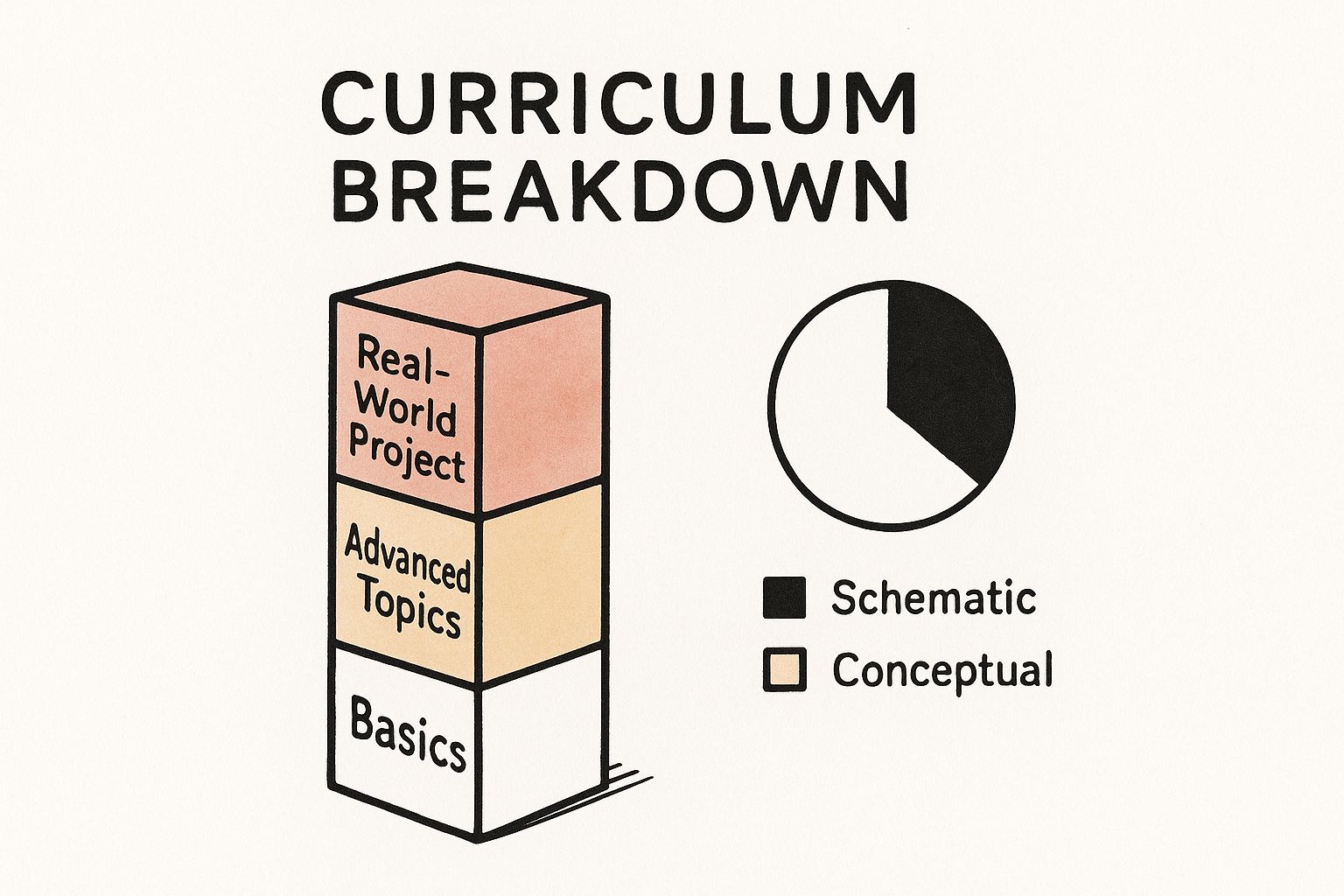
    This chart gives you a sense of how a well-structured curriculum works, building your skills layer by layer until you're ready to tackle a final project that proves you know your stuff.

    Image

    Think of it like building a house. You start with a solid foundation (the basics of Python), then you frame the walls (data structures), and finally, you put on a roof and add the finishing touches (building a full-fledged application).

    Choosing Your Pace: Full-Time vs Part-Time

    The other huge investment is your time. The right format for you boils down to your personal situation, how you learn best, and how quickly you want to switch careers. Neither path is better than the other—it’s all about what fits your life.

    To help you figure it out, let’s compare the two head-to-head.

    Comparing Bootcamp Formats: Full-Time vs Part-Time

    Aspect Full-Time Immersive Part-Time Flexible
    Weekly Commitment 40-60+ hours per week, basically a full-time job (and then some). 10-20 hours per week, designed to fit around work and family, usually on evenings and weekends.
    Total Duration Super fast. Typically 12-16 weeks from start to finish. A slower burn, usually lasting 6-12 months.
    Ideal Candidate Someone ready to make a clean break from their current job and dive in headfirst. A working professional, parent, or anyone who needs to keep their day job while they learn.
    Pros The absolute fastest way to a new career. You live and breathe code, and the bonds you form with your cohort are intense. You can keep your income, apply what you learn at your current job, and avoid total burnout.
    Cons You have to quit your job, which requires serious financial planning. The pace can be grueling. It takes longer to graduate, and you need a ton of self-discipline to stay on track when life gets busy.

    Ultimately, this is a personal call. A full-time program is an all-out sprint to the finish line, while a part-time program is more of a marathon that you weave into your existing life. Take a hard look at your finances, your support system, and your own learning style to choose the path that will truly set you up for success.

    Understanding Job Outcomes and Career Support

    You’ve finished the final project and earned that certificate. Now what? The real reason you signed up for a python coding bootcamp wasn't just to learn to code—it was to land a great job in tech. This is where a bootcamp’s promises are put to the test, and the focus shifts from learning to earning.

    Think of it like this: graduating from the bootcamp is like earning your pilot's license. You know how to fly the plane, but you've only ever done it in a controlled setting. Now you need a seasoned co-pilot to help you navigate the chaos of the real-world job market. That co-pilot is the bootcamp's career services team.

    From Student to Employed Professional

    Making that leap from graduate to a paid professional doesn't happen by accident. The best programs have a clear, structured process to guide you through the job hunt, which, frankly, can feel like a full-time job itself. The support you get should be hands-on and practical, all aimed at making you the candidate they can't ignore.

    A top-notch career services department does a lot more than just send a few encouraging emails. They become your strategic partners.

    • Portfolio and Resume Refinement: They'll help you tune up your resume to sail past the automated filters and truly showcase your new Python skills. Even more important, they'll make sure your project portfolio tells a compelling story about what you can build.
    • LinkedIn Profile Optimization: In tech, your online presence is your first impression. Coaches will help you craft a professional brand on platforms like LinkedIn, making you visible to the right recruiters.
    • Networking Strategy: They’ll plug you into their network of alumni and hiring partners through exclusive career fairs and networking events, opening doors that are typically hard to find on your own.

    The best career support is proactive, not reactive. It shouldn't wait for you to ask for help; it should lay out a clear, step-by-step roadmap for your job search the day you graduate.

    This kind of comprehensive support system is built to arm you with the confidence and tools needed to succeed in a competitive field.

    Mastering the Technical Interview

    For most new developers, the technical interview is the most daunting part of the process. It's a high-pressure situation where you’re expected to solve coding problems on the fly, usually on a whiteboard or a shared screen. A bootcamp's career services team will spend a huge amount of time preparing you for exactly this.

    They run mock interviews that feel just like the real thing, giving you blunt feedback on your code and how you communicate your thought process—a skill that interviewers often care about more than the perfect answer. You’ll also practice behavioral questions so you can clearly explain why you’re switching to tech and how your old skills apply. For anyone aiming for specific certifications, solid prep is non-negotiable. It’s smart to look for additional resources, like guides on how to get the most from MeasureUp practice tests, to give yourself an extra edge.

    Diverse Career Paths After Graduation

    A Python coding bootcamp opens up a surprisingly wide variety of career paths. You’re not just training for a single job title. Python is so versatile that you can jump into several high-demand fields, all with fantastic earning potential.

    Common Job Titles for Bootcamp Grads

    Job Title Average Entry-Level Salary (US) What They Do
    Software Developer $75,000 – $95,000 Build and maintain web applications, APIs, and the backend systems that power them.
    Data Analyst $65,000 – $85,000 Use Python libraries like Pandas to clean, analyze, and visualize data to uncover business insights.
    QA Engineer $70,000 – $90,000 Write automated scripts to test software, hunt down bugs, and ensure the final product is flawless.
    DevOps/Automation Engineer $80,000 – $100,000 Create scripts and tools that automate infrastructure and make the development process smoother for everyone.

    Keep in mind, these numbers are just the starting line. Your earning potential grows dramatically as you gain experience. The skills you get from a bootcamp are a springboard for a long and successful career, whether your goal is to become a senior engineer, a machine learning expert, or a team lead. This focus on real-world results is what makes a bootcamp such a powerful investment in your future.

    How to Choose the Right Bootcamp for You

    Image

    Choosing a Python coding bootcamp can feel overwhelming. You're faced with a dozen different paths, all promising to launch you into a new tech career. So, how do you cut through the noise and slick marketing to find a program that actually delivers? The trick is to think like an investigator, armed with the right questions and a healthy dose of skepticism.
    This isn't just about picking a school; it's about finding a true partner for your career change. The right fit will match your learning style, professional goals, and financial reality. The wrong one can be a frustrating and expensive detour.

    The demand for developers is exploding, and the bootcamp market is rushing to keep up. In fact, the market is projected to grow by almost USD 3.98 billion between 2025 and 2029. More options are great, but it also means you have to be a much smarter consumer. You can read the full research about this market expansion from Technavio to get a feel for the industry's direction.

    Evaluate the Curriculum and Instructors

    First things first: dig into what you’ll actually be learning every day. The curriculum needs to be modern and directly relevant to the jobs you're targeting. Look for in-demand technologies like Django or Flask for web development, or Pandas and Scikit-learn for data science. Does the syllabus line up with the skills listed in the job descriptions that catch your eye?

    Just as important are the people at the front of the room. Who are the instructors? Don't just get dazzled by fancy degrees; look for real-world, in-the-trenches industry experience. The best teachers are often current or former software engineers who can share practical insights you’ll never find in a textbook.

    A bootcamp's value isn't just in the information it provides, but in how that information is delivered. An experienced instructor who can explain complex topics with clarity and provide hands-on mentorship is worth their weight in gold.

    Pay attention to the student-to-instructor ratio. A lower ratio means you'll get more personalized help when you inevitably get stuck on a tricky concept. The top-tier programs ensure their instructors and teaching assistants are readily available for one-on-one support.

    Scrutinize Job Placement Statistics

    This is where you need to put your detective hat on. Every bootcamp boasts about its high success rates, but these numbers can be notoriously misleading. It’s your job to get to the truth behind the marketing claims. Don't be shy about asking direct, specific questions.

    Here are the non-negotiable questions you have to ask:

    • "What are your independently audited job placement statistics?" The key phrase here is independently audited. This means a neutral third party has verified their numbers, making them far more credible.
    • "What is the timeframe for that placement rate?" A 90% placement rate sounds amazing, but it means very little if it takes graduates a full year to land a role. Ask for the rates within three months and six months of graduation.
    • "Does that statistic include only full-time, in-field jobs?" Some schools puff up their stats by including part-time gigs, temporary contract work, or even jobs that have nothing to do with tech. You need to know how many grads landed the kind of full-time developer job you're after.

    A transparent bootcamp will have these answers ready and will be happy to share them. If an admissions advisor gets defensive or dodges the question, consider it a major red flag.

    Connect with Past Graduates

    Without a doubt, the best way to get an honest review of a program is to talk to the people who've actually completed it. Ask the admissions team to connect you with a few recent alumni. If they hesitate, you can usually find graduates yourself by searching for the bootcamp's name on LinkedIn.

    Send a polite message and ask if they'd be willing to chat for 15 minutes. You’d be surprised how many people are happy to share their experience—good or bad.

    Ask them about:

    1. The Instructor Quality: Were the teachers engaging, experienced, and available to help?
    2. The Career Support: Did the career services team provide real, effective help with resumes, interviews, and networking?
    3. The Overall Experience: Looking back, was it worth the time and money? What do they wish they knew beforehand?

    Getting this inside perspective is priceless. It's the same principle as preparing for a tough technical exam; talking to people who've already passed is invaluable. For more on this, see our guide on how do I get Microsoft Certified. Hearing directly from alumni helps you see past the sales pitch and understand what you can truly expect, allowing you to make a decision you'll be confident in.

    Still on the Fence? Let's Tackle Those Lingering Bootcamp Questions

    Taking the plunge into a Python coding bootcamp is a big decision, and it’s totally normal to have some last-minute questions. This is where we'll clear up the common worries that might be holding you back, so you can move forward with confidence.

    Let's get into the practical, nitty-gritty concerns—from what you need to know beforehand to what the experience really feels like.

    Do I Need to Be a Coder Already?

    This is the big one, and the short answer is no. But there’s a small asterisk. The vast majority of bootcamps are built from the ground up for career-changers and absolute beginners. They don't expect you to walk in with a tech background.

    The catch? The pace is blistering. To make sure you don't get left behind on day one, most programs have some required pre-work. This usually covers the bare-bones basics, like what a variable is or how a for loop works. It’s not a test to screen you out; it's a way to make sure everyone starts on the same page.

    Think of the pre-work like learning your scales before joining a band. You don't have to be a rockstar, but knowing the fundamentals lets you jump right into making music with everyone else. A few weeks spent with some free tutorials will make the actual bootcamp experience a whole lot smoother.

    Can I Really Get a Tech Job Without a Computer Science Degree?

    Yes, without a doubt. In fact, that’s the entire point of a bootcamp. The tech industry has made a major shift, prioritizing what you can do over what degree you have. What hiring managers really care about is simple: can you solve their problems with code?

    Your bootcamp portfolio is your proof. The projects you build—the web scrapers, the data dashboards, the full-stack applications—are tangible evidence of your skills. When an employer can click a link and see a working app you built from scratch, that often carries more weight than a piece of paper. Your certificate, a polished portfolio, and a solid performance in the technical interview are the new credentials for landing a great developer job.

    What’s the Toughest Part of a Bootcamp?

    Get ready for the firehose. Almost everyone agrees the hardest part is the relentless pace. A bootcamp crams a mind-boggling amount of complex, technical information into a few short months. It’s a full-on sprint that demands all of your attention and can be mentally draining.

    You will almost certainly have moments of “imposter syndrome”—that nagging feeling that you’re not cut out for this and everyone else is smarter than you. It happens to the best of us. The secret to getting through it is to trust the process, stay organized, and lean on your instructors and fellow students. That intense pressure is exactly what forges you into a capable developer so quickly.

    Why Not Just Teach Myself Python Online?

    Going the self-taught route works for some, but a Python coding bootcamp gives you three massive advantages that are tough to find on your own: structure, support, and speed.

    • Structure: A well-designed curriculum is your roadmap. It saves you from "tutorial hell"—that endless cycle of bouncing between random YouTube videos and blog posts without ever connecting the dots. A bootcamp teaches you the right things in the right order.
    • Support: When you’re stuck on a bug at 2 AM (and you will be), having an instructor or classmate to turn to is a lifesaver. This human element helps you push through the frustrating roadblocks that cause so many self-learners to give up.
    • Speed: This is the bottom line. The combination of an intensive schedule, project-based learning, and career services dramatically shrinks the timeline between writing your first line of code and landing your first developer job.

    Ready to take the next step in your cloud career? At AZ-204 Fast, we provide the specialized tools you need to master the Microsoft Azure Developer certification exam. Our platform uses proven learning techniques like spaced repetition flashcards and dynamic practice tests to ensure you're not just memorizing, but truly understanding the material. Conquer the AZ-204 exam with confidence by visiting us at AZ-204 Fast.

  • Cloud Engineer Bootcamp Your Path to a Top Tech Career

    Cloud Engineer Bootcamp Your Path to a Top Tech Career

    So, what exactly is a cloud engineer bootcamp? Think of it as an intensive, career-focused training program designed to give you the practical skills needed to build, manage, and scale cloud infrastructure. For many people, it’s the most direct route into a high-demand tech career, compressing what could take years to learn into just a few focused months. The real value is in its hands-on approach, which skips the abstract theory and gets right into real-world applications.

    Decoding the Value of a Cloud Engineer Bootcamp

    Image

    Is a cloud engineer bootcamp actually worth the time and money? For a growing number of career-changers and aspiring tech professionals, the answer is a clear "yes." These programs aren't just courses; they're career launchpads, built specifically to meet the urgent needs of today's job market.

    Here's a good way to look at it: a traditional university degree gives you a broad, theoretical map of the entire country. A bootcamp, on the other hand, is like a GPS giving you the most direct, turn-by-turn route to your destination—landing a job as a cloud engineer. It cuts out the scenic detours and focuses exclusively on the critical skills needed to get you there fast.

    This fast-tracked model works so well because the cloud computing industry is absolutely booming. Businesses in every sector, from finance to healthcare, are moving their operations to the cloud to become more flexible and efficient. This mass migration has created a massive skills gap, with far more open cloud engineer roles than qualified people to fill them.

    A cloud engineer bootcamp bridges this gap by creating an immersive learning environment that mirrors the real-world challenges you'll face on the job. It’s less about memorizing definitions and more about deploying applications and solving actual infrastructure problems.

    The Driving Force Behind Bootcamp Demand

    The incredible value of a cloud engineer bootcamp is tied directly to the industry's explosive growth. The global cloud computing market is expanding at a staggering pace. In 2024, the market soared past $752 billion and is projected to nearly triple to $2.39 trillion by 2030—that's an annual growth rate of 20.4%. This economic engine is fueled by the relentless demand for cloud expertise, especially for professionals skilled in major platforms like Amazon Web Services (AWS) and Microsoft Azure. You can dig deeper into these industry growth projections in DigitalDefynd's analysis.

    This rapid expansion means one thing for graduates: opportunity. Companies are desperately looking for candidates who have practical, hands-on skills, not just a degree on their resume.

    To help put the benefits into perspective, here’s a quick breakdown of what these programs offer.

    Cloud Engineer Bootcamp Value at a Glance

    Key Benefit What It Means for You
    Accelerated Learning Path Get job-ready in months, not years.
    Hands-On, Practical Skills Build a portfolio of real-world projects that prove your abilities.
    High Return on Investment (ROI) Invest in skills that lead directly to high-paying, in-demand jobs.
    Industry-Aligned Curriculum Learn the exact tools and technologies employers are using right now.
    Career Support Services Get help with resume building, interview prep, and job placement.

    Ultimately, a bootcamp gives you a clear and efficient pathway into a thriving industry, equipping you with the skills that companies are hiring for today.

    Who Benefits Most from This Model?

    While anyone with the right drive can succeed, the bootcamp format is a particularly good fit for a few key groups. See if you recognize yourself in one of these descriptions.

    • Career Changers: You're coming from a non-tech field—maybe teaching, marketing, or retail—and want a direct path into a stable and lucrative tech career without going back for a four-year degree.
    • IT Professionals Upskilling: You're already a system admin, network engineer, or developer, but you see the writing on the wall. The industry is moving to the cloud, and you need to learn these new skills to stay relevant and move up.
    • Recent Graduates: You have a degree in a related field, but your education was mostly theoretical. You need the specific, hands-on cloud skills that will make your resume stand out to hiring managers.

    In the end, the true worth of a cloud engineer bootcamp is measured by its ability to deliver a real return on your investment. By offering a condensed, practical, and career-focused education, it gives you a powerful alternative to traditional learning, aligning your skills directly with the urgent needs of a multi-trillion-dollar industry.

    What You'll Actually Learn in a Bootcamp

    Image

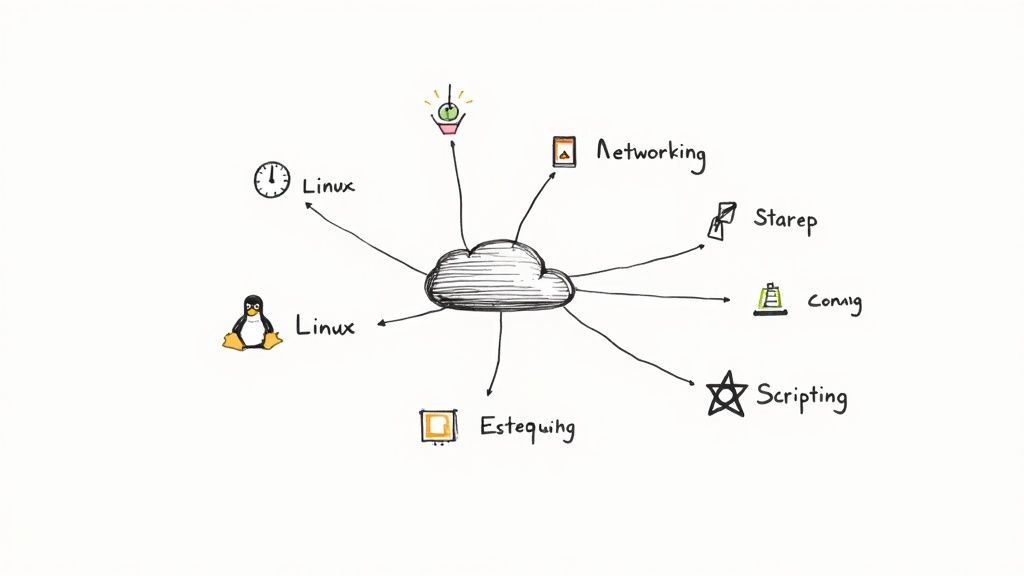
    So, you're thinking about a cloud engineer bootcamp. It's a big step, and it’s natural to wonder what exactly happens inside. What skills will you really walk away with? Let's break down the typical curriculum, piece by piece, to show you how these programs build your expertise from the ground up.

    Think of it like building a house. You can't put up the walls and roof without a rock-solid foundation. The first few weeks of any good bootcamp are all about pouring that concrete.

    This means starting with the absolute fundamentals of cloud computing. You won't just memorize definitions; you'll get a real feel for the core service models that run everything from your favorite streaming service to critical business software.

    • Infrastructure as a Service (IaaS): This is the ground floor. You'll learn to spin up virtual servers (think Amazon EC2 or Azure VMs) and set up networking. It's like being handed the raw building materials.
    • Platform as a Service (PaaS): Building on IaaS, this layer gives developers pre-built environments to deploy their apps without having to manage the underlying hardware.
    • Software as a Service (SaaS): This is the finished product, the apps we use every day like Google Workspace or Salesforce, delivered right over the internet.

    Mastering the Core Cloud Platforms

    Once you've got the concepts down, you'll get your hands dirty with the major cloud providers. This is where the real fun begins. Most programs focus on at least one of the "big three"—Amazon Web Services (AWS), Microsoft Azure, or Google Cloud—because that’s where the jobs are.

    A top-tier cloud engineer bootcamp makes sure you’re not just familiar with key services but genuinely proficient. You’ll spend a ton of time working directly in the cloud console, learning by doing.

    For instance, you won't just read about virtual machines. You'll launch them, configure their security settings, and figure out how to scale them up and down yourself. This hands-on philosophy applies to every core area:

    • Compute Services: Getting comfortable deploying and managing virtual workhorses like AWS EC2 and Azure Virtual Machines.
    • Storage Solutions: Learning to work with massive-scale object storage like AWS S3 or Azure Blob Storage for everything from website assets to big data.
    • Database Management: Spinning up and managing cloud databases, both relational (like Amazon RDS) and NoSQL.

    The real goal isn't just to teach you what a service is, but how to use it to solve an actual business problem. You'll learn to think like an engineer, choosing the right tool for the job by weighing cost, performance, and security.

    Building Modern Infrastructure with Automation

    In today's world, just clicking around a web console isn't enough. Modern cloud engineering is all about speed, consistency, and automation. The next stage of your training will introduce the tools that separate the hobbyists from the pros.

    This is where you learn to treat your infrastructure like software by using Infrastructure as Code (IaC). It's a non-negotiable skill for any serious cloud role. You’ll use tools like Terraform or AWS CloudFormation to write scripts that can build out entire, complex environments in minutes—flawlessly and repeatedly.

    From there, you’ll dive into CI/CD (Continuous Integration/Continuous Deployment). This is the engine that powers modern software delivery. You'll learn to build automated pipelines that grab new code from a developer, run tests on it, and push it live to the cloud with almost no human intervention. To get these jobs done, you might use scripting tools like PowerShell. If you’re in the Azure ecosystem, our guide on the Azure PowerShell module is a great resource for getting up to speed.

    Let’s see how it all comes together in a typical final project, like deploying a scalable web app.

    1. Define Infrastructure: First, you’d write a Terraform script to define your network, servers, and database as code.
    2. Automate Deployment: Next, you’d build a CI/CD pipeline in a tool like Jenkins or GitHub Actions.
    3. Push and Deploy: When a developer pushes new code, the pipeline you built automatically tests it and rolls it out to the infrastructure you defined in step one.

    A single project like this forces you to connect the dots between networking, compute, databases, IaC, and automation. It's the ultimate proof to an employer that you can do the job.

    Real Career Outcomes After Graduation

    Image

    So, you've powered through weeks of intense learning, wrestled with hands-on labs, and conquered a capstone project. What’s next? The real test of any bootcamp is the career it launches. This is where all that hard work pays off and turns into real-world opportunities in a booming industry.

    Finishing a good bootcamp is like getting your pilot’s license for the cloud. You don't just have a piece of paper; you have the practical, hands-on skills to fly complex digital infrastructures from your very first day on the job. That kind of job-readiness is a huge deal for hiring managers and opens a lot of doors.

    The skills you walk away with—whether it's managing services in AWS or Azure, or automating deployments with tools like Terraform—are a direct match for what companies are looking for. You won’t just know the theory; you'll have a portfolio of real projects that proves you can actually do the work.

    Common Job Titles for Graduates

    With your new toolkit of skills, you’ll be ready to apply for several key entry-level and junior roles in the cloud world. Think of these as the first rung on a long and rewarding career ladder, each with its own unique focus.

    Here are a few of the most common jobs that bootcamp grads land:

    • Cloud Engineer: This is the most direct path. You'll be designing, building, and maintaining an organization's cloud infrastructure.
    • DevOps Engineer: In this role, you’ll focus on bridging the gap between developers and IT operations, building automated pipelines, and making deployments smoother and faster.
    • Cloud Support Associate: You'll be on the front lines, helping customers troubleshoot and solve technical problems with their cloud services.

    Each of these positions is a fantastic launchpad. From here, you can deepen your expertise and eventually move into specialized areas like cloud security, architecture, or data engineering.

    The real edge for bootcamp grads is practical experience. A traditional degree might be heavy on theory, but your bootcamp portfolio shows an employer you've already built, deployed, and managed cloud resources. That makes you a much less risky—and more valuable—hire.

    A Realistic Look at Salary Expectations

    One of the biggest draws to a cloud engineering career is the earning potential, even right out of the gate. The demand for skilled cloud pros is so high that companies are willing to pay competitively for fresh talent.

    For their first job, many bootcamp graduates can expect a starting salary in the $70,000 to $80,000 range. That number reflects the immediate value you bring to the table. This is just a starting point, too.

    The cloud industry is known for fast career growth, and your salary will grow with it. After a few years of experience, and maybe another certification under your belt, your earning potential can jump significantly. For instance, getting a respected credential can really move the needle, and you can learn more about how to get Microsoft certified in our guide.

    Ultimately, a cloud engineer bootcamp does more than just give you a certificate. It acts as a direct on-ramp to a stable, well-paying, and future-proof career. By giving you the specific, hands-on skills that employers are desperate for right now, it sets you up for immediate success and a long, rewarding journey in the ever-growing world of cloud tech.
    How to Choose the Right Bootcamp Program

    Picking the right cloud engineer bootcamp can feel like a huge decision—because it is. This is the foundation for your new career, and you want to build it on solid ground. Not every program is built the same, and what works wonders for one person might be a total mismatch for another. The real trick is to look past the shiny marketing promises and dig into the details that actually matter for your learning and, ultimately, your job prospects.

    Think of it like choosing a personal trainer. You wouldn't just go with the person who has the slickest Instagram page. You’d want to know their training philosophy, see their clients' results, and make sure their approach fits your specific fitness goals. It's the exact same process here. You need to find a bootcamp that clicks with your learning style, career goals, and budget.

    Assess the Curriculum Depth and Focus

    First things first: what are you actually going to learn? The curriculum is the heart and soul of any bootcamp. Some programs go deep on a single cloud platform, like Amazon Web Services (AWS), aiming to make you an expert in the market leader. Others take a multi-cloud approach, giving you a solid foundation in AWS, Microsoft Azure, and Google Cloud Platform (GCP).

    Is one better than the other? Not necessarily. A deep dive into AWS can make you a specialist, which is exactly what some companies want. But having multi-cloud skills makes you more versatile and can open up a wider range of job opportunities. It really comes down to the kind of roles you see yourself in.

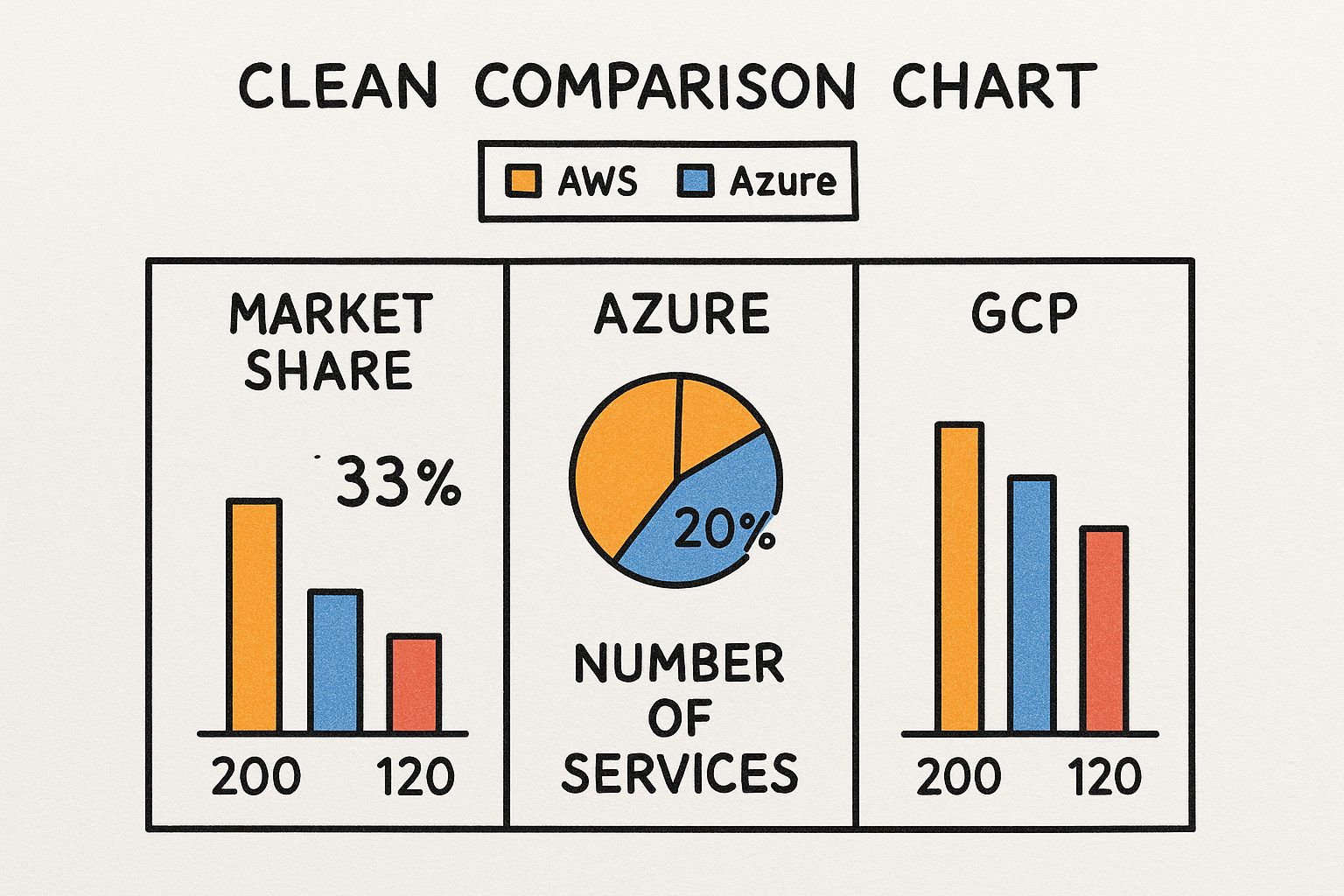
    This chart gives you a quick look at where the major cloud providers stand in the market.

    Image

    As you can see, AWS is the clear leader, but Azure and GCP hold significant chunks of the market. This is why having skills across multiple platforms is such a valuable asset for any cloud engineer.

    Beyond just the platforms, you need to make sure the curriculum covers the tools and concepts that companies are actually using today. Look for these key areas:

    • Infrastructure as Code (IaC): Is there serious hands-on training with tools like Terraform or AWS CloudFormation?
    • CI/CD and Automation: Will you get your hands dirty building automated deployment pipelines with Jenkins or GitHub Actions?
    • Containers and Orchestration: How much time is dedicated to the essentials: Docker and Kubernetes?
    • Security Best Practices: Is security treated as an afterthought, or is it woven into every module?

    These are the skills that hiring managers actively look for on a resume. They’re what separate a junior-level candidate from someone who can hit the ground running.

    Evaluate Hands-On Projects and Career Support

    Knowing the theory is great, but companies hire people who can build things. The best bootcamps are structured around practical, hands-on projects that you can proudly feature in your portfolio. You want a program that culminates in a capstone project—something where you build a complex, real-world cloud solution from scratch.

    For example, many top programs are designed to be intensive, multi-month deep dives. The California Institute of Technology runs a 9-month Cloud Computing Bootcamp that immerses students in both AWS and Azure. A huge part of their curriculum is over 40 hands-on projects and that all-important final capstone, which ensures every graduate has real, provable experience to show off. You can see more programs with this hands-on approach by looking through various cloud computing bootcamp listings.

    Just as important is what happens after you graduate. A bootcamp's job isn't done the moment you finish the last lesson.

    The best programs act as true career partners. They offer dedicated support to help you navigate the job market, including resume workshops, mock technical interviews, and direct introductions to their network of hiring partners.

    Don't be shy about asking tough questions. What's their placement rate within six months of graduation? What kind of companies hire their grads? A strong career services team can be the difference-maker in landing your first cloud role quickly. For instance, knowing how to deploy an application using a platform-as-a-service offering is a practical skill hiring managers love to see. We cover this in our guide explaining what Azure App Service is and why it's a key part of a cloud engineer's toolkit.

    Compare Program Intensity and Total Cost

    Finally, let's talk about the practical side of things: time and money. Bootcamps come in all shapes and sizes. Some are full-time, immersive programs that demand your complete attention for several months. Others are part-time and flexible, designed for people who need to keep their day jobs. Be honest with yourself about what you can realistically commit to. Burning out halfway through won't do you any good.

    Cost is obviously a huge factor, too. A quality bootcamp is a serious investment, but you need to find one that makes financial sense for you. Look past the sticker price to understand the total cost, which might include extra fees for books or certification exam vouchers.

    Some providers offer financing plans, scholarships, or even Income Share Agreements (ISAs), where you pay back a percentage of your salary only after you've landed a job. A higher price tag doesn't automatically equal a better program, so be sure to weigh the cost against the curriculum, project quality, and career support to figure out its true value.

    Top Cloud Engineer Bootcamp Comparison

    To help you get started, we've put together a table comparing some of the top bootcamps out there. This isn't an exhaustive list, but it gives you a side-by-side look at what different programs offer, so you can start to see what might be the best fit for you.

    Program Name Focus (AWS/Azure/Multi-Cloud) Duration Format (Online/Hybrid) Key Feature
    Springboard Multi-Cloud 9 months Online, Self-Paced 1:1 mentorship and a job guarantee
    Clarusway AWS & Azure 7 months Online, Live Instruction Strong focus on DevOps and hands-on labs
    Simplilearn Multi-Cloud 9 months Online, Blended Partnership with Caltech CTME
    KnowledgeHut AWS & Azure 6 months Online, Live Instruction Capstone project and real-world simulations
    Thinkful Multi-Cloud 5 months (full-time) Online, Live Instruction Immersive, full-time format with ISA options

    Ultimately, the best bootcamp is the one that aligns with your specific needs. Use this table as a starting point, do your own research, and don't hesitate to reach out to admissions teams with your questions. Making an informed choice now will pay off massively down the road.

    Preparing for Success Before and During Your Bootcamp

    Getting into a cloud engineer bootcamp is a huge step, but the real work—and the real opportunity—starts long before your first class. The students who truly crush it are the ones who treat the bootcamp not as a starting line, but as a launchpad.

    Think of it like training for a marathon. You wouldn't just roll out of bed and show up on race day, right? You’d spend weeks building a solid base of fitness. A bootcamp is a similar kind of endurance test for your brain, and a little prep work makes all the difference.

    Building Your Foundation Before Day One

    If you walk in with a handle on the core concepts, you can spend your time and energy wrestling with the complex cloud topics, not struggling with the basics. This isn't about becoming an expert overnight; it's just about getting familiar with the language and tools of the trade so you can hit the ground running.

    Your pre-bootcamp prep should zero in on three key areas. Getting comfortable here will give you a massive leg up.

    • Command-Line Basics: The command-line interface (CLI) is where a cloud engineer lives. Get comfortable navigating folders, creating directories, and moving files around with basic commands like ls, cd, and mkdir.
    • Networking Fundamentals: No need for a network engineering degree, but understanding concepts like IP addresses, DNS, and the difference between TCP and UDP will make the cloud networking modules click into place so much faster.
    • A Taste of Scripting: Cloud work is all about automation. Picking up the fundamentals of a scripting language like Python is a game-changer. Just focus on the basics—variables, loops, and simple functions—to get a feel for the logic.

    By dedicating even a few weeks to these topics, you’re not just learning—you’re building momentum. This preparation ensures you can absorb advanced material more quickly and get more value out of every single lesson.

    Strategies for Thriving During the Bootcamp

    Once the program starts, the pace is intense. Success shifts from pre-study to smart, effective learning. It's incredibly easy to get swamped by the firehose of information, so having a strategy is key to not just surviving, but actually thriving.

    The goal is to manage your energy and focus your efforts on what really moves the needle: deep, hands-on understanding.

    Maximize Your Learning Efficiency:

    1. Embrace Active Recall: Don't just sit back and watch lectures. Constantly test yourself. After a lesson on AWS S3, try to explain its purpose and features out loud without looking at your notes. Forcing your brain to retrieve information is how you build strong, lasting memory.
    2. Treat Labs as Gospel: The hands-on labs are where the magic happens. This is your chance to break things, fix them, and figure out how cloud services really work. This practical work should be your top priority.
    3. Network Relentlessly: Look around. Your classmates and instructors are your first professional network in the cloud world. Jump on projects together, ask tons of questions, and build real relationships. These are the people who will have your back—and maybe even a job referral—down the line.

    Leveraging Career Services and Building Your Portfolio

    The final stretch is all about turning your new skills into a job offer. Your bootcamp's career services team is a powerful ally, but they're your partners, not your personal recruiters. You have to be proactive.

    Connect with them early. They’ll help you reframe your resume to showcase your cloud projects and skills. They also run mock technical interviews, which are pure gold for practicing how to talk through your problem-solving process under pressure.

    Ultimately, your portfolio is your proof. The capstone project is the main event, but don't ignore the smaller labs and projects you complete along the way. Document everything on a platform like GitHub, writing clear descriptions of what you built and the problems you solved. This becomes a tangible showcase that tells hiring managers you can actually do the work, making you a much stronger candidate in a crowded field.

    Got Questions About Cloud Engineer Bootcamps?

    Deciding to jump into a cloud engineer bootcamp is a huge step. It’s a big investment—of your time, your money, and your focus—so it's completely normal to have a ton of questions before you commit. We've been there, and we've heard it all from aspiring students.

    Let's cut through the noise and tackle the big questions head-on. Think of this as the straightforward, no-fluff FAQ you've been looking for.

    "Do I Really Need a Computer Science Degree?"

    This is easily the number one question we hear, especially from people looking to switch careers. And the answer is a resounding no, you do not need a computer science degree.

    Sure, a technical background can give you a bit of a head start, but it’s absolutely not a dealbreaker. The best bootcamps are built for motivated people from all walks of life—we're talking former teachers, project managers, and even baristas who decided they wanted to build a future in tech.

    What really matters to admissions teams and, more importantly, to future employers, is your drive to learn and your ability to solve problems. In the tech world today, what you can do matters far more than what your diploma says.

    Your portfolio full of hands-on projects, your new cloud certifications, and your solid grasp of core concepts will open more doors than a degree you earned years ago. The whole point of a bootcamp is to prove that practical skill is the ultimate qualification.

    Plenty of successful cloud engineers started out in fields that had nothing to do with tech. Their stories are proof that passion and grit are the only true prerequisites.

    "How Much Hands-On Experience Will I Actually Get?"

    This question gets right to the heart of why bootcamps work. Unlike a traditional college course that might be heavy on theory, a good cloud bootcamp is all about one thing: learning by doing. You'll spend the vast majority of your time with your fingers on the keyboard, working inside real cloud platforms like AWS, Azure, and Google Cloud.

    The curriculum is designed to get you from concept to practice in minutes, not weeks. You won’t just sit through a lecture about virtual machines; you’ll be in the cloud console deploying, configuring, and even breaking them yourself. It's about building that muscle memory and practical intuition that you can't get from a textbook.

    This hands-on work usually follows a clear path, with projects getting more complex over time:

    • Foundational Labs: Think of these as small, focused drills. You'll learn a single service by doing a single task, like setting up an S3 bucket or launching an EC2 instance.
    • Mini-Projects: Here, you'll start connecting the dots by combining a few services to solve a simple problem, like hosting a basic website using cloud storage and a content delivery network (CDN).
    • The Capstone Project: This is the big one—your final showcase. You’ll take everything you’ve learned and build a complex cloud solution from the ground up. This could be a scalable web app with a database, automated deployment pipelines, and security monitoring.

    This project-first approach means you don't just graduate with knowledge. You graduate with a portfolio of real work that proves to companies you can step in and contribute from day one.

    "What Happens If I Don’t Land a Job Right Away?"

    It's completely normal to worry about the job hunt. While many grads find roles quickly, the market is competitive, and for some, the search takes a bit longer. Any bootcamp worth its salt knows this and builds a strong support system to see you through it.

    Your relationship with the program shouldn't end the day you graduate. Their career services team should become your partner, your coach, and your cheering section during the job search.

    This support is your safety net and your strategic advantage. It typically includes:

    1. Career Coaching: One-on-one sessions to help you define your goals, build a smart job search strategy, and keep your motivation high when things get tough.
    2. Resume and Portfolio Reviews: Getting an expert eye on your application materials is critical. They'll help you frame your new cloud skills and projects in a way that gets a hiring manager's attention.
    3. Interview Prep: This is huge. You’ll run through mock technical and behavioral interviews to build confidence and learn how to talk about your problem-solving process under pressure.
    4. The Alumni Network: You'll get access to a whole community of people who have been exactly where you are. They're an amazing source of advice, support, and often, job referrals.

    If you don't get hired immediately, the key is to stay in the game. Keep building small projects, study for another certification, and work that alumni network. A good program’s career team will stick with you, helping you tweak your approach until you land that first role. It's a marathon, not a sprint, and they provide the coaching you need to cross the finish line.


    Ready to conquer the cloud and earn your Microsoft Azure certification? At AZ-204 Fast, we provide the focused, research-backed study tools you need to pass the exam efficiently. Master the material in weeks, not months, with our interactive flashcards, practice exams, and progress analytics. Start your journey with AZ-204 Fast today!

  • Top 5 Cloud Computing Best Certification for 2025

    Top 5 Cloud Computing Best Certification for 2025

    The demand for skilled cloud professionals has never been higher, with organizations across all sectors migrating to services like AWS, Azure, and Google Cloud. Earning a respected certification is one of the most effective ways to validate your expertise, unlock higher salaries, and prove you can manage and deploy solutions in complex cloud environments. But with a vast landscape of options, choosing the right path can feel overwhelming.

    Is a vendor-specific credential from a major provider the best route, or does a vendor-neutral certification offer more flexibility? This guide cuts through the noise to provide a detailed roundup of the top cloud certifications available today. We'll break down the essential details for each one, including exam focus, cost, prerequisites, and real-world career value, to help you identify the cloud computing best certification to accelerate your professional journey in 2025.

    We have structured this guide to give you a clear, side-by-side comparison, making it easy to see which certification aligns with your specific career goals, whether you are a developer targeting the Azure AZ-204, a security professional eyeing the CCSP, or an IT admin aiming for a foundational credential like CompTIA Cloud+. Each entry includes direct links to the official certification pages, so you can dive deeper and start your preparation immediately. Our goal is to provide a straightforward, actionable resource that helps you make a confident and informed decision.

    1. AWS Certified Solutions Architect – Associate: The Industry Gold Standard

    Holding an AWS certification is often seen as a benchmark in the cloud industry, and the AWS Certified Solutions Architect – Associate (SAA-C03) is arguably its most recognized credential. This certification validates your ability to design and implement well-architected, scalable, and cost-effective solutions on the world's most popular cloud platform. It’s a top contender for the cloud computing best certification because it provides a comprehensive foundation in cloud architecture principles, making it an ideal starting point for anyone aspiring to a solutions architect or cloud engineering role.

    The exam focuses heavily on your practical ability to translate business requirements into technical cloud solutions. You won't just be memorizing service names; you'll be applying knowledge to real-world scenarios.

    Core Focus Areas and What to Expect

    The SAA-C03 exam is structured around four key domains, each testing a critical aspect of cloud architecture:

    • Design Secure Architectures (30%): This involves implementing security controls across multiple AWS services, such as using AWS Identity and Access Management (IAM), Amazon VPC, and AWS Shield.
    • Design Resilient Architectures (26%): You will be tested on designing multi-AZ and multi-region architectures for high availability and disaster recovery using services like Elastic Load Balancing (ELB) and Amazon Route 53.
    • Design High-Performing Architectures (24%): This domain covers selecting the right compute, storage, and database services (e.g., EC2, S3, RDS) to meet performance requirements.
    • Design Cost-Optimized Architectures (20%): Expect questions on identifying cost-effective solutions and leveraging AWS pricing models, like Reserved Instances and Savings Plans.

    Exam Logistics and Career Impact

    To succeed, Amazon recommends at least one year of hands-on experience designing and implementing systems on AWS. While not a strict prerequisite, this practical background is invaluable for navigating the scenario-based questions.

    Feature Details
    Exam Code SAA-C03
    Cost $150 USD (prices may vary by region)
    Format 65 multiple-choice, multiple-response questions
    Duration 130 minutes
    Prerequisites Recommended: 1 year of hands-on AWS experience
    Key Career Paths Cloud Engineer, Solutions Architect, DevOps Engineer, Cloud Consultant

    Pro Tip: Don't just study service features. Focus on the AWS Well-Architected Framework. Understanding its five pillars (Operational Excellence, Security, Reliability, Performance Efficiency, and Cost Optimization) is the key to answering many of the exam's situational questions correctly. This framework is the blueprint for a successful cloud architecture and, by extension, for passing this exam.

    Earning this certification signals to employers that you possess the foundational skills to build robust and efficient systems on the world's leading cloud platform, significantly boosting your marketability and career prospects.

    Learn more about the AWS Certified Solutions Architect – Associate

    2. Microsoft Certified: Azure Administrator Associate – The Enterprise Cloud Pillar

    As enterprises increasingly adopt multi-cloud strategies, Microsoft Azure has become a dominant force, making its certifications incredibly valuable. The Microsoft Certified: Azure Administrator Associate (AZ-104) is a cornerstone credential, validating your expertise in implementing, managing, and monitoring an organization's Microsoft Azure environment. It's a leading candidate for the cloud computing best certification because it focuses on the practical, day-to-day skills needed to keep an enterprise cloud infrastructure running smoothly and securely.

    This certification goes beyond theoretical knowledge, demanding hands-on proficiency in core Azure services. It signals to employers that you can manage compute, storage, networking, and security in one of the world's most widely used cloud platforms.

    Microsoft Learn: Certifications (Azure)

    Core Focus Areas and What to Expect

    The AZ-104 exam is meticulously structured to cover the complete lifecycle of Azure administration. The skills measured are divided into five key functional groups:

    • Manage Azure identities and governance (20-25%): This includes managing Microsoft Entra ID (formerly Azure AD) users and groups, implementing subscription-level governance, and using Azure Policy.
    • Implement and manage storage (15-20%): You will be tested on configuring Azure storage accounts, managing data with Azure Storage Explorer, and implementing Azure Files and Azure Blob Storage.
    • Deploy and manage Azure compute resources (20-25%): This domain focuses on deploying and configuring virtual machines (VMs), containers, and Azure App Service.
    • Implement and manage virtual networking (15-20%): Expect questions on creating and configuring virtual networks, implementing network security groups (NSGs), and monitoring network connectivity.
    • Monitor and maintain Azure resources (10-15%): This involves implementing backup and recovery solutions with Azure Backup and using Azure Monitor to analyze resource performance and health.

    Exam Logistics and Career Impact

    Microsoft recommends at least six months of hands-on experience administering Azure and a strong understanding of core Azure services, workloads, security, and governance. This practical foundation is crucial for tackling the exam's performance-based tasks and case studies. You can learn more about getting Microsoft Certified to understand the process better.

    Feature Details
    Exam Code AZ-104
    Cost $165 USD (prices vary by country and are confirmed at checkout)
    Format 40-60 questions, including multiple-choice, case studies, and hands-on labs
    Duration 120 minutes
    Prerequisites Recommended: 6+ months of hands-on Azure experience
    Key Career Paths Azure Administrator, Cloud Administrator, Systems Administrator, IT Operations Engineer

    Pro Tip: Leverage the free resources on Microsoft Learn. Unlike other platforms, Microsoft provides comprehensive learning paths with hands-on sandbox environments at no cost. Completing these modules is one of the most effective ways to gain the practical skills needed to pass the AZ-104, as the content aligns directly with the exam objectives.

    Earning the Azure Administrator Associate certification demonstrates your ability to manage and secure a modern enterprise cloud environment, making you a highly sought-after professional in the IT job market.

    Learn more about the Microsoft Certified: Azure Administrator Associate

    3. Google Cloud Professional Cloud Architect: The Data-Driven Challenger

    As a formidable competitor in the cloud space, Google Cloud Platform (GCP) has carved out a niche with its powerful data analytics, machine learning, and containerization services. The Google Cloud Professional Cloud Architect certification validates your expertise in designing, building, and managing robust, secure, and highly available cloud solutions using Google's best practices. It's a strong contender for the cloud computing best certification, particularly for professionals working in data-centric or AI-driven environments where GCP's strengths shine.

    This professional-level certification goes beyond foundational knowledge, requiring you to apply your skills to complex, real-world case studies presented during the exam. It signals to employers that you can lead cloud initiatives and translate business objectives into technical architectures on GCP.

    Google Cloud: Certifications

    Core Focus Areas and What to Expect

    The Professional Cloud Architect exam is designed around six primary objectives, emphasizing a holistic approach to solution design and management:

    • Design and Plan a Cloud Solution Architecture (30%): This is the largest domain, focusing on designing for security, compliance, and scalability using services like Cloud Identity, VPC Service Controls, and appropriate compute options.
    • Manage and Provision Solution Infrastructure (20%): You'll be tested on deploying and managing infrastructure using tools like Cloud Deployment Manager and configuring network components like VPCs, firewalls, and Cloud Interconnect.
    • Design for Security and Compliance (15%): This involves implementing identity and access management (IAM), data security controls, and designing for regulatory compliance.
    • Analyze and Optimize Technical and Business Processes (15%): This domain tests your ability to improve operations, reliability (SRE principles), and cost-effectiveness.
    • Manage Implementation (10%): Expect questions on advising development teams and ensuring solutions are deployed successfully.
    • Ensure Solution and Operations Reliability (10%): This covers monitoring, logging, and troubleshooting complex cloud environments.

    Exam Logistics and Career Impact

    Google recommends three or more years of industry experience, including at least one year designing and managing solutions using GCP. This experience is critical for tackling the case study-based questions that form a significant part of the exam.

    Feature Details
    Exam Code Professional Cloud Architect
    Cost $200 USD (prices may vary by region)
    Format 50-60 multiple-choice, multiple-select questions
    Duration 120 minutes
    Prerequisites Recommended: 3+ years industry experience, 1+ year on GCP
    Key Career Paths Cloud Architect, Cloud Strategist, Enterprise Architect, Solutions Engineer

    Pro Tip: Unlike other exams that focus on individual services, the Google Cloud Professional Cloud Architect exam heavily features case studies (EHR, Mountkirk Games, TerramEarth). Thoroughly study and understand the business and technical requirements of these cases before your exam. Being able to map GCP services to their specific problems is essential for success.

    Achieving this certification demonstrates a high level of proficiency in Google Cloud and is highly valued by organizations leveraging GCP for data analytics, machine learning, and modern application development, making you a prime candidate for senior cloud roles.

    Learn more about the Google Cloud Professional Cloud Architect

    4. CompTIA Cloud+: The Vendor-Neutral Foundation

    While provider-specific certifications from AWS, Azure, and Google dominate the market, the CompTIA Cloud+ (CV0-003) carves out a unique and essential niche. It stands as a leading contender for the cloud computing best certification for professionals seeking a vendor-agnostic understanding of cloud principles. This certification validates your ability to deploy, manage, and secure cloud infrastructure across multiple platforms, making you a versatile asset in any multi-cloud or hybrid environment.

    Unlike its vendor-specific counterparts, Cloud+ focuses on the universal concepts that underpin all cloud platforms, such as infrastructure, security, and deployment models. It proves you understand the "why" and "how" of cloud technology, not just the specifics of one provider's console.

    Core Focus Areas and What to Expect

    The CV0-003 exam is designed to cover the end-to-end lifecycle of cloud infrastructure management, broken down into five key domains:

    • Cloud Architecture and Design (13%): This area covers planning and designing a cloud environment based on business requirements, including understanding different cloud models (IaaS, PaaS, SaaS) and connectivity options.
    • Cloud Security (20%): You will be tested on implementing robust security controls, managing identity and access, and applying security best practices within a cloud environment.
    • Cloud Deployment (23%): This is the largest domain, focusing on integrating cloud services, deploying virtual machines and containers, and performing migrations to the cloud.
    • Cloud Operations and Support (22%): Expect questions on configuring, monitoring, and optimizing cloud environments, including patch management, automation, and performance tuning.
    • Troubleshooting (22%): This domain tests your ability to diagnose and resolve a wide range of cloud-related issues, from connectivity and security problems to deployment failures.

    Exam Logistics and Career Impact

    CompTIA recommends 2-3 years of experience in systems administration or networking before attempting this exam. This practical background helps contextualize the broad, conceptual knowledge required to succeed. The certification also meets DoD 8570/8140 requirements, making it highly valuable for government and defense-related roles.

    Feature Details
    Exam Code CV0-003
    Cost $369 USD (prices may vary by region and with voucher bundles)
    Format Maximum of 90 multiple-choice and performance-based questions
    Duration 90 minutes
    Prerequisites Recommended: 2-3 years in IT; CompTIA Network+ and/or Server+ are suggested but not required.
    Key Career Paths Cloud Engineer, Systems Administrator, Cloud Specialist, Network Administrator, Cloud Project Manager

    Pro Tip: Don't underestimate the performance-based questions (PBQs). These simulated lab environments require you to actively solve problems, not just recall facts. Practice configuring firewalls, deploying virtual networks, and analyzing logs in a hands-on lab environment. Success on the PBQs often separates a passing score from a failing one.

    Earning the CompTIA Cloud+ demonstrates a foundational, cross-platform competence that is increasingly sought after as organizations avoid vendor lock-in and adopt multi-cloud strategies, positioning you as a flexible and adaptable cloud professional.

    Learn more about the CompTIA Cloud+

    5. ISC2 Certified Cloud Security Professional (CCSP): The Security Specialist's Choice

    While vendor-specific certifications focus on implementing security within one ecosystem, the ISC2 Certified Cloud Security Professional (CCSP) is a globally recognized, vendor-neutral credential that validates advanced technical skills in designing, managing, and securing data, applications, and infrastructure in the cloud. This certification is a strong contender for the cloud computing best certification for professionals specializing in cybersecurity. It demonstrates a deep understanding of cloud security architecture, design, operations, and service orchestration, independent of any single platform.

    The CCSP is designed for experienced IT and information security leaders responsible for applying best practices to cloud security architecture. It proves you have the hands-on expertise to secure cloud environments and is highly respected by employers, especially within regulated industries like finance and healthcare.

    ISC2: CCSP (Certified Cloud Security Professional)

    Core Focus Areas and What to Expect

    The CCSP exam is a comprehensive test covering six critical domains of cloud security. Each domain reflects the real-world responsibilities of a cloud security professional:

    • Cloud Concepts, Architecture and Design (17%): Covers fundamental cloud computing concepts, design principles, and evaluating cloud service providers.
    • Cloud Data Security (20%): Focuses on designing and implementing data security controls, data storage architectures, and data discovery and classification.
    • Cloud Platform & Infrastructure Security (17%): Involves securing the cloud infrastructure, from compute and network to storage, and implementing business continuity and disaster recovery plans.
    • Cloud Application Security (17%): Tests your knowledge of secure software development lifecycles, application security, and identity and access management solutions.
    • Cloud Security Operations (16%): This domain is about building and running the physical and logical infrastructure for the cloud environment and implementing operational controls.
    • Legal, Risk and Compliance (13%): Covers ethical behavior, privacy issues, and managing risk and compliance in the cloud.

    Exam Logistics and Career Impact

    Unlike many other certifications, the CCSP has a strict experience prerequisite, reinforcing its status as a credential for established professionals. To become certified, you must have at least five years of cumulative, paid, full-time work experience in information technology, of which three years must be in information security and one year in one of the six CCSP domains.

    Feature Details
    Exam Code CCSP
    Cost $599 USD (prices may vary by region)
    Format 150 multiple-choice questions
    Duration 4 hours
    Prerequisites 5 years of IT experience (3 in infosec, 1 in a CCSP domain). Associate status available without experience.
    Key Career Paths Cloud Security Architect, Security Engineer, Security Administrator, Enterprise Architect, Systems Engineer

    Pro Tip: The CCSP exam is broad and deep. Do not underestimate the Legal, Risk, and Compliance domain. Many technically-focused candidates find this area challenging. Ensure you understand data privacy regulations (like GDPR), audit processes, and the nuances of contracts with cloud providers. A great way to retain this dense information is through active recall; discover how to use flashcards for studying to master these critical concepts.

    Earning the CCSP signals to employers that you have the advanced knowledge and technical skills to secure a cloud environment from the ground up, making you a highly valuable asset in any organization's security posture.

    Learn more about the ISC2 Certified Cloud Security Professional (CCSP)

    6. Linux Foundation (CNCF): Certified Kubernetes Administrator (CKA)

    In the modern cloud-native landscape, container orchestration is king, and Kubernetes is its undisputed ruler. The Certified Kubernetes Administrator (CKA) certification from the Linux Foundation and Cloud Native Computing Foundation (CNCF) is a crucial credential that proves you have the skills to manage this powerful, complex system. Unlike multiple-choice exams, the CKA is a hands-on, performance-based test, making it a true validation of practical expertise and a strong contender for the cloud computing best certification for DevOps, SRE, and cloud-native engineering roles.

    Earning this certification demonstrates your ability to perform the responsibilities of a Kubernetes administrator in a live, command-line environment. This vendor-neutral credential is highly respected across all major cloud platforms, including AWS, Azure, and GCP, as Kubernetes is a foundational technology for multi-cloud and hybrid-cloud strategies.

    Linux Foundation (CNCF): Certified Kubernetes Administrator (CKA)

    Core Focus Areas and What to Expect

    The CKA exam is entirely practical, requiring you to solve real-world problems in a command-line interface. The domains reflect the core duties of a Kubernetes administrator:

    • Storage (10%): This involves managing persistent storage for applications, understanding storage classes, persistent volumes, and volume claims.
    • Troubleshooting (30%): The largest domain, it tests your ability to diagnose and resolve issues with cluster components, networking, and application deployments.
    • Workloads & Scheduling (15%): You will be tasked with deploying, managing, and scaling applications using Deployments, StatefulSets, DaemonSets, and Jobs, as well as managing pod scheduling.
    • Cluster Architecture, Installation & Configuration (25%): This covers managing role-based access control (RBAC), upgrading clusters, and backing up and restoring etcd.
    • Services & Networking (20%): Expect tasks related to cluster networking, including using Services, Ingress, and NetworkPolicies to expose applications and secure pod communication.

    Exam Logistics and Career Impact

    The Linux Foundation recommends strong familiarity with the command line and concepts covered in their Kubernetes Fundamentals (LFS258) course. Since the exam is hands-on, proficiency with kubectl is not just recommended; it's essential for success.

    Feature Details
    Exam Code CKA
    Cost $395 USD (includes one free retake; often bundled with training for a discount)
    Format Performance-based lab with 15-20 command-line tasks
    Duration 120 minutes
    Prerequisites Recommended: Strong Linux command-line skills and Kubernetes fundamentals knowledge
    Key Career Paths Kubernetes Administrator, Cloud Engineer, DevOps Engineer, Site Reliability Engineer, Cloud Native Developer

    Pro Tip: Time management is critical. During the exam, you have access to the official Kubernetes documentation (kubernetes.io). Do not try to memorize every YAML manifest. Instead, master the use of kubectl imperative commands (e.g., kubectl run, kubectl create, kubectl expose) to generate basic configurations quickly, and then use the documentation to find and adapt complex YAML examples. Practice this workflow until it becomes second nature.

    The CKA is a powerful signal to employers that you can step into a role and immediately manage production-grade Kubernetes clusters, making it one of the most valuable and respected certifications in the cloud-native ecosystem.

    Learn more about the Certified Kubernetes Administrator (CKA)

    7. Pluralsight (includes A Cloud Guru): The All-in-One Training Ground

    While not a certification itself, Pluralsight has earned its spot as an indispensable resource for anyone pursuing a cloud computing best certification. Following its acquisition of A Cloud Guru, Pluralsight has become a powerhouse platform offering comprehensive training paths for virtually every major cloud credential across AWS, Azure, Google Cloud, and beyond. It serves as a one-stop-shop for preparation, combining video lessons with crucial hands-on practice.

    The platform's strength lies in its structured learning paths that are meticulously aligned with certification exam objectives. These paths guide learners from foundational concepts to advanced topics, ensuring no domain is left uncovered. The integration of A Cloud Guru’s content adds a layer of highly practical, engaging instruction and hands-on labs that are famous for building real-world skills.

    Core Focus Areas and What to Expect

    Pluralsight's cloud training is built around a multi-faceted approach to learning, focusing on both theoretical knowledge and practical application.

    • Comprehensive Video Courses: Taught by industry experts, these courses break down complex cloud services and architectural principles into digestible modules.
    • Hands-on Labs and Sandboxes: This is where Pluralsight truly shines. Learners get access to live cloud environments (AWS, Azure, GCP) to apply what they've learned without incurring personal cloud costs.
    • Certification Exam Preparation: The platform includes practice exams, quizzes, and targeted prep courses designed to simulate the real testing experience and identify knowledge gaps.
    • Multi-Cloud and DevOps Skills: Beyond specific certifications, Pluralsight offers extensive content on essential adjacent skills like Kubernetes, Terraform, and cloud security, making it a holistic career development tool.

    Platform Logistics and Career Impact

    Subscribing to Pluralsight gives you access to a massive library, allowing you to prepare for multiple certifications or simply upskill in various cloud domains under a single plan. This is ideal for professionals aiming for a multi-cloud skill set.

    Feature Details
    Subscription Cost Varies; monthly and annual plans available (e.g., Standard, Premium). A free trial is typically offered.
    Format On-demand video courses, hands-on labs, sandboxes, practice exams, and skill assessments.
    Key Platforms AWS, Microsoft Azure, Google Cloud Platform, Kubernetes, Terraform, and more.
    Prerequisites None; courses range from beginner to advanced levels.
    Primary Value Prepares candidates for official certification exams from providers like AWS, Microsoft, and Google.

    Pro Tip: Don't just follow a single learning path. Leverage the platform's breadth to your advantage. If you're studying for an Azure certification, for example, watch a few related AWS or GCP courses on a similar service. This comparative learning deepens your understanding of core cloud concepts, rather than just the implementation on one platform, making you a more versatile and knowledgeable cloud professional.

    Pluralsight provides the structured curriculum and practical tools necessary to build confidence and competence, directly translating study efforts into exam success and enhanced job-readiness.

    Learn more about Pluralsight's Cloud Training

    Top 7 Cloud Certification Comparison

    Certification / Platform Implementation Complexity 🔄 Resource Requirements ⚡ Expected Outcomes 📊 Ideal Use Cases 💡 Key Advantages ⭐
    AWS Training and Certification (Amazon Web Services) Moderate – broad catalog, structured ladder Paid premium content, exam fees Strong U.S. employer recognition, career growth Cloud roles in AWS-heavy environments Comprehensive pathways, frequent discounts
    Microsoft Learn: Certifications (Azure) Moderate – clear role levels, some scheduling issues Mostly free learning content; exam fees vary Broad Azure recognition, practical sandbox skills Azure-focused cloud roles, enterprises Extensive free content, sandbox environments
    Google Cloud: Certifications Moderate – platform-specific focus Transparent pricing; online and onsite exams Recognition in data/AI roles, platform expertise Data/AI and Google Cloud-centric roles Clear policies, role-based exam details
    CompTIA Cloud+ (Vendor-neutral) Moderate – broad coverage Exam fees plus training costs Baseline multi-cloud skills, vendor neutral Multi-cloud baseline knowledge, DoD compliance Vendor-neutral, CEU renewal program
    ISC2: CCSP (Certified Cloud Security Professional) Higher – requires experience, security focus Higher exam fees, official training available Strong recognition in regulated industries Cloud security roles requiring professional experience Recognized in security, transparent policies
    Linux Foundation (CNCF): Certified Kubernetes Administrator (CKA) High – hands-on command-line exam Exam purchase; optional training bundles Practical cloud-native/container skills Kubernetes and cloud-native infrastructure Highly practical, cost-saving bundles
    Pluralsight (includes A Cloud Guru content) Low – training platform only Subscription fees; exams separate Improved practical skills, exam preparation Multi-cloud skills development and practice Wide multi-cloud training, hands-on labs

    Your Next Step: Choosing and Conquering Your Certification

    Navigating the landscape of cloud certifications can feel overwhelming, but making an informed choice is a powerful first step toward career advancement. We've explored the dominant platforms from AWS, Microsoft Azure, and Google Cloud, each offering a tiered path from foundational knowledge to specialized professional expertise. We also delved into crucial vendor-neutral and specialized certifications like CompTIA Cloud+, ISC2 CCSP, and the CNCF’s CKA, which provide either a broad, multi-cloud perspective or deep, specific skill validation.

    The central takeaway is this: the "cloud computing best certification" is not a one-size-fits-all award. It is a credential that must be strategically aligned with your unique career trajectory, existing skill set, and the specific demands of your target industry or role. Your decision-making process should be a personal audit of your professional goals.

    Synthesizing Your Options: From Decision to Action

    To move forward, distill the information from this guide into a concrete action plan. Don't just pick a certification; build a strategy around it.

    • For Cloud Newcomers: If you are just starting, a foundational certificate like AWS Certified Cloud Practitioner or Azure Fundamentals (AZ-900) is an excellent, low-risk entry point. It builds confidence and provides the vocabulary needed for more advanced roles.
    • For Aspiring Architects: Professionals aiming for design and architecture roles should target the AWS Certified Solutions Architect – Associate or its equivalent in Azure (AZ-305) or Google Cloud (Professional Cloud Architect). These are highly respected credentials that validate your ability to design robust, scalable, and cost-effective cloud solutions.
    • For Developers and Engineers: If your daily work involves coding and deploying applications, a developer-centric certification like the Azure Developer Associate (AZ-204) or AWS Certified Developer – Associate is a direct investment in your core responsibilities. Similarly, the Certified Kubernetes Administrator (CKA) is a must-have for anyone deep in the containerization and orchestration ecosystem.
    • For Security Specialists: Cybersecurity professionals should prioritize the ISC2 CCSP. This certification is a gold standard, proving your expertise in securing cloud environments-a skill that is in exceptionally high demand.

    Creating Your Personalized Roadmap

    Once you've identified the right path, the journey of preparation begins. Success is not just about passing an exam; it's about genuinely mastering the material.

    1. Define Your Timeline: Set a realistic exam date. A goal without a deadline is just a wish. A 3-6 month window is often effective for associate-level certifications, allowing for deep learning without burnout.
    2. Blend Theory with Practice: Do not rely solely on video courses or reading materials. The most effective learning happens when you apply concepts in a real environment. Use the free tiers offered by AWS, Azure, and GCP to build projects, break things, and fix them. This hands-on experience is non-negotiable for exam success.
    3. Identify Your Weaknesses: As you study, take practice exams early and often. Don't focus on the score initially. Instead, use the results to identify your knowledge gaps. If you consistently struggle with networking or security questions, dedicate extra study sessions to those domains.

    Key Insight: The true value of a certification isn't the digital badge itself, but the structured learning journey it enforces. It compels you to master a broad range of services and best practices, transforming you into a more competent and confident cloud professional.

    Embarking on this path is a significant commitment, but the rewards are equally substantial. The right cloud certification serves as undeniable proof of your skills, enhances your credibility with employers, and unlocks opportunities for more challenging and lucrative roles. Use this guide as your launchpad, choose the certification that ignites your passion, and commit to the process. Your future in the cloud is waiting.


    If your path leads to becoming a cloud developer on the Microsoft stack, achieving the AZ-204 certification is a critical milestone. To accelerate your preparation with a proven, efficient system, consider AZ-204 Fast, a study tool designed for busy professionals who need to learn effectively. Explore the method and get started on your Azure developer journey today at AZ-204 Fast.

  • A Modern Guide to Backing Up SQL Database

    A Modern Guide to Backing Up SQL Database

    Backing up a SQL database isn't just about making a copy; it's about creating a lifeline you can grab when something goes wrong. At its core, you're using a mix of full, differential, and transaction log backups to build a safety net. This combination is your best defense against everything from a fried hard drive to a fat-fingered DELETE query, making a solid strategy an absolute must for business continuity.

    Why Your SQL Database Backup Strategy Matters

    Image

    It’s tempting to treat backups as just another item on the IT checklist. Set it and forget it, right? But I've seen firsthand how a weak or missing backup plan can become the single biggest point of failure for a business. The risks are far more insidious than a server simply dying.

    Think about silent data corruption that slowly creeps through your tables for weeks, only noticed long after your good backups have been cycled out. Or, the scenario we all dread: a ransomware attack that locks up your entire production environment. Without a clean, isolated backup, you’re stuck choosing between paying a hefty ransom (with zero guarantee of getting your data back) or rebuilding from scratch.

    Even a simple mistake, like an accidental DELETE without a WHERE clause, can instantly vaporize mission-critical data. The real-world costs are massive—lost revenue, shattered customer trust, and even hefty fines under regulations like GDPR or HIPAA. This is precisely why knowing the tools of the trade is so important.

    The Three Pillars of SQL Backups

    Your entire defense against data loss rests on three fundamental types of backups. Each plays a specific role, and any serious strategy will use them in concert.

    • Full Backups: This is your bedrock. A full backup is a complete snapshot of the entire database—all data, objects, and even parts of the transaction log. It's a self-contained restore point you can always fall back on.

    • Differential Backups: These are much faster to create than a full backup because they only capture data that has changed since the last full backup. To get back up and running, you'd need that last full backup plus the latest differential.

    • Transaction Log Backups: This is your key to precision. It captures all transactions since the last log backup was taken, which allows for true point-in-time recovery. You can restore the database to the exact moment right before disaster struck.

    I’ve seen companies rely only on nightly full backups, thinking they’re covered. But if a critical failure hits at 4 PM, they’re still facing a full day of data loss. Weaving in differential and log backups closes that dangerous gap.

    By layering these methods, you build a much more resilient system. For instance, a weekly full backup, daily differentials, and transaction log backups every hour is a common and effective approach. This strategy strikes a smart balance between minimizing potential data loss and managing performance and storage costs, turning a simple chore into a proactive business continuity plan.

    Choosing the Right SQL Backup Type

    To help you decide which backup strategy fits your specific needs, here’s a quick reference guide.

    Backup Type What It Captures Ideal Use Case Recovery Impact
    Full The entire database, including data, objects, and part of the transaction log. Establishing a baseline for recovery. Essential, but done less frequently (e.g., weekly) due to size. Simplest restore process, but can lead to significant data loss if it's your only backup.
    Differential All data that has changed since the last full backup. Reducing restore time by requiring only the last full and one differential backup. Great for daily backups. Faster to restore than applying many log backups. Data loss is limited to the time since the last differential.
    Transaction Log All transaction log records generated since the last log backup. Achieving point-in-time recovery for critical databases where any data loss is unacceptable. Most flexible recovery, allowing restoration to a specific minute. Requires an unbroken chain of log backups.

    Ultimately, a robust plan for backing up a SQL database isn't about picking one type; it's about combining them to meet your specific Recovery Point Objective (RPO) and Recovery Time Objective (RTO).

    If you’re more comfortable working with a visual interface than a command line, the Azure Portal is the most intuitive way to handle your SQL database backups. While Azure SQL does a great job of automating backups right out of the box, you really need to get in there and configure the settings yourself. That's how you make sure your backup strategy actually lines up with your business's real-world needs.

    It's one thing to know a backup exists; it's another thing entirely to control how often it happens, how long it's kept, and where it's stored for disaster recovery. You’ll find all these settings by navigating to your Azure SQL database and looking for the data management or backup policies. This is where you can fine-tune your entire data protection plan without touching a single line of script.

    Getting Retention and Storage Right

    Once you’re in the backup policy section, you'll see two key areas: short-term and long-term retention. By default, Azure will hang onto backups for active databases for a set period, but you can, and often should, extend this. For a critical production database, bumping the default 7-day retention up to 35 days is a common and wise move.

    This is also where you'll make one of the most important decisions for your disaster recovery plan: storage redundancy. Azure gives you a few options, and your choice directly impacts how resilient your data is.

    • Locally-redundant storage (LRS): This is the basic tier. It keeps three copies of your backups in a single data center. It's cheap, but if that facility has a major problem, you're out of luck.
    • Zone-redundant storage (ZRS): A solid middle ground. ZRS copies your backups across three different availability zones within the same region, protecting you from an outage affecting a single zone.
    • Geo-redundant storage (GRS): This is the gold standard for business continuity. GRS copies your data to a secondary region, often hundreds of miles away from the primary. It’s your best bet against a massive regional disaster.

    Honestly, for any serious production database, GRS is the only way to go. The small increase in cost is negligible compared to the peace of mind you get from knowing your data can survive a regional catastrophe.

    The Power of a Point-in-Time Restore

    The real magic of these automated backups shines when something inevitably goes wrong. Let's say a bad deployment at 2:15 PM messes up a bunch of customer records. With Azure's point-in-time restore (PITR) feature, you can bring the database back to its exact state at 2:14 PM, right before the error occurred.

    The portal makes this process incredibly straightforward.

    Pro Tip: Always restore to a new database. Never overwrite the live one. This keeps the corrupted database intact for post-mortem analysis so you can figure out what went wrong without risking the original data.

    This powerful restore capability is possible because of how Azure layers its backups. It’s not just one big daily dump; it’s a sophisticated combination of full, differential, and transaction log backups working in concert.

    As you can see, Azure handles all this complexity behind the scenes. This constant stream of backups is what gives you that granular control, allowing you to rewind to a specific minute and save the day.

    Automating Backups with PowerShell and CLI

    While the Azure Portal is great for managing backups with a few clicks, most developers, DBAs, and DevOps pros I know spend their days in the command line. When you need to integrate data protection into your CI/CD pipelines or infrastructure-as-code (IaC) workflows, automating how you back up a SQL database is non-negotiable.

    This is exactly where tools like PowerShell and the Azure CLI come into their own. They give you the scripting power to manage backups across dozens of databases, keep your configurations consistent, and schedule everything without ever touching a GUI. If you're serious about DevOps, getting comfortable with these tools is a must.

    Kickstarting Backups with PowerShell

    PowerShell is packed with robust cmdlets designed for managing Azure resources, and Azure SQL databases are no exception. Of course, before you can run anything, you need to have the right modules installed. If you're new to this, there's a great guide on how to set up the Azure PowerShell module that will get you up and running quickly.

    Once your environment is ready, triggering a manual backup is surprisingly simple. This is a lifesaver right before a big deployment or a tricky data migration, as it gives you an instant, reliable restore point.

    Here’s a real-world example of how to kick off a long-term retention backup:
    $resourceGroupName = "YourResourceGroup"
    $serverName = "your-sql-server"
    $databaseName = "YourProductionDB"
    $backupName = "pre-deployment-backup-$(Get-Date -f yyyyMMddHHmm)"

    Backup-AzSqlDatabase -ResourceGroupName $resourceGroupName -ServerName $serverName
    -DatabaseName $databaseName -BackupLongTermRetention
    -LongTermRetentionBackupName $backupName

    Notice how this script doesn't just create a generic backup. It dynamically names it with the current date and time. This is a small but critical best practice that makes finding the exact restore point you need so much easier when things go wrong.

    Scripting your backups shifts your entire data protection strategy from reactive to proactive. You can bake these commands directly into deployment scripts, ensuring a fresh backup is always taken before you push a single change to production. Trust me, this small step can save you from a world of hurt.

    The image below shows a common tiered backup strategy, which is a great way to think about minimizing data loss by combining full, differential, and transaction log backups.

    Image

    This layered approach gives you a resilient recovery plan that balances storage costs and performance with the ability to perform fine-grained, point-in-time restores.

    Using the Azure CLI for Scalable Management

    If you're more comfortable in a cross-platform environment or just prefer a more concise syntax, the Azure CLI is a fantastic alternative. It’s often the go-to for quick, one-off tasks and is incredibly easy to integrate into standard shell scripts.

    Creating a long-term retention backup with the Azure CLI is just as straightforward.

    Here’s how you’d do it:
    az sql db ltr-backup create
    –resource-group YourResourceGroup
    –server your-sql-server
    –name YourProductionDB
    This single command accomplishes the same thing as our PowerShell script, firing off an on-demand backup that gets stored based on your long-term retention policy.

    The real power here is in scheduling. You can set up a cron job on a Linux box or use a tool like Azure Automation to run these scripts automatically. This creates a completely hands-off system for backing up your SQL database, making your data protection strategy as robust and scalable as the rest of your cloud infrastructure.

    Boosting Backup Performance and Efficiency

    Image

    Running backups, especially on a large, heavily-used database, can feel like a necessary evil. It’s a resource hog, tying up I/O and CPU that could be serving your applications. This is why just doing a backup isn't enough—you have to make the whole process as fast and lean as possible to avoid dragging down system performance.

    One of the most effective tools in our arsenal for this is backup compression. The idea is simple: by compressing the backup file as it’s being created, you shrink its size dramatically. Less data to write means less disk I/O and a much faster backup job. For anyone managing a stack of services, like those we cover in our guide on what is Azure App Service, keeping these background processes optimized is crucial for overall system stability.

    A Better Way to Compress Backups

    For a long time, the go-to compression algorithm in SQL Server was MS_XPRESS. It got the job done, but technology marches on. The big news in the world of backing up a SQL database is the arrival of the ZSTD algorithm, which offers a much better mix of raw speed and compression ratio.

    The performance leap is significant. In tests on a 25 GB database, ZSTD hit a throughput of 714.5 MB/sec, leaving the old MS_XPRESS algorithm in the dust at around 295 MB/sec. This isn't just a small bump; it’s a massive improvement that can literally slash your backup times in half.

    Putting this to work is surprisingly easy. All you have to do is specify the algorithm in your T-SQL command.

    BACKUP DATABASE YourDatabase
    TO DISK = 'D:\Backups\YourDatabase.bak'
    WITH COMPRESSION (ALGORITHM = ZSTD);

    That one simple change can make a huge difference to your backup efficiency without forcing you to overhaul your existing scripts.

    Finding the Right Compression Balance

    Of course, compression isn’t free. It’s a classic trade-off: the smaller you make the file, the more CPU power it takes to compress it. While ZSTD is incredibly efficient, you still need to find the right balance for your particular server and workload.

    Don’t just crank up the compression level to the max and walk away. The real trick is to test different settings during a low-traffic window. Keep an eye on your CPU usage and how long the backup takes. You're looking for that sweet spot where you get a great size reduction without choking your production workload.

    For most production servers, the default compression level is a fantastic starting point, giving you a great blend of speed and space savings. If you have a machine with plenty of CPU cycles to spare, you might experiment with higher levels to squeeze those backup files even smaller, saving on storage costs and I/O.

    Here’s a quick mental checklist to help you decide:

    • Low CPU Headroom: Stick with the default compression level. You'll still get a major boost over uncompressed backups with very little performance hit.
    • Moderate CPU Headroom: The default is probably perfect, but you could try a slightly higher level. This is the ideal zone for most servers.
    • High CPU Headroom: Go ahead and test higher compression levels. This is a great option for dedicated backup servers or during planned maintenance windows when CPU contention isn't a worry.

    By taking a strategic approach to compression, you can turn your backups from a resource-intensive chore into a fast, efficient, and almost invisible process. It saves you time, it saves you storage, and it keeps your critical systems running smoothly.

    Building a Recovery Plan You Can Trust

    Having a perfect strategy for backing up a SQL database is only half the battle. A backup you’ve never actually tested is just a hopeful theory, not a real asset you can count on. The true test of your backup strategy comes down to one thing: can you restore your data quickly and correctly when everything hits the fan?

    This is where I see a lot of teams stumble. They get the backup jobs running, see the "succeeded" status, and assume their data is safe. But a rock-solid recovery plan requires practice, clear documentation, and a healthy dose of paranoia. The goal is to make a full restore feel like a boring, predictable routine, not a panicked, high-stakes scramble.

    Regularly testing your backups in a non-production environment isn't just a good idea—it's absolutely essential. It’s the only way you'll find the hidden gotchas before a real emergency forces them into the light.

    Simulating Real-World Recovery Scenarios

    To really trust your plan, you need to practice different kinds of restores. Each scenario tests a different part of your backup chain and gets your team ready for the specific problems they might actually face.

    At a minimum, you should be running these drills:

    • Full Database Restore: The classic disaster test. Can you take your latest full backup and spin up a database on a fresh server? This is your baseline for a total-loss scenario.
    • Point-in-Time Recovery (PITR): This one is more subtle. Pretend some bad data was written at 2:15 PM. Can you restore the database to its state at 2:14 PM? This drill validates your entire chain—full, differential, and transaction log backups.

    A recovery plan is a practiced skill, not just a feature. Regularly walking through a restore builds muscle memory and exposes weaknesses in your process, turning a potential crisis into a manageable task.

    When you're running these tests, keep an eye out for the common tripwires. I’ve seen countless restores fail because of simple, avoidable mistakes like trying to restore a SQL Server 2019 backup onto a 2017 instance, or forgetting about dependencies like linked servers and specific user permissions. Document every single step and dependency as you go.

    Documenting a Bulletproof Procedure

    Your recovery documentation needs to be so clear that someone who has never seen your environment could follow it in the middle of a crisis. It should include everything: server names, specific file paths, and the exact T-SQL commands needed for the restore. Good documentation empowers the whole team and is a key part of professional growth. For anyone looking to formalize their skills, you can explore how to get Microsoft certified to really prove your expertise.

    Here's a pro-tip that's often missed: enable native backup compression. This has been a standard feature since SQL Server 2008 and it's a game-changer. It's not uncommon to see backup files shrink by 50% to 70%. This does more than just save a ton on storage; it also reduces I/O, which makes both your backup and restore operations run much faster. By building these kinds of efficiencies into your plan, you ensure your recovery process is not just reliable, but fast.

    Frequently Asked Questions About SQL Backups

    Image

    When you're deep in the trenches of managing SQL databases, certain questions always seem to pop up. Whether you've been a DBA for decades or are just getting your feet wet, getting solid answers is the first step toward a data protection strategy you can actually count on.

    A classic question I hear all the time is about transaction log backups. People wonder, "If I'm already doing daily full and differential backups, are log backups really necessary?" For any database running in the Full or Bulk-Logged recovery model, the answer is an emphatic yes. If you ever need to restore your database to a specific moment—say, right before a user accidentally wiped out a critical table—transaction log backups are your only option.

    How Often Should I Test My Backups?

    This is another big one. While there isn't a universal rule, the industry standard is to test your restore process at least quarterly. But for your most important, mission-critical databases, I’d strongly recommend bumping that up to monthly.

    The real answer is: test your backups often enough that the process feels routine, not like an emergency. If a restore process makes your team nervous, you aren't testing it enough.

    Running these tests regularly does more than just verify the backup file. It keeps your documentation sharp and builds the team's muscle memory, so when a real crisis hits, everyone can execute the recovery plan calmly and correctly. It’s also great for catching those sneaky environmental changes—like updated permissions or server version conflicts—before they turn a minor issue into a major outage.

    Can I Restore a Single Table from a Backup?

    This is a common source of frustration. With native SQL Server backups, you can't simply pull a single table out of a backup file. Unlike systems such as PostgreSQL, SQL Server’s BACKUP DATABASE command is an all-or-nothing affair.

    So, how do you get just one table back? You have to use a specific workaround:

    • First, restore the entire database backup, but do it on a different server or give it a new name on the same server to avoid overwriting your live database.
    • Next, copy the table you need from that restored (temporary) database back into your production environment. You can use a SELECT...INTO statement or an SSIS package for this.
    • Finally, once you've got your data, drop the temporary database to clean up.

    This multi-step process really drives home why having a well-rehearsed recovery plan is absolutely essential when you're working with SQL Server.


    Ready to master Azure development and prove your skills? At AZ-204 Fast, we provide the focused tools you need—interactive flashcards, dynamic practice exams, and detailed cheat sheets—to conquer the AZ-204 certification exam with confidence. Start your accelerated learning journey with us today!

  • A Guide to Mastering Autofill in Excel

    A Guide to Mastering Autofill in Excel

    That sinking feeling you get staring at a spreadsheet that needs hours of manual data entry? We've all been there. But what if you could knock out that tedious work in a few seconds? That's exactly what Excel's Autofill feature is for, and it’s a non-negotiable skill for anyone who wants to get serious with spreadsheets.

    Why Autofill Is Your Most Powerful Ally in Excel

    Think of Autofill as more than just a handy shortcut—it’s the engine that drives efficient data management in Excel. It takes the soul-crushing task of repetitive data entry and turns it into a swift, automated process. This is where you start to see the hidden power of a feature you thought you already knew. Whether you're a seasoned financial analyst or just starting out, mastering it is the key to unlocking a whole new level of productivity.

    The real magic of Autofill is its ability to recognize patterns. It doesn't just copy and paste; it intelligently predicts what you're trying to do, saving you an incredible amount of time and effort. This intuitive power is a huge reason why Excel became the global standard it is today. With an estimated 1.1 to 1.5 billion users worldwide, it's core features like Autofill that make it indispensable. You can dig deeper into Excel's global impact on scottmax.com.

    Image

    What Makes Autofill Essential

    Getting a grip on Autofill lets you move past basic spreadsheet tasks and start handling data with genuine speed and accuracy. The payoff is immediate: less time spent on grunt work and fewer errors in your data.

    Here’s what you gain:

    • Drastic Time Reduction: Forget typing things out one by one. Instantly populate hundreds or even thousands of cells with sequential data, whether it’s dates, numbers, or custom lists.
    • Improved Data Accuracy: Automation is your best defense against typos. By letting Excel create the series for you, you eliminate the risk of manual errors that can throw off an entire dataset.
    • Enhanced Workflow Efficiency: It makes common tasks almost effortless. Think about creating project timelines, numbering inventory lists, or setting up monthly financial reports—Autofill handles it all.

    The goal isn't just to learn how to drag a handle; it's to build your confidence by solving common spreadsheet challenges with speed and precision, making these functions second nature.

    At the end of the day, knowing how to use autofill in excel effectively is what separates a casual user from a true power user. It lets the software do the heavy lifting, freeing you up to focus on the important stuff—like analysis and strategy—instead of getting bogged down in mind-numbing data entry.

    Everyday Tasks Made Easy with the Fill Handle

    The quickest way to get started with Autofill in Excel is by using the fill handle. It’s that small, solid square you see in the bottom-right corner of any cell you select. When you hover your mouse over it, the cursor changes into a thin black cross. That’s your cue to click and drag.

    Let's try a common scenario: building a weekly project schedule. You type "Monday" into cell A1. Instead of typing out the rest of the week by hand, just click on cell A1, grab that little fill handle, and drag it down. Like magic, Excel fills in "Tuesday," "Wednesday," and so on.

    The same logic works for numbers, dates, and even custom patterns. Need to create an inventory list with 100 numbered items? Don't type 1, 2, 3… all the way down the column. Just enter "1" in the first cell and "2" in the cell right below it. Then, select both cells to show Excel the pattern you want, grab the fill handle, and pull it down. Excel gets the hint and continues the sequence for you.

    Getting More Control with Autofill Options

    Right after you drag the fill handle and let go of the mouse, a small icon pops up. This is the Autofill Options menu, and it’s where you can fine-tune what Excel just did. Clicking it reveals a menu that gives you much more precise control.

    For instance, if you drag a date down a column, this menu lets you choose exactly how you want the series filled:

    • Fill Days: This is the default. It simply adds one day at a time.
    • Fill Weekdays: Incredibly useful for business schedules, this option automatically skips Saturdays and Sundays.
    • Fill Months: If your first cell was "January," this will fill in "February," "March," and so on.
    • Fill Years: This bumps the year up by one while keeping the month and day the same.

    The image below gives you a perfect visual of this in action. Dragging the fill handle from a cell with "Jan" instantly creates the next few months.

    Image

    It’s a simple drag-and-drop that creates a logical series, saving you a ton of time and effort.

    Practical Scenarios You'll Use Constantly

    Knowing the tool is one thing, but actually using it is what makes you an expert. Think about when you're creating a monthly sales report. You can pop "Jan-24" into a cell, drag the fill handle, and create a timeline for the entire year in less than three seconds. No more pulling up a calendar or typing each month manually.

    The real power of the fill handle isn't just about saving a few keystrokes. It's about removing the mental drag of repetitive work, which frees you up to focus on what the data actually means.

    This simple tool is also a lifesaver in finance for projecting quarterly results. If you establish a pattern like "Q1," "Q2," Excel will happily complete the rest for you. Honing these small but mighty skills is a huge part of becoming more efficient with data. In fact, if you're building up your tech skills, you might find our guide on how to get Microsoft certified useful, as mastering tools like this is a stepping stone to more advanced data management.

    Exploring Advanced Autofill Techniques

    Once you get the hang of dragging the fill handle, you're ready to see what Excel's Autofill can really do. This is where you graduate from filling simple sequences to automating custom data entry, saving yourself a massive amount of time. Let's start with a real game-changer: creating your own Autofill series.

    Think about the unique lists you use all the time at work. Maybe it’s a specific set of project codes, a list of department names, or your company's regional offices. Instead of hunting down that list and copy-pasting it every single time, you can actually teach Excel to remember it.

    By creating a custom list, you're basically adding your unique series to Excel's brain. Once it's set up, you can just type the first item in your list—say, "North Region"—grab the fill handle, and watch Excel instantly populate "East Region," "South Region," and "West Region" in perfect order. It’s incredibly efficient.

    Image

    Build Your Own Custom Lists

    Setting up a custom list is surprisingly straightforward and the payoff is immediate. You can find this feature tucked away in Excel's settings, usually under the "Advanced" tab. Once you create a list, it’s there for good, ready to use in any workbook. This gives you total control over the text-based series you rely on most.

    Autofill with Formulas and References

    This is where Autofill becomes a true powerhouse. When you drag the fill handle on a cell that contains a formula, Excel is smart enough to adjust the cell references for each new row or column. This is called a relative reference. For instance, if your formula in C1 is =A1+B1 and you drag it down, it automatically becomes =A2+B2 in cell C2, then =A3+B3, and so on.

    But what if you need part of your formula to stay locked on a single cell? Imagine you have a fixed budget amount in cell E1 that needs to be part of the calculation for an entire column of expenses. That’s where absolute references come in. By adding a dollar sign ($) before the column letter and row number (like this: =$E$1), you’re telling Excel, "Hey, don't change this part when you autofill."

    Pro Tip: Honestly, getting comfortable with the difference between relative (A1) and absolute ($A$1) references is one of the most critical skills you can learn in Excel. It's the foundation for building dynamic, scalable spreadsheets that don't break.

    This technique is fundamental to business budgeting. Even with all the new software out there, Excel's powerful features like this are why it remains so dominant. While overall Excel usage for budgeting in the US dipped from 79% in 2017 to 54% in 2019, a solid 59% of small businesses still named it their main budgeting tool. You can dig into the numbers in this report on Excel's business dominance.

    Meet Flash Fill: Your Smart Assistant

    Beyond the standard Autofill, Excel has an even smarter cousin called Flash Fill. This tool is almost magical. It detects patterns in your data and fills in the rest for you without you even having to write a formula.

    For example, say you have a column of full names ("John Smith," "Jane Doe," etc.) and you start typing just the first names ("John") in the column next to it. Flash Fill will instantly recognize what you're doing and offer to extract all the first names for you. Just hit Enter, and the job is done. It’s perfect for cleaning up messy data—like splitting full addresses into street, city, and state, or reformatting phone numbers on the fly.

    Autofill vs Flash Fill Key Differences

    While they might seem similar, Autofill and Flash Fill are designed for very different jobs. Knowing when to use each one will make your workflow much smoother. Here’s a quick breakdown.

    Feature Autofill Flash Fill
    Primary Use Extending a predictable series (numbers, dates, custom lists, formulas). Extracting, combining, or reformatting data based on a pattern you show it.
    How it Works You provide the starting point(s), and it follows a logical or predefined sequence. It analyzes an example you provide and applies that pattern to the rest of the column.
    Data Type Works great with numbers, dates, times, and any text in a custom list. Excels at manipulating text and numbers already present in adjacent cells.
    Example Typing "Jan" and dragging down to get "Feb," "Mar," etc. Typing "Smith" next to "John Smith" to extract all last names.

    In short, use Autofill when you need to continue a sequence. Use Flash Fill when you need to transform existing data.

    Time-Saving Autofill Shortcuts and Pro Tips

    Image

    Knowing the basics of autofill in Excel is one thing, but the real magic happens when you master the shortcuts. These are the little tricks that experienced users rely on to fly through their work, turning tedious data entry into a task that takes just a few seconds.

    Let’s start with my absolute favorite: the double-click method. Picture this: you have a massive table with 1,000 rows of data and you need a formula or a numbered list in the adjacent column. Instead of painstakingly dragging that tiny fill handle down your screen, just give it a quick double-click.

    That's it. Excel intelligently fills the series all the way down, stopping precisely at the end of your data set. This one move can save you minutes of scrolling, especially with large spreadsheets. It’s a game-changer.

    Unlocking More Options with a Right-Click

    While the standard left-click-and-drag gets the job done for simple tasks, using your right mouse button is like opening a secret door to more powerful options. When you right-click and drag the fill handle, a special context menu pops up the moment you let go.

    This menu gives you much finer control over how Excel fills your data. It’s packed with incredibly useful, specialized commands.

    • Fill Weekdays: Perfect for project plans or work schedules. This option automatically populates a date series while skipping Saturdays and Sundays.
    • Fill Months/Years: A must-have for financial reporting. You can instantly create timelines with monthly or yearly increments.
    • Linear/Growth Trend: This is where it gets really interesting. You can forecast data by creating a series that follows a steady linear trend or even an exponential growth curve.

    I use the right-click trick all the time for forecasting and financial modeling. It gives you instant access to complex series generation without having to mess around with formulas.

    The CTRL Key Toggle and Other Quick Tricks

    Another essential shortcut to have in your back pocket involves the CTRL key. Holding down CTRL while you drag the fill handle completely flips its default behavior.

    For example, if Excel wants to create a series (like 1, 2, 3), holding CTRL will force it to just copy the original cell's value instead (1, 1, 1). If it's already copying, CTRL will make it create a series. This is super handy for quickly switching between copying and filling on the fly.

    Think of these shortcuts like mental flashcards for Excel; the more you practice them, the more they become second nature. Speaking of which, if you're looking for other ways to boost your learning, our guide on how to use flashcards for studying has some great tips.

    Getting these pro tips into your regular workflow will make your time in Excel much more efficient. The double-click saves you from endless scrolling, the right-click drag unlocks powerful fill options, and the CTRL key gives you instant control. Make these a habit, and you'll speed through your data tasks.

    What to Do When Autofill Goes Wrong

    Even a feature as reliable as Autofill can have its off days. When you’re deep in your workflow, an unexpected hiccup can really throw a wrench in things. But don't worry—most of the common problems are surprisingly easy to fix. Let's dig into what usually goes wrong and how to get things working again.

    Why Is Autofill Just Copying My Cells?

    This is probably the most common frustration I hear about. You type a 1, grab the fill handle, and drag down, hoping for a nice, clean sequence: 1, 2, 3, 4. Instead, you get a column of ones: 1, 1, 1, 1. Infuriating, right?

    This happens because Excel is trying to guess your intention, and with only one number, it defaults to copying. You need to give it a stronger hint.

    The fix is simple: give it a pattern.

    • Type 1 in the first cell.
    • Type 2 in the cell right below it.
    • Now, select both cells and drag the fill handle.

    By selecting two cells, you're explicitly telling Excel, "Hey, the pattern is to add one each time." It'll get the message and fill the series correctly.

    An animation showing how to use the fill handle in Excel to create a numbered list.

    My Autofill Stopped Halfway Down the Column!

    Here’s another classic scenario. You’ve got a column with 500 rows of data, so you double-click the fill handle to populate the adjacent column… but it stops dead at row 250. What gives?

    Nine times out of ten, this is caused by a blank cell in the guide column. The double-click shortcut uses the adjacent column to figure out where to stop. The moment it hits an empty cell, it assumes you've reached the end of your data.

    To get around this, you can either fill in the blank cell that's causing the problem or just click and manually drag the fill handle all the way down to where you need it to go.

    Is Flash Fill Broken? It’s Not Working.

    Flash Fill is like Autofill's smarter, mind-reading cousin, but sometimes it just won't play along. You start typing out first names from a column of full names, expecting it to magically fill the rest, and… nothing.

    There are a few culprits to check for:

    • Is it even turned on? Flash Fill is usually on by default, but it can get switched off. Double-check your settings by going to File > Options > Advanced and making sure "Automatically Flash Fill" is enabled.
    • Your data might be too messy. Flash Fill is smart, but it's not a miracle worker. It needs a clear, consistent pattern to latch onto. If your source column has random extra spaces, weird formatting, or missing bits of info, Flash Fill will get confused and give up.
    • The columns aren't next to each other. For best results, the column you're typing in should be directly adjacent to the source column. If there's an empty column in between, Flash Fill might not make the connection.

    Key takeaway: When Autofill or Flash Fill acts up, the problem is almost always in the source data. Before you do anything else, take a close look at your cells and check for inconsistencies, blank spaces, or anything that breaks the pattern.

    A Word of Warning: The Dangers of Autofill in Data Analysis

    For all its convenience, autofill in Excel should be used with extreme caution in serious data analysis or research. Using it to fill in missing data points—a process called imputation—can create misleading or just plain wrong results. It introduces patterns that weren't there to begin with, which can skew your entire analysis.

    A now-famous incident from 2023 involved an economics paper on green innovations where researchers were accused of using Autofill to patch up gaps in their dataset. This led to a huge controversy and highlighted just how easily the tool can be misused, potentially compromising the integrity of the data. You can read more about the undisclosed tinkering in this economics paper to see how serious the consequences can be. Always think twice before using Autofill to generate data you don't actually have.

    Your Questions About Excel Autofill Answered

    As you start weaving Excel's Autofill into your daily workflow, you're bound to run into some quirky situations and "what if" moments. Let's tackle some of the most common questions that pop up, so you can handle the nuances of this powerful tool like a pro.

    Can I Use Autofill on Filtered or Hidden Rows?

    This is a big one, and a frequent source of frustration. When you filter a dataset and then drag the fill handle down, Excel doesn't just fill the visible cells—it plows right through your hidden rows, too. This can be a disaster, accidentally overwriting data you carefully filtered to protect.

    So, how do you fill only the cells you can see? It requires a slightly different technique than just dragging the little black cross.

    • First, type your value or formula into the top visible cell of your target range.
    • Next, select the entire range you want to fill, including all the hidden cells in between.
    • Now for the magic trick: press F5 to bring up the "Go To" dialog box. Click the "Special…" button and choose "Visible cells only."
    • With just the visible cells selected, press Ctrl + D. This shortcut tells Excel to fill down, but it will only act on the cells you've specifically selected, leaving your hidden data untouched.

    It's a few extra clicks, but this method is a lifesaver for keeping your filtered data clean.

    Is It Possible to Disable Autofill Completely?

    While Autofill is a huge time-saver, sometimes that little fill handle gets in the way. Maybe you just want to select cells or move them, and you keep accidentally triggering a fill. If it's driving you crazy, you can turn it off.

    Just head over to File > Options > Advanced. In the "Editing options" area, you'll find a little checkbox labeled "Enable fill handle and cell drag-and-drop." Uncheck it, and the fill handle will disappear. Just don't forget to turn it back on when you're done!

    Disabling the fill handle can be a good temporary solution for certain tasks, but it's a core Excel feature for a reason. Most experienced users find it's better to leave it on and just be mindful of where you're clicking and dragging.

    How Does Autofill Work with Non-English Text?

    Excel is smarter than you might think. Its built-in lists for days of the week and months of the year are language-aware. If your copy of Office is set to Spanish, typing "enero" and dragging the handle will produce "febrero," "marzo," and so on, just as you'd expect.

    For any other text that isn't a default list, however, Autofill will simply copy the cell's contents. This is where creating your own custom lists really shines, especially when you're working with unique product names, specialized terms, or any other series in a different language.

    Building custom lists puts you in complete control. Of course, remembering all these custom lists and Excel's countless functions can be a lot to juggle. It helps to use specific techniques for improving memory retention to make sure these powerful skills stick. Mastering these details is what separates a casual user from a true Excel power user.


    Ready to conquer the AZ-204 exam? With AZ-204 Fast, you get access to interactive flashcards, dynamic practice exams, and detailed cheat sheets designed to get you certified in just a few weeks. Start your journey to becoming a certified Azure Developer by checking out our tools at https://az204fast.com.

  • 7 Highest Paying Cyber Security Certifications in 2025

    7 Highest Paying Cyber Security Certifications in 2025

    The cybersecurity field is more critical and more lucrative than ever. With digital threats evolving at an unprecedented pace, the demand for highly skilled, certified professionals has skyrocketed. But not all certifications are created equal. Securing the right credential can dramatically accelerate your career trajectory and significantly boost your earning potential.

    This guide cuts through the noise to focus on the qualifications that truly matter. We'll delve into the 7 highest paying cyber security certifications for 2025, providing a roadmap for experienced professionals aiming for the industry's top-tier roles and salaries. This is not a list for beginners; it is a strategic overview of the credentials that command the highest respect and compensation.

    Inside, you will find a detailed breakdown of each elite certification, including:

    • Average Salary Ranges: Realistic earning potential based on current market data.
    • Target Audience & Prerequisites: Who each certification is for and what you need to qualify.
    • Associated Career Paths: The specific senior-level roles these certifications unlock.
    • Exam & Maintenance Insights: Practical details on what it takes to earn and keep the credential.

    We will analyze top-tier qualifications like the CISSP and its advanced concentrations (ISSAP, ISSMP, ISSEP), the strategic SABSA framework, the expert-level SANS GSE, and the audit-focused CISA. Understanding these elite certifications is the first step toward claiming your place among the industry's highest earners.

    1. CISSP (Certified Information Systems Security Professional)

    The Certified Information Systems Security Professional (CISSP) is widely regarded as the gold standard in cybersecurity certifications. Offered by the nonprofit organization (ISC)², it validates a professional's deep technical and managerial competence to design, engineer, and manage an organization's overall security posture. This certification isn't just a technical badge; it's a career-defining credential that signifies strategic security leadership.

    Holding a CISSP demonstrates comprehensive expertise across eight critical security domains, including Security and Risk Management, Asset Security, and Security Architecture and Engineering. This broad scope is why it's a frequent requirement for senior and executive-level roles, such as Chief Information Security Officer (CISO), Security Architect, and IT Director. Its prestige and rigorous requirements directly translate into its status as one of the highest paying cyber security certifications available today, with certified professionals often commanding salaries from $120,000 to over $200,000 annually.

    Key Requirements and Career Impact

    The CISSP is designed for experienced practitioners, not entry-level professionals. The prerequisites and ongoing maintenance are substantial, reflecting the high level of responsibility associated with the roles it prepares you for.

    • Experience Prerequisite: Candidates must have a minimum of five years of cumulative, paid, full-time work experience in two or more of the eight CISSP domains. A relevant four-year college degree can substitute for one year of experience.
    • Maintenance: To maintain the certification, holders must earn and submit 120 Continuing Professional Education (CPE) credits over a three-year cycle.

    The following chart visualizes the core requirements and earning potential associated with the CISSP certification.

    Infographic showing key data about CISSP (Certified Information Systems Security Professional)

    As the chart illustrates, the significant experience requirement is balanced by a high salary potential and a structured professional development path, making the investment in certification highly valuable.

    Actionable Tips for CISSP Success

    Passing the CISSP exam requires a strategic approach that extends beyond rote memorization. The exam tests your ability to think like a security manager and risk advisor.

    1. Adopt a Managerial Mindset: The exam is less about hands-on technical configuration and more about security governance, risk management, and strategic decision-making. Always answer from a manager's or advisor's perspective.
    2. Master the Eight Domains: Use the official (ISC)² study guide as your primary resource. Create a study plan allocating sufficient time to each domain, focusing extra effort on your weaker areas. Plan for 3-6 months of consistent study.
    3. Leverage Practice Exams: Answering practice questions is crucial for understanding the exam's unique format and style. Utilizing high-quality practice tests can significantly improve your readiness and help identify knowledge gaps. For those preparing for rigorous exams, you can explore the benefits of structured practice tests.
    4. Join a Study Community: Engage with fellow CISSP candidates through online forums, local study groups, or professional organizations. Discussing complex concepts with peers can provide new perspectives and reinforce your learning.

    2. CISSP – ISSAP (Information Systems Security Architecture Professional)

    The Information Systems Security Architecture Professional (ISSAP) is a specialized concentration built upon the foundational CISSP credential. Offered by (ISC)², the ISSAP is designed for seasoned security architects responsible for establishing, presenting, and governing secure information system solutions. This certification validates an expert-level ability to develop, design, and analyze security plans and implement security solutions that align with business objectives, making it a pinnacle achievement for security architecture professionals.

    Holding a CISSP-ISSAP demonstrates mastery over the entire lifecycle of security architecture, from access control systems to cryptography and physical security integration. This advanced focus is why it's a critical credential for roles like Enterprise Security Architect, Cloud Security Architect, or Senior Security Consultant. The ISSAP's depth and specialization place it firmly among the highest paying cyber security certifications, with certified experts often earning salaries between $130,000 and $220,000 annually.

    Key Requirements and Career Impact

    The ISSAP is not a standalone certification; it is an advanced concentration for those who have already achieved the CISSP. This prerequisite ensures that candidates possess a broad security foundation before specializing in architecture.

    • Experience Prerequisite: Candidates must first be a CISSP in good standing. Additionally, they need a minimum of two years of cumulative, paid, full-time work experience in one or more of the six ISSAP domains.
    • Maintenance: To maintain the ISSAP, professionals must earn 20 Continuing Professional Education (CPE) credits annually that are specific to security architecture, in addition to the standard CISSP CPE requirements.

    This layered requirement structure ensures that ISSAP holders are not just architects in theory but are proven security leaders with extensive practical experience, justifying their high earning potential and critical role within an organization.

    Actionable Tips for ISSAP Success

    Passing the ISSAP exam requires a shift from the broad, managerial perspective of the CISSP to a deep, technical, and analytical architectural mindset.

    1. Master Architecture Frameworks: Gain practical, hands-on experience with established security architecture frameworks like SABSA or TOGAF. The exam expects you to understand how to apply these frameworks to solve complex enterprise security challenges.
    2. Focus on Business-to-Technology Translation: A key skill for an architect is translating business requirements into technical security controls. Practice designing security architectures for different business scenarios, such as M&A activities, cloud migrations, or IoT deployments.
    3. Study Security Patterns and Anti-Patterns: Go beyond theory to understand common, effective security design patterns and, just as importantly, common design flaws (anti-patterns). Recognizing these is crucial for both the exam and real-world architectural reviews.
    4. Leverage Niche Study Groups: Seek out study communities that specifically include ISSAP candidates. Discussing complex architectural problems and design trade-offs with peers who share this specific goal provides invaluable insight that a general CISSP group might not offer.

    3. CISSP – ISSMP (Information Systems Security Management Professional)

    For those who have already achieved the CISSP, the Information Systems Security Management Professional (ISSMP) concentration is the next logical step toward executive leadership. This advanced certification, also offered by (ISC)², builds directly upon the CISSP foundation, specializing in the skills required to establish, present, and govern an enterprise-wide information security program. It moves beyond general security practices into the realm of strategic management, focusing on leadership, compliance, and business alignment.

    The ISSMP is designed for senior-level professionals responsible for managing an organization's security framework. It validates expertise in areas such as Security Leadership and Management, Systems Lifecycle Management, and Contingency Management. Because of this specialized focus on high-level strategy and program direction, it is one of the highest paying cyber security certifications for management-track professionals. Certified individuals often hold roles like Chief Information Security Officer (CISO) or Director of Information Security, with salaries ranging from $125,000 to over $210,000 annually.

    Key Requirements and Career Impact

    The ISSMP is not an entry point but a capstone for seasoned security leaders. The prerequisites ensure that only those with proven management experience can attain this elite credential, directly impacting its value and the career opportunities it unlocks.

    • Experience Prerequisite: Candidates must first hold an active CISSP certification in good standing. Additionally, they need a minimum of two years of cumulative, paid, full-time work experience in one or more of the six ISSMP domains.
    • Maintenance: To maintain the ISSMP, professionals must earn 20 Continuing Professional Education (CPE) credits annually that are specific to the ISSMP domains, in addition to the base CISSP requirements.

    This dual requirement of a foundational CISSP and specialized management experience solidifies the ISSMP's position as a credential for top-tier security executives. It signals to employers that a candidate possesses not only broad security knowledge but also the demonstrated ability to lead complex security initiatives.

    Actionable Tips for ISSMP Success

    Success on the ISSMP exam hinges on your ability to think like a CISO, balancing technical realities with business objectives, budgets, and regulatory pressures.

    1. Focus on Business Case Development: The exam will test your ability to justify security investments. Practice creating compelling business cases for new security programs or technologies, focusing on ROI, risk reduction, and alignment with organizational goals.
    2. Master Governance Frameworks: Deeply study security governance and control frameworks like COBIT and the NIST Cybersecurity Framework (CSF). Understand how to apply these frameworks to build and measure the effectiveness of a security program.
    3. Translate Technical Risk into Business Impact: A core management skill is communicating complex technical risks in terms of financial, operational, and reputational impact to non-technical stakeholders. Practice this translation in your study scenarios.
    4. Develop Security Budgeting Skills: Be prepared for questions related to budget planning, resource allocation, and financial justification. Understand the difference between capital expenditures (CapEx) and operational expenditures (OpEx) in a security context.

    4. CISSP – ISSEP (Information Systems Security Engineering Professional)

    For professionals who have already achieved the CISSP, the Information Systems Security Engineering Professional (ISSEP) concentration represents a significant step into the specialized world of security engineering. This advanced certification, also offered by (ISC)², was developed in conjunction with the U.S. National Security Agency (NSA) and is tailored for practitioners who apply systems engineering principles to build secure systems. It validates an expert's ability to integrate security into every phase of a system's lifecycle, from initial design to disposal.

    The ISSEP moves beyond general security management into the technical and granular aspects of securing complex systems. It is particularly valued in environments where security is non-negotiable, such as in government, defense contracting, and critical infrastructure protection. For this reason, the CISSP-ISSEP is recognized as one of the highest paying cyber security certifications, with certified engineers often earning salaries between $125,000 and $205,000 annually. It signals an elite level of expertise in building security from the ground up, not just adding it on as an afterthought.

    Key Requirements and Career Impact

    The ISSEP is a post-CISSP specialization, meaning it is designed for seasoned professionals who have already demonstrated broad security expertise. It targets roles like Senior Systems Engineer, Security Architect, and Information Assurance Analyst, especially within organizations adhering to strict U.S. government security protocols.

    • Experience Prerequisite: Candidates must first hold the CISSP certification in good standing. This implicitly carries the five-year experience requirement of the CISSP itself.
    • Maintenance: To maintain the ISSEP, holders must earn 20 Continuing Professional Education (CPE) credits annually that are specific to security engineering, in addition to the CISSP's regular CPE requirements.

    Holding the ISSEP certification demonstrates a mastery of integrating security controls into complex systems, making professionals highly valuable to organizations like the Department of Defense, intelligence agencies, and major defense contractors like Lockheed Martin or Raytheon.

    Actionable Tips for ISSEP Success

    Success on the ISSEP exam requires a deep understanding of engineering processes and government security frameworks. It tests your ability to think like a security engineer who must balance functionality with robust, verifiable security.

    1. Master Systems Engineering Lifecycles: Focus your studies on established systems engineering methodologies (e.g., the V-model, Waterfall, Agile) and understand how to embed security activities and checkpoints into each stage.
    2. Internalize NIST and DoD Frameworks: The exam heavily references U.S. government standards. Deeply study the NIST Risk Management Framework (RMF) found in publications like SP 800-37 and key DoD security engineering instructions.
    3. Think in Terms of Integration: Shift your mindset from applying security controls to a finished product to integrating security requirements into the system's core architecture. The key is to design security in, not bolt it on.
    4. Focus on Verification and Validation: Understand the principles of Security Test and Evaluation (ST&E). Be prepared to answer questions about how you would verify that security requirements have been met and how you would validate the system's overall security posture.

    5. SABSA (Sherwood Applied Business Security Architecture)

    The Sherwood Applied Business Security Architecture (SABSA) is a comprehensive, business-driven methodology and certification framework for enterprise security architecture. Unlike certifications focused purely on technical controls, SABSA provides a structured approach to ensure that security measures are designed, implemented, and managed in direct alignment with an organization's strategic goals, objectives, and risk appetite. This business-first philosophy is what sets it apart and makes it a critical credential for senior security roles.

    Holding a SABSA certification demonstrates the ability to translate high-level business requirements into a cohesive and complete security architecture. Professionals with this credential are seen as strategic partners who can build resilient, agile, and cost-effective security programs. This unique skill set is why SABSA is one of the highest paying cyber security certifications, with certified architects and consultants commanding salaries ranging from $115,000 to over $195,000 annually. It is particularly valued in large, complex organizations like financial institutions and government agencies.

    Key Requirements and Career Impact

    SABSA certifications are structured in a tiered path, allowing professionals to build their expertise progressively. The journey begins with a foundational understanding and advances to master-level proficiency, making it accessible yet rigorous.

    • Experience Prerequisite: The initial SABSA Foundation (SCF) level has no formal prerequisites, making it an excellent starting point. However, advanced certifications like the SABSA Chartered Practitioner (SCP) require significant real-world experience in applying the methodology.
    • Maintenance: SABSA certifications do not expire and do not have a mandatory CPE requirement, a notable difference from other major certifications. However, continuous learning is highly encouraged to remain effective in the field.

    The following chart visualizes the core aspects and salary potential tied to the SABSA certification framework.

    Infographic showing key data about SABSA (Sherwood Applied Business Security Architecture)

    As the chart indicates, the framework's focus on aligning security with business needs creates a direct path to high-impact, high-reward roles like Enterprise Security Architect and Security Consultant.

    Actionable Tips for SABSA Success

    Achieving SABSA certification requires a deep understanding of its framework and the ability to apply its principles to solve complex business problems. Success depends on shifting from a purely technical mindset to a business-centric one.

    1. Start with the Foundation: Begin with the SABSA Foundation (SCF) course. This five-day course is the official and most effective way to learn the core methodology, terminology, and models directly from accredited trainers.
    2. Think in Layers and Perspectives: Master the SABSA Matrix, which consists of six layers (Contextual, Conceptual, Logical, Physical, Component, Operational) and six perspectives (What, Why, How, Who, Where, When). Practice mapping business requirements through these layers.
    3. Apply to Real-World Scenarios: Use the SABSA framework to analyze case studies or real-world security challenges within your own organization. This practical application solidifies your understanding far better than memorization alone.
    4. Focus on Business Translation: The core skill tested is your ability to gather business requirements and translate them into security architecture deliverables. Practice articulating security needs in terms of business risk, value, and objectives.

    6. SANS GIAC Security Expert (GSE)

    The GIAC Security Expert (GSE) is the most prestigious and challenging certification offered by the SANS Institute, often considered the Ph.D. of hands-on cybersecurity. Achieving the GSE signifies a practitioner's mastery across a wide array of security disciplines, validated through a series of demanding prerequisites and a rigorous two-day, hands-on lab examination. It is a credential that proves not just what you know, but what you can do under pressure.

    This elite certification is designed for top-tier technical experts who can integrate knowledge from offensive, defensive, and foundational security domains to solve complex real-world problems. Its difficulty and the comprehensive skills it validates place it firmly among the highest paying cyber security certifications. GSE holders are sought after for roles like Lead Security Architect, elite penetration tester, and CISO at security-focused organizations, with salaries frequently ranging from $130,000 to over $220,000 annually.

    SANS GIAC Security Expert (GSE)

    Key Requirements and Career Impact

    The path to the GSE is a multi-year journey, not a short-term goal. It is explicitly designed to test the depth and breadth of a cybersecurity professional's practical, applied skills, making it one of the most respected technical certifications in the industry.

    • Experience Prerequisite: Candidates must hold at least three GIAC certifications (one from Information Security Foundations, one from Security Administration/Management, and one from Technical Security). Additionally, they must have a background in both offensive and defensive security practices.
    • Maintenance: The GSE certification is valid for four years and requires the holder to earn and submit 36 Continuing Professional Experience (CPE) units and successfully retake the two-day hands-on lab exam to recertify.

    The GSE’s intense requirements ensure that certified individuals are true experts, capable of leading technical security initiatives and solving the most complex challenges an organization might face.

    Actionable Tips for GSE Success

    Earning the GSE requires a long-term strategic plan focused on deep, practical skill development rather than just passing multiple-choice exams.

    1. Plan a Multi-Year Certification Path: The GSE is a marathon, not a sprint. Strategically select your prerequisite GIAC certifications to build a comprehensive skill set covering areas like forensics, incident response, and penetration testing.
    2. Focus on Hands-On Lab Experience: Go beyond the course material. Set up your own labs, participate in Capture The Flag (CTF) competitions, and constantly practice the skills learned in your GIAC courses. The final exam is entirely hands-on.
    3. Maintain Detailed Notes and References: SANS exams are open-book. Throughout your prerequisite GIAC studies, build a meticulously organized index of your course books and notes. This indexed library will be your most valuable asset during the exams. To stay sharp on key concepts, many candidates explore how to use flashcards for studying.
    4. Join a GSE Study Community: Connect with other GSE candidates and existing GSEs. These groups provide invaluable mentorship, shared resources, and practice scenarios that mimic the comprehensive nature of the final lab exam.

    7. CISA (Certified Information Systems Auditor)

    The Certified Information Systems Auditor (CISA) is the global standard for professionals who audit, control, monitor, and assess an organization's information technology and business systems. Offered by ISACA, CISA validates a professional's expertise in navigating the complex challenges of modern enterprise IT governance, risk management, and compliance. While its core focus is on auditing, the CISA credential is a powerful stepping stone into senior security management and governance roles, bridging the gap between technical controls and business objectives.

    Holding a CISA demonstrates proven expertise across five critical job practice domains, including Auditing Information Systems, Governance and Management of IT, and Protection of Information Assets. This comprehensive scope makes it highly sought after in regulated industries like finance, healthcare, and government. Its reputation for rigor directly contributes to its place among the highest paying cyber security certifications, with certified professionals frequently earning salaries between $105,000 and $175,000 annually.

    Key Requirements and Career Impact

    The CISA is aimed at experienced IT audit, control, and security professionals. The prerequisites are designed to ensure that certified individuals possess not just theoretical knowledge but also practical, hands-on experience in the field.

    • Experience Prerequisite: Candidates must have a minimum of five years of professional information systems auditing, control, or security work experience. Certain education waivers can substitute for up to three years of this experience.
    • Maintenance: To maintain the CISA certification, holders must earn a minimum of 20 Continuing Professional Education (CPE) hours annually and a total of 120 CPE hours over a three-year cycle.

    The CISA is especially valuable for professionals in roles like IT Auditor, Compliance Officer, and Risk Manager. It provides a clear pathway for auditors to transition into lucrative security management positions by equipping them with the language of risk and governance that executives understand.

    Actionable Tips for CISA Success

    Passing the CISA exam requires a deep understanding of audit processes and the ability to apply risk-based judgment. The exam tests your ability to think like a seasoned IS auditor.

    1. Master the Audit Mindset: The CISA exam is fundamentally about process, governance, and assurance. Your goal is to evaluate controls, identify risks, and provide recommendations. Always approach questions from the perspective of an independent auditor.
    2. Focus on the Five Domains: Use the official ISACA CISA Review Manual as your core study resource. Develop a balanced study plan that thoroughly covers all five domains, as the exam is weighted across them. Pay close attention to the relationship between IT governance and audit planning.
    3. Translate Technical Controls to Business Risk: A key skill tested is your ability to explain the business impact of a technical finding. Practice framing your answers in terms of financial, reputational, or operational risk rather than just technical vulnerabilities.
    4. Consider Complementary Certifications: While powerful on its own, combining CISA with other credentials can accelerate career growth. For instance, pairing it with vendor-specific knowledge is a common strategy; you can learn more about getting certified to round out your technical and audit expertise.

    Top 7 Highest Paying Cybersecurity Certifications Comparison

    Certification / Program Implementation Complexity 🔄 Resource Requirements ⚡ Expected Outcomes 📊 Ideal Use Cases 💡 Key Advantages ⭐
    CISSP (Certified Information Systems Security Professional) High: Requires 5 years experience, broad domain coverage, peer review High: Expensive exam and ongoing CPE maintenance Executive-level cybersecurity roles, high salary potential Experienced security pros aiming for senior/executive roles Globally recognized, vendor-neutral, strong ROI
    CISSP – ISSAP (Security Architecture Professional) Moderate-High: Requires active CISSP + 2 yrs architecture experience Moderate: Additional ISSAP CPEs and study time Specialized security architecture leadership roles Security architects, cloud/enterprise architecture experts Premium salary, specialized technical expertise
    CISSP – ISSMP (Security Management Professional) Moderate-High: Requires active CISSP + 2 yrs management experience Moderate: Additional ISSMP CPEs and focused study Security program leadership and management roles Security managers, CISOs, enterprise program leaders Strong business-alignment, leadership validation
    CISSP – ISSEP (Security Engineering Professional) High: Requires active CISSP + 2 yrs security engineering experience Moderate: Additional ISSEP CPEs and technical study Systems security engineering and secure system design Government/defense engineers, secure systems developers Deep technical focus, required in sensitive sectors
    SABSA (Sherwood Applied Business Security Architecture) High: Complex methodology covering all architecture layers Moderate-High: Training investment, ongoing methodology maintenance Enterprise security architecture aligned with business Enterprise architects, consulting firms, large orgs Comprehensive and business-driven framework
    SANS GIAC Security Expert (GSE) Very High: Requires multiple GIAC certs, hands-on lab, years of prep Very High: Expensive GIAC exams, lengthy study, lab passes Elite technical security expert roles Top-tier security engineers, consultants, elite specialists Prestigious, rare, highest technical expertise
    CISA (Certified Information Systems Auditor) Moderate: Focused on audit and governance with 5 years experience Moderate: Exam cost and 120 CPE credits every 3 years Audit, compliance, governance leadership Info systems auditors, compliance officers, risk managers High demand in regulated industries, strong governance focus

    Charting Your Course to a Higher Salary

    Navigating the landscape of cybersecurity certifications can feel overwhelming, but as we've detailed, the rewards for choosing the right path are substantial. Investing in one of the highest paying cyber security certifications is more than just a line item on your resume; it's a strategic investment in your professional future, unlocking doors to leadership roles, complex challenges, and significant financial compensation.

    The journey through credentials like the foundational CISSP, its advanced specializations (ISSAP, ISSMP, ISSEP), the elite SANS GSE, the business-centric SABSA, and the audit-focused CISA highlights a critical truth: specialization pays. Each certification represents a unique domain of mastery, from high-level security architecture and management to deep-technical, hands-on expertise. The common thread is a commitment to a rigorous, vendor-neutral standard of excellence that employers are willing to pay a premium for.

    From Knowledge to Action: Your Strategic Next Steps

    Understanding which certifications lead to top-tier salaries is the first step. The next, more crucial phase is turning that knowledge into a concrete action plan. Simply aiming for a certification is not enough; you need a strategic approach to preparation and a clear vision for how it aligns with your career trajectory.

    Here are actionable steps to translate your ambition into achievement:

    • Perform a Career Self-Audit: Before committing to a certification path, honestly assess your current skills, experience, and professional goals. Do you enjoy high-level strategic planning (SABSA, ISSMP)? Are you passionate about hands-on technical challenges and engineering (GSE, ISSEP)? Or does governance and compliance excite you (CISA)? Your choice must align with your genuine interests and long-term aspirations.

    • Map Prerequisites and Milestones: Each of these elite certifications has stringent experience requirements. Create a detailed roadmap. If your target is the CISSP-ISSAP, first focus on achieving the CISSP. Document your relevant work experience as you gain it, ensuring it aligns with the specific domains required by (ISC)² or ISACA.

    • Adopt a Modern, Efficient Study Framework: The days of simply reading a textbook cover-to-cover are over, especially for exams of this caliber. Success requires a more intelligent, science-backed approach to learning.

      Key Insight: Elite certifications test your ability to apply knowledge, not just recall facts. Your study methods must reflect this. Focus on active recall, scenario-based problem solving, and spaced repetition to move information from short-term to long-term memory.

    The Value of Smart Preparation

    The financial and time investment for these certifications is significant. A failed exam attempt not only costs money but also delays your career advancement. This is why how you study is just as important as what you study.

    Consider the learning principles used by modern, effective training platforms. Tools that incorporate evidence-based techniques can dramatically improve retention and reduce study time. Key methods to integrate into your plan include:

    1. Spaced Repetition Systems (SRS): Use digital flashcard tools (like Anki or specialized platform features) that present concepts at increasing intervals, forcing your brain to work harder to recall them and cementing them in your memory.
    2. Active Recall through Practice Exams: Don't just read answers. Actively try to solve problems in a simulated exam environment. This builds mental stamina and exposes your knowledge gaps in a low-stakes setting.
    3. Analytics-Driven Focus: Leverage tools that track your performance by topic or domain. This allows you to pinpoint your weak areas and dedicate study time where it will have the most impact, rather than wasting time on concepts you've already mastered.

    Ultimately, securing one of the highest paying cyber security certifications is a testament to your dedication, expertise, and strategic thinking. By aligning your chosen credential with your career goals and adopting an intelligent, efficient study methodology, you are not just preparing to pass an exam. You are building the deep, applicable knowledge that commands a top-tier salary and positions you as a leader in the critical field of cybersecurity.


    While your immediate goal might be a top-tier security credential, the principles of effective study apply to all areas of tech, including foundational cloud skills. If your career path involves cloud development or requires a better understanding of cloud platforms, check out AZ-204 Fast. Our platform uses these same evidence-based learning methods like spaced repetition and practice analytics to help you master the material for the Microsoft Azure Developer certification efficiently. Build a strong foundation for your future at AZ-204 Fast.

  • 12 Best Assertiveness Training Courses Online (2025 Review)

    12 Best Assertiveness Training Courses Online (2025 Review)

    Finding the right assertiveness training courses online can be a game-changer for your career and personal life. Assertiveness is a core communication skill that empowers you to express your needs clearly, set boundaries respectfully, and navigate difficult conversations with confidence. It’s the healthy middle ground between passive behavior and aggressive reactions, enabling you to advocate for yourself without alienating others.

    This guide is designed to cut through the noise and help you find the best online course for your specific goals. We've analyzed a wide range of options, from comprehensive university-backed programs on Coursera to practical, bite-sized lessons on Udemy and professional development staples from organizations like Dale Carnegie. You won't find generic descriptions here. Instead, we provide an in-depth review of each platform, complete with direct links, screenshots, and an honest assessment of its strengths and limitations.

    Whether you're a manager aiming to lead more effectively, an employee struggling to say "no" to extra work, or simply someone looking to build self-assurance, this resource will equip you with the information needed to make a confident choice. We'll explore who each course is best for, what you'll learn, and how it's structured, so you can invest your time and money wisely.

    1. Udemy

    Udemy stands out as a massive marketplace for self-paced learning, making it an excellent starting point for anyone seeking assertiveness training courses online. Its primary strength lies in its sheer variety. You can find dozens of courses tailored to specific needs, from setting boundaries in personal relationships to assertive communication in corporate leadership and high-stakes negotiations. This allows learners to select a course that directly addresses their unique challenges rather than a one-size-fits-all program.

    Udemy

    Most courses are purchased individually with lifetime access, though a subscription model (Udemy Business) is also available. While course quality can vary by instructor, the platform's review system helps identify top-rated options. A key tip is to always check the course curriculum and preview videos before buying. Also, be aware that the techniques in these courses rely on active recall, so you may want to learn more about improving memory retention to get the most out of your studies.

    Key Details & Features

    • Best For: Individuals seeking niche or specialized assertiveness training on a budget.
    • Pricing: Varies widely; individual courses often range from $15 to $200 but are frequently on sale.
    • Unique Feature: Lifetime access on individual course purchases.
    • Pros: Huge selection, frequent discounts, specialized content.
    • Cons: Inconsistent quality across instructors, fluctuating prices.

    Visit Udemy

    2. LinkedIn Learning

    LinkedIn Learning offers a polished, professional library of courses perfect for those looking to enhance their career prospects. Its assertiveness training courses online are typically geared toward the workplace, focusing on skills like confident communication with colleagues, managing difficult conversations, and assertive leadership. The platform integrates seamlessly with your LinkedIn profile, allowing you to display completed course certificates as a verifiable credential for potential employers.

    LinkedIn Learning

    Access is primarily through a monthly or annual subscription, which grants entry to the entire catalog of over 16,000 courses. This model is ideal for continuous learners interested in developing skills beyond just assertiveness. New users can take advantage of a one-month free trial to explore the content without commitment. A key tip is to use this trial period to complete a few short assertiveness courses and see if the teaching style fits your needs before subscribing.

    Key Details & Features

    • Best For: Professionals focused on career development and corporate teams.
    • Pricing: Subscription-based, typically around $29.99/month or $239.88/year.
    • Unique Feature: Certificates can be directly added to your LinkedIn profile.
    • Pros: Professional, business-oriented content; free trial allows risk-free exploration; easy deployment for teams.
    • Cons: Best value requires a subscription; some courses are brief and vary in depth.

    Visit LinkedIn Learning

    3. Coursera (Coursera Plus)

    Coursera provides a more academic and structured approach to assertiveness training courses online, partnering with top universities and companies. This platform is ideal for learners who value professional credentials and a syllabus with clear learning outcomes. Courses often form part of larger specializations or professional certificates, allowing you to build skills in assertive communication as part of a broader professional development track, such as leadership or conflict management.

    Coursera (Coursera Plus)

    You can access content by purchasing courses individually or through the Coursera Plus subscription, which grants access to a vast library of courses. The integrated assignments and quizzes are excellent for reinforcement. For even better knowledge retention from these structured modules, you might want to learn more about how to use flashcards for studying. This method complements Coursera’s formal learning style, helping you master key concepts.

    Key Details & Features

    • Best For: Professionals seeking university-backed content and recognized certificates.
    • Pricing: Coursera Plus subscription is typically around $59/month or $399/year; individual course prices vary.
    • Unique Feature: University partnerships and shareable professional certificates.
    • Pros: Easily add credentials to LinkedIn, high-quality professional content, wide range of related learning topics.
    • Cons: Not all professional certificates are included in Plus, some modules can be short on deep, practical content.

    Visit Coursera

    4. American Management Association (AMA)

    The American Management Association (AMA) offers a professional, corporate-focused approach to assertiveness training courses online. It stands apart by targeting its programs primarily toward women in business and those seeking career advancement. AMA's curriculum is designed for impact in professional settings, moving beyond general self-help to provide actionable strategies for workplace communication, leadership, and influence. The structure often includes interactive, live online sessions that allow for real-time practice and feedback from instructors.

    These courses are ideal for professionals who need Continuing Education Units (CEUs) or other credits for their career development, as AMA is a well-regarded and accredited institution. While self-study options are available for flexibility, the core strength lies in their scheduled, cohort-based programs. This format fosters a more structured and accountable learning environment compared to self-paced marketplaces, making it a premium choice for serious career growth.

    Key Details & Features

    • Best For: Professional women and corporate teams seeking accredited, structured assertiveness training.
    • Pricing: Premium pricing; courses often cost several hundred to over a thousand dollars.
    • Unique Feature: Offers Continuing Education Units (CEUs) and other professional credits.
    • Pros: Reputable US provider, multiple learning formats (live and self-study), credit-earning potential.
    • Cons: High price point, scheduled cohorts offer less flexibility.

    Visit American Management Association

    5. Dale Carnegie

    Dale Carnegie offers a distinct, high-touch approach to assertiveness training courses online by focusing on live, interactive virtual workshops. Instead of self-paced videos, their methodology centers on instructor-led sessions, peer-to-peer practice, and real-time coaching. This makes it an ideal choice for professionals who thrive in a structured, collaborative environment and want to build confidence through actionable frameworks, particularly within leadership and corporate communication contexts. The emphasis is on doing, not just watching.

    Dale Carnegie

    These programs are designed to be intensive and results-oriented, often involving role-playing scenarios that simulate real-world challenges. While the premium price reflects this hands-on model, the direct feedback from experienced trainers is invaluable. The skills learned here are immediately applicable, though the live format requires a set time commitment. The high-pressure, performance-based nature of live sessions might feel like an exam, so it can be helpful to learn more about how to overcome exam anxiety to maximize your participation and learning.

    Key Details & Features

    • Best For: Professionals and leaders seeking live, interactive coaching and peer-based practice.
    • Pricing: Premium; varies by course and region. Often requires contacting them for a quote.
    • Unique Feature: Live virtual instructor-led training with real-time feedback and role-playing.
    • Pros: Highly interactive, practical frameworks, expert coaching.
    • Cons: Higher cost, requires a fixed schedule, limited on-demand options.

    Visit Dale Carnegie

    6. Pryor Learning (CareerTrack)

    Pryor Learning, incorporating the well-known CareerTrack brand, offers a professionally-focused approach to assertiveness training courses online. Its strength lies in providing practical, scenario-based learning tailored for the workplace, from frontline employees to managers. The platform is ideal for busy professionals who need flexible training formats, offering on-demand courses, live webinars, and even in-person seminars. This multi-format delivery allows learners to choose the method that best fits their schedule and learning style, whether it’s a quick webinar on assertive communication or a more comprehensive self-paced course.

    Pryor Learning (CareerTrack)

    Pryor’s content often includes self-tests and practical communication modules designed to be immediately applicable in professional settings. While some legacy courses may have dated production quality, their core content remains relevant. The platform also provides options for team licenses, making it a solid choice for organizations looking to upskill their workforce in soft skills beyond just assertiveness. When browsing, pay attention to the course format to ensure it aligns with your preferences.

    Key Details & Features

    • Best For: Professionals and managers needing flexible, workplace-focused training formats.
    • Pricing: Pryor+ subscription for all-access pass; individual courses and webinars also available for purchase. Pricing for some corporate solutions requires inquiry.
    • Unique Feature: Blended learning options including live virtual seminars and on-demand courses.
    • Pros: Flexible formats for busy schedules, wide soft-skills catalog, strong professional focus.
    • Cons: Some content pricing requires inquiry, variable production quality on legacy courses.

    Visit Pryor Learning

    7. SkillPath

    SkillPath offers professional development workshops with a strong emphasis on practical, real-world application, making it a solid choice for those seeking corporate-focused assertiveness training courses online. It stands out by providing live virtual seminars and in-person events tailored for professionals, especially managers and team leaders. Instead of self-paced video libraries, SkillPath delivers structured, agenda-driven training that focuses on direct, assertive communication as a core leadership competency. This approach is ideal for organizations looking to upskill entire teams or departments.

    SkillPath

    Many of SkillPath's sessions are eligible for continuing education credits from bodies like HRCI and SHRM, adding significant value for HR professionals. The platform is built around group learning, with corporate packages and volume discounts available for businesses. While some workshops cover broader communication topics, assertiveness is a consistent theme. Potential attendees should review the specific agenda for each workshop to ensure it aligns with their assertiveness goals, as instructor and topic fit can sometimes vary.

    Key Details & Features

    • Best For: Managers, supervisors, and corporate teams needing credit-eligible, live training.
    • Pricing: Per-person pricing for virtual seminars is typically around $199-$249, with group discounts available.
    • Unique Feature: HRCI/SHRM credit eligibility for many of its professional development workshops.
    • Pros: Practical, agenda-driven workshops; designed for team and corporate clients; discounts for multiple attendees.
    • Cons: Some workshops cover broader communication topics; mixed reviews on instructor/topic fit.

    Visit SkillPath

    8. ed2go

    ed2go provides a more traditional educational framework for assertiveness training courses online, often partnering with community colleges and universities. This platform is ideal for learners who thrive in a structured environment, as it offers courses with fixed start dates and weekly lesson plans. The cohort-based model fosters accountability and allows for interaction with instructors and peers, simulating a continuing education classroom experience.

    ed2go

    Courses like "Get Assertive" are broken down into bite-sized lessons with practical assignments and moderated discussion areas. This format encourages consistent progress over a set period, such as six weeks. While self-paced options are available, the instructor-led courses are a key differentiator. This approach is less about browsing endless options and more about committing to a single, guided program to develop your assertive communication skills methodically.

    Key Details & Features

    • Best For: Learners who prefer a structured, paced learning environment similar to a traditional class.
    • Pricing: Typically a flat fee per course, often around $115 to $150.
    • Unique Feature: Partnership with hundreds of colleges and universities for continuing education credits.
    • Pros: Structured weekly pacing with instructor support, good for learners needing accountability.
    • Cons: Less video content compared to other platforms, fixed start dates for instructor-led sessions can be restrictive.

    Visit ed2go

    9. OpenSesame

    OpenSesame functions as a large-scale e-learning marketplace designed specifically for corporate training needs, not individual learners. For organizations looking to implement widespread assertiveness training courses online, it offers a comprehensive solution. Its main advantage is its ability to provide a curated catalog of courses from various publishers, which can be seamlessly integrated into a company's existing Learning Management System (LMS). This makes it ideal for HR and L&D departments tasked with upskilling entire teams or departments in professional communication.

    OpenSesame

    The platform streamlines the process of finding, licensing, and deploying training content. Instead of purchasing courses one by one, companies can acquire licenses for curated learning paths focused on topics like assertive leadership or conflict resolution. The courses are SCORM-compliant, ensuring compatibility and easy deployment. Because it aggregates content from over 100 publishers, it's wise to review specific course providers within their marketplace to ensure the teaching style aligns with your organization's culture.

    Key Details & Features

    • Best For: Businesses and enterprises needing to deploy assertiveness training at scale through an LMS.
    • Pricing: Available by quote only; based on team or enterprise licensing models.
    • Unique Feature: Direct integration with most major LMS platforms and pre-curated learning paths.
    • Pros: Massive corporate course library, fast deployment and curation, SCORM-compliant content.
    • Cons: No individual course purchases, pricing is not transparent, content quality can vary by publisher.

    Visit OpenSesame

    10. Alison

    Alison provides a valuable entry point for those exploring assertiveness training courses online without a financial commitment. The platform offers free, self-paced courses focused on foundational skills like building self-confidence and mastering assertive communication techniques. Its structure is ideal for learners who want to grasp the basics or test the waters before investing time and money into a more comprehensive program. The courses are CPD-accredited, which adds a layer of credibility for those tracking professional development hours.

    Alison

    While the course content is free, Alison’s model includes advertisements during lessons, which can be a minor distraction. To receive an official certificate upon completion, a fee is required. This makes Alison an excellent choice for casual learning or foundational upskilling, but users seeking in-depth content or an ad-free experience might find premium alternatives more suitable. The straightforward module structure and clear learning outcomes make it easy to start learning immediately.

    Key Details & Features

    • Best For: Beginners looking for a free, no-risk introduction to assertiveness principles.
    • Pricing: Course content is free; optional paid certificates are available upon completion.
    • Unique Feature: CPD-accredited courses available at no cost.
    • Pros: Completely free to access course materials, good for sampling topics.
    • Cons: Ads on the free tier, certificates require payment, less depth than paid courses.

    Visit Alison

    11. NobleProg

    NobleProg offers a distinct, high-touch approach to assertiveness training courses online, catering primarily to corporate teams and professionals seeking live, instructor-led instruction. Unlike self-paced platforms, its model emphasizes real-time interaction and hands-on practice in small groups. This format is ideal for organizations looking to upskill entire departments, as the curriculum can be customized to address specific industry challenges, team dynamics, and communication hurdles.

    NobleProg

    The training delves into understanding personal barriers to assertiveness, recognizing different communication styles, and applying techniques through interactive exercises and role-playing. This live feedback loop from an expert instructor is a key differentiator, ensuring participants can immediately correct and refine their skills. Because the courses are geared toward professional development, they often explore assertiveness in the context of negotiation, conflict resolution, and leadership.

    Key Details & Features

    • Best For: Corporate teams or groups needing customized, live assertiveness training.
    • Pricing: Available upon inquiry; typically quoted per session or group.
    • Unique Feature: Fully customizable course content for private corporate sessions.
    • Pros: Highly adaptable to specific roles, focus on practical communication exercises, live instructor feedback.
    • Cons: Pricing is not transparent, scheduling depends on instructor and group availability.

    Visit NobleProg

    12. SkillPath Canada/US (Manager-focused variant)

    SkillPath offers a unique, specialized take on assertiveness training courses online by targeting managers and supervisors. Their programs are designed for leaders who need to handle difficult conversations, persuade teams, and set firm boundaries in a professional context. This focus makes it an ideal choice for new and experienced managers looking to build confidence and navigate tough interpersonal dynamics in the workplace.

    SkillPath Canada/US (Manager-focused variant)

    The platform primarily delivers its content through live virtual seminars, which promotes real-time interaction and Q&A with instructors. A significant advantage is that many of their courses are eligible for HRCI and SHRM recertification credits, adding value for HR professionals. While live sessions offer the most dynamic experience, this means there are fewer on-demand options available compared to other platforms. SkillPath provides transparent group pricing, making it a straightforward option for corporate training initiatives.

    Key Details & Features

    • Best For: Managers, supervisors, and HR professionals seeking leadership-specific assertiveness skills.
    • Pricing: Varies based on format (live virtual, in-person) and date; group discounts are available.
    • Unique Feature: Courses are often eligible for HRCI/SHRM recertification credits.
    • Pros: Specifically designed for people leaders, credit-eligible for HR professionals.
    • Cons: Best content is live, fewer on-demand modules, pricing varies by chosen format and date.

    Visit SkillPath Canada/US

    12-Provider Assertiveness Training Comparison

    Platform Core Features / Tools User Experience / Quality ★★★★☆ Value & Pricing 💰 Target Audience 👥 Unique Selling Points ✨
    Udemy Instructor-led video courses, lifetime access Quality varies by instructor Frequent discounts; affordable Self-paced learners, individuals Huge niche variety, flexible access
    LinkedIn Learning Professional courses, certificates on LinkedIn Polished, business-oriented content Subscription best value; 1-month free trial Professionals, teams LinkedIn certificates, strong business focus
    Coursera (Coursera Plus) University-backed courses, structured assessments High-quality, professional content Subscription or individual purchase Career learners, credential seekers Recognized certs, broad topic coverage
    AMA Live & in-person, credit-bearing courses Reputable US provider, scheduled cohorts Premium pricing Women in business, professionals Specialized women’s leadership tracks
    Dale Carnegie Live virtual instructor-led, coaching & role-play Highly interactive, practical frameworks Premium, cohort pricing Leaders, corporate teams Role-play and coaching, global brand
    Pryor Learning On-demand & live webinars, scenario-based learning Variable production quality Pricing by inquiry Busy professionals, teams Flexible formats, wide soft-skills catalog
    SkillPath Live/in-person workshops, credit-eligible Agenda-driven, practical Volume discounts for teams Managers, corporate clients HR credit eligible, team packages
    ed2go Cohort-based/self-paced, instructor-led discussions Scheduled pacing with instructor support Affordable, continuing education style Students, schedule-dependent Structured pacing, community college delivery
    OpenSesame Corporate marketplace, LMS integration Content quality varies by publisher Quote-based pricing Enterprises, HR departments SCORM LMS integration, team licensing
    Alison Free self-paced, CPD-accredited Limited depth, ads on free tier Free; paid certificates optional Beginners, foundational learners Free access, quick foundational upskilling
    NobleProg Live private/public instructor-led, customizable Highly adaptable, interactive practice Pricing by inquiry Corporate clients, small groups Customizable content, small group practice
    SkillPath Canada/US Manager-focused, credit eligible Live interactive, fewer on-demand Varies by format, transparent group discounts Managers, supervisors Tough scenario focus, HR credit eligible

    Final Thoughts

    Navigating the landscape of assertiveness training courses online can feel overwhelming, but the journey itself is the first step toward reclaiming your voice and professional agency. Throughout this guide, we've explored a diverse range of platforms, from the accessible, self-paced video libraries of Udemy and LinkedIn Learning to the structured, high-impact programs offered by institutions like the American Management Association and Dale Carnegie. Each option serves a distinct purpose, catering to different learning styles, budget constraints, and career goals.

    The key takeaway is that there is no single "best" course for everyone. The ideal choice is deeply personal and depends entirely on your specific circumstances. A freelancer seeking to improve client negotiations has different needs than a new manager learning to provide constructive feedback or a team member hoping to contribute more effectively in meetings. Your decision should be a strategic one, aligning the course's format, depth, and teaching methodology with your immediate professional challenges.

    Making Your Choice: A Practical Framework

    Before you commit your time and resources, take a moment to reflect on what you truly need to achieve. A clear self-assessment is the most critical tool in this process.

    Consider these final guiding questions:

    • What is my primary motivation? Are you trying to overcome passive communication habits, manage aggressive colleagues, or confidently lead a team? Your core "why" will point you toward the right curriculum. For example, manager-focused courses from Pryor Learning or SkillPath are tailored for leadership challenges, while general courses on Coursera or Alison provide a solid foundation for personal growth.
    • How do I learn best? Do you thrive with interactive workshops and role-playing exercises, or do you prefer to absorb information through video lectures at your own pace? Platforms like Dale Carnegie offer immersive, live experiences, whereas Udemy and Skillshare provide maximum flexibility for busy schedules.
    • What is my budget and time commitment? Be realistic about what you can invest. Free or low-cost options on Alison or through a Coursera Plus subscription can be incredibly valuable. Conversely, if your employer offers a professional development stipend, a more intensive program from the AMA could provide a significant return on investment.

    From Learning to Application

    Remember, completing one of these assertiveness training courses online is not the finish line; it's the starting block. True transformation happens when you consciously apply the techniques you've learned in real-world scenarios. Start small. Practice setting a boundary in a low-stakes email. Use an "I" statement in your next team meeting. Rehearse a difficult conversation before it happens.

    The skills of assertiveness are like a muscle: they require consistent, deliberate practice to grow stronger. Be patient with yourself, celebrate small victories, and view setbacks as learning opportunities. By investing in your ability to communicate clearly and confidently, you are not just enhancing your career prospects; you are building a foundation for more authentic and respectful relationships in every area of your life.


    Developing strong professional skills, whether in communication or technical expertise, is key to career advancement. For developers looking to validate their cloud capabilities, earning a certification like the AZ-204 is a powerful step. AZ-204 Fast offers a focused, evidence-based learning system designed to help you master the material and pass the exam efficiently. Explore our targeted study tools and take control of your certification journey at AZ-204 Fast.

  • MCTS Microsoft Certified: Then and Now

    MCTS Microsoft Certified: Then and Now

    The MCTS Microsoft Certified credential was, for a long time, the go-to certification for IT professionals who wanted to prove they were true specialists. It wasn't about being a jack-of-all-trades; it was about demonstrating deep, hands-on mastery over a single, specific Microsoft technology, like Windows Server 2008 or SQL Server 2008.

    What Was the MCTS Microsoft Certified Credential

    Image

    Before the cloud really took over, the Microsoft Certified Technology Specialist (MCTS) was a huge deal in the IT world. It stood apart because it was incredibly focused. Earning an MCTS meant you’d conquered an exam on one specific Microsoft product, proving you had real-world, practical knowledge.

    This laser focus was precisely what made it so valuable. If you had an MCTS, you weren't just "familiar" with a technology—you were the person who could implement, configure, and fix it. That made you incredibly attractive to employers who needed an expert to manage a critical part of their infrastructure.

    The Specialist’s Badge of Honor

    Think about building a house. You don't hire a general contractor to do the wiring; you hire a specialized electrician. The MCTS served the same purpose. It was a signal to the industry that you were the dedicated expert for a particular system.

    The MCTS certification acted as a foundational building block for countless IT careers. It validated the core technical skills needed to master a technology, often serving as a prerequisite for higher-level certifications like the Microsoft Certified IT Professional (MCITP).

    It wasn't uncommon for a single IT pro to collect multiple MCTS certifications. For example, a database administrator might hold an MCTS for SQL Server, while a systems administrator could have one for Windows Server and another for Exchange Server, showcasing a versatile yet deep skill set.

    A Focus on Product-Specific Mastery

    The entire MCTS program was refreshingly straightforward. It had one primary goal: prove you knew a product inside and out. Its structure was built around this principle.

    • Single-Exam Focus: Most MCTS certifications required passing just one comprehensive exam tied to a specific technology version, like "MCTS: Windows 7, Configuration."
    • Deep Technical Validation: These exams were tough. They were designed to test practical skills and in-depth knowledge, going far beyond textbook theory.
    • Foundation for Advanced Certs: The MCTS was often the first rung on the ladder. After earning one or more, a professional could then aim for the MCITP, which certified their ability to handle a full job role, such as "Database Administrator" or "Enterprise Administrator."

    For years, this model worked beautifully. It gave IT professionals a clear path to validate their skills and helped employers find the exact talent they needed. It was a system perfectly designed for a world where technology was defined by distinct, on-premises products. But as the industry shifted towards integrated cloud services, it became clear that a new approach to certification was needed, paving the way for the next chapter in Microsoft's program.

    Why Microsoft Shifted from MCTS to Role-Based Certifications

    The tech world is in a constant state of flux. To stay relevant, the certifications that prove our skills have to keep up. Microsoft’s move away from the product-focused MCTS Microsoft Certified credential wasn't just a rebranding exercise; it was a direct reaction to a massive shift in how businesses operate, driven almost entirely by the rise of cloud computing and Microsoft Azure.

    Think about how things used to be. Most companies ran everything on their own servers, tucked away in a data center. An IT job often meant being a deep expert in a single product, like SQL Server or Windows Server. The MCTS was perfect for that world. But as businesses migrated to the cloud, the game changed completely.

    From Specialist Mechanic to Pit Crew Chief

    The old MCTS model was like getting certified as a specialist mechanic—an expert on a car's engine or its transmission. That was incredibly valuable when the technology was more siloed.

    But today's cloud environment is more like a modern Formula 1 car. It’s an intricate system where everything has to work in perfect harmony. You still need those specialists, of course, but you absolutely need a pit crew chief who understands how the engine, aerodynamics, fuel system, and tires all contribute to winning the race.

    This is exactly what happened to IT jobs. New roles like "Solutions Architect" and "DevOps Engineer" emerged, requiring professionals who could see the bigger picture. These are the pit crew chiefs of the tech world, responsible for designing and managing complex systems by integrating multiple services—computing, storage, networking, and security. Microsoft saw this happening and knew its certification program had to evolve to match what the industry actually needed.

    Aligning Certs with Real-World Job Roles

    This wasn't an overnight switch. For a while, many of us used MCTS as a stepping stone into cloud roles because it’s what we had. But as cloud technology matured, Microsoft began a deliberate phase-out of the MCTS brand, especially between 2018 and 2020. It was replaced by a new generation of role-based certifications, like the Microsoft Certified: Azure Developer Associate, which mapped directly to the jobs people were actually being hired for. You can explore more about the evolution of Azure certifications and their career roadmaps to see this transition in action.

    The new philosophy was simple but brilliant: stop certifying knowledge of a single product and start certifying the skills required for a specific job. This was a win-win, making it easier for professionals to focus their training and for employers to find the right people.

    Instead of just proving you know a particular service, the new structure validates your ability to perform in a role. The Azure Administrator Associate certification, for example, shows an employer that you can manage an entire Azure environment, not just that you know how to spin up a virtual machine. This role-based approach gives a much clearer, more practical signal of what someone can actually do in a modern IT department.

    Finding Your Modern MCTS Equivalent in Azure

    If your career was built on the foundation of an MCTS Microsoft Certified credential, you might be looking at the modern cloud landscape and wondering where you fit. The great news is that your expertise is more relevant than ever. It just needs a modern translation. Microsoft's certification program has evolved from being product-focused to role-based, which means your path forward is now directly tied to real-world job functions in Azure.

    Think of it like this: your old MCTS was a certification for a specific, powerful tool, like a specialized saw. The new Azure certifications are for the role that wields those tools, like a master woodworker. Your fundamental knowledge is still the bedrock, but now you’re proving you can use it to construct entire, complex solutions in the cloud.

    The MCTS program was known for its direct approach—pass one deep-dive exam, and you proved your mastery of a specific technology.

    Image

    This structure made it clear what you knew. Now, the goal is to map that focused knowledge to a broader, role-based certification in Azure.

    Matching Your Skills to Modern Azure Roles

    The key is to connect your past specialization to a current Azure job role. Instead of dozens of individual product exams, Microsoft has created clear, consolidated certification tracks that mirror the most sought-after cloud positions. Each path is designed to validate the specific combination of skills you need to excel in that function.

    Here's a look at the most common transition paths:

    • Azure Administrator Associate: If you spent years managing Windows Server, Exchange, or other on-premises infrastructure, this is your most natural starting point. The focus here is on the day-to-day work of implementing, managing, and monitoring an organization's Azure environment—from virtual networks and storage to identity and governance.

    • Azure Solutions Architect Expert: For those who designed complex on-premise systems, this expert-level certification is the logical next step. It’s all about the big picture, validating your ability to design and implement robust, secure, and scalable solutions on Azure.

    To better illustrate this shift, the table below maps some common MCTS focus areas to their modern Azure counterparts.

    MCTS Legacy Skills vs. Modern Azure Certification Paths

    Legacy MCTS Focus Area Modern Azure Certification Path Key Validated Skills
    Windows Server Administration Azure Administrator Associate Implementing and managing Azure infrastructure, virtual networking, storage, identity, and monitoring.
    SQL Server Implementation Azure Data Engineer Associate Designing and implementing data storage, data processing, data security, and monitoring data solutions.
    .NET Framework Development Azure Developer Associate Developing, deploying, and debugging cloud-native applications and services on Azure.
    Exchange Server / Active Directory Azure Security Engineer Associate Implementing platform protection, managing identity and access, and securing data and applications.

    This table shows how the core competencies you developed for your MCTS directly feed into today's in-demand Azure roles. The underlying principles are the same; the platform has just changed.

    The Developer and Security Pathways

    Beyond administration and architecture, developers and security specialists also have dedicated tracks that build directly on MCTS-era skills.

    For example, the Microsoft Certified: Azure Developer Associate has become a cornerstone credential for anyone building modern cloud applications. The exam heavily weights skills like implementing compute solutions (25–30%) and connecting to Azure services (20–25%). You can dive into the full list of required skills for the Azure Developer exam on Microsoft's official learning site.

    Choosing the right path isn't about discarding old knowledge. It's about augmenting it with cloud-native principles and proving you can apply your expertise in an Azure context.

    Finally, if your MCTS was in network security or identity management, the Azure Security Engineer Associate path is a perfect fit. This certification proves you can implement robust security controls, protect data, and manage identity and access across cloud and hybrid environments. Each of these role-based certifications offers a clear, valuable evolution for your hard-earned MCTS expertise.

    The Career Impact of Modern Azure Certifications

    Image

    Moving on from a legacy credential like the MCTS Microsoft Certified to a modern Azure certification is more than just a resume update. It's a genuine career investment. In today's IT world, an Azure certification isn't just another piece of paper; it’s a clear signal to employers that you have the hands-on skills to work with the cloud technologies businesses rely on right now.

    This kind of verified expertise gives you a real edge. It can be the one thing that pushes your resume to the top of the stack or gives you the confidence to ask for a better salary. It tells a hiring manager you can hit the ground running and start adding value immediately, which is exactly what they want to see.

    Turning Certification into Real-World Opportunity

    Cloud computing has absolutely exploded, and with it, the demand for people who know what they're doing. You just have to look at Azure's own growth to see the trend. Between 2020 and 2021, Microsoft Azure's revenue shot up by 50% year over year. Some data even showed a 200% jump in job postings specifically asking for Azure skills during that same period. If you want to dig deeper, you can explore more about the growth of Azure certifications and its impact on the job market.

    So, how does this actually help you? Let’s look at a couple of common scenarios.

    • Climbing the Ladder: Imagine an IT admin who's great with on-prem servers. They go out and earn the Azure Administrator Associate certification. Suddenly, they're not just the "server guy"—they're the perfect person to lead the company's big cloud migration project. That’s a promotion waiting to happen.
    • Getting a New Gig: Think of a .NET developer who earns the Azure Developer Associate certification. When recruiters are scanning hundreds of profiles, that certification makes them stand out. They're no longer just a developer; they're a developer with proven cloud expertise.

    In a crowded job market, an Azure certification is your proof. It doesn't just say you know about Azure; it proves you can actually do things on the platform. That's what gets you hired.

    Better Pay and a More Secure Future

    The perks don't stop once you've landed the job. They have a lasting impact on your salary and career stability. Because certified professionals are in high demand but short supply, they can—and do—command higher salaries. The investment in getting certified often pays for itself pretty quickly with your first new paycheck.

    Beyond the money, an Azure certification offers a solid foundation for your career. Companies are moving to the cloud, not away from it. The need for people who can manage, secure, and build on cloud platforms is only going to grow. By keeping your skills sharp and validated, you make yourself an indispensable part of technology's future.
    Your Game Plan for Passing a Microsoft Exam

    Getting a modern Microsoft certification is a huge career booster, just like the MCTS Microsoft Certified credential was back in its day. But let's be honest, when you first download the exam objectives, it can feel like you're staring at the base of a mountain. Don't get overwhelmed. The secret is having a solid plan and breaking that climb into small, manageable steps.

    Success isn’t about cramming the night before. It’s about building real, durable knowledge. The most effective way to do this is to create a study routine that actually fits your life. That means carving out dedicated time, even if it's just 30-45 minutes a day. Consistency will beat long, exhausting study marathons every single time.

    The real goal here isn't just to pass a test. It’s to build practical, on-the-job skills. The certification is simply the official stamp that proves you know your stuff.

    To get that deep understanding, you need a strategy built for retention, not just temporary memorization. This is where a few proven study methods can make all the difference.

    Crafting Your Study Schedule

    First things first: pick a date. Are you aiming to be exam-ready in six weeks? Or is three months more realistic? Whatever your target, work backward from that date and set achievable weekly goals. A smart plan mixes learning new material, getting your hands dirty with labs, and circling back to review what you've already covered.

    Here’s what a typical week might look like:

    • Monday & Tuesday: Dive into new topics using the official Microsoft Learn path for your exam.
    • Wednesday & Thursday: Lab time. This is non-negotiable. Fire up an Azure free account and start building. Apply what you just learned.
    • Friday: Review the week's material and hit a practice quiz to see where you're still shaky.
    • Saturday: Use flashcards or review notes to quickly reinforce concepts from previous weeks.

    This rhythm keeps you actively engaged with the content instead of just passively reading it.

    Choosing the Right Study Tools

    Microsoft gives you a ton of fantastic, free resources, and your journey should always start with Microsoft Learn. Think of it as the official, manufacturer-approved textbook for your certification—it’s mapped directly to the exam objectives.

    From there, you’ll want to add tools that force you to actively recall information. Methods like spaced repetition, for instance, are scientifically proven to cement knowledge in your long-term memory. The technique is simple: you review information at increasingly longer intervals, which is perfect for locking in all those technical details. If you're tackling a developer exam, you can learn more about how to apply the spaced repetition study method for complex subjects.

    Here’s a quick list of your essential study arsenal:

    1. Microsoft Learn: This is your primary source of truth. It's free, it's official, and it's comprehensive.
    2. Hands-On Labs: You absolutely have to do this. Use a free Azure trial or a sandbox to build, configure, and even break things. This is where theory turns into real skill.
    3. Practice Exams: These are crucial for simulating the pressure and timing of the real thing. They’re the best way to uncover those sneaky knowledge gaps you didn't even know you had.
    4. Community Forums & Study Groups: Find your people! Connecting with others on the same path is great for motivation and for getting new perspectives when you're stuck.

    When you bring these pieces together into a structured plan, preparing for an exam stops feeling like a chore. It becomes a clear, step-by-step process that not only gets you ready for exam day but gives you the confidence that comes from genuine expertise.

    Answering Your Questions About Microsoft Certifications

    Image

    Even with a clear roadmap in front of you, it's natural to have questions, especially when you're looking to transition from an older credential like the MCTS Microsoft Certified to the new role-based world. Let's dig into some of the most common questions I hear from IT pros to help you move forward with confidence.

    A big one is: "Does my old MCTS certification still mean anything?" The short answer is yes, but its value has changed. Since it's no longer active or renewable, it won't check the box for a job that requires a current certification. What it does do is show a potential employer your long-term dedication to the Microsoft ecosystem. It proves you have a solid technical foundation.

    Think of it less like an active credential and more like valuable experience on your resume.

    How Should I Transition from MCTS to a Modern Certification?

    The best approach is to use your MCTS as a springboard, not a boat anchor. First, figure out which modern, role-based certification is the natural next step for you. For instance, if you hold an MCTS in Windows Server, the Azure Administrator Associate path is a logical progression.

    Once you’ve picked your target, it’s time for a gap analysis. Go to the official Microsoft Learn page for your chosen exam and download the "skills outline." This is your cheat sheet. Compare what's on that list with what you already know from your MCTS days. This tells you exactly what to study.

    Don't boil the ocean by trying to learn everything from scratch. Just focus on bridging the gap between your on-premises experience and the new cloud-centric skills.

    The goal isn't to start over. It's to build on the solid foundation you've already established. That prior knowledge is your biggest advantage, so use it to fast-track your learning for a new role-based certification.

    Another question I get a lot is about the renewal process for the new certifications. Unlike the MCTS, which was good for life, most modern, role-based certs are valid for just one year. To keep it active, you have to pass an online, unproctored assessment within the six-month window before it expires. The good news? The renewal is free and only covers recent technology updates, which is a great way to ensure your skills stay sharp.

    Do I Really Need to Start with a Fundamentals Certification?

    Probably not. If you're coming from an MCTS background or have years of hands-on experience, you can likely jump right into an Associate-level exam. The Fundamentals certifications (like the popular AZ-900) are fantastic for people new to the field or those in related but non-technical roles. However, they are absolutely not a mandatory stepping stone for the more advanced certifications.

    Of course, the pressure of a high-stakes exam can be a real challenge for anyone, no matter how experienced. If you find that exam day nerves get the best of you, it’s worth learning how to manage that stress. You can find some great advice on how to overcome exam anxiety and perform your best when it counts. Your confidence is just as crucial as your technical skill.

  • Azure Certification for Developers Guide

    Azure Certification for Developers Guide

    If you're a developer looking to prove your cloud skills, an Azure certification is much more than just another line on your resume. Think of it as a serious investment in your career. This guide will walk you through exactly what that means, covering everything from the exam itself to how it can genuinely boost your professional life.
    Why an Azure Certification Matters for Your Developer Career

    Image

    As businesses everywhere shift their operations to the cloud, having skills you can prove is no longer a "nice-to-have"—it's a must. An Azure certification sends a clear message to employers: you have the proven expertise to design, build, and manage applications on one of the world's leading cloud platforms.

    Experience is great, but a certification is documented proof of your know-how. It tells a hiring manager that you've mastered the specific, real-world skills needed to solve modern problems using Azure.

    For a quick overview of the key certification, here are the essential details.

    Azure Developer Certification At a Glance

    Attribute Details
    Certification Name Azure Developer Associate
    Exam Code AZ-204: Developing Solutions for Microsoft Azure
    Target Audience Cloud developers with 1-2 years of professional development experience
    Skills Measured Developing Azure compute solutions, storage, and security; monitoring, troubleshooting, and connecting to Azure and third-party services
    Prerequisites None, but proficiency in an Azure-supported language (like C# or Python) is highly recommended
    Validity 1 year (with free annual renewal assessment)

    This certification is your primary goal as a developer focused on building solutions in Azure.

    The Growing Demand for Azure Skills

    The massive move to cloud services has created a noticeable skills gap in the job market. Companies are scrambling to find developers who don't just write code but can also deploy, manage, and optimize it within a cloud environment. This is exactly where an Azure certification for developers sets you apart.

    The demand isn't just growing; it's exploding. Some industry reports point to a staggering 200% year-over-year growth in demand for roles requiring Azure skills. This is a direct consequence of more companies trusting Azure for its scalability and security. You can dig deeper into this trend by checking out the latest findings on Azure skill demand.

    This isn't a temporary fad. As more enterprises double down on Azure, the need for certified professionals will only get more intense, making your expertise incredibly valuable.

    Tangible Career Benefits

    Beyond simply meeting market demand, earning a certification opens up real, tangible career opportunities. It’s not about collecting digital badges; it's about unlocking better projects, landing more senior roles, and earning a higher salary.

    Here are some of the key benefits you can realistically expect:

    • Increased Earning Potential: Certified professionals often earn more than their non-certified colleagues because their skills are verified and highly sought after.
    • Enhanced Job Prospects: Many companies use certifications as a filter when hiring. Having one automatically moves your resume toward the top of the stack.
    • Greater Professional Credibility: The credential backs up your expertise, giving you more confidence and authority when you're discussing cloud architecture with teammates or clients.
    • Future-Proofing Your Career: Technology changes fast. A certification shows you're committed to keeping your skills sharp and staying relevant.

    A certification is a documented proof that you know what you are doing, in the field of expertise that you are into. It separates you from the crowd and shows you are serious about your craft.

    Ultimately, putting in the time to get certified is a smart, strategic move. It positions you as a developer who's ready to lead in the cloud era, making you an invaluable part of any team.

    Navigating the Azure Developer Certification Path

    Image

    Let's be honest, the Microsoft certification landscape can feel like staring at a complex subway map. There are dozens of lines branching off in every direction. For developers, the goal is to find the one track that's all about hands-on, code-first work. That track leads directly to the Microsoft Certified: Azure Developer Associate certification, which you earn by passing the AZ-204 exam.

    It helps to think of Microsoft’s certifications as a tiered system, each level validating a different degree of expertise. This structure gives everyone a clear path forward as they get deeper into the cloud.

    • Fundamental Level: This is your ground floor. Think of the AZ-900 Azure Fundamentals exam. It's built to confirm you understand basic cloud concepts and core Azure services, making it perfect for anyone just starting with the cloud, no matter their job title.
    • Associate Level: This is where we find the Azure Developer Associate (AZ-204). It’s a role-based certification designed for people who are actively designing, building, testing, and maintaining cloud applications. It's the main destination for any developer writing code that will run on Azure.

    • Expert Level: At the top of the pyramid are certifications like the DevOps Engineer Expert. These are meant for seasoned pros who have a deep and broad command of complex cloud solutions.

    The Azure Developer Associate certification consistently ranks among the most valuable credentials out there. It’s a non-negotiable step for any developer looking to prove they’ve moved beyond the basics and are ready to build real-world solutions on Azure.

    Who Is the AZ-204 Certification For?

    So, is the AZ-204 the right move for you? This certification is laser-focused on developers. If you spend your days involved in every phase of cloud development—from hashing out requirements to deployment and ongoing maintenance—you're exactly who this exam is for.

    You're a perfect candidate if your job involves working alongside solution architects, DBAs, and administrators to bring a cloud application to life. The AZ-204 is designed to validate the very skills you’re already using.

    The AZ-204 is for software developers with subject matter expertise in designing, building, testing, and maintaining cloud applications and services on Microsoft Azure. It's less about theory and all about practical, hands-on implementation.

    Understanding the Real Prerequisites

    One of the first questions people ask is about prerequisites. Officially, there aren't any. You don't have to pass the AZ-900 before taking the AZ-204, though it can certainly be a solid foundation to build upon.

    The real "prerequisites" are all about practical experience. Microsoft suggests that anyone taking this exam should have one to two years of professional development experience, including hands-on time spent working with Azure.

    Specifically, you should be comfortable with:

    • A Supported Programming Language: You need to be proficient in a language Azure supports, like C#, Python, JavaScript, or Java. The exam will throw code snippets and SDK questions at you.
    • Azure Services: You need a working knowledge of key Azure services. This means getting your hands dirty with the Azure SDKs, Azure PowerShell, and the Azure CLI.

    This focus on what you can do rather than what exams you’ve passed is what makes this Azure certification for developers so valuable. It’s not about collecting badges; it's about proving you can build. If you need a little more clarity on the whole process, our guide on how to get Microsoft certified breaks down the entire journey.

    What's Actually on the AZ-204 Exam?

    If you want to pass this Azure certification for developers, simply reading the official exam guide won't cut it. You need to get your hands dirty and understand how those high-level topics translate into real-world code and deployment tasks. Let's dig into what the AZ-204 really tests.

    Think of the exam domains less like chapters in a textbook and more like a construction plan for a modern cloud application. Each section covers a critical stage of the development lifecycle, from writing the code that runs your app to figuring out the best way to store its data and keep it all secure and running smoothly.

    The AZ-204 exam is your chance to prove you can build on the fundamentals. As the official Microsoft path shows, it's the core developer certification that sits right after the foundational AZ-900.

    Image

    This path makes it clear: AZ-900 shows you know what Azure is, but the AZ-204 proves you know how to build with it.

    The 5 Core Skill Areas of the AZ-204 Exam

    The exam is broken down into five key skill areas. Pay close attention to the weighting of each one—it's your roadmap for where to focus your study time. Some topics are a much bigger piece of the pie, and that's a direct reflection of what you'll be doing day-to-day as an Azure developer.

    Here’s a look at how the exam is structured.

    AZ-204 Exam Domain Weighting

    The table below outlines the official skill areas measured on the AZ-204 exam and their relative importance, helping you prioritize your study efforts.

    Exam Domain (Skill Area) Percentage of Exam
    Develop Azure compute solutions 25–30%
    Develop for Azure storage 15–20%
    Implement Azure security 20–25%
    Monitor, troubleshoot, and optimize Azure solutions 15–20%
    Connect to and consume Azure services and third-party services 15–20%

    As you can see, compute and security make up a huge portion of the exam. Now, let's dive into what these domains actually mean in practice.

    Domain 1: Develop Azure Compute Solutions (25–30%)

    This is the big one, accounting for almost a third of your final score. "Compute" is just the cloud term for where your code actually executes. This domain is all about knowing how to build and deploy applications using Azure’s core hosting services.

    For example, you’ll need to know:

    • Azure App Service: When is deploying a web app to an App Service plan the right move? You should be comfortable configuring features like deployment slots to pull off a "blue-green" deployment, letting you test a new version of your app in production with zero downtime for users.
    • Azure Functions: How would you build a serverless API that automatically runs whenever a new file is dropped into Blob Storage? This means writing the function code, connecting the trigger, and managing its configuration.
    • Container-based Solutions: The exam will test your ability to package and run applications in containers using services like Azure Container Instances (ACI) or Azure Kubernetes Service (AKS). A classic scenario is creating a Dockerfile for an API and deploying it to ACI.

    The real skill here is choosing the right tool for the task. It's about understanding the trade-offs between a traditional web app (App Service), an event-driven piece of logic (Azure Functions), and a containerized microservice (ACI/AKS).

    Domain 2: Develop for Azure Storage (15–20%)

    Every useful application needs to store data somewhere. This domain tests your knowledge of how to manage data effectively in Azure. It’s about more than just picking a database; it’s about understanding the different storage models and when each one makes sense.

    This section breaks down into two main types of storage:

    1. Non-Relational Storage: The exam puts a heavy emphasis on Azure Cosmos DB and Azure Blob Storage. You must know how to work with both using the Azure SDK. For instance, can you write the C# or Python code to upload a user’s profile image to Blob Storage while saving their user data as a JSON document in Cosmos DB?
    2. Relational Storage: While it’s a smaller focus, you still need a working knowledge of Azure SQL.

    A key part of this domain is matching the data to the right storage service. You wouldn’t stuff large image files into a relational database, and you wouldn't rely on Blob Storage for complex, query-heavy transactional data.

    Domain 3: Implement Azure Security (20–25%)

    Security isn't just for the ops team anymore—it's a fundamental part of a developer's job. This domain, weighted almost as heavily as compute, tests your ability to lock down your applications using Azure's native security tools.

    Practical skills you'll be tested on include:

    • User Authentication and Authorization: This is all about implementing user sign-in flows using the Microsoft Identity Platform. You should know how to protect an API so that only authenticated users with the right permissions can call it.
    • Managed Identities: You’ll need to know how to give an Azure resource (like your web app) its own identity. This lets it securely talk to other Azure services (like a database or Key Vault) without you ever having to hardcode secrets or connection strings in your app.
    • Secure Configuration: This covers managing your application's secrets with Azure Key Vault. Instead of putting a database password in a config file, you store it in Key Vault and let your application fetch it securely when it starts up.

    Domain 4: Monitor, Troubleshoot, and Optimize Azure Solutions (15–20%)

    Your job isn't done once the code is deployed. This section is about everything that happens next: making sure your application is fast, reliable, and not costing a fortune to run. You have to know your way around Azure's monitoring tools to find and fix issues.

    This involves:

    • Application Insights: You need to know how to add the Application Insights SDK to your code to automatically send telemetry data. This is how you track errors, spot performance bottlenecks, and build dashboards to see your app's health at a glance.
    • Caching: Caching is a developer's best friend for optimization. You'll need to understand when and how to implement a service like Azure Cache for Redis to dramatically speed up data retrieval and take pressure off your backend databases.

    Mastering these skills shows you're ready not just to build, but to own and maintain robust cloud solutions. It proves you're the kind of developer any team would want for their next Azure certification for developers project.

    Building Your Personal AZ-204 Study Plan

    Image

    Let's get one thing straight: passing the AZ-204 isn't about memorizing a bunch of abstract facts. It’s a hands-on exam for a hands-on job. Your success hinges on having a solid, structured plan that fits your experience level, how you learn best, and the time you have available. This is your personal roadmap to walking into that test center with confidence.

    Think of it like any development project. You wouldn't just jump in and start hammering out code without a spec or a plan, right? The same logic applies here. A good study plan keeps you on track and ensures you cover all the critical areas without feeling completely overwhelmed.

    The real goal isn't just a piece of paper; it's proving you have the practical skills that make a great Azure developer. That means your study plan has to be all about doing, not just reading.

    Core Components of a Winning Study Plan

    Your preparation should be built on a few key pillars. By mixing and matching these resources, you'll get a much more complete picture, moving from knowing the theory to actually applying it.

    1. Official Microsoft Learn Path: This is your ground truth. The AZ-204 Learning Path on Microsoft Learn is expertly put together, completely free, and maps directly to what's on the exam. Start here to understand the "what" and "why" behind every topic.

    2. Hands-On Labs: Theory will only get you so far. You absolutely must spend serious time inside the Azure portal. Grab a free Azure account and start working through the labs on Microsoft Learn and their associated GitHub repos. This is where the knowledge sticks.

    3. Practice Exams: Getting a feel for the real test environment is non-negotiable. Quality practice exams get you comfortable with the question styles, the pressure of the clock, and help you find your weak spots before the big day.

    The Learn-by-Doing Approach

    The single most effective way to prep for this Azure certification for developers is to actively build things. Don't just read about Azure Functions—spin one up and deploy it. Don't just learn the theory of Cosmos DB—write some code that actually connects to it and moves data around.

    Your guiding principle should always be: "Can I build this?" If you just read a module on implementing managed identities, your very next move should be to open Visual Studio Code, write a small app, and make it work. This process of active recall cements knowledge in a way passive reading never will.

    This hands-on mentality is especially critical for the lab-based questions on the exam. They'll drop you into a live Azure environment with a list of tasks. There's no faking it there—you either know how to do it, or you don't.

    A Sample 6-Week Study Schedule

    How long you'll need depends on what you already know, but a six-week plan is a pretty realistic goal for most developers. Here’s one way you could break it down:

    • Week 1: Azure Compute Solutions (25-30%)

      • Dive right into the biggest section of the exam.
      • Your Mission: Deploy a web app to App Service, complete with staging slots. Build a simple serverless API with Azure Functions. Then, containerize a small app with Docker and run it on Azure Container Instances (ACI).
    • Week 2: Azure Storage & Security (15-20% & 20-25%)

      • Time to tackle the next two most heavily weighted domains.
      • Your Mission: Write code to push files to Blob Storage and query data in Cosmos DB. Then, implement user login using the Microsoft Identity Platform and lock down your app secrets with Azure Key Vault.
    • Week 3: Monitoring & Connecting Services (15-20% each)

      • Focus on the remaining, but still crucial, domains.
      • Your Mission: Integrate Application Insights into an app to catch errors. Speed things up by implementing Azure Cache for Redis. Connect two different services using Event Grid.
    • Week 4: Targeted Review and Practice

      • Time for a reality check. Take your first full-length practice exam.
      • Your Mission: Dig into your results to see where you struggled. Go back to the Microsoft Learn modules for those topics and, more importantly, redo the hands-on labs. This is also a great time to learn more about using flashcards for studying to drill the concepts you're shaky on.
    • Week 5: Deep Dive and Refinement

      • Zero in on your one or two weakest domains from last week's practice test.
      • Your Mission: Don't just reread the same material. Find different explanations on YouTube or technical blogs. Better yet, try to build a tiny project that relies heavily on those specific services. Take another practice exam at the end of the week to measure your progress.
    • Week 6: Final Review and Exam Prep

      • Ease off learning new things. The goal now is to consolidate what you know.
      • Your Mission: Review your notes, cheat sheets, and flashcards. Take one last practice test about 2-3 days before your exam date. The day before, just relax. Last-minute cramming will do more harm than good.

    Remember, this is just a template. If you're a security guru but have never touched a container, shift your time accordingly. The real keys to success are consistency and a relentless focus on practical, hands-on application.

    What to Expect on Exam Day and Beyond

    Walking into your exam feeling prepared is about more than just knowing the material. It's also about understanding the process itself. When you know what’s coming, you can sideline the anxiety and focus on demonstrating your skills. Your journey to becoming a certified Azure developer really hits its stride on exam day and keeps going long after.

    Let's talk about what the AZ-204 exam is actually like. Forget simple multiple-choice quizzes. This test is designed to mirror the real-world challenges you'd face as a developer working in the Azure ecosystem.

    Understanding the Exam Format

    The AZ-204 is built to test your practical ability, not just your book smarts. You’ll see a mix of question types, and while the exact blend changes, you can bank on running into these formats:

    • Case Studies: Imagine being handed a detailed project brief. You'll get a business problem, a list of technical needs, and a set of constraints. Then, you'll have to answer a series of questions that require you to design and implement the right Azure solutions for that scenario.
    • Hands-On Labs: This is where the rubber meets the road. You get dropped into a live Azure portal with a list of tasks to complete. This could be anything from configuring an App Service to provisioning a new Cosmos DB database. There’s no guessing here; you have to prove you can actually do the work.
    • Standard Question Types: Of course, there are still traditional questions like multiple-choice, drag-and-drop, and fill-in-the-blanks. These are used to check your fundamental knowledge of core Azure services and concepts.

    This blended format is precisely why the certification is so well-respected—it validates that you can apply what you know. It's also why so much of your preparation needs to be hands-on. If the thought of all this still has your stomach in knots, check out our guide on how to overcome exam anxiety for some practical tips.

    Exam Logistics and Scoring

    Booking your exam is simple and done right on the official Microsoft Learn certification page. The price for the Microsoft Azure Developer Associate exam has held steady at around $165 USD in the United States. While this can change a bit depending on your country and local taxes, it's a pretty standard fee for a professional Microsoft certification. Always double-check the official exam page for the most current pricing.

    You need a score of 700 out of 1000 to pass the AZ-204. One of the best parts is that you usually get your results immediately after finishing the exam, so there's no waiting around to see if you've made the cut.

    The Certification Lifecycle and Renewal

    Passing the exam is a huge milestone, but in the world of cloud tech, standing still means falling behind. That's why your Azure Developer Associate certification is valid for one year. Think of this not as a hassle, but as a feature that keeps your credential meaningful.

    To keep it active, you'll need to renew it annually by taking a free, online assessment through Microsoft Learn. This renewal isn't a full-blown exam; it’s a shorter, unproctored test that covers the most important Azure updates from the past year. This approach keeps you on top of your game and signals to employers that your expertise is current, making you a far more valuable professional.

    Putting Your Certification to Work for Your Career

    Passing the AZ-204 exam is a huge achievement, but don't think of it as the finish line. It's the starting gun. This certification is documented proof of your skills, and now it's time to make it work for you.

    Your first move? Make it visible. You earned this, so don’t be shy. Get that Microsoft Certified: Azure Developer Associate badge on your LinkedIn profile, your resume, and even your email signature right away. Recruiters and hiring managers often use certifications as a first-pass filter, and this badge is your ticket past the velvet rope.

    How to Showcase Your Expertise

    Just listing the certification is fine, but telling a story with it is much better. When you're updating your professional profiles, don't just drop the credential in and call it a day. Connect it directly to what you can do.

    Instead of simply writing "Microsoft Certified: Azure Developer Associate," weave it into your accomplishments:

    • On Your Resume: Under a project description, you could write something like, "Built a scalable, event-driven data processing pipeline using Azure Functions and Cosmos DB, applying skills validated by my AZ-204 certification."
    • In an Interview: When asked about your cloud experience, try this: "My hands-on experience is backed by my Azure Developer certification, where I had to demonstrate my ability to implement secure cloud solutions with Key Vault and Managed Identities."

    This small change in framing transforms your certification from a static line item into a dynamic story of your capabilities. It shows people how you solve real-world problems.

    "A certification is a documented proof that you know what you are doing, in the field of expertise that you are into. It separates you from the crowd and shows you are serious about your craft."

    This kind of validation is exactly what top employers hunt for when building their cloud teams. It’s a powerful signal that you’ve invested in yourself and can be trusted to handle critical cloud development tasks from day one.

    Charting Your Next Move in Azure

    The Azure certification for developers journey doesn’t stop with the AZ-204. This Associate-level credential is a fantastic foundation, but it’s also a stepping stone to more advanced, specialized roles. It opens the door to Expert-level certifications that can seriously boost your career trajectory.

    A natural next step for many Azure developers is the Microsoft Certified: DevOps Engineer Expert (AZ-400). The skills you just mastered for the AZ-204—like deploying compute solutions and managing security—are the perfect groundwork for understanding the bigger picture of a DevOps lifecycle, including continuous integration and delivery (CI/CD).

    Here’s a simple roadmap for what comes next:

    1. Master Your Current Role: Get your hands dirty. Spend time applying your new AZ-204 skills in actual projects.
    2. Find Your Passion: Do you love optimizing deployment pipelines? The DevOps path might be a perfect fit. Or maybe you're drawn to architecture?
    3. Aim for the Expert Level: Once you've found your niche, target an Expert certification. This is how you become a go-to specialist and a senior leader in your field.

    Ultimately, earning your Azure Developer certification is the start of an exciting new chapter. It's an investment that unlocks immediate opportunities and sets you on a path to becoming an indispensable cloud expert.

    Frequently Asked Questions

    When you start looking into getting an Azure certification for developers, a lot of questions pop up. Let's tackle some of the most common ones so you can map out your path with confidence.

    What Is the Difference Between AZ-900 and AZ-204?

    A great way to think about this is like learning to cook versus becoming a chef. The AZ-900 (Azure Fundamentals) exam is like learning your way around a kitchen. You learn what all the tools do—the oven, the mixer, the different knives—and understand the basic ingredients. It's the foundational knowledge anyone working with Azure should have.

    The AZ-204 (Azure Developer Associate), on the other hand, is for the chef. It’s not just about knowing the tools; it's about using them to create a full meal. This exam tests whether you can actually write code, connect services, and build functional applications on the platform. For developers actively building things in Azure, the AZ-204 is the certification that truly matters.

    Do I Need Programming Experience to Pass the AZ-204?

    Yes, absolutely. This isn't a theoretical exam; it's designed for hands-on developers. You'll need at least 1-2 years of professional development experience to be comfortable with the material.

    You should be fluent in at least one language that Azure supports well, like C#, Python, or JavaScript. The exam will throw code snippets at you, ask about specific SDKs, and might even include labs where you have to write code on the spot. Trying to tackle it without a solid coding background would be an uphill battle.

    How Much Does the AZ-204 Exam Cost?

    The standard price for the AZ-204 exam is $165 USD, but this can change a bit depending on where you live and local taxes. Before you book, it's always smart to check the official Microsoft certification page for the exact price in your region.

    Don't forget to ask around at work, too. If your company is a Microsoft Partner, they often have programs or vouchers that can cover the exam fee.

    Think of the cost not as an expense, but as an investment in your career. This certification is documented proof of your skills—a powerful tool that can open doors to new roles and better pay.

    How Long Is the Azure Developer Certification Valid?

    Your Azure Developer Associate certification is good for one year. Microsoft keeps this renewal cycle short because Azure changes so quickly, and this ensures your skills stay relevant.

    To renew, you just have to pass a free, online assessment on the Microsoft Learn platform before your certification expires. It's a much shorter, unproctored test that covers what’s new and updated, so you can keep your credentials active without having to sit for the full exam all over again.


    Ready to fast-track your preparation and pass with confidence? AZ-204 Fast provides all the tools you need—from interactive flashcards and dynamic practice exams to detailed progress analytics. Master the material efficiently and conquer the exam. Learn more at https://az204fast.com.