
In today's fast-paced development landscape, simply using Azure DevOps isn't enough. The difference between a functional team and a high-performing, elite team often lies in how they leverage the platform. Adopting proven best practices transforms Azure DevOps from a mere toolset into a powerful engine for innovation, quality, and speed. This guide moves beyond the basics, offering a curated roundup of nine essential strategies that will help you eliminate bottlenecks, embed security into your pipeline, and deliver value to your users faster and more reliably.
We will provide a practical roadmap to elevate your development lifecycle, focusing on specific, actionable insights. By implementing these Azure DevOps best practices, you will gain a significant competitive advantage. This article covers crucial areas such as implementing Infrastructure as Code (IaC), adopting robust branching strategies like GitFlow, and integrating comprehensive automated testing. We'll also explore setting up multi-environment deployment pipelines, securing your workflow with DevSecOps principles, and establishing meaningful observability. Whether you're refining an existing setup or establishing new processes, these strategies are your blueprint for building a more efficient and resilient development culture. Let's explore the practical steps you can take today to optimize your workflows and unlock your team's full potential.
1. Implement Infrastructure as Code (IaC)
Infrastructure as Code (IaC) is a cornerstone of modern DevOps, treating infrastructure provisioning and management as a software development discipline. Instead of manual configurations, you define your cloud resources, like virtual machines, databases, and networks, in declarative code files. This practice ensures your infrastructure is repeatable, testable, and version-controlled, forming a foundational element of Azure DevOps best practices.
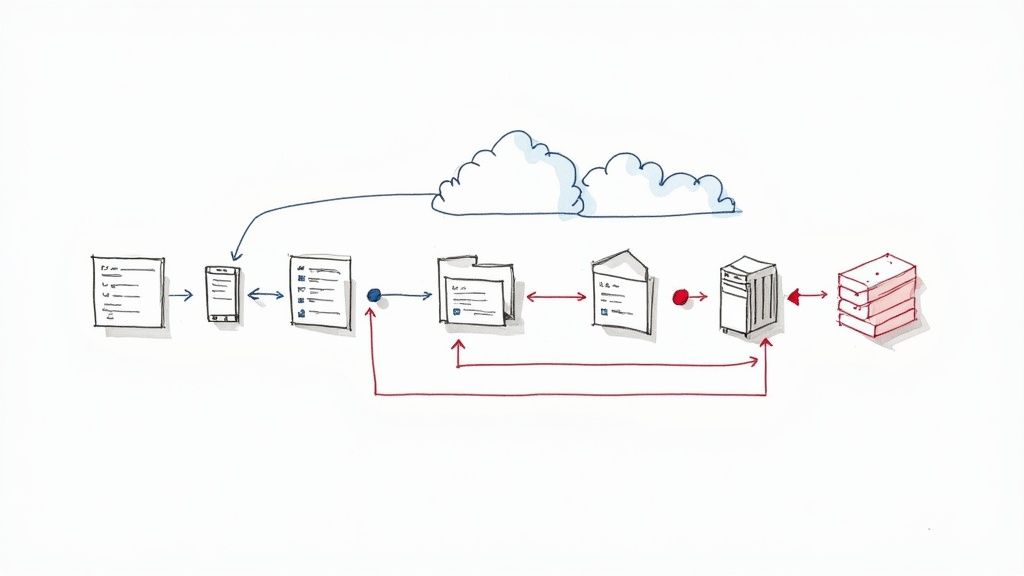
In Azure DevOps, you integrate IaC into your CI/CD pipelines to automate the creation and management of environments. This eliminates "configuration drift" between development, staging, and production, ensuring consistency and drastically reducing deployment errors. For example, Netflix uses Terraform with Azure DevOps to reliably manage its vast, multi-cloud infrastructure, while Microsoft relies on ARM and Bicep templates for consistent Azure resource deployment.
How to Implement IaC Effectively
To get started, choose an IaC tool that fits your team's needs. Azure offers native options like ARM templates and Bicep, while open-source tools like Terraform provide multi-cloud support.
- Start Small: Begin by codifying a single, simple resource, like an Azure Storage Account, and gradually expand to more complex architectures.
- Use Parameter Files: Separate environment-specific values (like resource names or VM sizes) from your main template. This makes your IaC reusable across different stages of your pipeline.
- Secure Your Secrets: Never hardcode passwords or API keys in your templates. Store them securely in Azure Key Vault and reference them during deployment.
- Embrace Modularity: For complex deployments, break down your infrastructure into smaller, reusable modules or nested templates. This improves readability and maintainability. You can enhance your automation scripts by mastering tools like the Azure PowerShell module.
2. Adopt GitFlow or GitHub Flow Branching Strategy
A well-defined branching strategy is critical for managing code changes effectively in a team environment. It establishes clear rules for creating, merging, and deploying code, preventing chaos in your repository. By selecting a model like GitFlow or the simpler GitHub Flow, you bring order and predictability to your development lifecycle, which is a fundamental Azure DevOps best practice.
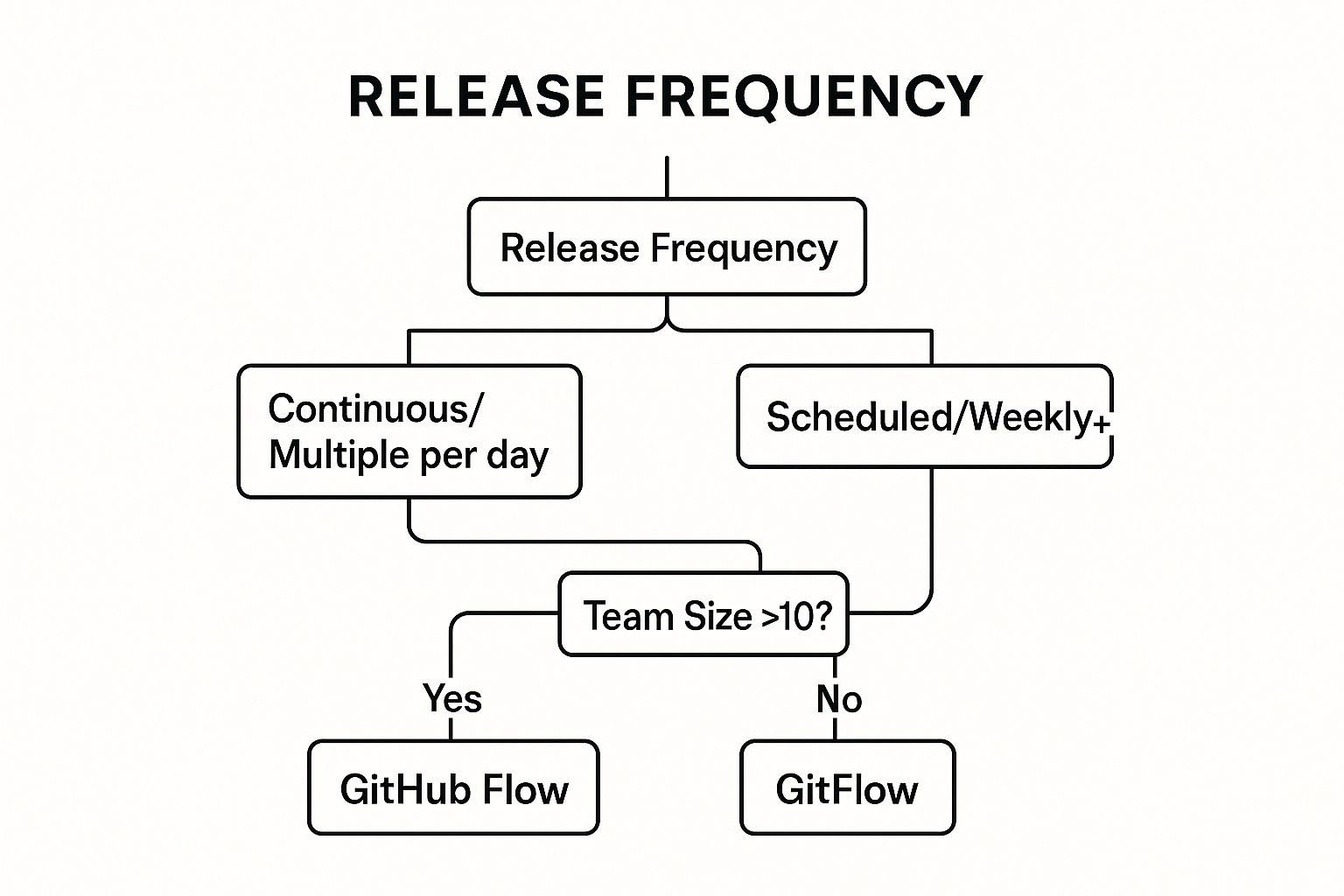
Choosing the right strategy depends on your project's release cadence and team complexity. For instance, GitHub uses its own GitHub Flow for rapid, continuous deployment to its platform, while Atlassian leverages the more structured GitFlow for its enterprise products with scheduled release cycles. The decision tree above helps visualize which model might be a better fit for your team. This visualization shows that teams practicing continuous deployment often benefit from GitHub Flow, whereas teams with scheduled releases or larger sizes may prefer the structure of GitFlow.
How to Implement a Branching Strategy Effectively
In Azure Repos, you can enforce your chosen strategy using branch policies to maintain code quality and consistency. These policies can mandate pull request reviews, successful builds, and work item linking before code can be merged.
- Choose Strategically: Select a model based on your release frequency. GitHub Flow is ideal for continuous delivery, while GitFlow’s dedicated release branches suit projects with distinct versions and longer release cycles.
- Implement Branch Policies: Protect key branches like
mainanddevelop. Require pull requests, mandate code reviews from specific team members, and ensure a clean build passes before any merge. - Use Descriptive Naming: Adopt a clear convention for branch names to improve clarity, such as
feature/USER-STORY-123-add-login-pageorhotfix/fix-critical-auth-bug. - Automate and Document: Set up automated builds and tests for every pull request to catch issues early. Clearly document the branching strategy and train all team members to ensure everyone follows the same process.
3. Implement Comprehensive Automated Testing
Automated testing is the practice of running a suite of tests automatically within the CI/CD pipeline to validate code quality, functionality, and performance. This practice is a critical component of Azure DevOps best practices, as it provides rapid feedback to developers, catches bugs early, and ensures that only high-quality, reliable code reaches production. By automating unit, integration, and end-to-end tests, you create a safety net that supports faster, more confident deployments.
Within Azure DevOps, test automation is integrated directly into build and release pipelines using Azure Test Plans or third-party frameworks. This allows teams to automatically trigger tests upon every commit, providing immediate validation. For instance, Microsoft's own engineering teams run over 60,000 automated tests for the Azure DevOps platform itself, while Spotify executes millions of tests daily across its microservices architecture to maintain stability and speed.
How to Implement Automated Testing Effectively
To build a robust testing strategy, integrate various test types into your pipelines, from small unit tests to broader system checks. This layered approach ensures comprehensive coverage without slowing down the development cycle.
- Follow the Testing Pyramid: Focus on building a large base of fast, isolated unit tests. Have a smaller number of integration tests that check how components interact, and a minimal set of comprehensive UI or end-to-end tests.
- Target Meaningful Code Coverage: While aiming for 80%+ code coverage is a good goal, prioritize testing the most critical and complex business logic first. Coverage metrics should guide, not dictate, your testing efforts.
- Implement Smoke Tests: Add a small suite of "smoke tests" to your deployment pipeline. These quick checks validate the most critical functionality immediately after a deployment, providing a fast "go/no-go" signal.
- Manage Test Data: Establish clear procedures for creating, managing, and cleaning up test data. Consistent test data prevents flaky tests and ensures your results are reliable and repeatable.
4. Establish Multi-Environment Deployment Pipeline
A multi-environment deployment pipeline automates the promotion of code through a series of distinct stages, such as development, testing, staging, and production. This approach ensures that every change is rigorously validated and approved before it reaches end-users, forming a critical pillar of reliable software delivery and one of the most impactful Azure DevOps best practices. This systematic progression minimizes risks and enhances quality.
In Azure Pipelines, you define these environments as stages, each with its own set of jobs, tests, and approval gates. This structure prevents untested code from accidentally making its way to production. For instance, Amazon's legendary deployment frequency is powered by sophisticated multi-stage pipelines, while Google uses gradual rollouts across multiple data centers, both models relying on environment-based validation to ensure stability and performance.
How to Implement a Multi-Environment Pipeline Effectively
To build a robust pipeline, focus on automation and consistency across all environments. Use the stages feature in Azure Pipelines to clearly define your deployment flow from development to production.
- Keep Environments Aligned: Strive to make your non-production environments (dev, test, staging) as identical to production as possible. This minimizes "it works on my machine" issues and ensures tests are meaningful.
- Use Environment-Specific Configurations: Manage variables and secrets for each stage using variable groups and Azure Key Vault integration. This allows the same deployment logic to run across different environments with the correct configurations.
- Implement Approval Gates: Configure manual approval gates before critical deployments, especially to production. This adds a human checkpoint to verify that all quality and business requirements have been met.
- Leverage Deployment Strategies: For production, use advanced strategies like blue-green or canary releases. Azure Pipelines natively supports these patterns, allowing you to roll out changes to a small subset of users before a full release, reducing impact in case of failure. Systems can also use messaging queues to coordinate these deployments; you can explore this further by understanding what the Azure Service Bus is.
5. Implement Security DevOps (DevSecOps)
DevSecOps, or Security DevOps, embeds security practices directly into every stage of the software development lifecycle. Instead of treating security as a final gate before release, this approach makes it a shared responsibility across development, security, and operations teams. This "shift-left" philosophy integrates automated security scanning, vulnerability assessments, and compliance checks into your CI/CD workflows, making it a critical component of modern Azure DevOps best practices.
In Azure DevOps, integrating security means your pipelines automatically scan code for vulnerabilities, check dependencies for known exploits, and analyze infrastructure configurations for weaknesses. This proactive approach catches security issues early when they are easier and cheaper to fix. For example, Capital One transformed its security posture by embedding these practices after its cloud migration, while Adobe integrates security tools across its Creative Cloud development process to protect customer data.
How to Implement DevSecOps Effectively
To begin, focus on introducing automated security checks that provide immediate value without disrupting developer workflows. Azure provides powerful tools to facilitate this integration, from code scanning to infrastructure protection.
- Start with Dependency Scanning: Use tools like WhiteSource Bolt or the built-in Dependabot (for GitHub) to automatically scan your project's open-source dependencies for known vulnerabilities.
- Implement Quality Gates: Configure your CI pipelines to fail if high-severity vulnerabilities are detected. This forces teams to address critical security flaws before code is merged.
- Secure Your Infrastructure: Leverage Azure Security Center and Azure Defender to continuously monitor your cloud resources for misconfigurations and threats.
- Manage Secrets Securely: Never store secrets like connection strings or API keys in code or configuration files. Integrate Azure Key Vault into your pipelines to securely inject secrets at runtime.
- Educate Your Team: Train developers on secure coding practices, such as the OWASP Top 10, and strengthen identity controls through robust Azure Active Directory integration.
6. Monitor and Implement Observability
Observability is a critical evolution of traditional monitoring, providing deep, actionable insights into your application and infrastructure health. It encompasses the "three pillars" of metrics, logs, and traces to not just tell you when something is wrong, but empower you to ask questions and understand why. This comprehensive visibility is a foundational Azure DevOps best practice for maintaining high-performing, reliable systems.
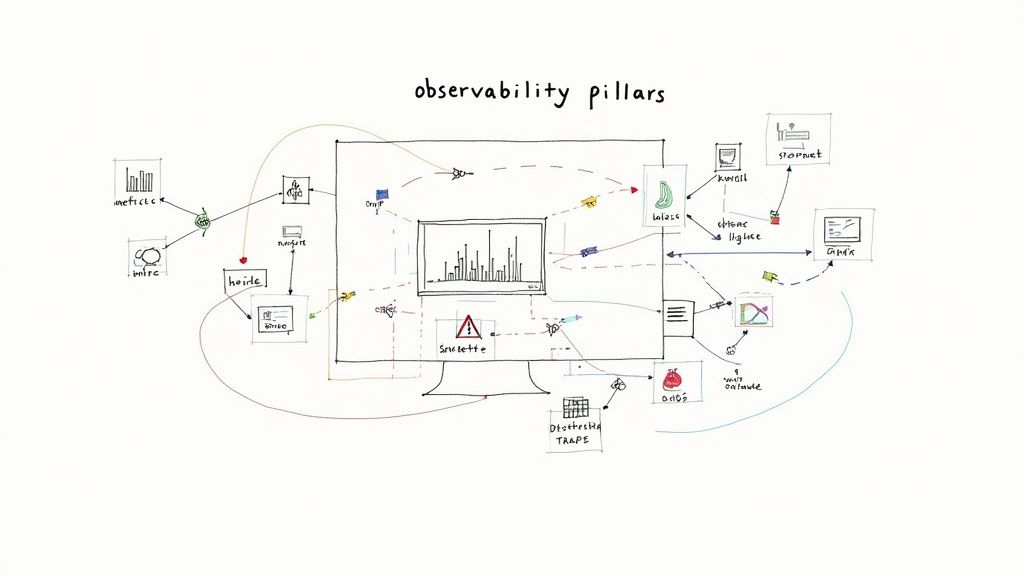
Integrating observability into your Azure DevOps lifecycle means you can detect issues earlier, reduce mean time to resolution (MTTR), and make data-driven decisions for optimization. For instance, Uber leverages distributed tracing to navigate its complex microservices architecture, while Netflix relies on comprehensive observability to manage its global streaming platform's stability. These practices transform operations from a reactive to a proactive discipline.
How to Implement Observability Effectively
Azure provides powerful tools to build a robust observability framework. The key is to instrument your applications and infrastructure to emit rich telemetry data from the start.
- Implement the Three Pillars: Configure your applications to send metrics (numeric data over time), logs (event records), and traces (request flows) to a central system. Azure Application Insights is a powerful, integrated solution for this.
- Set Meaningful Alerts: Move beyond simple CPU or memory alerts. Create alerts based on Service Level Objectives (SLOs) and business impact, such as a drop in conversion rates or an increase in checkout errors.
- Establish Runbooks: Develop documented procedures (runbooks) for common incident response scenarios. This ensures a consistent and efficient reaction when alerts fire, reducing downtime.
- Use Dashboards and Visualizations: Create shared dashboards in Azure that visualize key Service Level Indicators (SLIs) and application health. This gives everyone, from developers to stakeholders, a real-time view of system performance.
7. Use Variable Groups and Key Vault Integration
Effective configuration and secrets management is critical for secure and scalable CI/CD pipelines. Using variable groups in Azure DevOps allows teams to store, manage, and reuse values across multiple pipelines. This practice centralizes configuration, prevents duplication, and simplifies updates, making it a key component of Azure DevOps best practices. By integrating with Azure Key Vault, you can further enhance security by storing sensitive data like API keys and connection strings in a dedicated, hardened secrets store.
This approach separates configuration from pipeline logic, enabling different values for different environments (Dev, Test, Prod) without altering the pipeline definition itself. For instance, Volkswagen Digital leverages this integration for secure credential management across its development lifecycle, while H&M uses environment-specific variable groups to manage deployments for its global e-commerce platform. This ensures that a pipeline is generic and the environment-specific settings are applied at runtime securely.
How to Implement Variable Groups Effectively
To begin, create variable groups within the "Library" section of Azure Pipelines and link them to the specific pipelines where they are needed. For sensitive information, create an Azure Key Vault and link it to your variable group.
- Adopt Naming Conventions: Use clear, descriptive names for your variable groups and variables, such as
AppName-Environment-VariableGroup(e.g.,Ecommerce-Prod-VariableGroup), to maintain clarity. - Implement Least Privilege: Apply granular permissions to your variable groups. Restrict who can view, edit, or use a group to only the users and service connections that absolutely require access.
- Separate Secrets and Config: Maintain separate variable groups for non-sensitive configuration (like resource names or URLs) and secrets. Link the secrets group directly to Azure Key Vault.
- Link, Don't Copy, Secrets: Always use the Azure Key Vault task or link the variable group to fetch secrets at runtime. Avoid copying secrets directly into pipeline variables to prevent exposure. This practice is crucial for any developer studying for exams like the Microsoft Azure AZ-204 certification.
8. Implement Continuous Integration Best Practices
Continuous Integration (CI) is the practice of frequently merging code changes into a central repository, where each merge triggers an automated build and test sequence. This foundational DevOps process ensures that new code integrates smoothly and potential issues are caught early. By automating these initial validation steps, CI provides rapid feedback to developers, reducing integration problems and improving overall code quality.
In Azure DevOps, CI is managed through build pipelines (YAML or Classic). These pipelines automatically compile code, run unit tests, and perform static code analysis every time a developer commits changes. This practice helps teams maintain a stable and healthy codebase. For example, Shopify famously maintains build times under 10 minutes for its core platform, allowing developers to get near-instant feedback and iterate quickly, a core tenet of effective CI.
How to Implement CI Effectively
To successfully adopt CI, focus on speed, reliability, and feedback. Your goal is to create a seamless, automated process that developers can trust to validate their work without causing bottlenecks.
- Keep Builds Fast: Aim for build completion times under 10 minutes. Slow builds disrupt developer workflow and discourage frequent commits. Use parallel jobs, build agent caching, and optimize test suites to accelerate the process.
- Fail Fast: Structure your pipeline to run the quickest tests first (like unit tests and linting) before moving on to longer integration or component tests. This provides the fastest possible feedback on common errors.
- Use Pull Request Builds: Configure build validation triggers for pull requests. This ensures that code is automatically tested before it gets merged into the main branch, protecting its stability.
- Optimize Agent Pools: Properly configure and scale your build agent pools. Use a mix of Microsoft-hosted and self-hosted agents to balance cost, performance, and customization needs, ensuring agents are always available to run your builds promptly.
9. Establish Work Item and Backlog Management
Effective backlog management is the nervous system of any successful development project, providing a structured way to organize, prioritize, and track work. In Azure DevOps, this involves using a hierarchy of work items like Epics, Features, User Stories, and Tasks to translate high-level business goals into actionable development assignments. This practice creates a single source of truth for your team's workload, ensuring everyone understands priorities and project scope, making it a critical Azure DevOps best practice.
By integrating work item tracking into your development lifecycle, you achieve complete end-to-end traceability from idea to deployment. For instance, the Microsoft Office team manages thousands of interdependent work items across massive product releases, ensuring alignment and visibility. Similarly, Stack Overflow leverages detailed work item tracking to manage its platform's continuous evolution and maintenance, linking every code change back to a specific requirement or bug fix.
How to Implement Work Item Management Effectively
To get started, define a clear work item hierarchy and workflow that aligns with your team's process, whether it's Scrum, Kanban, or a hybrid model.
- Use Consistent Templates: Enforce the use of standardized templates for user stories and bugs. Ensure each has clear, testable acceptance criteria to prevent ambiguity.
- Link Everything: Create a habit of linking commits, branches, and pull requests directly to their corresponding work items. This automatically populates the work item's history, providing invaluable context.
- Customize Your Workflow: Modify work item states (e.g., New, Active, In Review, Done) to mirror your team's actual development process. This makes your Kanban or Sprint boards a true reflection of reality.
- Leverage Tags and Queries: Use tags for easy filtering and categorization (e.g., #TechDebt, #UI, #API). Create custom queries to build dynamic reports and dashboards that track progress against specific goals.
- Practice Backlog Grooming: Regularly review and prioritize the backlog as a team. This ensures the work at the top is always well-defined, estimated, and ready for the next sprint. For deeper insights into organizing projects, you can explore concepts promoted by the Agile Alliance.
Azure DevOps Best Practices Comparison
| Practice | Implementation Complexity 🔄 | Resource Requirements ⚡ | Expected Outcomes 📊 | Ideal Use Cases 💡 | Key Advantages ⭐ |
|---|---|---|---|---|---|
| Implement Infrastructure as Code (IaC) | Medium – requires IaC tool proficiency | Moderate – tools, state management | Consistent, rapid, reliable infra deployments | Environments needing consistent infra provisioning | Eliminates drift, fast provisioning, version control |
| Adopt GitFlow or GitHub Flow Branching Strategy | Low to Medium – depends on team size | Low – mainly process and discipline | Structured code integration, reduced conflicts | Teams needing clear code collaboration and release flow | Reduces merge conflicts, clear reviews, parallel dev |
| Implement Comprehensive Automated Testing | Medium – test design and maintenance | Moderate to High – test creation and infra | Early bug detection, fast feedback, higher quality | Codebases prioritizing code quality and continuous delivery | Catches bugs early, enables confident changes, speeds feedback |
| Establish Multi-Environment Deployment Pipeline | Medium to High – multiple env setup | High – multiple environments to maintain | Reduced production risk, staged validation | Projects requiring controlled, staged rollouts | Risk reduction, audit trail, supports blue-green/canary |
| Implement Security DevOps (DevSecOps) | Medium to High – integrates security | Moderate to High – tools, expertise needed | Early vulnerability detection, compliance | Security-critical applications and regulated industries | Reduces remediation costs, continuous security feedback |
| Monitor and Implement Observability | Medium – requires instrumentation setup | Moderate to High – monitoring infrastructure | Proactive issue detection, data-driven decisions | Complex systems needing performance and reliability insight | Faster incident resolution, performance insights |
| Use Variable Groups and Key Vault Integration | Low to Medium – config and access setup | Low to Moderate – Key Vault and pipeline config | Secure secret management, simpler config handling | Teams managing sensitive configs and secrets securely | Eliminates hardcoded secrets, audit trails, secure sharing |
| Implement Continuous Integration Best Practices | Medium – pipeline design and automation | Moderate – build servers and tools | Early integration issue detection, rapid feedback | All development teams practicing frequent commits | Fast feedback, reduces merge conflicts, always deployable |
| Establish Work Item and Backlog Management | Low to Medium – process and tooling setup | Low – mostly process and tooling | Improved planning, traceability, and transparency | Agile teams needing clear work tracking and prioritization | Visibility into progress, audit trail, supports agile |
Putting Theory into Practice: Your Next Steps
Navigating the landscape of Azure DevOps can feel complex, but the journey toward mastery is paved with consistent, incremental improvements. We have explored a comprehensive set of Azure DevOps best practices, moving beyond abstract concepts to provide concrete, actionable strategies. From establishing a solid foundation with Infrastructure as Code (IaC) and a disciplined Git branching strategy to integrating security at every stage with DevSecOps, each practice serves as a critical pillar supporting a high-performing development lifecycle.
The true power of these methods is unlocked when they are viewed not as a checklist to be completed, but as an interconnected ecosystem. Your automated testing strategy is strengthened by a multi-environment pipeline, which in turn relies on secure and centralized configuration management through Variable Groups and Azure Key Vault. This entire process is made visible and manageable through robust monitoring and a well-organized backlog, creating a feedback loop that fuels continuous improvement. The goal is to build a system where quality, security, and speed are not competing priorities, but are instead mutually reinforcing outcomes of a well-architected workflow.
Your Action Plan for Implementation
Embarking on this journey doesn't require a complete overhaul overnight. The most effective approach is to start small and iterate.
- Assess and Prioritize: Begin by evaluating your current processes against the best practices discussed. Identify the area that presents the most significant bottleneck or risk for your team. Is it manual deployment, inconsistent environments, or a lack of visibility into application health?
- Pick One Key Area: Select a single practice to implement first. For example, if your team struggles with inconsistent development environments, focus on implementing Infrastructure as Code for a single, non-critical service. If release cycles are slow and error-prone, start by automating the deployment to a single test environment.
- Build Momentum: Once you demonstrate a clear win in one area, use that success to build momentum and gain buy-in for the next initiative. A successful implementation of automated testing can naturally lead to discussions about more sophisticated multi-stage deployment pipelines.
Mastering these Azure DevOps best practices is more than just learning a tool; it's about embracing a modern engineering culture. It’s a strategic investment that pays dividends in developer productivity, application reliability, and the ability to deliver value to your users faster and more safely. For professionals aiming for the AZ-204 certification, this practical knowledge is indispensable, as the exam heavily tests your ability to implement and manage development processes in Azure. By transforming these principles from theory into your team's daily practice, you are not just optimizing a workflow; you are building a resilient foundation for future innovation.
Ready to solidify your understanding of these concepts and ace your certification? AZ-204 Fast offers a specialized learning experience with interactive flashcards and practice exams tailored to the AZ-204 curriculum. Reinforce your knowledge of Azure DevOps and other key development topics to ensure you're fully prepared for exam day. Visit AZ-204 Fast to start your targeted study plan.
Leave a Reply