Category: Uncategorised

  • Azure DevOps Pipeline Tutorial for CI/CD

    Azure DevOps Pipeline Tutorial for CI/CD

    This Azure DevOps pipeline tutorial is all about getting your hands dirty. Forget the high-level theory for a moment. We're going to jump straight into a real-world project and build a complete Continuous Integration/Continuous Deployment (CI/CD) pipeline from the ground up, automating every step from a git push all the way to a live deployment.

    Why Bother Mastering Azure DevOps Pipelines?

    Look, knowing how to build a solid pipeline in Azure DevOps isn't just a neat trick anymore—it's a core expectation for any serious developer or operations pro. In the world of modern software, the speed and reliability of your code delivery can make or break a project. Azure Pipelines is the engine that drives this, connecting your code to your customers by automating all the tedious build, test, and deployment work.

    This guide will give you a practical roadmap for the entire process. By the time we're done, you'll see firsthand how a well-oiled pipeline delivers real, measurable results. We're talking about benefits that directly impact the bottom line.

    • Ship Faster: Automating the journey from a developer's machine to a live server cuts out the manual delays and bottlenecks that slow everyone down.
    • Boost Code Quality: By running automated tests on every single commit, you catch bugs early and often, keeping them far away from your users.
    • Get Everyone on the Same Page: A pipeline becomes the single source of truth for your builds and releases, giving the entire team a clear view of what’s happening.

    The DevOps Skillset is in High Demand

    The industry-wide move toward automation is impossible to ignore. The global DevOps market is on track to hit $15.06 billion in 2025, a massive leap from where it stands today. This explosion is driven by powerful, accessible platforms like Azure DevOps. With over 74% of organizations already running with DevOps practices, getting good with these tools is a smart career move. If you want to dig deeper, you can find more on the current state of DevOps in 2025.

    As a developer or DevOps engineer, being able to point to a working, automated pipeline you've built is a powerful statement. It shows you don't just write code—you understand how to deliver it.

    Core Components of an Azure DevOps Pipeline

    Before we dive into building our pipeline, it helps to know the main players. Here’s a quick overview of the key services within Azure DevOps that we will use throughout this tutorial. Understanding how these pieces fit together is the first step toward building an effective pipeline.

    Component Function Role in Our Tutorial
    Azure Repos Provides private Git repositories for source code management. This is where we’ll store our sample application's code.
    Azure Pipelines Automates the build and deployment of your code. This is the heart of our tutorial, where we define our CI/CD workflow.
    Azure Artifacts Hosts and shares packages like NuGet, npm, and Maven. We'll use this to store the compiled application package (the artifact) before deployment.

    These three services form the backbone of our automation setup. Now that we've got the lay of the land, let's start putting the pieces together.

    Your First YAML Pipeline From Scratch

    Theory is great, but there's nothing like getting your hands dirty to really make it stick. So, let's build our first YAML pipeline from the ground up. This isn't just a box-ticking exercise; it’s about embracing the "pipeline as code" philosophy that’s central to modern CI/CD.

    We'll start by creating a new project in Azure DevOps. If you don’t have an organization set up, you can create one for free. From there, we’ll import a sample web application into Azure Repos. This gives us some actual code to work with, making the whole process far more practical.

    Structuring Your First Pipeline File

    With our code ready to go, it's time to create the heart of our automation: the azure-pipelines.yml file. This file lives right alongside your code in your Git repository. One of the best things about Azure Pipelines is that it’s smart enough to find this file on its own and use it to run your build.

    YAML, which stands for "YAML Ain't Markup Language," is a human-readable format that uses indentation to define structure. Be careful here—getting your spacing right is non-negotiable. A misplaced space or accidentally using a tab is a classic rookie mistake that will cause validation errors.

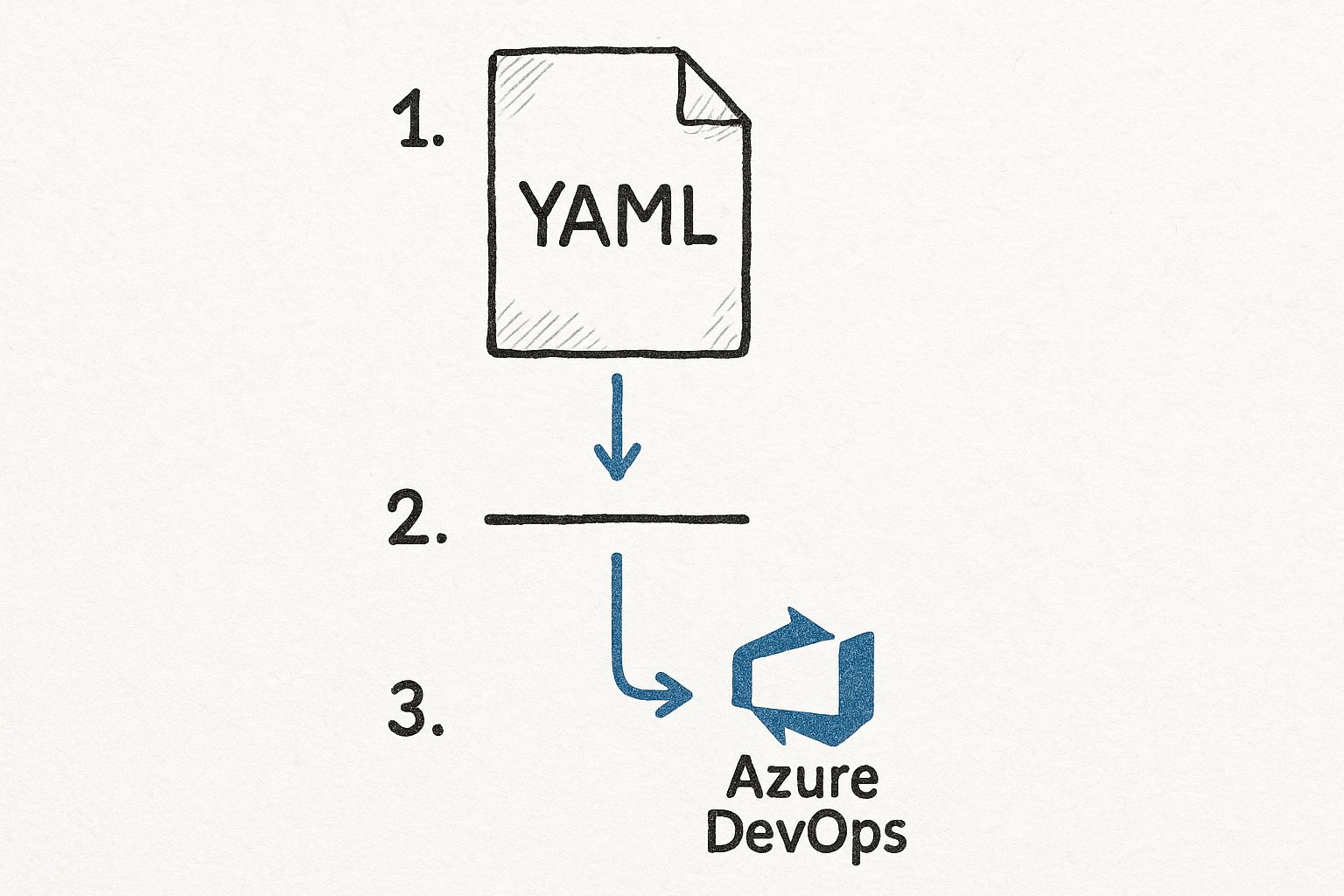
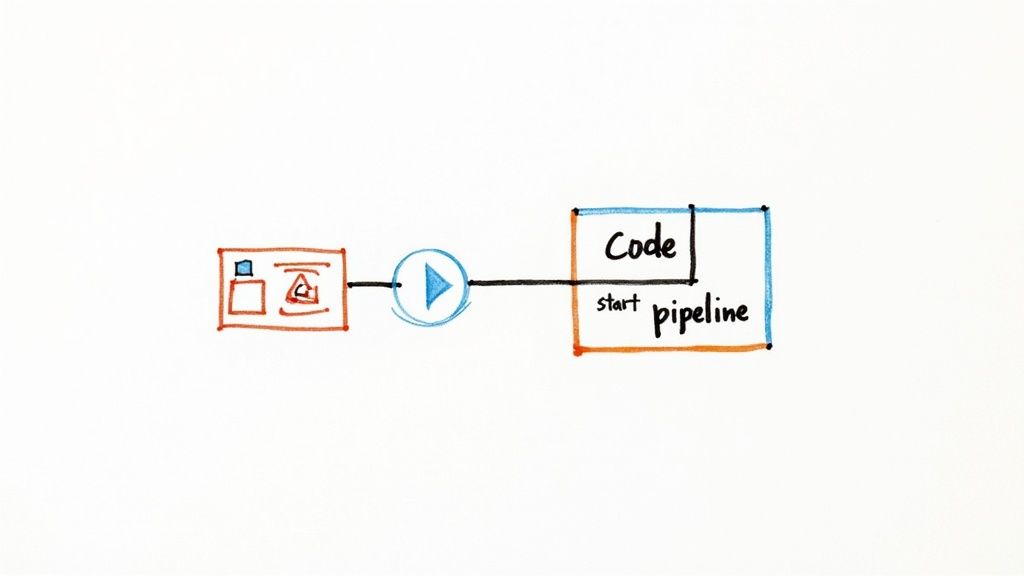
    This graphic really helps visualize how a simple YAML file maps to a real pipeline in Azure DevOps.
    Image

    As you can see, the YAML you commit directly controls the stages, jobs, and steps. It creates a workflow that's transparent and fully version-controlled.

    Core YAML Syntax Breakdown

    Your first pipeline will rely on a few essential building blocks. Getting a handle on what each one does is crucial for making this azure devops pipeline tutorial truly sink in.

    • Trigger: This tells the pipeline when to run. A typical setup is triggering a run on every single push to the main branch.
    • Pool: This defines what machine the job runs on. We'll use a Microsoft-hosted agent, which is a convenient VM that comes pre-loaded with common development tools.
    • Stages: Think of these as the major phases of your pipeline, like 'Build' and 'Deploy'. A simple build pipeline might only need one stage.
    • Jobs: Inside a stage, you have one or more jobs. Each job runs on a fresh agent and contains a sequence of steps.
    • Steps: These are the smallest units of work—the individual commands and tasks like installing dependencies, compiling your code, or running unit tests.

    Here’s a bare-bones example for a .NET application. All you need to do is commit a file like this to the root of your repository to kick things off.

    azure-pipelines.yml

    trigger:

    • main

    pool:
    vmImage: 'windows-latest'

    stages:

    • stage: Build
      displayName: 'Build the web application'
      jobs:
      • job: BuildJob
        steps:
        • task: DotNetCoreCLI@2
          displayName: 'Restore NuGet packages'
          inputs:
          command: 'restore'
          projects: '**/*.csproj'

        • task: DotNetCoreCLI@2
          displayName: 'Build the project'
          inputs:
          command: 'build'
          projects: '**/*.csproj'
          arguments: '–configuration Release'

    Once you commit this file and push it to your main branch, pop over to the Pipelines section in your project. You should see that Azure DevOps has already detected the file and started a run. That automatic discovery is a fantastic time-saver.

    The real game-changer with YAML pipelines is that your build process is now version-controlled right alongside your application code. Every change to the build is tracked in Git, making it auditable, reviewable, and easy to roll back.

    Committing and Running the Pipeline

    After you push the azure-pipelines.yml file, the magic happens. Azure Pipelines queues up a new job based on your definition. You can click into the running pipeline to watch its progress in real time. You’ll see the agent fire up, your code get checked out, and each step execute one by one.

    If a step fails, the pipeline stops, and the logs will give you detailed error messages to help figure out what went wrong. A typo in a file path or a missing dependency is a common first-timer trip-up, and the logs are your best friend for debugging.

    By the end of this, you’ll have a working build pipeline. It might be simple, but it's a solid foundation. You’ve successfully turned a text file into an automated, repeatable process that compiles your code—the most critical first step toward a full-blown CI/CD workflow.

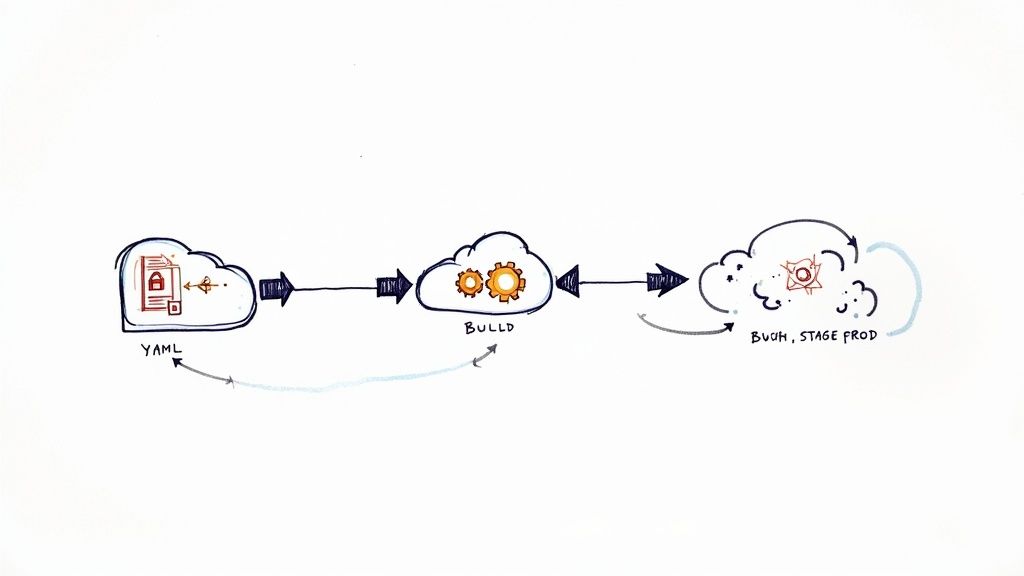
    A pipeline that just compiles code is a good first step, but real-world workflows demand more. A successful build is just the beginning. Now, we'll take our basic pipeline and give it a proper structure by creating a dedicated build stage. This stage will compile, test, and package our application for deployment, separating concerns for a much cleaner and more reliable process.
    Image

    Our main goal here is to create build artifacts. Think of an artifact as a shippable unit—a zip file, a Docker image, or a NuGet package—that contains everything needed for the next stage, which is typically deployment.

    Structuring the Build Stage

    Let's start by refining our azure-pipelines.yml file to be more organized. While we might already have a Build stage, we're going to flesh it out with meaningful steps. A professional build stage usually handles several key responsibilities:

    • Restoring Dependencies: This step makes sure all the required libraries and packages for your project are downloaded and ready before compilation even starts.
    • Running Unit Tests: You should always run automated tests. This step executes your unit tests and will fail the build if any of them don't pass, catching bugs long before they ever reach a production environment.
    • Compiling the Application: This is where the magic happens. The source code is transformed into executable files.
    • Packaging the Output: Finally, all the compiled files are gathered up and packaged into a single, deployable artifact.

    This multi-step approach makes your pipeline incredibly transparent. If something fails, you'll know exactly where it broke—whether it was in testing, compilation, or packaging.

    Creating and Publishing Build Artifacts

    The final, and arguably most critical, step in any build stage is publishing the artifact. If you skip this, the results of your build are simply lost when the build agent shuts down. The PublishBuildArtifacts task is designed specifically to solve this.

    This task takes the output from your build and uploads it to a secure spot within Azure DevOps, linking it directly to that specific pipeline run. From there, other stages, like a deployment stage, can easily download and use this artifact.

    In my experience, forgetting to publish artifacts is one of the most common mistakes for newcomers. The build runs perfectly, but then there's nothing to deploy. You should always end your build stage with a publish task to make the output available for the rest of your CI/CD process.

    The benefits of a well-structured pipeline quickly become clear. Teams that properly use Azure DevOps pipelines see huge productivity gains. Centralized features like Azure Repos provide secure version control, and Azure Boards gives everyone visibility into project status. Managing outputs with Azure Artifacts also ensures you have consistent builds across different environments, which cuts down on those frustrating "it works on my machine" errors. You can learn more about the benefits of this integrated ecosystem and how it drives efficiency.

    An Example Build Stage with Artifacts

    Let's look at what a more complete build stage looks like in YAML. This example is for a .NET web application and includes restoring dependencies, running tests, building the project in release mode, and finally, publishing the output as a .zip file.

    stages:

    • stage: Build
      displayName: 'Build and Test'
      jobs:
      • job: BuildJob
        pool:
        vmImage: 'windows-latest'
        steps:
        • task: DotNetCoreCLI@2
          displayName: 'Restore Dependencies'
          inputs:
          command: 'restore'
          projects: '**/*.csproj'

        • task: DotNetCoreCLI@2
          displayName: 'Run Unit Tests'
          inputs:
          command: 'test'
          projects: '**/*Tests.csproj'
          arguments: '–configuration Release'

        • task: DotNetCoreCLI@2
          displayName: 'Build Application'
          inputs:
          command: 'publish'
          publishWebProjects: true
          arguments: '–configuration Release –output $(Build.ArtifactStagingDirectory)'
          zipAfterPublish: true

        • task: PublishBuildArtifacts@1
          displayName: 'Publish Artifact'
          inputs:
          PathtoPublish: '$(Build.ArtifactStagingDirectory)'
          ArtifactName: 'webapp'
          publishLocation: 'Container'

    Take note of the predefined variable $(Build.ArtifactStagingDirectory). This is a handy, temporary local path on the build agent where you can collect all the files you want to include in your artifact before publishing them.

    With a setup like this, you have a robust and repeatable build process. Every time code is pushed, it will be automatically built, tested, and packaged into a clean, versioned artifact, ready and waiting for the next step: deployment.

    Deploying Your App to Azure App Service

    So, you've got a clean build artifact tucked away and ready to go. This is the moment where the "CD" in CI/CD really kicks into gear. The next logical step is to get that package out of storage and into a live environment. We'll be deploying to Azure App Service, which is a fantastic and incredibly common choice for hosting web applications.

    This means we'll need to expand our YAML pipeline by adding a new deployment stage. I'll walk you through setting up the secure connections to your Azure account and defining the exact steps needed to push your app live.

    Establishing a Secure Connection to Azure

    Before your pipeline can touch anything in your Azure account, it needs permission. And let's be clear: you never want to hardcode credentials directly in your YAML file. That's a huge security no-go. The right way to do this is with a Service Connection.

    Think of a Service Connection as a secure handshake between Azure DevOps and your Azure subscription. It safely stores the necessary credentials (usually a Service Principal) inside your DevOps project, letting the pipeline authenticate without ever exposing secrets in your code.

    Setting one up is straightforward:

    • Head over to Project Settings in the bottom-left of your Azure DevOps project.
    • Under the "Pipelines" header, click on Service Connections.
    • Create a new connection, choosing "Azure Resource Manager" and then the "Service principal (automatic)" method. Azure DevOps does most of the heavy lifting for you here.

    Once that's done, you can just reference this connection by its name in your YAML file. It’s a simple and secure way to give your pipeline the authority it needs.

    Defining Environments and Deployment Jobs

    In release management, the concept of environments is critical. An environment in Azure DevOps isn't just a label; it’s a deployment target that represents a place like Development, Staging, or Production. Defining these lets you track your deployment history and, more importantly, put safeguards in place.

    For example, you can configure an environment to require manual approval before a deployment can proceed. This is a lifesaver for production environments. It creates a gate where a team lead or project manager has to give a final "OK" before the new version goes live, preventing accidental or unvetted releases.

    My personal rule of thumb is to always enforce a manual approval gate for any environment that is customer-facing. It has saved my teams from pushing faulty code more times than I can count. A simple click from a stakeholder forces a final sanity check before release.

    Back in the YAML file, you'll create a new stage that contains a deployment job. This is different from a standard job because it's designed specifically for releases and hooks directly into the environments you've defined. To get a better handle on the platform we're deploying to, take a look at our guide on what is Azure App Service and its capabilities.

    Structuring the Deployment Stage

    Alright, let's put it all together. Here’s how you’d bolt a deployment stage onto your azure-pipelines.yml file to push our webapp artifact. This example assumes you have an App Service already created named my-sample-webapp and a Service Connection called MyAzureConnection.

    stages:

    • stage: Build

      … (build stage from previous section)

    • stage: Deploy
      displayName: 'Deploy to Staging'
      dependsOn: Build
      jobs:

      • deployment: DeployWebApp
        displayName: 'Deploy Web App'
        environment: 'Staging' # Name of the environment in Azure DevOps
        pool:
        vmImage: 'windows-latest'
        strategy:
        runOnce:
        deploy:
        steps:
        – task: AzureWebApp@1
        displayName: 'Deploy Azure App Service'
        inputs:
        azureSubscription: 'MyAzureConnection'
        appType: 'webApp'
        appName: 'my-sample-webapp'
        package: '$(Pipeline.Workspace)/webapp/$(Build.BuildNumber).zip'

    See the dependsOn: Build line? That’s crucial. It tells Azure DevOps not to even think about deploying unless the Build stage was a success. The package input also points directly to the artifact we published earlier, using built-in variables to find the exact file path.

    YAML Pipeline vs Classic UI Pipeline

    When you start out with Azure DevOps, you'll notice there are two ways to build pipelines: with YAML code (like we are here) or through the Classic visual editor. Both get the job done, but they’re built for different workflows.

    Here’s a quick breakdown to help you see the difference.

    Feature YAML Pipelines (Code) Classic Pipelines (UI)
    Definition Defined as a .yml file that lives right alongside your application code. Created and managed through a graphical drag-and-drop web interface.
    Versioning Version-controlled with Git. Changes are part of your commit history. Versioning is handled internally by Azure DevOps, separate from your code.
    Reusability Excellent for creating reusable templates and sharing logic across projects. Less portable. You can clone pipelines, but sharing small snippets is clunky.
    Learning Curve Steeper at first. You have to learn the YAML syntax and structure. Very beginner-friendly. It’s more intuitive for visual thinkers.
    Best For Teams comfortable with code, complex pipelines, and "pipeline-as-code" best practices. Teams new to CI/CD or those who prefer a visual workflow for simple releases.

    While the Classic UI is great for getting started, we're sticking with YAML for this guide. It truly represents the modern standard for pipeline-as-code. Defining your entire CI/CD process in a file that lives with your source code gives you a single, auditable source of truth, which is invaluable as your projects grow in complexity.

    Advanced Pipeline Strategies and Optimizations
    Image

    So, you've got a functional CI/CD workflow up and running. That's a huge milestone, but in my experience, a working pipeline is really just the starting point. To truly get the most out of Azure DevOps, we need to shift our focus to making it efficient, secure, and scalable.

    This is where we move beyond a simple, linear process and start applying the advanced strategies that high-performing teams use every day. These optimizations aren't just for show—they directly boost your development velocity and the quality of your code. Let's dive into some of the most impactful techniques.

    Scaling with Pipeline Templates

    As your organization grows, so will your number of pipelines. Before you know it, you could have dozens, or even hundreds, across different projects. Without a solid plan, this quickly turns into chaos. You'll find yourself copying and pasting YAML, and when you need to update a common task, you’re stuck hunting down and editing every single pipeline manually.

    This is where pipeline templates are an absolute game-changer.

    Templates let you define reusable chunks of your pipeline—a set of steps, a job, or even an entire stage—in one central file. Your individual pipelines then just reference that template, inheriting all its logic. Think of it like a function in your code; you define it once and call it wherever you need it, which is perfect for a Don't Repeat Yourself (DRY) approach to CI/CD.

    A classic example is creating a standard build template that all microservices in your company must follow. This enforces consistency and ensures every service is built and tested the same way. When a new security tool needs to be added, you just update the central template, and every pipeline using it gets the new logic automatically.

    Integrating Security with DevSecOps

    Shifting security "to the left"—meaning earlier in the development lifecycle—is the core idea behind DevSecOps. Instead of waiting for a manual security audit right before a release, you embed automated security scanning directly into your pipeline. This approach makes security a shared responsibility and helps you catch vulnerabilities when they are cheapest and easiest to fix.

    By 2025, Azure DevOps has become a central hub for companies adopting DevSecOps. In fact, roughly 95% of businesses using the platform have woven security checks directly into their pipelines. This adoption has been fueled by AI-powered features that have helped slash error rates by about 30% by spotting potential failures before they even happen.

    Here are a few common security tools you can easily integrate:

    • Static Application Security Testing (SAST): Tools like SonarCloud or the built-in Microsoft Security Code Analysis scan your source code for known security flaws.
    • Dependency Scanning: This checks your open-source packages for known vulnerabilities. Azure DevOps has a native task for this you can add in seconds.
    • Secret Scanning: This hunts for accidentally committed secrets like API keys or connection strings hiding in your code.

    Integrating these scans is surprisingly straightforward. They are just additional tasks you add to your YAML file, usually in the build stage. If a scanner finds a high-severity issue, you can configure it to fail the pipeline, preventing vulnerable code from ever reaching production.

    Optimizing Pipeline Performance

    As your application grows, your build times inevitably will too. A pipeline that creeps up to 30 minutes can become a serious bottleneck for your team. Faster feedback is the name of the game, and luckily, there are several effective strategies to speed things up.

    One of the most effective methods I've used is dependency caching. Tasks like npm install or dotnet restore can take a long time because they download packages from the internet on every single run. The Cache task in Azure Pipelines lets you store these dependencies after the first run and restore them almost instantly on subsequent builds, often shaving minutes off your total run time.

    Another powerful technique is running jobs in parallel. By default, jobs in a stage run one after another. But if you have independent tasks—like running unit tests and building a Docker image—you can configure them to run at the same time on separate agents. For more complex automation, knowing your way around scripting runtimes is a big help. You might find our guide on installing and using the Azure PowerShell module useful for these kinds of advanced scripting needs.

    Common Questions About Azure DevOps Pipelines

    As you get deeper into this Azure DevOps pipeline tutorial, you'll naturally start bumping into some practical questions. It's one thing to understand the theory, but putting it into practice in the real world always uncovers specific challenges and details the documentation might gloss over. This section tackles some of the most common questions I get from developers and teams just starting their CI/CD journey.

    Can You Mix YAML and Classic Pipelines?

    This one comes up all the time. Can you use the new YAML pipelines alongside the older, UI-driven Classic Release pipelines? The answer is a firm yes. In fact, this hybrid approach is incredibly common and often makes a lot of sense for teams transitioning to a pipeline-as-code model.

    You can set up a YAML pipeline to own your Continuous Integration (CI) process—building your code, running tests, and publishing an artifact. From there, you can configure that build artifact to automatically trigger a Classic Release pipeline to handle your deployments. Many teams still love the visual, drag-and-drop interface for orchestrating complex deployments across different environments, especially when manual approval gates are involved. It gives a really clear, graphical map of the release process that some people, especially in operations, find much easier to follow.

    This hybrid strategy is a fantastic "best of both worlds" solution. Developers get to keep the build logic version-controlled right alongside their source code, while operations teams can stick with the visual workflow they're comfortable with for managing releases. It’s a very pragmatic way to ease into a full YAML setup without disrupting everyone.

    How Should You Handle Database Migrations?

    Automating your app deployment is great, but what about the database? This is a huge piece of the puzzle that many tutorials skip, and getting it wrong can cause some truly catastrophic deployment failures.

    The best strategy by far is to treat database migrations as a dedicated, first-class step within your deployment stage. This guarantees your database schema gets updated right before the new application code goes live, which is critical for keeping them in sync.

    • Use a Migration Tool: Don't reinvent the wheel. Use proven tools like Entity Framework migrations if you're in the .NET world, or something like Flyway or Liquibase for Java projects. These let you version your database schema changes just like you version your code.
    • Run Scripts from a Pipeline Task: Add a simple command-line or PowerShell task to your YAML deployment job. This task will execute the migration command against your target database.
    • Always Plan for Failure: When you're dealing with sensitive environments like production, it's a good idea to run your migrations inside a database transaction. That way, if a script fails partway through, the database can automatically roll back to its previous state. This prevents you from getting stuck in a broken, half-migrated mess.

    What Is the Best Way to Manage Variables and Secrets?

    Figuring out how to handle configuration—things like connection strings, API keys, and other secrets—is absolutely crucial for a secure pipeline. Hardcoding these values directly into your azure-pipelines.yml file is a massive security no-no and something you must avoid.

    For non-sensitive variables that just change between environments (like a resource group name or an application setting), the best practice is to use Variable Groups from the Azure DevOps Library. These are just reusable collections of key-value pairs that you can link to one or more pipelines.

    When it comes to real secrets, the gold standard is integrating with Azure Key Vault. It's a managed service specifically built for securely storing and controlling access to secrets.

    You can link a Variable Group directly to an Azure Key Vault instance. Once connected, your pipeline can pull the secrets it needs at runtime without them ever being exposed in your pipeline definition or logs. It's clean, it's secure, and it's what you should be doing. Understanding how different Azure services communicate is key; for more on asynchronous messaging patterns that often require secure credentials, you can learn more about what Azure Service Bus is and its role in modern applications.


    Are you preparing for the AZ-204 exam? Don't leave your success to chance. AZ-204 Fast provides the focused, evidence-based study tools you need to master the material efficiently. With interactive flashcards, comprehensive cheat sheets, and dynamically generated practice exams, we help you study smarter, not harder.

    Check out https://az204fast.com to start your accelerated path to certification today.

  • 9 Azure DevOps Best Practices for Elite Teams in 2025

    9 Azure DevOps Best Practices for Elite Teams in 2025

    In today's fast-paced development landscape, simply using Azure DevOps isn't enough. The difference between a functional team and a high-performing, elite team often lies in how they leverage the platform. Adopting proven best practices transforms Azure DevOps from a mere toolset into a powerful engine for innovation, quality, and speed. This guide moves beyond the basics, offering a curated roundup of nine essential strategies that will help you eliminate bottlenecks, embed security into your pipeline, and deliver value to your users faster and more reliably.

    We will provide a practical roadmap to elevate your development lifecycle, focusing on specific, actionable insights. By implementing these Azure DevOps best practices, you will gain a significant competitive advantage. This article covers crucial areas such as implementing Infrastructure as Code (IaC), adopting robust branching strategies like GitFlow, and integrating comprehensive automated testing. We'll also explore setting up multi-environment deployment pipelines, securing your workflow with DevSecOps principles, and establishing meaningful observability. Whether you're refining an existing setup or establishing new processes, these strategies are your blueprint for building a more efficient and resilient development culture. Let's explore the practical steps you can take today to optimize your workflows and unlock your team's full potential.

    1. Implement Infrastructure as Code (IaC)

    Infrastructure as Code (IaC) is a cornerstone of modern DevOps, treating infrastructure provisioning and management as a software development discipline. Instead of manual configurations, you define your cloud resources, like virtual machines, databases, and networks, in declarative code files. This practice ensures your infrastructure is repeatable, testable, and version-controlled, forming a foundational element of Azure DevOps best practices.

    Implement Infrastructure as Code (IaC)

    In Azure DevOps, you integrate IaC into your CI/CD pipelines to automate the creation and management of environments. This eliminates "configuration drift" between development, staging, and production, ensuring consistency and drastically reducing deployment errors. For example, Netflix uses Terraform with Azure DevOps to reliably manage its vast, multi-cloud infrastructure, while Microsoft relies on ARM and Bicep templates for consistent Azure resource deployment.

    How to Implement IaC Effectively

    To get started, choose an IaC tool that fits your team's needs. Azure offers native options like ARM templates and Bicep, while open-source tools like Terraform provide multi-cloud support.

    • Start Small: Begin by codifying a single, simple resource, like an Azure Storage Account, and gradually expand to more complex architectures.
    • Use Parameter Files: Separate environment-specific values (like resource names or VM sizes) from your main template. This makes your IaC reusable across different stages of your pipeline.
    • Secure Your Secrets: Never hardcode passwords or API keys in your templates. Store them securely in Azure Key Vault and reference them during deployment.
    • Embrace Modularity: For complex deployments, break down your infrastructure into smaller, reusable modules or nested templates. This improves readability and maintainability. You can enhance your automation scripts by mastering tools like the Azure PowerShell module.

    2. Adopt GitFlow or GitHub Flow Branching Strategy

    A well-defined branching strategy is critical for managing code changes effectively in a team environment. It establishes clear rules for creating, merging, and deploying code, preventing chaos in your repository. By selecting a model like GitFlow or the simpler GitHub Flow, you bring order and predictability to your development lifecycle, which is a fundamental Azure DevOps best practice.

    Infographic showing key data about Adopt GitFlow or GitHub Flow Branching Strategy

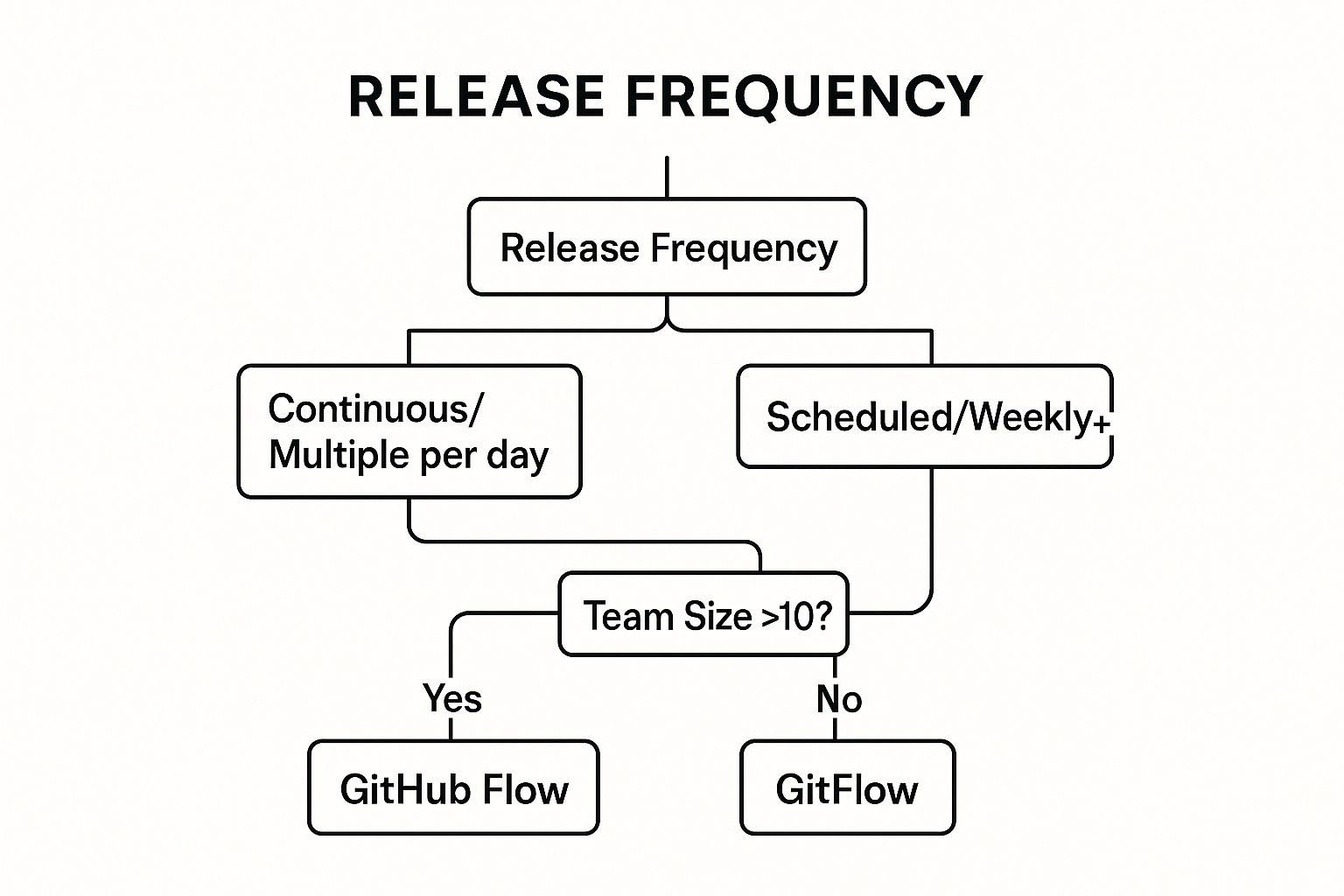
    Choosing the right strategy depends on your project's release cadence and team complexity. For instance, GitHub uses its own GitHub Flow for rapid, continuous deployment to its platform, while Atlassian leverages the more structured GitFlow for its enterprise products with scheduled release cycles. The decision tree above helps visualize which model might be a better fit for your team. This visualization shows that teams practicing continuous deployment often benefit from GitHub Flow, whereas teams with scheduled releases or larger sizes may prefer the structure of GitFlow.

    How to Implement a Branching Strategy Effectively

    In Azure Repos, you can enforce your chosen strategy using branch policies to maintain code quality and consistency. These policies can mandate pull request reviews, successful builds, and work item linking before code can be merged.

    • Choose Strategically: Select a model based on your release frequency. GitHub Flow is ideal for continuous delivery, while GitFlow’s dedicated release branches suit projects with distinct versions and longer release cycles.
    • Implement Branch Policies: Protect key branches like main and develop. Require pull requests, mandate code reviews from specific team members, and ensure a clean build passes before any merge.
    • Use Descriptive Naming: Adopt a clear convention for branch names to improve clarity, such as feature/USER-STORY-123-add-login-page or hotfix/fix-critical-auth-bug.
    • Automate and Document: Set up automated builds and tests for every pull request to catch issues early. Clearly document the branching strategy and train all team members to ensure everyone follows the same process.

    3. Implement Comprehensive Automated Testing

    Automated testing is the practice of running a suite of tests automatically within the CI/CD pipeline to validate code quality, functionality, and performance. This practice is a critical component of Azure DevOps best practices, as it provides rapid feedback to developers, catches bugs early, and ensures that only high-quality, reliable code reaches production. By automating unit, integration, and end-to-end tests, you create a safety net that supports faster, more confident deployments.

    Within Azure DevOps, test automation is integrated directly into build and release pipelines using Azure Test Plans or third-party frameworks. This allows teams to automatically trigger tests upon every commit, providing immediate validation. For instance, Microsoft's own engineering teams run over 60,000 automated tests for the Azure DevOps platform itself, while Spotify executes millions of tests daily across its microservices architecture to maintain stability and speed.

    How to Implement Automated Testing Effectively

    To build a robust testing strategy, integrate various test types into your pipelines, from small unit tests to broader system checks. This layered approach ensures comprehensive coverage without slowing down the development cycle.

    • Follow the Testing Pyramid: Focus on building a large base of fast, isolated unit tests. Have a smaller number of integration tests that check how components interact, and a minimal set of comprehensive UI or end-to-end tests.
    • Target Meaningful Code Coverage: While aiming for 80%+ code coverage is a good goal, prioritize testing the most critical and complex business logic first. Coverage metrics should guide, not dictate, your testing efforts.
    • Implement Smoke Tests: Add a small suite of "smoke tests" to your deployment pipeline. These quick checks validate the most critical functionality immediately after a deployment, providing a fast "go/no-go" signal.
    • Manage Test Data: Establish clear procedures for creating, managing, and cleaning up test data. Consistent test data prevents flaky tests and ensures your results are reliable and repeatable.

    4. Establish Multi-Environment Deployment Pipeline

    A multi-environment deployment pipeline automates the promotion of code through a series of distinct stages, such as development, testing, staging, and production. This approach ensures that every change is rigorously validated and approved before it reaches end-users, forming a critical pillar of reliable software delivery and one of the most impactful Azure DevOps best practices. This systematic progression minimizes risks and enhances quality.

    In Azure Pipelines, you define these environments as stages, each with its own set of jobs, tests, and approval gates. This structure prevents untested code from accidentally making its way to production. For instance, Amazon's legendary deployment frequency is powered by sophisticated multi-stage pipelines, while Google uses gradual rollouts across multiple data centers, both models relying on environment-based validation to ensure stability and performance.

    How to Implement a Multi-Environment Pipeline Effectively

    To build a robust pipeline, focus on automation and consistency across all environments. Use the stages feature in Azure Pipelines to clearly define your deployment flow from development to production.

    • Keep Environments Aligned: Strive to make your non-production environments (dev, test, staging) as identical to production as possible. This minimizes "it works on my machine" issues and ensures tests are meaningful.
    • Use Environment-Specific Configurations: Manage variables and secrets for each stage using variable groups and Azure Key Vault integration. This allows the same deployment logic to run across different environments with the correct configurations.
    • Implement Approval Gates: Configure manual approval gates before critical deployments, especially to production. This adds a human checkpoint to verify that all quality and business requirements have been met.
    • Leverage Deployment Strategies: For production, use advanced strategies like blue-green or canary releases. Azure Pipelines natively supports these patterns, allowing you to roll out changes to a small subset of users before a full release, reducing impact in case of failure. Systems can also use messaging queues to coordinate these deployments; you can explore this further by understanding what the Azure Service Bus is.

    5. Implement Security DevOps (DevSecOps)

    DevSecOps, or Security DevOps, embeds security practices directly into every stage of the software development lifecycle. Instead of treating security as a final gate before release, this approach makes it a shared responsibility across development, security, and operations teams. This "shift-left" philosophy integrates automated security scanning, vulnerability assessments, and compliance checks into your CI/CD workflows, making it a critical component of modern Azure DevOps best practices.

    In Azure DevOps, integrating security means your pipelines automatically scan code for vulnerabilities, check dependencies for known exploits, and analyze infrastructure configurations for weaknesses. This proactive approach catches security issues early when they are easier and cheaper to fix. For example, Capital One transformed its security posture by embedding these practices after its cloud migration, while Adobe integrates security tools across its Creative Cloud development process to protect customer data.

    How to Implement DevSecOps Effectively

    To begin, focus on introducing automated security checks that provide immediate value without disrupting developer workflows. Azure provides powerful tools to facilitate this integration, from code scanning to infrastructure protection.

    • Start with Dependency Scanning: Use tools like WhiteSource Bolt or the built-in Dependabot (for GitHub) to automatically scan your project's open-source dependencies for known vulnerabilities.
    • Implement Quality Gates: Configure your CI pipelines to fail if high-severity vulnerabilities are detected. This forces teams to address critical security flaws before code is merged.
    • Secure Your Infrastructure: Leverage Azure Security Center and Azure Defender to continuously monitor your cloud resources for misconfigurations and threats.
    • Manage Secrets Securely: Never store secrets like connection strings or API keys in code or configuration files. Integrate Azure Key Vault into your pipelines to securely inject secrets at runtime.
    • Educate Your Team: Train developers on secure coding practices, such as the OWASP Top 10, and strengthen identity controls through robust Azure Active Directory integration.

    6. Monitor and Implement Observability

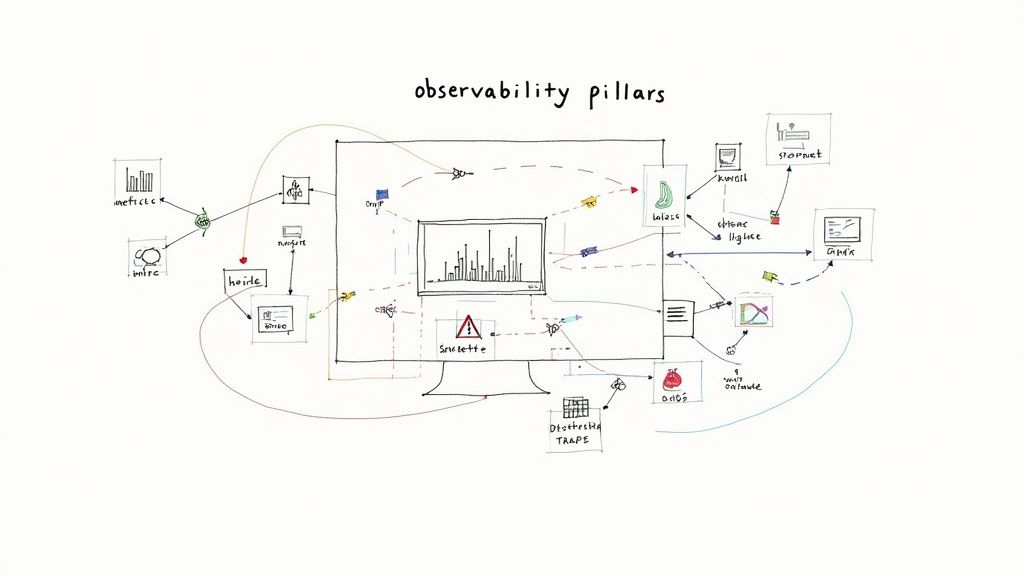
    Observability is a critical evolution of traditional monitoring, providing deep, actionable insights into your application and infrastructure health. It encompasses the "three pillars" of metrics, logs, and traces to not just tell you when something is wrong, but empower you to ask questions and understand why. This comprehensive visibility is a foundational Azure DevOps best practice for maintaining high-performing, reliable systems.

    Monitor and Implement Observability

    Integrating observability into your Azure DevOps lifecycle means you can detect issues earlier, reduce mean time to resolution (MTTR), and make data-driven decisions for optimization. For instance, Uber leverages distributed tracing to navigate its complex microservices architecture, while Netflix relies on comprehensive observability to manage its global streaming platform's stability. These practices transform operations from a reactive to a proactive discipline.

    How to Implement Observability Effectively

    Azure provides powerful tools to build a robust observability framework. The key is to instrument your applications and infrastructure to emit rich telemetry data from the start.

    • Implement the Three Pillars: Configure your applications to send metrics (numeric data over time), logs (event records), and traces (request flows) to a central system. Azure Application Insights is a powerful, integrated solution for this.
    • Set Meaningful Alerts: Move beyond simple CPU or memory alerts. Create alerts based on Service Level Objectives (SLOs) and business impact, such as a drop in conversion rates or an increase in checkout errors.
    • Establish Runbooks: Develop documented procedures (runbooks) for common incident response scenarios. This ensures a consistent and efficient reaction when alerts fire, reducing downtime.
    • Use Dashboards and Visualizations: Create shared dashboards in Azure that visualize key Service Level Indicators (SLIs) and application health. This gives everyone, from developers to stakeholders, a real-time view of system performance.

    7. Use Variable Groups and Key Vault Integration

    Effective configuration and secrets management is critical for secure and scalable CI/CD pipelines. Using variable groups in Azure DevOps allows teams to store, manage, and reuse values across multiple pipelines. This practice centralizes configuration, prevents duplication, and simplifies updates, making it a key component of Azure DevOps best practices. By integrating with Azure Key Vault, you can further enhance security by storing sensitive data like API keys and connection strings in a dedicated, hardened secrets store.

    This approach separates configuration from pipeline logic, enabling different values for different environments (Dev, Test, Prod) without altering the pipeline definition itself. For instance, Volkswagen Digital leverages this integration for secure credential management across its development lifecycle, while H&M uses environment-specific variable groups to manage deployments for its global e-commerce platform. This ensures that a pipeline is generic and the environment-specific settings are applied at runtime securely.

    How to Implement Variable Groups Effectively

    To begin, create variable groups within the "Library" section of Azure Pipelines and link them to the specific pipelines where they are needed. For sensitive information, create an Azure Key Vault and link it to your variable group.

    • Adopt Naming Conventions: Use clear, descriptive names for your variable groups and variables, such as AppName-Environment-VariableGroup (e.g., Ecommerce-Prod-VariableGroup), to maintain clarity.
    • Implement Least Privilege: Apply granular permissions to your variable groups. Restrict who can view, edit, or use a group to only the users and service connections that absolutely require access.
    • Separate Secrets and Config: Maintain separate variable groups for non-sensitive configuration (like resource names or URLs) and secrets. Link the secrets group directly to Azure Key Vault.
    • Link, Don't Copy, Secrets: Always use the Azure Key Vault task or link the variable group to fetch secrets at runtime. Avoid copying secrets directly into pipeline variables to prevent exposure. This practice is crucial for any developer studying for exams like the Microsoft Azure AZ-204 certification.

    8. Implement Continuous Integration Best Practices

    Continuous Integration (CI) is the practice of frequently merging code changes into a central repository, where each merge triggers an automated build and test sequence. This foundational DevOps process ensures that new code integrates smoothly and potential issues are caught early. By automating these initial validation steps, CI provides rapid feedback to developers, reducing integration problems and improving overall code quality.

    In Azure DevOps, CI is managed through build pipelines (YAML or Classic). These pipelines automatically compile code, run unit tests, and perform static code analysis every time a developer commits changes. This practice helps teams maintain a stable and healthy codebase. For example, Shopify famously maintains build times under 10 minutes for its core platform, allowing developers to get near-instant feedback and iterate quickly, a core tenet of effective CI.

    How to Implement CI Effectively

    To successfully adopt CI, focus on speed, reliability, and feedback. Your goal is to create a seamless, automated process that developers can trust to validate their work without causing bottlenecks.

    • Keep Builds Fast: Aim for build completion times under 10 minutes. Slow builds disrupt developer workflow and discourage frequent commits. Use parallel jobs, build agent caching, and optimize test suites to accelerate the process.
    • Fail Fast: Structure your pipeline to run the quickest tests first (like unit tests and linting) before moving on to longer integration or component tests. This provides the fastest possible feedback on common errors.
    • Use Pull Request Builds: Configure build validation triggers for pull requests. This ensures that code is automatically tested before it gets merged into the main branch, protecting its stability.
    • Optimize Agent Pools: Properly configure and scale your build agent pools. Use a mix of Microsoft-hosted and self-hosted agents to balance cost, performance, and customization needs, ensuring agents are always available to run your builds promptly.

    9. Establish Work Item and Backlog Management

    Effective backlog management is the nervous system of any successful development project, providing a structured way to organize, prioritize, and track work. In Azure DevOps, this involves using a hierarchy of work items like Epics, Features, User Stories, and Tasks to translate high-level business goals into actionable development assignments. This practice creates a single source of truth for your team's workload, ensuring everyone understands priorities and project scope, making it a critical Azure DevOps best practice.

    By integrating work item tracking into your development lifecycle, you achieve complete end-to-end traceability from idea to deployment. For instance, the Microsoft Office team manages thousands of interdependent work items across massive product releases, ensuring alignment and visibility. Similarly, Stack Overflow leverages detailed work item tracking to manage its platform's continuous evolution and maintenance, linking every code change back to a specific requirement or bug fix.

    How to Implement Work Item Management Effectively

    To get started, define a clear work item hierarchy and workflow that aligns with your team's process, whether it's Scrum, Kanban, or a hybrid model.

    • Use Consistent Templates: Enforce the use of standardized templates for user stories and bugs. Ensure each has clear, testable acceptance criteria to prevent ambiguity.
    • Link Everything: Create a habit of linking commits, branches, and pull requests directly to their corresponding work items. This automatically populates the work item's history, providing invaluable context.
    • Customize Your Workflow: Modify work item states (e.g., New, Active, In Review, Done) to mirror your team's actual development process. This makes your Kanban or Sprint boards a true reflection of reality.
    • Leverage Tags and Queries: Use tags for easy filtering and categorization (e.g., #TechDebt, #UI, #API). Create custom queries to build dynamic reports and dashboards that track progress against specific goals.
    • Practice Backlog Grooming: Regularly review and prioritize the backlog as a team. This ensures the work at the top is always well-defined, estimated, and ready for the next sprint. For deeper insights into organizing projects, you can explore concepts promoted by the Agile Alliance.

    Azure DevOps Best Practices Comparison

    Practice Implementation Complexity 🔄 Resource Requirements ⚡ Expected Outcomes 📊 Ideal Use Cases 💡 Key Advantages ⭐
    Implement Infrastructure as Code (IaC) Medium – requires IaC tool proficiency Moderate – tools, state management Consistent, rapid, reliable infra deployments Environments needing consistent infra provisioning Eliminates drift, fast provisioning, version control
    Adopt GitFlow or GitHub Flow Branching Strategy Low to Medium – depends on team size Low – mainly process and discipline Structured code integration, reduced conflicts Teams needing clear code collaboration and release flow Reduces merge conflicts, clear reviews, parallel dev
    Implement Comprehensive Automated Testing Medium – test design and maintenance Moderate to High – test creation and infra Early bug detection, fast feedback, higher quality Codebases prioritizing code quality and continuous delivery Catches bugs early, enables confident changes, speeds feedback
    Establish Multi-Environment Deployment Pipeline Medium to High – multiple env setup High – multiple environments to maintain Reduced production risk, staged validation Projects requiring controlled, staged rollouts Risk reduction, audit trail, supports blue-green/canary
    Implement Security DevOps (DevSecOps) Medium to High – integrates security Moderate to High – tools, expertise needed Early vulnerability detection, compliance Security-critical applications and regulated industries Reduces remediation costs, continuous security feedback
    Monitor and Implement Observability Medium – requires instrumentation setup Moderate to High – monitoring infrastructure Proactive issue detection, data-driven decisions Complex systems needing performance and reliability insight Faster incident resolution, performance insights
    Use Variable Groups and Key Vault Integration Low to Medium – config and access setup Low to Moderate – Key Vault and pipeline config Secure secret management, simpler config handling Teams managing sensitive configs and secrets securely Eliminates hardcoded secrets, audit trails, secure sharing
    Implement Continuous Integration Best Practices Medium – pipeline design and automation Moderate – build servers and tools Early integration issue detection, rapid feedback All development teams practicing frequent commits Fast feedback, reduces merge conflicts, always deployable
    Establish Work Item and Backlog Management Low to Medium – process and tooling setup Low – mostly process and tooling Improved planning, traceability, and transparency Agile teams needing clear work tracking and prioritization Visibility into progress, audit trail, supports agile

    Putting Theory into Practice: Your Next Steps

    Navigating the landscape of Azure DevOps can feel complex, but the journey toward mastery is paved with consistent, incremental improvements. We have explored a comprehensive set of Azure DevOps best practices, moving beyond abstract concepts to provide concrete, actionable strategies. From establishing a solid foundation with Infrastructure as Code (IaC) and a disciplined Git branching strategy to integrating security at every stage with DevSecOps, each practice serves as a critical pillar supporting a high-performing development lifecycle.

    The true power of these methods is unlocked when they are viewed not as a checklist to be completed, but as an interconnected ecosystem. Your automated testing strategy is strengthened by a multi-environment pipeline, which in turn relies on secure and centralized configuration management through Variable Groups and Azure Key Vault. This entire process is made visible and manageable through robust monitoring and a well-organized backlog, creating a feedback loop that fuels continuous improvement. The goal is to build a system where quality, security, and speed are not competing priorities, but are instead mutually reinforcing outcomes of a well-architected workflow.

    Your Action Plan for Implementation

    Embarking on this journey doesn't require a complete overhaul overnight. The most effective approach is to start small and iterate.

    • Assess and Prioritize: Begin by evaluating your current processes against the best practices discussed. Identify the area that presents the most significant bottleneck or risk for your team. Is it manual deployment, inconsistent environments, or a lack of visibility into application health?
    • Pick One Key Area: Select a single practice to implement first. For example, if your team struggles with inconsistent development environments, focus on implementing Infrastructure as Code for a single, non-critical service. If release cycles are slow and error-prone, start by automating the deployment to a single test environment.
    • Build Momentum: Once you demonstrate a clear win in one area, use that success to build momentum and gain buy-in for the next initiative. A successful implementation of automated testing can naturally lead to discussions about more sophisticated multi-stage deployment pipelines.

    Mastering these Azure DevOps best practices is more than just learning a tool; it's about embracing a modern engineering culture. It’s a strategic investment that pays dividends in developer productivity, application reliability, and the ability to deliver value to your users faster and more safely. For professionals aiming for the AZ-204 certification, this practical knowledge is indispensable, as the exam heavily tests your ability to implement and manage development processes in Azure. By transforming these principles from theory into your team's daily practice, you are not just optimizing a workflow; you are building a resilient foundation for future innovation.


    Ready to solidify your understanding of these concepts and ace your certification? AZ-204 Fast offers a specialized learning experience with interactive flashcards and practice exams tailored to the AZ-204 curriculum. Reinforce your knowledge of Azure DevOps and other key development topics to ensure you're fully prepared for exam day. Visit AZ-204 Fast to start your targeted study plan.

  • Pass Your Microsoft Azure Developer Certification (AZ-204) Today

    Pass Your Microsoft Azure Developer Certification (AZ-204) Today

    The Microsoft Azure Developer certification, officially known as the AZ-204: Developing Solutions for Microsoft Azure, is a must-have credential for any professional serious about building and managing applications in the cloud. It's the industry's stamp of approval, confirming your skills in creating powerful, scalable, and secure solutions using Microsoft Azure.

    What Is the Azure Developer Certification?

    At its heart, the Azure Developer certification is much more than a badge. Think of it as a professional benchmark. It tells the world that you don't just know about Azure; you know how to get your hands dirty, designing, building, testing, and maintaining real-world applications on the platform.

    This isn't an entry-level exam. It’s geared toward developers who already have one to two years of solid, professional development experience under their belt, along with a working knowledge of Azure. Passing the AZ-204 signals to employers that you can hit the ground running and immediately contribute to their cloud projects.

    To give you a quick overview, here are the core details of the certification in a nutshell.

    AZ-204 Certification at a Glance

    Attribute Details
    Official Title Microsoft Certified: Azure Developer Associate
    Exam Code AZ-204
    Target Audience Cloud developers with 1-2 years of experience
    Key Skills Tested Azure compute, storage, security, monitoring, and troubleshooting
    Prerequisites Professional development experience and familiarity with Azure
    Renewal Annually, via a free online assessment

    This table captures the essentials, but the real value comes from understanding who truly benefits from this certification and why.

    Who Should Pursue This Certification?

    If you're a developer aiming to pivot or specialize in cloud technologies, the AZ-204 is a natural and strategic next step. It’s the perfect bridge between traditional software development and the specialized world of cloud-native engineering.

    It's especially valuable if your daily work involves (or you want it to involve):

    • Building cloud applications: Creating and deploying web apps, APIs, and microservices on Azure.
    • Automating everything: Integrating your apps into CI/CD pipelines and managing infrastructure as code.
    • Working with data: Connecting applications to robust Azure storage services like Cosmos DB and Blob Storage.
    • Implementing security: Locking down your applications with proper identity management and secure configurations.

    This certification has quickly become a cornerstone for cloud professionals. It consistently ranks as one of the top Azure certifications because it validates the exact skills companies need to build and maintain their cloud presence.

    A Benchmark for Cloud Competence

    Earning the AZ-204 sets a clear standard for your professional capabilities. It’s tangible proof of your commitment to mastering the tools and best practices that define modern cloud development. If you're curious about the general path to getting certified, you can explore our guide on how to get Microsoft certified.

    Image

    As you can see from the official page, the focus is squarely on developers who are actively involved in the entire application lifecycle. This practical validation is precisely what makes the Microsoft Azure Developer certification a powerful career move, opening up opportunities for more complex projects and senior-level roles. It’s a direct investment in your professional growth.

    How the AZ-204 Certification Boosts Your Career

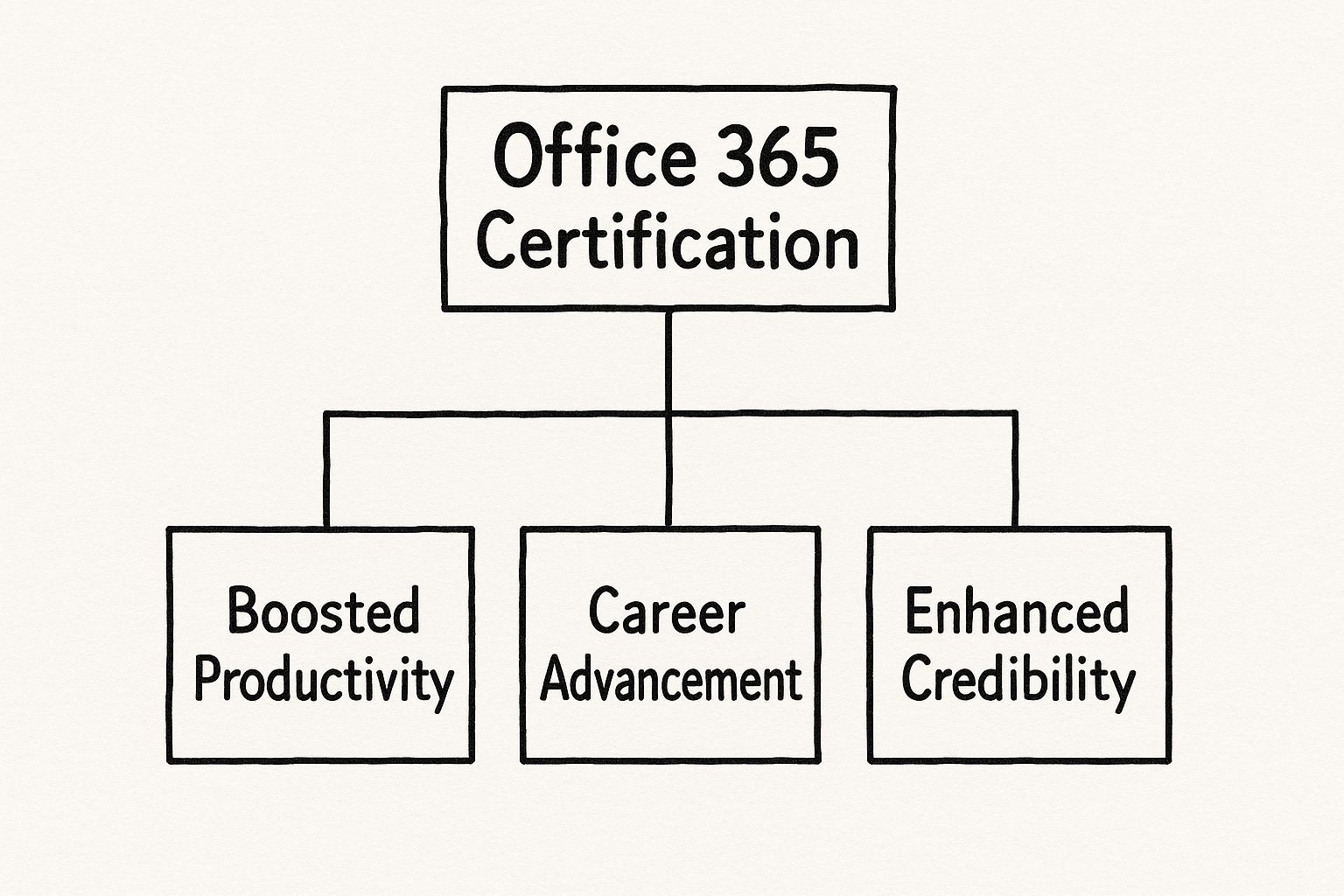
    Earning the Microsoft Azure Developer certification does a lot more than just tack another line onto your resume. Think of it as a genuine career accelerator—a clear signal to employers that your cloud development skills are not just claimed, but proven, relevant, and ready for the real world.

    Image

    Without a formal credential, your expertise is part of your professional story. With the AZ-204, that expertise becomes the headline. It immediately tells hiring managers you know how to design, build, and manage applications on one of the world's most dominant cloud platforms.

    Unlocking New Career Opportunities

    Simply put, the AZ-204 certification is a key that opens doors. It helps you stand out in a crowded job market and makes you a much more attractive candidate for specialized, higher-impact roles.

    Many developers I've spoken with find this certification is the very thing that helps them transition into positions like:

    • Cloud Developer: A role focused squarely on building and deploying applications designed for the cloud from day one.
    • DevOps Engineer: A position that blends development with operations, where you'll be automating infrastructure and deployment pipelines on Azure.
    • Senior Software Engineer: A leadership role where you guide architectural decisions for complex cloud-based systems.

    This isn't just about a fancier title. It’s about taking on more interesting technical puzzles, having more influence over projects, and shaping how applications are built from the ground up.

    The AZ-204 acts as a powerful validator. It transforms your claimed skills into proven competencies. It’s the difference between saying you can build on Azure and proving you've mastered the official best practices.

    Meeting Surging Industry Demand

    The need for skilled Azure developers is exploding. This isn't just hype; it's a direct result of a massive enterprise shift to the cloud across every industry you can think of—finance, healthcare, retail, you name it. This migration creates a constant demand for developers who can build, maintain, and innovate on the platform.

    In fact, the demand for Azure-certified professionals has seen staggering growth, with some reports showing year-over-year increases of around 200%. This trend fits perfectly with broader labor market forecasts, which predict that computing and IT jobs will grow much faster than the average for all other occupations through 2033. If you want to dig into the data, you can review the Azure certification path insights to see the trends for yourself.

    Future-Proofing Your Skill Set

    Ultimately, earning your Microsoft Azure Developer certification is an investment in your long-term career resilience. Cloud computing isn't a passing fad; it's the bedrock of modern software development. By mastering Azure, you're aligning your skills with where the entire industry is headed.

    The certification journey also forces you to learn parts of the Azure ecosystem you might not touch in your daily job. You’ll gain a much deeper understanding of everything from advanced security protocols and monitoring strategies to the nuances of different data storage options. This broader knowledge makes you a more versatile and adaptable developer, ready for whatever new challenges and technologies come next. It’s about making sure your skills stay valuable for years to come.

    Breaking Down the AZ-204 Exam Objectives

    Image

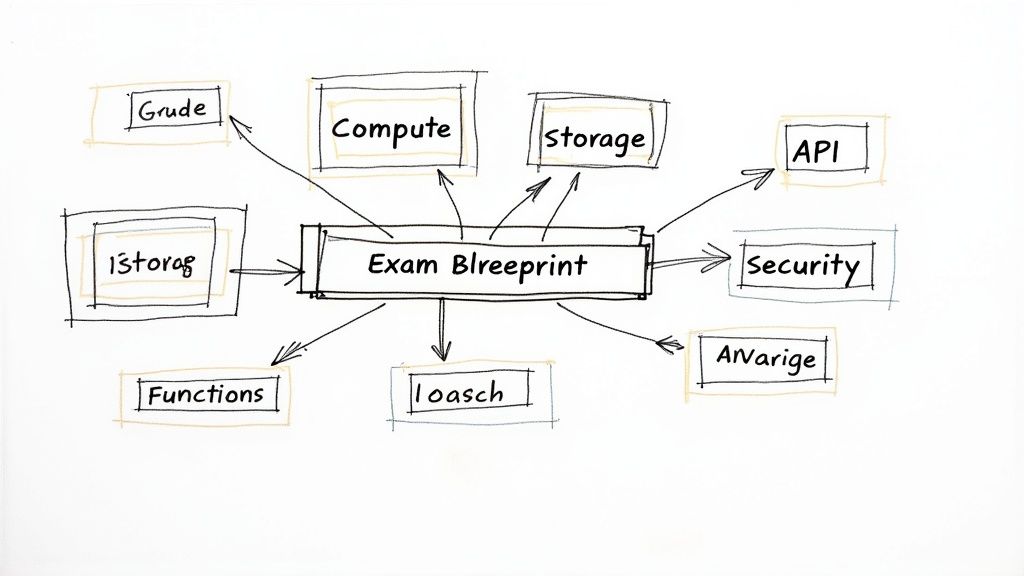
    To really get ready for the Microsoft Azure Developer certification, you have to stop thinking like you're just studying for a test. You need to think like an architect. The official list of exam objectives from Microsoft can feel a bit dry and disconnected from the real world of a developer. So, let’s look at it another way.

    Instead of seeing a checklist, view the AZ-204 blueprint as the master plan for building a modern, resilient cloud application. Each section represents a critical piece of that puzzle. Getting a handle on them isn't about memorizing service names; it's about knowing which tool to grab for which job and, more importantly, why it's the right choice. This mindset turns study time into practical, on-the-job expertise.

    Develop Azure Compute Solutions (25-30%)

    This is the big one—the foundation of everything else. This part of the exam is all about one simple question: where does your code actually live and run in the cloud? Think of it like choosing the right engine for a vehicle. A souped-up sports car, a heavy-duty delivery truck, and a family minivan all need engines, but they each require a very different kind to do their job well.

    Your application's code is no different. The AZ-204 expects you to know which Azure "engine"—or compute service—is the best fit for any given situation.

    • Azure App Service: This is your bread and butter for hosting web apps and APIs. If you’re building a customer-facing e-commerce site, for instance, App Service is perfect. It manages all the messy infrastructure details—the servers, the load balancing, and the scaling—so you can just focus on your code. You’ll need to know how to deploy your work, hook up custom domains, and configure auto-scaling rules to handle traffic spikes during a Black Friday sale.

    • Azure Functions: This is where you turn for event-driven, serverless solutions. Imagine you need to generate an image thumbnail every single time a user uploads a new photo. Instead of paying for a server to sit around 24/7 just waiting for that to happen, an Azure Function can spring to life, run its code, and shut down in a flash. It's incredibly efficient. For the exam, you'll need to understand triggers, bindings, and the art of writing small, focused functions.

    • Container-based Solutions: This bucket includes services like Azure Container Apps and Azure Kubernetes Service (AKS). If your application is designed as a collection of microservices, containers are the natural fit for packaging and deploying them. You'll be expected to know the workflow: create a container image, push it to a registry like Azure Container Registry, and then run it on one of Azure’s container platforms.

    Develop for Azure Storage (15-20%)

    Every app needs to store data, but "data" is a slippery term. It can mean a million different things. This domain tests your ability to pick and implement the right storage for the right kind of data. It’s the difference between a filing cabinet for your documents, a steel safe for your valuables, and a giant warehouse for your bulk inventory.

    The key to mastering this section is understanding that not all data is created equal. The way you store user profile information is fundamentally different from how you store massive video files or temporary application cache.

    Here’s how that plays out in the real world:

    • Azure Blob Storage: This is your go-to for unstructured data—think images, videos, documents, and log files. For example, if your app lets users upload a profile picture, you'd use the Azure SDK in your code to securely upload that image to a Blob Storage container.

    • Azure Cosmos DB: This is a powerhouse: a multi-model, globally distributed NoSQL database. It's built for applications that demand blistering speed and low-latency data access anywhere in the world. You might use Cosmos DB to store a product catalog or user session data that needs to be read and written very, very quickly. You’ll be tested on how to work with its different APIs and manage data consistency.

    Implement Azure Security (20-25%)

    Security isn't a feature you tack on at the end; it's a non-negotiable requirement you weave into your application from the very first line of code. This domain is about proving you can build apps that protect user data and control access properly. It's like designing a new building with security in mind from day one—installing strong locks, access-card systems, and cameras, not just adding a padlock to the front door after it's built.

    For a developer, this boils down to two main jobs:

    1. Implement User Authentication and Authorization: This is all about managing who can get into your application. You'll be using Microsoft Entra ID (which used to be called Azure Active Directory) to handle user sign-in. Your code will need to process authentication tokens (like JWTs) to confirm a user's identity and then control what they're allowed to see and do.

    2. Implement Secure Cloud Solutions: This is about locking down the application's resources and data. A huge piece of this puzzle is managing application secrets—things like API keys and database connection strings. Instead of foolishly hardcoding them in a config file, you'll use Azure Key Vault to store and retrieve them securely at runtime. You’ll also need to know how to set up managed identities so your Azure resources can talk to each other securely without you having to manage any credentials at all.

    Monitor, Troubleshoot, and Optimize Azure Solutions (15-20%)

    Getting your app launched is just the starting line. This final domain is about making sure you know how to keep it running smoothly, figure out what’s wrong when problems pop up, and fine-tune its performance and cost. Think of yourself as the application's doctor, mechanic, and accountant all rolled into one.

    You’ll need to show you’re comfortable with tools like:

    • Azure Monitor: This is your command center for all the telemetry data your applications and infrastructure produce. You'll need to know how to add custom logging to your code with Application Insights to track performance, spot anomalies, and diagnose failures. For example, if users start complaining that a certain feature is sluggish, you'd dive into Application Insights to trace the entire request and find the bottleneck.

    • Caching and Content Delivery Networks (CDN): To make your app faster and more responsive, you'll need to implement caching. This might mean using Azure Cache for Redis to keep frequently used data in-memory or using Azure CDN to serve static files like images and CSS from servers that are physically closer to your users. Knowing when and how to use these techniques is crucial for a great user experience and a key part of what the Microsoft Azure Developer certification exam validates.

    Your Step-by-Step AZ-204 Study Roadmap

    Passing the AZ-204 isn't about a last-minute cram session; it's about executing a smart, structured plan. Think of this as your personal battle plan for success. It’s an actionable roadmap that will guide you from day one of your studies right up to the moment you confidently click "submit" on your exam. We won't just cover what to study, but how to study effectively for the Microsoft Azure Developer certification.

    A solid preparation journey comes down to three things: honestly assessing what you already know, blending official study materials with hands-on practice, and using practice exams to find and fix your weak spots. This approach doesn't just help you pass; it builds the real-world competence you'll need on the job.

    Phase 1: Assess Your Starting Point

    Before you even think about opening a book or watching a video, you need a clear picture of where you stand. This self-assessment isn't about judging your skills. It’s about creating a personalized map that shows where you're already strong and shines a spotlight on the topics that will demand more of your attention.

    Start by grabbing the official AZ-204 exam objectives we covered earlier. Go through each skill and rate your confidence on a scale of one to five. Are you a wizard at building web apps with App Service but have never even looked at Azure Functions? Maybe you've handled user authentication before but have no clue how to configure a managed identity. Be brutally honest here—this initial assessment is the foundation of your entire study plan.

    Phase 2: Curate Your Study Resources

    Once you know your skill gaps, it's time to gather your arsenal. A huge mistake many people make is relying on a single resource. The best approach is to create a powerful cocktail of theoretical knowledge and practical application. Trust me, no single video course or book can ever replace the experience of actually building something.

    To build a well-rounded plan, you'll want to combine a few different types of resources. This table breaks down what you should look for.

    Recommended AZ-204 Study Resources

    A comparison of different types of study materials to help you build a comprehensive preparation plan.

    Resource Type Primary Use Case Key Benefits Example
    Microsoft Learn Building foundational knowledge Official, always up-to-date content directly from the source; structured learning paths. Following the "Develop for Azure storage" learning path.
    Hands-On Labs Gaining practical experience Builds muscle memory and true understanding that goes beyond theory; essential for exam labs. Deploying a web app to App Service in a free Azure account.
    Practice Exams Identifying weak spots Simulates the real exam environment; helps you master question formats and time management. Using a dynamic practice test to uncover gaps in security knowledge.
    Cheat Sheets Quick review and reinforcement Condenses vast topics into digestible summaries for last-minute revision. Reviewing a cheat sheet on Azure CLI commands before the exam.

    Using a mix of these tools ensures you're not just memorizing facts for the exam but are truly understanding the concepts for your career.

    Phase 3: Master the Material with Hands-On Labs

    This is where the magic happens. Honestly, this phase is what separates the people who pass from those who don't. Reading about Azure services is one thing, but actually building with them is a completely different ballgame. The AZ-204 exam includes hands-on labs where you have to perform real tasks in a live Azure environment. There's simply no substitute for getting your hands dirty.

    Key Takeaway: Hands-on practice is non-negotiable. You must spend significant time in the Azure portal, writing code with Azure SDKs, and deploying resources using the Azure CLI or PowerShell. This is where learning solidifies into skill.

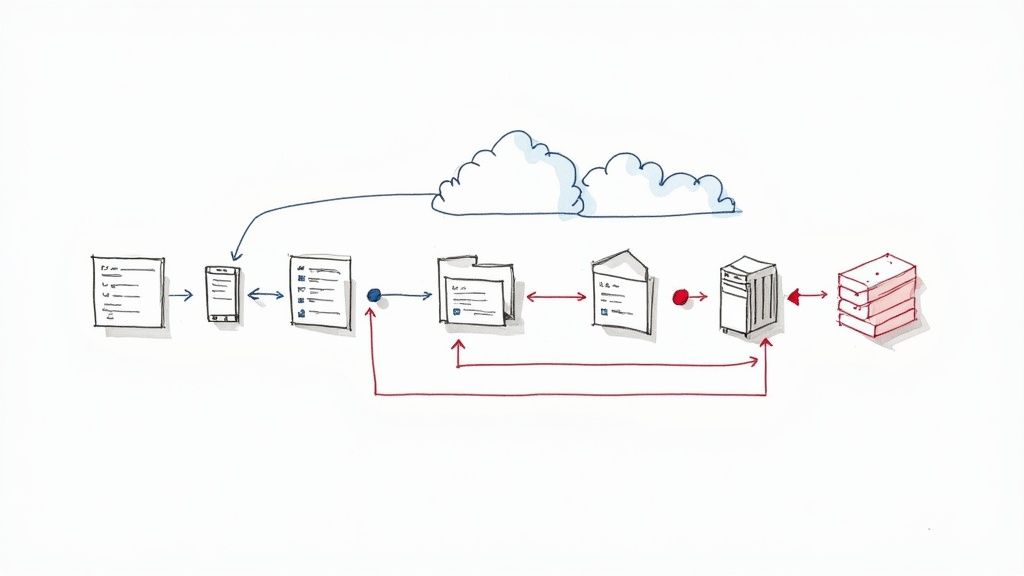
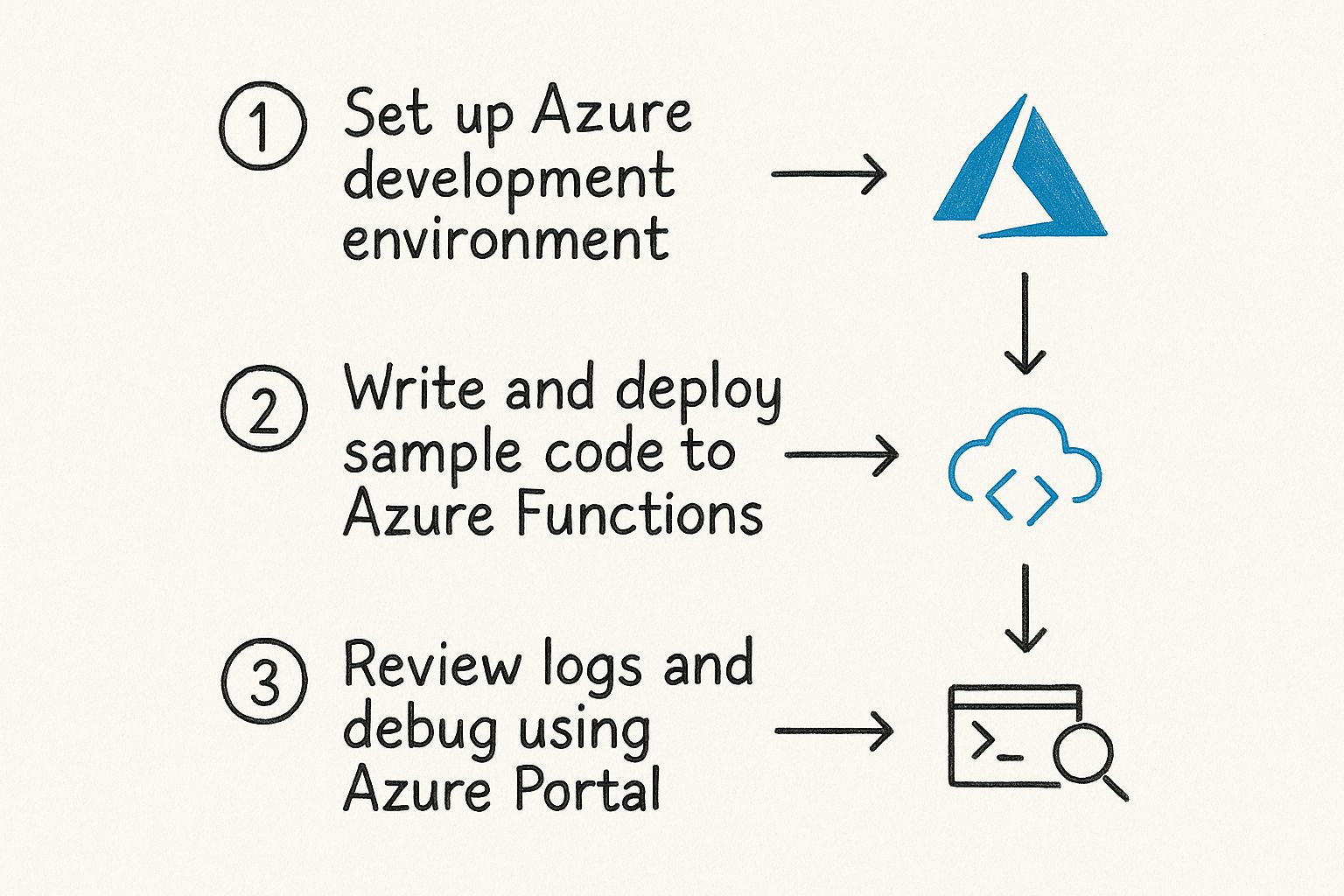
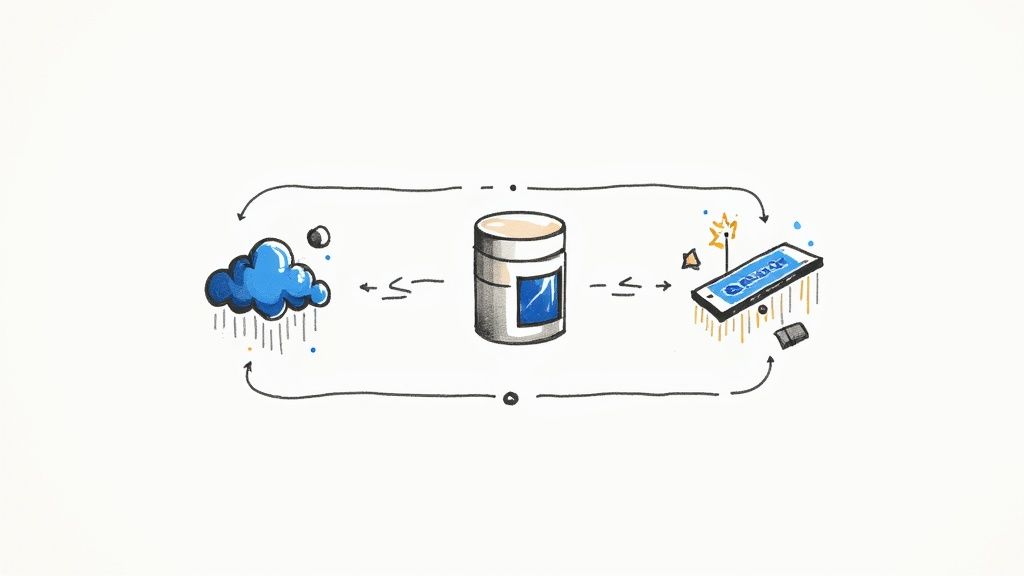
    The workflow below might look simple, but it represents the fundamental loop every Azure developer lives in.

    Image

    Mastery comes from repeating this cycle—setup, code, debug—with different Azure services until it becomes second nature.

    To make your lab time count, give yourself specific, project-based goals. For instance:

    • Week 1 Goal: Build a simple serverless API with Azure Functions that reads and writes data to a Cosmos DB database.
    • Week 2 Goal: Create a web application, deploy it to Azure App Service, and secure it using Microsoft Entra ID for user authentication.
    • Week 3 Goal: Containerize that web app, push it to Azure Container Registry, and run it on Azure Container Apps.

    This project-based approach is far more powerful than just blindly following tutorials because it forces you to solve real problems and see how different Azure services work together.

    Phase 4: Reinforce and Review Strategically

    As you work through your labs and learning materials, you need a system to make the information stick. The sheer volume of services, commands, and concepts can feel overwhelming. This is where smart learning techniques come into play.

    One of the most effective methods is spaced repetition, which involves reviewing information at increasing intervals to fight the "forgetting curve." Flashcards are a perfect tool for this, as they let you break down complex topics into bite-sized, testable pieces. If you want to get the most out of your study time, you can learn more about how to use flashcards for studying and apply those ideas to your AZ-204 prep.

    As you get closer to your exam date, practice exams should become your best friend. The goal isn't just to get a high score. It's to meticulously analyze your results. For every single question you get wrong, dig deep to understand why. Was it a gap in your knowledge? Did you misread the question? This targeted review process is how you turn your weaknesses into strengths, ensuring you walk into that test center feeling prepared and confident.

    Navigating Exam Day and Keeping Your Certification Current

    https://www.youtube.com/embed/jXV2uZQycZY

    You've put in the hard work and long hours. Now comes the final step: exam day. How you handle this day—and what you do after you pass—is just as crucial as all the studying you did to get here. It’s all about having a solid plan for the test itself, managing the clock under pressure, and knowing exactly how to make the most of your new certification.

    Having a clear game plan for exam day takes the guesswork out of the equation, letting you focus all your mental energy on the questions. The first real decision you'll make is when and where to take it. You have two main options: taking it online from the comfort of your home or heading to an official testing center.

    Choosing Your Exam Environment

    This choice really boils down to your personal comfort and what kind of environment helps you perform your best. There's no right or wrong answer, just what's right for you.

    • Online Proctored Exam: The big draw here is convenience. You get to take the exam in a familiar space. But this comes with some strict rules. You'll need a totally quiet, empty room—no one can come in or out. A solid internet connection and a working webcam are non-negotiable. The check-in process is also pretty thorough, requiring photos of your ID and a 360-degree view of your testing room.

    • Official Test Center: Going to a test center means you walk into a controlled environment built for testing. They provide the computer and a stable internet connection, so you don't have to worry about technical glitches on your end. The only real downside is that you have to travel to a physical location at a specific time.

    No matter which path you choose, you absolutely need a valid, government-issued ID. A little bit of anxiety is completely normal, but being prepared for the logistics helps a ton. For more tips on keeping your cool, check out our guide on how to overcome exam anxiety.

    Tackling the Exam Questions

    The AZ-204 exam isn't about memorizing facts; it’s designed to see if you can actually do the work. You'll see a mix of question types, from multiple-choice and drag-and-drop to the more intensive case studies and hands-on labs.

    Case studies are where they give you a detailed business scenario and a set of technical problems to solve, followed by several related questions. The hands-on labs are the real test, though. You'll be dropped into a live Azure portal and asked to build or configure something specific. It’s where the rubber meets the road.

    Time management is everything. Don't let yourself get stuck on one tough question. It's a classic trap. If you're spinning your wheels, flag it for review and move on. You can always circle back later if you have time left.

    Life After Passing: What Happens Next?

    Congratulations, you passed the AZ-204! Your journey as a certified Microsoft Azure Developer is just getting started. Within a couple of days, keep an eye on your inbox for an email from Microsoft. It'll have instructions on claiming your official digital badge from a platform like Credly.

    Claim that badge right away! Add it to your LinkedIn profile, your resume, and even your email signature. It's a simple, verifiable way to show your professional network and any potential employers what you can do.

    As of 2025, the AZ-204 continues to be one of the top three most in-demand Azure certifications. Passing it proves you have a high level of skill in designing, building, and optimizing cloud applications, which can open a lot of doors for your career.

    The Annual Renewal: A Commitment to Growth

    Your certification is valid for one year. To keep it active, you'll need to pass a free renewal assessment online. Don't think of this as a chore; it's actually a great opportunity. Microsoft provides free learning materials that cover all the latest Azure features relevant to the AZ-204.

    Think of the renewal as your annual commitment to staying sharp. Cloud technology changes fast, and this process ensures your skills stay relevant and valuable, cementing your status as a knowledgeable Azure developer.

    Your Top AZ-204 Questions, Answered

    Thinking about taking the plunge and going for the Microsoft Azure Developer certification? It’s a big step, so it’s only natural to have a few questions swirling around. You want to know if it's the right move for your career, your current skills, and the time you'll need to invest.

    This section tackles the most common questions we hear from developers weighing the AZ-204. We'll give you straight, honest answers to help you understand what the exam really entails and how it can impact your career. The goal is to give you the clarity you need to move forward with confidence.

    How Much Coding Experience Do I Really Need?

    Microsoft officially recommends one to two years of professional development experience, but let's be real—what matters is proficiency, not just time in the chair. You need to be comfortable writing, debugging, and deploying code in at least one Azure-supported language, like C# or Python.

    This exam isn't just about theory. You'll face hands-on labs and be expected to understand code snippets related to Azure SDKs, REST APIs, and various command-line tools. You have to be able to read the code and know what it's trying to do.

    • If your programming fundamentals are solid but you're new to the cloud, your best bet is to dive deep into hands-on labs. This is how you'll build the Azure-specific muscle memory you need.
    • On the flip side, if you know your way around the Azure portal but your coding is a bit rusty, you should dedicate serious time to coding exercises and brushing up on your language of choice.

    At the end of the day, it's all about your ability to apply code to solve real-world problems in an Azure environment.

    I’m Already an Experienced Developer. Is the AZ-204 Worth It?

    Absolutely. For a developer who’s been around the block, the AZ-204 is more than just another line on a resume. Think of it as a strategic tool for validating and broadcasting your expertise in a way that gets you noticed.

    First, it’s concrete proof of your skills on a specific, high-demand cloud platform. That kind of validation makes you highly visible to recruiters, hiring managers, and even leaders within your own company who are looking for people to lead important projects.

    It takes you from saying "I can do that" to having a credential that says "I have proven I can do that." That's a powerful shift that builds trust and opens doors to bigger and better opportunities.

    Second, the process of studying for the exam is incredibly valuable in itself. It forces you to explore corners of Azure you might not touch in your day-to-day work—things like advanced security configurations, different storage solutions, or specific performance monitoring techniques. This makes you a far more versatile and well-rounded engineer.

    How Does the AZ-204 Stack Up Against the AWS Certified Developer?

    Both the AZ-204 and the AWS Certified Developer Associate are top-tier certifications. They serve the same purpose but for the two giants of the cloud world. Which one is "better" for you usually comes down to your current company's tech stack or the kind of companies you want to work for.

    Here’s a quick side-by-side look:

    Aspect Azure Developer (AZ-204) AWS Developer Associate
    Ecosystem Focus Microsoft Azure platform Amazon Web Services platform
    Common Scenarios A natural fit for organizations deep in the Microsoft ecosystem (.NET, Microsoft 365). A massive footprint in startups and a huge variety of other industries.
    Core Concepts Tests the same fundamentals: compute, storage, security, and monitoring. Also tests core cloud concepts, just with AWS-specific services and tooling.

    The reality is, many large companies are now multi-cloud, making skills in both platforms incredibly valuable. Earning either certification is a huge win, but having familiarity with both can make you a truly standout candidate in a competitive market.

    How Can I Use the Renewal Process to My Advantage?

    Don't think of the annual certification renewal as a chore. It’s a free, guided learning opportunity. Each year, Microsoft releases a curated set of Microsoft Learn modules covering the newest features and updates relevant to your certification.

    Instead of cramming for the renewal assessment at the last minute, try to build a habit of continuous learning. Block off a couple of hours each quarter to go through the new material and play around with the new features in your own dev environment.

    This keeps your skills sharp all year long, and when it’s time for the open-book renewal assessment, it’s a breeze. By embracing this cycle, you not only keep your Microsoft Azure Developer certification active but also ensure you're constantly bringing the most current and valuable skills to your team.


    Ready to stop thinking about the exam and start preparing with confidence? AZ-204 Fast gives you everything you need—interactive flashcards, dynamic practice exams, and detailed progress tracking—to master the material without wasting time. Conquer the AZ-204 exam by visiting us at AZ-204 Fast.

  • 10 Essential Azure Security Best Practices for 2025

    10 Essential Azure Security Best Practices for 2025

    In a cloud-first operational model, a proactive security posture is the bedrock of a resilient business. As organizations accelerate the migration of critical workloads to Microsoft Azure, understanding and implementing robust security measures is no longer optional-it's essential for survival. Simple misconfigurations, identity vulnerabilities, and network oversights can quickly lead to devastating data breaches, costly compliance failures, and significant reputational damage. Mastering a strong security framework is paramount to safeguarding your digital assets against an ever-present threat landscape.

    This article cuts through the noise to deliver a comprehensive roundup of the top 10 Azure security best practices you need to implement now. We will move beyond generic advice to provide specific, actionable steps and practical implementation details for each critical area. Readers will learn how to properly configure identity and access management, fortify network defenses, protect sensitive data, and maintain continuous oversight through advanced monitoring and governance.

    Each section is designed to be a clear, concise guide, helping you build a formidable defense for your Azure environment. For developers and IT professionals, especially those pursuing certifications like the AZ-204, mastering these principles is non-negotiable. This listicle provides the foundational knowledge required to not only pass exams but also to effectively secure real-world applications and infrastructure. We will cover critical tools and concepts, including:

    • Securing identities with MFA and Conditional Access.
    • Enforcing least privilege with Role-Based Access Control (RBAC).
    • Protecting secrets with Azure Key Vault.
    • Implementing network security with NSGs and Azure Firewall.
    • Maintaining governance with Azure Policy.

    By following these guidelines, you can ensure your data and applications remain protected, compliant, and resilient.

    1. Enable Multi-Factor Authentication (MFA)

    Relying on passwords alone is no longer a viable security strategy. Multi-Factor Authentication (MFA) is a foundational element of modern identity and access management and one of the most critical Azure security best practices you can implement. It adds a crucial layer of defense by requiring users to present two or more verification factors before granting access. This simple step can thwart the vast majority of identity-based attacks.

    Even if an attacker compromises a user's password, they still cannot access your resources without the second factor, such as a code from an authenticator app, a fingerprint scan, or a physical security key. This layered approach moves security beyond a single point of failure, dramatically enhancing your defense against credential theft and unauthorized access.

    Why MFA is Non-Negotiable

    Implementing MFA is the single most effective action you can take to secure your Azure environment. It directly addresses the risk of compromised credentials, which are a primary vector for cyberattacks. Microsoft's own data underscores its importance, showing that enabling MFA blocks an overwhelming percentage of automated and targeted attacks. For roles with elevated privileges, like Global Administrators, MFA should be considered mandatory and non-negotiable.

    The following infographic highlights the powerful impact and flexibility of implementing MFA in your Azure environment.

    Infographic showing key data about Enable Multi-Factor Authentication (MFA)

    This data powerfully illustrates that MFA is not just a theoretical benefit; it delivers a near-total reduction in account compromise risk while offering multiple verification options to fit user needs.

    Actionable Implementation Steps

    To effectively deploy MFA, start with a targeted rollout and leverage Azure's powerful policy tools for enforcement.

    • Prioritize High-Impact Accounts: Begin your MFA rollout by targeting accounts with the highest privileges, such as Global Administrators, Subscription Owners, and other key administrative roles. Securing these accounts first provides the greatest immediate security benefit.
    • Leverage Conditional Access: Use Azure AD Conditional Access policies to enforce MFA based on context. You can require MFA for all users, or you can trigger it based on specific conditions like user location, device compliance, or sign-in risk level detected by Azure AD Identity Protection.
    • Offer Flexible Methods: Support multiple authentication methods to improve user experience and provide backup options. These can include the Microsoft Authenticator app (push notifications or one-time passcodes), FIDO2 security keys, SMS text messages, or voice calls.
    • Monitor and Review: Regularly use the authentication methods activity dashboard in Azure AD to review MFA registration and usage. This helps you identify gaps in adoption and ensure policies are being enforced as intended.

    2. Implement Role-Based Access Control (RBAC)

    Granting broad, unrestricted permissions to users is a significant security risk. Role-Based Access Control (RBAC) is a fundamental Azure security best practice that enforces the principle of least privilege. It ensures that users are only given the precise permissions they need to perform their specific job functions, nothing more. This granular approach is essential for managing access at scale and minimizing your environment's attack surface.

    Instead of assigning permissions directly to individual users, RBAC works by assigning them to defined roles. Users are then granted those roles, inheriting a standardized set of permissions. If a user's job changes, you simply change their role assignment, instantly revoking old permissions and granting new ones. This model drastically simplifies access management and reduces the potential for human error.

    Diagram showing how Azure RBAC assigns roles to users for specific resources

    This structure ensures permissions are managed systematically, preventing the ad-hoc access rights that often lead to security vulnerabilities.

    Why RBAC is a Cornerstone of Security

    A well-implemented RBAC strategy is a cornerstone of the Zero Trust security model, which operates on the assumption that no user or system should be automatically trusted. By strictly controlling what actions users can perform and on which resources, you contain the potential damage from a compromised account. For instance, a user with "Reader" access cannot accidentally delete a critical production database, even if their credentials are stolen. This containment is crucial for operational resilience and is often a core requirement for regulatory compliance standards like HIPAA and GDPR.

    Actionable Implementation Steps

    Deploying RBAC effectively requires a thoughtful, strategic approach that balances security with operational needs. For a deeper understanding of identity synchronization, which is foundational to RBAC, you can learn more about how Azure Active Directory sync works.

    • Start with Built-in Roles: Azure provides numerous built-in roles like Owner, Contributor, Reader, and many service-specific roles. Always start by evaluating these before creating custom ones, as they cover most common scenarios and are maintained by Microsoft.
    • Create Custom Roles Sparingly: When built-in roles are too permissive, create custom roles with tailored permission sets. This is ideal for specialized tasks, such as granting a CI/CD service principal permission to deploy to a specific App Service but not to modify network settings.
    • Regularly Audit Assignments: Permissions should not be permanent. Routinely audit role assignments, especially for high-privilege roles. Use Azure AD access reviews to automate the process of recertifying who has access to what, ensuring that permissions remain current.
    • Use Azure AD Privileged Identity Management (PIM): For the most critical roles (e.g., Global Administrator, Subscription Owner), use PIM to provide just-in-time (JIT) access. This requires users to request and justify temporary elevation into a role, which is then logged and can require approval, significantly reducing the risk of standing administrative privileges.

    3. Enable Azure Security Center and Microsoft Defender for Cloud

    Microsoft Defender for Cloud, the evolution of Azure Security Center, serves as your central hub for security management and advanced threat protection across Azure and hybrid cloud workloads. It acts as a comprehensive Cloud Security Posture Management (CSPM) and Cloud Workload Protection Platform (CWPP) solution. This tool continuously assesses your environment, provides actionable security recommendations, and uses advanced analytics to detect and alert you to emerging threats.

    Implementing Defender for Cloud is a fundamental step in establishing robust Azure security best practices, giving you a unified view of your security state. It automatically discovers and assesses your resources against security benchmarks, helping you identify and remediate vulnerabilities before they can be exploited. This proactive approach hardens your entire cloud footprint, from virtual machines and databases to App Services and storage accounts.

    Illustration showing the dashboard of Microsoft Defender for Cloud with security scores and recommendations

    Why Defender for Cloud is Essential

    Defender for Cloud is non-negotiable because it operationalizes security at scale. Without it, you are left to manually track configurations, monitor logs, and correlate alerts across dozens of disparate services, an impossible task in a dynamic cloud environment. It provides a "Secure Score" that gamifies and quantifies your security posture, giving you a clear, measurable goal for improvement. For instance, Progressive Insurance successfully used its recommendations to improve their security posture by 40%.

    This platform's strength lies in its ability to provide context-aware recommendations tailored to your specific resources and compliance needs. By centralizing security management, it bridges the gap between development, operations, and security teams, fostering a unified DevSecOps culture.

    Actionable Implementation Steps

    To maximize the value of Defender for Cloud, take a phased approach that focuses on assessment, policy enforcement, and continuous improvement.

    • Start with the Free Tier: Enable the foundational CSPM capabilities of Defender for Cloud across all your subscriptions. This is free and provides immediate value through continuous security assessments and actionable recommendations via the Secure Score.
    • Enable Enhanced Security Features: For critical workloads, enable the paid Defender plans. These unlock advanced threat protection for servers, App Service, SQL databases, and more, providing just-in-time VM access, adaptive application controls, and advanced threat detection.
    • Configure Security Policies: Customize the default security policies to align with your organization's specific compliance requirements, such as PCI DSS, ISO 27001, or SOC TSP. This ensures that assessments and recommendations are relevant to your regulatory needs.
    • Integrate with Microsoft Sentinel: Connect Defender for Cloud to Microsoft Sentinel to stream alerts and security data. This integration allows for advanced threat hunting, incident correlation, and automated response orchestration across your entire enterprise.
    • Regularly Review and Remediate: Make reviewing the Secure Score and acting on high-priority recommendations a regular part of your security operations. Use the provided one-click remediation options where possible to quickly fix misconfigurations.

    4. Use Azure Key Vault for Secrets Management

    Embedding sensitive information like API keys, database connection strings, or passwords directly into application code or configuration files is a significant security risk. Azure Key Vault provides a centralized, secure repository for managing these secrets, along with encryption keys and TLS/SSL certificates. This practice is a cornerstone of modern Azure security best practices, as it decouples sensitive data from your application, reducing the attack surface and simplifying management.

    By using Key Vault, your applications can retrieve credentials at runtime through a secure, authenticated, and logged process. This prevents secrets from being exposed in source control, build artifacts, or deployment pipelines. It provides hardware-level protection (optional Hardware Security Modules – FIPS 140-2 Level 2 validated) and granular access control, ensuring only authorized applications and users can access sensitive information.

    Diagram showing how Azure Key Vault securely stores secrets, keys, and certificates, and how applications access them via Managed Identities.

    Why Key Vault is Essential for DevSecOps

    Integrating Key Vault into your workflow is a fundamental step towards a mature DevSecOps posture. It addresses the critical need to secure application secrets throughout the entire development lifecycle. Instead of developers managing secrets manually, which is prone to error and exposure, Key Vault centralizes control and automates access. For instance, Netflix leverages this approach to manage thousands of secrets across its vast microservices architecture, ensuring dynamic and secure credential access at scale.

    This centralized management simplifies auditing and rotation policies, which are often required for compliance with standards like PCI DSS and HIPAA. For any organization building or running applications in Azure, using Key Vault is non-negotiable for robust secret management.

    Actionable Implementation Steps

    To effectively integrate Azure Key Vault, focus on secure access patterns and robust operational hygiene.

    • Use Managed Identities: The most secure way for Azure resources (like App Services, Functions, or VMs) to access Key Vault is by using Managed Identities for Azure resources. This eliminates the need to store any credentials in your application code, as Azure handles the authentication token exchange automatically.
    • Implement Key Rotation Policies: Regularly rotate your keys and secrets to limit the time window an attacker has if a secret is ever compromised. Key Vault allows you to set automated rotation policies for both keys and secrets, simplifying this critical security task.
    • Enable Soft Delete and Purge Protection: Protect against accidental or malicious deletion of your secrets. Enable the "soft delete" feature, which retains deleted vaults and secrets for a configurable period (90 days by default). Additionally, enable "purge protection" to prevent the permanent deletion of secrets during the retention period.
    • Monitor Access with Diagnostic Logs: Stream Key Vault diagnostic logs to Azure Monitor or a SIEM like Microsoft Sentinel. This provides a detailed audit trail of all operations, allowing you to monitor who is accessing which secrets, detect anomalous behavior, and respond to potential security incidents.

    5. Configure Network Security Groups (NSGs) and Azure Firewall

    Securing your network perimeter is a fundamental pillar of any robust security posture. In Azure, Network Security Groups (NSGs) and Azure Firewall are your primary tools for controlling network traffic. An NSG acts as a stateful firewall at the network interface or subnet level, filtering traffic based on source/destination IP addresses, ports, and protocols. Azure Firewall provides a more advanced, centralized, and intelligent threat protection service for your Virtual Networks.

    Using these services in tandem creates a defense-in-depth strategy. NSGs provide micro-segmentation to isolate resources within a virtual network, while Azure Firewall serves as a central point for policy enforcement and advanced threat filtering for traffic entering or leaving your network. This combination is essential for implementing a comprehensive set of Azure security best practices.

    Why Network Filtering is a Core Security Control

    Effective network filtering is non-negotiable for protecting your Azure assets from unauthorized access and network-based attacks. NSGs allow you to enforce the principle of least privilege at the network layer, ensuring that a virtual machine only communicates over the specific ports and protocols required for its function. Azure Firewall elevates this protection by offering features like threat intelligence-based filtering, application-level rules, and centralized management across multiple subscriptions.

    For example, a healthcare organization can use NSGs to strictly isolate virtual machines processing patient data, allowing access only from specific internal application servers. At the same time, they can use Azure Firewall to inspect all outbound internet traffic from their environment, blocking connections to known malicious domains and protecting against data exfiltration.

    This layered approach ensures that even if one layer of defense is bypassed, another is in place to contain and mitigate the threat.

    Actionable Implementation Steps

    To properly configure your network defenses, focus on precise rules, regular maintenance, and comprehensive logging.

    • Apply the Principle of Least Privilege: Start with a "deny all" rule as the lowest priority and then create explicit "allow" rules only for the specific traffic required. Be as granular as possible with source/destination IP ranges and port numbers.
    • Use Service Tags and Application Security Groups: Instead of managing long lists of IP addresses, use Azure Service Tags (e.g., Sql.EastUS, Storage.WestEurope) in your NSG rules. Use Application Security Groups (ASGs) to group VMs with similar functions (e.g., "web-servers") and apply rules to the group.
    • Regularly Review and Clean Up Rules: Over time, NSG rule sets can become cluttered with unused or outdated rules. Schedule periodic reviews to remove unnecessary rules, which simplifies management and reduces your potential attack surface.
    • Enable NSG Flow Logs: For visibility into network traffic patterns, enable NSG flow logs and send them to a Log Analytics workspace. This provides invaluable data for troubleshooting, security analysis, and compliance auditing.

    6. Enable Audit Logging and Monitoring

    You cannot secure what you cannot see. Comprehensive logging and monitoring are essential Azure security best practices that provide the visibility needed to detect, investigate, and respond to threats. This involves systematically collecting security and operational data from all your Azure services, analyzing it for anomalies, and setting up alerts for potential incidents. Azure Monitor, Log Analytics, and Microsoft Sentinel are the core components for building this observability.

    By establishing a robust audit trail, you gain deep insights into all activities occurring within your cloud environment. This data is invaluable not only for reactive security investigations after an event but also for proactive threat hunting, identifying misconfigurations, and ensuring regulatory compliance.

    Why Logging is Non-Negotiable

    Without comprehensive logging, your environment is a black box. You have no way to know if an attacker has breached your defenses, when it happened, or what they accessed. Implementing thorough audit logging and monitoring transforms your security posture from reactive to proactive, enabling you to detect suspicious patterns before they escalate into major breaches. Government agencies, for example, rely on these detailed audit trails to meet stringent compliance requirements, while retail companies use them to detect fraudulent account activities.

    For any organization serious about security, having a centralized and correlated view of all logs is mandatory. This visibility is the foundation upon which every other security operation, from incident response to threat intelligence, is built.

    Actionable Implementation Steps

    To effectively implement logging and monitoring, you must be systematic in collecting data and strategic in analyzing it.

    • Enable Diagnostic Settings: The first step is to enable diagnostic settings for all critical Azure resources, such as Virtual Machines, Storage Accounts, and Key Vaults. Configure them to send logs and metrics to a centralized Log Analytics workspace. This ensures no data is missed.
    • Create Custom Queries: Use Kusto Query Language (KQL) in Log Analytics to create custom queries that search for specific security scenarios relevant to your organization. For example, you can write queries to detect impossible travel scenarios, unusual data exfiltration, or brute-force login attempts.
    • Set Up Automated Responses: Leverage Azure Sentinel's analytics rules and automation playbooks (powered by Logic Apps) to trigger automated responses to critical alerts. This could involve isolating a compromised virtual machine, blocking a malicious IP address at the firewall, or notifying the security team via Teams.
    • Implement Log Retention Policies: Define and enforce log retention policies based on your organization's compliance needs and operational requirements. Ensure logs are stored securely and for the required duration to support forensic analysis and regulatory audits.

    For those looking to automate these configurations at scale, you can explore using the Azure PowerShell module to script the enablement of diagnostic settings across your entire environment.

    7. Implement Data Encryption at Rest and in Transit

    Protecting data is the ultimate goal of any security strategy. Implementing robust encryption is a fundamental Azure security best practice that ensures your data remains confidential and secure, whether it is being stored on a disk (at rest) or transmitted across a network (in transit). This dual-pronged approach protects sensitive information from unauthorized access, even if underlying physical storage or network infrastructure is compromised.

    Azure provides comprehensive, layered encryption mechanisms across its services. Data at rest is typically encrypted by default using service-managed keys, but you can increase control by using your own keys. For data in transit, enforcing modern protocols like TLS 1.2+ ensures that information moving between your users, applications, and Azure services is unreadable to eavesdroppers.

    Why Data Encryption is a Core Security Pillar

    Data encryption is a non-negotiable requirement for regulatory compliance and protecting intellectual property. It serves as a critical last line of defense. If other security controls fail and an attacker gains access to the raw data, strong encryption renders that data useless without the corresponding decryption keys. This is especially vital for healthcare, finance, and government sectors handling highly sensitive information.

    For example, a financial services company can use customer-managed keys (CMK) to encrypt transactional databases, giving them full control over the key lifecycle to meet strict compliance mandates like PCI DSS. Similarly, a healthcare provider can rely on Transparent Data Encryption (TDE) for Azure SQL to protect patient records at rest, fulfilling HIPAA requirements.

    Actionable Implementation Steps

    To deploy a comprehensive data encryption strategy, you should enable default protections and take control where greater security is needed.

    • Enable Encryption by Default: For services like Azure Storage and Azure SQL Database, server-side encryption with service-managed keys is enabled by default. Verify this setting for all new and existing resources to establish a strong security baseline.
    • Use Customer-Managed Keys (CMK) for Sensitive Workloads: For enhanced control over your data's security, use CMK with Azure Key Vault. This allows you to manage the entire lifecycle of your encryption keys, including creation, rotation, and revocation, which is often a requirement for compliance.
    • Enforce TLS 1.2+ for All Connections: Configure your Azure services, such as App Service and Storage Accounts, to reject connections using older, insecure protocols. Mandate the use of Transport Layer Security (TLS) 1.2 or higher for all data in transit to protect against man-in-the-middle attacks.
    • Implement a Key Rotation Policy: Regularly rotate all encryption keys, including both service-managed and customer-managed keys. A consistent rotation schedule, managed through Azure Key Vault, limits the potential impact of a compromised key.

    8. Use Managed Identities for Azure Resources

    Managing secrets and credentials within application code is a significant security risk. Managed Identities for Azure resources provide a superior alternative by creating an automatically managed identity in Azure Active Directory (Azure AD). This powerful feature allows Azure services to authenticate to other cloud services that support Azure AD authentication without needing any credentials stored in your code, configuration files, or environment variables.

    By using managed identities, you eliminate the entire lifecycle of credential management: rotation, auditing, and protection. Azure handles these tasks behind the scenes, effectively removing a common attack vector. This practice is a cornerstone of modern Azure security best practices, as it directly mitigates the risk of leaked secrets leading to unauthorized access.

    Why Managed Identities are Essential

    Hardcoding credentials like connection strings or API keys is a dangerous but common practice. If this code is ever exposed, such as through a public code repository, attackers gain direct access to your resources. Managed identities solve this problem at its root by providing a secure, identity-based authentication mechanism that is tied to the Azure resource itself, not to the code running on it.

    This approach simplifies development and enhances security posture simultaneously. For instance, a web app can securely access Azure Key Vault to retrieve other secrets, or an Azure Function can connect to an Azure SQL Database, all without a single password or key in its deployment package.

    Actionable Implementation Steps

    Implementing managed identities is straightforward and can be applied to both new and existing resources. The key is to choose the right type of identity and assign permissions based on the principle of least privilege.

    • Choose the Right Identity Type: Use system-assigned managed identities for resources that require a dedicated identity tied to their lifecycle (e.g., a single VM accessing a specific storage account). Use user-assigned managed identities when you need to share a single identity across multiple resources, simplifying permission management.
    • Grant Least Privilege: Once an identity is enabled for a resource like a web app, go to the target resource (e.g., Azure Key Vault or Storage Account) and assign the necessary role to the managed identity. Grant only the permissions required for its function, such as "Key Vault Secrets User" or "Storage Blob Data Contributor."
    • Update Your Application Code: Modify your application code to use the Azure SDKs, which are designed to seamlessly authenticate using the managed identity. Instead of providing a connection string, you instantiate the client library, and it automatically uses the managed identity of the host environment.
    • Test Identity Assignments: Before deploying to production, rigorously test that the managed identity has the correct permissions in your development or staging environments. This ensures your application functions as expected without granting excessive privileges.

    9. Implement Azure Policy for Governance

    Maintaining control over a sprawling cloud environment is a significant challenge, but Azure Policy provides the mechanism to enforce organizational standards and assess compliance at scale. It acts as a set of guardrails, ensuring that resources deployed in your subscriptions adhere to your corporate rules, security requirements, and cost-management strategies. By defining and assigning policies, you can automatically prevent non-compliant resources from being created or flag existing ones for remediation.

    This governance-as-code approach is a cornerstone of a well-architected Azure environment. It allows you to define rules, such as restricting which VM sizes can be deployed to control costs or mandating that all storage accounts must have HTTPS traffic enabled. This proactive enforcement is a critical component of a robust Azure security best practices framework, moving you from a reactive cleanup model to a preventive security posture.

    Why Policy-Driven Governance is Crucial

    Implementing Azure Policy is essential for maintaining security, compliance, and operational consistency across your cloud estate. It helps prevent configuration drift, where resources slowly deviate from their intended secure state over time. For organizations in regulated industries like finance or healthcare, policies can enforce specific data handling and encryption standards required for compliance audits.

    For instance, a financial services firm could use Azure Policy to mandate specific resource tags for all billable services, ensuring a clear audit trail. Similarly, a government agency can enforce that all resources are only deployed to specific, authorized Azure regions. This level of automated control is impossible to achieve manually at scale and is fundamental to secure cloud operations.

    Actionable Implementation Steps

    To effectively leverage Azure Policy, start with a phased approach, beginning with built-in definitions and expanding to custom rules as your governance needs mature.

    • Start with Built-in Policies: Azure provides a vast library of built-in policy definitions covering common security and management scenarios. Begin by exploring and assigning these policies, such as "Allowed locations" or "Require a tag on resources," before creating complex custom ones.
    • Use Policy Initiatives: Group related policies into a single unit called a policy initiative (or set). For example, you can create a "HIPAA Compliance" initiative that includes policies for enabling encryption, restricting public network access, and enabling diagnostic logs. This simplifies assignment and management.
    • Test with Audit and Disabled Effects: Before using an enforcing effect like Deny, first apply your new policy with the Audit effect. This allows you to evaluate the impact of the policy on existing resources without blocking any actions. You can also set the enforcement mode to Disabled during development.
    • Regularly Review and Update: Your governance needs will evolve. Regularly review policy compliance reports in the Azure portal and update your policies and initiatives to adapt to new services, security threats, and organizational requirements.

    10. Secure Azure AD with Conditional Access

    Static security policies are no longer sufficient in a dynamic cloud environment. Conditional Access is the intelligent policy engine at the heart of Azure Active Directory, acting as a powerful tool for enforcing organizational access controls. It allows you to implement automated access control decisions for apps and resources based on specific, real-time conditions. This "if-then" policy model brings together signals to make decisions and enforce organizational policies.

    This granular approach moves beyond a simple allow or deny posture, enabling you to apply the right controls under the right circumstances. For instance, you can grant access but require multi-factor authentication, or you can restrict a user's session with limited permissions. This capability is a cornerstone of a Zero Trust security model and a critical Azure security best practice for modern identity management.

    Why Conditional Access is Non-Negotiable

    Conditional Access is the enforcement plane of your identity security strategy. It allows you to translate security requirements into automated, context-aware policies that protect your resources at scale. Instead of applying the same rules to every user in every situation, you can adapt your security posture based on real-time risk signals, user location, device health, and the sensitivity of the application being accessed.

    For example, a company can block sign-ins from untrusted or high-risk geographic locations, while organizations can demand that a device be marked as compliant in Microsoft Intune before it can access sensitive SharePoint data. This intelligent, automated enforcement is vital for securing a modern, hybrid workforce.

    Actionable Implementation Steps

    Deploying Conditional Access policies effectively requires careful planning, testing, and a phased rollout to minimize user disruption while maximizing security impact.

    • Start with Report-Only Mode: Before enforcing any new policy, deploy it in "report-only" mode. This allows you to evaluate the potential impact on users by logging the outcome of policy decisions without actually blocking access. Review the logs to fine-tune your conditions before going live.
    • Define Named Locations: Configure your trusted network locations, such as your corporate office IP address ranges, as "Named Locations" in Azure AD. This allows you to create policies that can, for example, bypass MFA for users signing in from a trusted network while enforcing it everywhere else.
    • Implement Gradually with Pilot Groups: Roll out new policies to a small pilot group of users first. This helps you gather feedback and identify any unforeseen issues in a controlled manner. Once you've validated the policy's behavior, you can expand it to larger groups and eventually to your entire organization.
    • Integrate and Monitor: Successful implementation of this strategy is often part of a broader security initiative. Understanding how different Azure services work together is key. For a deeper look, you can learn more about Azure Active Directory integration to see how it fits into the larger cloud ecosystem.

    Top 10 Azure Security Best Practices Comparison

    Feature / Solution Implementation Complexity 🔄 Resource Requirements ⚡ Expected Outcomes 📊 Ideal Use Cases 💡 Key Advantages ⭐
    Enable Multi-Factor Authentication (MFA) Low – straightforward setup Moderate – user training & multiple methods Very high – 99.9% fewer breaches Administrative accounts, high-risk access Strong breach reduction, multiple methods
    Implement Role-Based Access Control (RBAC) Medium to High – role design & upkeep Moderate – ongoing maintenance & audits High – minimized overprivilege Large orgs, compliance, fine-grained permissions Scalable, least privilege enforcement
    Enable Azure Security Center & Defender Medium – initial config & tuning Moderate to High – expertise needed High – centralized threat detection Hybrid cloud security, compliance monitoring Unified security posture & automated alerts
    Use Azure Key Vault for Secrets Management Medium – architectural changes Low to Moderate – setup & integration High – secure secret storage Apps handling sensitive keys/secrets Hardware-level security, compliance-ready
    Configure NSGs and Azure Firewall Medium to High – rule complexity Moderate – monitoring and management High – robust network security Network segmentation, compliance requirements Defense in depth, centralized management
    Enable Audit Logging and Monitoring Medium – config & log analysis High – storage and expertise High – full visibility & threat detection Compliance, forensic analysis Comprehensive monitoring, early detection
    Implement Data Encryption at Rest and Transit Medium – key management complexity Low to Moderate – performance tradeoffs High – data breach protection Sensitive data handling, regulatory compliance Built-in service encryption, flexible keys
    Use Managed Identities for Azure Resources Low to Medium – identity assignment Low – no extra cost High – reduced credential exposure Secure resource access without secrets Automatic creds rotation, seamless integration
    Implement Azure Policy for Governance Medium to High – policy crafting Low to Moderate – management & testing High – automated compliance Governance at scale, cost control Automated compliance, prevention of drift
    Secure Azure AD with Conditional Access Medium to High – complex policies Moderate – Azure AD Premium required High – contextual security policies Dynamic access control, remote workforce Risk-based access, detailed insights

    Building Your Fortress in the Cloud

    Navigating the expansive landscape of Microsoft Azure requires more than just technical skill; it demands a vigilant and proactive approach to security. Throughout this guide, we've explored ten foundational Azure security best practices that form the essential blueprint for protecting your cloud infrastructure. These are not isolated recommendations but interconnected layers of a comprehensive defense-in-depth strategy. By weaving these practices into the fabric of your cloud operations, you transition from a reactive stance to a position of control and resilience.

    From Theory to Tangible Security

    Mastering these concepts is the first step, but true security is realized through consistent implementation. You have seen how each practice addresses a specific vulnerability vector:

    • Identity and Access Management: Fortifying your primary entry points with MFA, RBAC, Managed Identities, and Conditional Access ensures that only authorized users and services can access your resources, under the right conditions.
    • Network and Infrastructure Protection: Configuring Network Security Groups and Azure Firewall creates a hardened perimeter, while using Azure Key Vault isolates your most sensitive secrets from your application code, drastically reducing the risk of exposure.
    • Proactive Governance and Threat Detection: Leveraging Azure Policy allows you to enforce security standards automatically across your subscriptions. This proactive governance, combined with the powerful threat detection and security posture management capabilities of Microsoft Defender for Cloud, transforms your environment from a black box into a transparent, continuously monitored ecosystem.
    • Data Protection and Auditing: Implementing data encryption at rest and in transit is non-negotiable for safeguarding information. Pairing this with robust audit logging and monitoring provides the visibility needed to detect anomalies, investigate incidents, and prove compliance.

    The cumulative effect of these measures is a security posture that is both robust and agile. You are not just building walls; you are creating an intelligent, self-defending fortress that can adapt to the ever-evolving threat landscape.

    Your Path Forward: Continuous Improvement

    Securing an Azure environment is a journey, not a destination. The initial setup is crucial, but the real work lies in the continuous cycle of review, adaptation, and improvement. Your next steps should involve a systematic approach to operationalizing these Azure security best practices.

    Start by conducting a gap analysis of your current environment against the principles outlined here. Prioritize the implementation of MFA and the principle of least privilege through RBAC, as these offer the most significant immediate security gains. From there, establish a regular cadence for reviewing your Security Center recommendations, auditing access logs, and refining your Azure Policy definitions.

    For professionals on a certification path, like the AZ-204, understanding how to apply these security principles is paramount. It’s not enough to know what a Network Security Group is; you must know how to configure it to effectively block malicious traffic while enabling legitimate application flow. This practical, hands-on knowledge is what separates a certified professional from a truly competent cloud engineer. Embracing these practices will not only prepare you for your exam but will equip you to build, deploy, and manage solutions that are secure by design, instilling confidence in your stakeholders and protecting your organization’s most valuable assets.


    Ready to master these security concepts and accelerate your certification journey? AZ-204 Fast uses evidence-based learning techniques to help you internalize crucial topics like Azure security, ensuring you're not just memorizing facts but truly understanding how to build secure applications. Visit AZ-204 Fast to transform your study process and confidently prepare for your exam and a career in Azure development.

  • Top 12 Software Testing Online Courses for 2025

    Top 12 Software Testing Online Courses for 2025

    In a digital-first world, flawless software is no longer a luxury, it's an expectation. This reality has skyrocketed the demand for skilled software testers who ensure applications are reliable, secure, and user-friendly. Whether you're a recent graduate entering the tech industry, a developer looking to expand your skillset, or a seasoned professional seeking to master the latest automation tools, the right training is crucial.

    With countless options available, choosing the best path can be overwhelming. This guide cuts through the noise. We've meticulously evaluated the top software testing online courses to help you find the perfect fit for your career goals, learning style, and budget.

    We will provide a detailed analysis of each platform, complete with direct links and screenshots to give you a clear view of the user experience. From comprehensive, university-backed programs on Coursera to specialized, free workshops from Katalon Academy, we explore the resources that will equip you with in-demand quality assurance skills. This curated list is your starting point for finding the training that will elevate your career in the dynamic field of software testing. Let's find the course that will launch your QA journey.

    1. Udemy

    Udemy stands out in the landscape of software testing online courses primarily due to its sheer volume and variety. Functioning as a massive open marketplace, it hosts thousands of courses covering every conceivable niche, from foundational manual testing principles to advanced automation with specialized tools like Selenium, Cypress, and Playwright. This breadth makes it an excellent starting point for learners at any stage of their career, whether they are absolute beginners or seasoned professionals looking to master a specific new technology.

    The platform's model allows instructors from around the world to create and sell their own content. This results in a diverse range of teaching styles, course structures, and focus areas, giving learners the power to choose an instructor whose approach resonates with them.

    Udemy

    Key Features and User Experience

    Udemy's primary appeal is its a-la-carte purchasing model combined with frequent, deep discounts. Instead of a monthly subscription, you buy individual courses, often for $10 to $20 during sales events, and gain lifetime access. This is ideal for learners who prefer to build a personal library of resources they can revisit anytime.

    • Pricing: Pay-per-course, with frequent sales drastically reducing prices.
    • Access: Lifetime access to purchased courses on web and mobile.
    • Course Quality: Varies significantly. Pro Tip: Always check recent reviews, course update history, and instructor responsiveness before purchasing.
    Pros Cons
    Highly affordable due to frequent sales Course quality can be inconsistent
    Massive variety of topics and specializations Content can become outdated quickly
    Flexible, self-paced learning model Certificates are not formally accredited

    Website: Udemy Software Testing Courses

    2. Coursera

    Coursera differentiates itself by partnering with top universities and leading companies to offer software testing online courses with academic rigor. Instead of a marketplace model, it provides structured learning paths, known as Specializations, designed by institutions like the University of Minnesota and Google. This makes it an ideal choice for learners seeking a curriculum with a clear, progressive structure and a more formal educational experience, moving from foundational concepts to advanced application development and testing.

    The platform emphasizes a blend of theoretical knowledge and practical application. Courses typically include high-quality video lectures, auto-graded quizzes, and peer-reviewed assignments, fostering a comprehensive understanding of software testing principles within a supportive, community-driven environment.

    Coursera

    Key Features and User Experience

    Coursera operates on a subscription or per-course payment model, offering professional certificates upon completion. Many courses can be audited for free, granting access to lecture materials without the ability to submit assignments or earn a certificate. This provides a risk-free way to evaluate content quality.

    • Pricing: Subscription-based (Coursera Plus) or individual course/Specialization payments. Financial aid is available.
    • Access: Full access with a paid subscription; limited free auditing is available.
    • Course Quality: Consistently high due to partnerships with universities. Pro Tip: Auditing a course first is a great way to see if the teaching style and depth fit your learning needs before committing financially.
    Pros Cons
    High-quality content from esteemed universities Fixed start dates on some courses limit flexibility
    Structured learning paths with clear progression Certificates require payment even when auditing content
    Access to a global learning community Peer-graded assignments can have variable feedback quality

    Website: Coursera Software Testing Courses

    3. edX

    edX distinguishes itself by offering university-level software testing online courses from globally recognized institutions like MIT, Harvard, and the University of System Science and Technology. This focus on academic rigor provides a pathway for learners who value formal, structured education and credible certification. The curriculum often covers not just the "how" of testing but the theoretical underpinnings, including software quality assurance, testing lifecycles, and test management principles, making it ideal for those aspiring to leadership roles.

    The platform bridges the gap between traditional university education and flexible online learning. It allows learners to engage with high-quality academic content on their own schedule, which is perfect for professionals seeking to upskill without committing to a full-time degree program.

    edX

    Key Features and User Experience

    edX provides two main tracks: you can audit most courses for free, gaining access to lecture videos and readings, or pay for a verified track. The paid track unlocks graded assignments, instructor support, and an official, shareable certificate upon completion, which holds significant weight due to its university backing.

    • Pricing: Free to audit, with paid options for verified certificates and full access. Financial aid is available.
    • Access: Courses can be self-paced or instructor-led. Course materials are often accessible after the course ends.
    • Course Quality: Consistently high, with content created by university faculty. Pro Tip: Use the free audit option to evaluate a course's content and teaching style before committing to the paid certificate track.
    Pros Cons
    High academic standards and credibility Certificates and graded work cost extra
    Flexible learning with a free audit option Some courses may have academic prerequisites
    Courses from world-class universities The pace can be demanding for beginners

    Website: edX Software Testing Courses

    4. Pluralsight

    Pluralsight carves out its niche by offering a highly curated, expert-led catalog of software testing online courses tailored for technology professionals. Unlike open marketplaces, its content is created by a vetted network of industry experts, ensuring a consistent level of high-quality production and instructional design. This platform is particularly strong in advanced topics like test automation frameworks, performance testing, and integrating QA into DevOps pipelines, making it ideal for mid-level to senior professionals aiming for deep skill acquisition.

    The platform's core strength lies in its structured learning paths and skill assessments. Learners can take an initial assessment to benchmark their current abilities and receive a personalized learning plan. This guided approach helps professionals efficiently target and fill specific knowledge gaps, moving from foundational concepts to advanced application with a clear roadmap.

    Key Features and User Experience

    Pluralsight operates on a subscription model, providing access to its entire library, which extends far beyond testing into development, IT ops, and data science. The user experience is polished and professional, with features designed for serious, continuous learning.

    • Pricing: Subscription-based (monthly or annual), offering access to the full course library.
    • Access: Web and mobile apps with offline viewing capabilities.
    • Course Quality: Consistently high. Pro Tip: Use the "Skill IQ" assessments before starting a path to identify your weak spots and focus your learning efforts for maximum efficiency.
    Pros Cons
    High-quality production and expert instructors Subscription-based model can be costly
    Comprehensive coverage of advanced topics Limited instructor interaction
    Guided learning paths and skill assessments Less focus on absolute beginner manual testing

    Website: Pluralsight Software Testing Courses

    5. LinkedIn Learning

    LinkedIn Learning leverages its professional network to offer a curated selection of software testing online courses taught by vetted industry experts. Its key differentiator is the seamless integration with a user's LinkedIn profile, allowing learners to not only gain skills but also showcase their completed courses and certificates directly to potential employers and professional contacts. The platform excels in providing polished, bite-sized video content that fits easily into a busy professional's schedule.

    This focus on career development makes it an ideal choice for testers looking to demonstrably enhance their professional brand. The content is structured into clear learning paths, guiding users from foundational concepts to more specialized testing disciplines, all within a high-quality, professional environment.

    LinkedIn Learning

    Key Features and User Experience

    LinkedIn Learning operates on a subscription model, offering access to its entire library of thousands of courses. Its user experience is clean and intuitive, with personalized recommendations based on your career path and skills listed on your LinkedIn profile. The short, digestible video format is perfect for mobile learning and micro-learning sessions.

    • Pricing: Monthly or annual subscription for full library access. A free trial is typically available.
    • Access: Unlimited access via web and mobile app with an active subscription.
    • Course Quality: Consistently high, with professionally produced videos and expert instructors. Pro Tip: Use the learning paths feature to follow a structured curriculum for a specific testing skill.
    Pros Cons
    High-quality, professionally produced content Requires a subscription for full access
    Seamless integration with your LinkedIn profile Some courses may be too brief for deep-dives
    Flexible learning with short, digestible videos Fewer niche or highly advanced topics

    Website: LinkedIn Learning Software Testing

    6. Simplilearn

    Simplilearn positions itself as a premium "bootcamp-style" provider, offering comprehensive learning paths like its Automation Test Engineer Master's Program. This platform is designed for learners seeking a structured, in-depth curriculum that blends live instruction with self-paced video content. It's an excellent choice for those who are serious about a career change or a significant upskill and want a guided experience that covers multiple tools and technologies in one cohesive program.

    The focus here is less on a-la-carte learning and more on a complete, job-oriented training package. Simplilearn's approach combines theoretical knowledge with extensive hands-on projects, ensuring graduates are not just certified but also equipped with practical, real-world skills that employers value. The integrated job assistance feature further solidifies its position as a career-focused platform among software testing online courses.

    Key Features and User Experience

    Simplilearn's core offering is its blended learning model. Learners attend live, online classes led by industry experts and supplement their studies with self-paced materials. This structure provides the direct support of an instructor while still allowing for some flexibility. For memorizing complex commands or concepts, learners might find value in exploring different study methods. You can learn more about using flashcards for studying to complement the structured curriculum.

    • Pricing: Program-based, representing a higher upfront investment than individual courses.
    • Access: Time-bound access to live classes, with extended access to the learning management system.
    • Course Quality: High and standardized, led by vetted industry professionals. Pro Tip: Ensure you can commit to the live class schedule before enrolling to get the maximum value.
    Pros Cons
    Comprehensive, job-focused curriculum Higher cost compared to self-paced platforms
    Blended model with live instructor support Fixed schedules for live classes can be restrictive
    Includes job assistance and resume support Less flexibility than pay-per-course models

    Website: Simplilearn Automation Test Engineer Program

    7. edureka!

    edureka! carves out a unique space in the software testing online courses market by focusing on a live, instructor-led training model. This approach is designed for learners who thrive on real-time interaction, structured schedules, and direct access to industry experts. The platform's curriculum blends theoretical concepts with practical application, frequently incorporating real-world case studies to bridge the gap between learning and on-the-job execution.

    Unlike self-paced platforms, edureka! provides a classroom-like experience online, fostering a supportive community where learners can ask questions and collaborate with peers. This makes it particularly effective for those who need accountability and guided instruction to master complex topics in manual and automation testing.

    edureka!

    Key Features and User Experience

    The core of the edureka! experience is its live, interactive classes, which are recorded and made available for lifetime access. This hybrid model offers the best of both worlds: the engagement of live instruction and the flexibility to review materials anytime. Their 24/7 support system is a significant differentiator, ensuring learners can get help with technical queries or assignments whenever they get stuck.

    • Pricing: Higher one-time fee per course compared to self-paced options, reflecting the live instruction model.
    • Access: Lifetime access to all session recordings, presentation slides, and project materials.
    • Course Quality: High, with instructors who are vetted industry professionals. Pro Tip: Ensure the scheduled class timings align with your personal and professional commitments before enrolling.
    Pros Cons
    Real-time interaction with instructors Scheduled classes offer less flexibility
    Strong support with 24/7 query resolution Higher cost than most self-paced courses
    Lifetime access to course materials Pace is set by the instructor, not the learner

    Website: edureka! Software Testing Courses

    8. Katalon Academy

    Katalon Academy carves out a unique space in the world of software testing online courses by offering free, high-quality education focused exclusively on the Katalon ecosystem. It is designed to take learners from novice to expert within its specific toolset. This platform is the definitive resource for anyone who works with or plans to adopt Katalon Studio for web, API, mobile, and desktop test automation, providing a direct learning path created by the tool's own developers.

    The academy's value lies in its hands-on, practical approach. Instead of broad theoretical discussions, the courses are built around real-world scenarios, ensuring learners gain applicable skills they can immediately use in their projects. This specialized focus makes it an indispensable asset for teams committed to the Katalon platform.

    Katalon Academy

    Key Features and User Experience

    The most significant feature of Katalon Academy is its cost: it is completely free. This removes any financial barrier for individuals or teams looking to master Katalon's powerful automation capabilities. The curriculum is structured logically, with clear learning paths for different skill levels and testing types.

    • Pricing: Completely free access to all courses and learning paths.
    • Access: Unlimited access upon creating a free account.
    • Course Quality: High quality and authoritative, as courses are designed by professionals at Katalon. Pro Tip: Leverage the community forums to ask questions and connect with other Katalon users.
    Pros Cons
    No cost to access high-quality content Limited exclusively to Katalon Studio and its tools
    Specialized focus on a popular automation tool Does not cover broader testing concepts outside Katalon
    Suitable for beginner to advanced learners Certificates are not formally accredited in the industry

    Website: Katalon Academy

    9. Test Automation University

    Test Automation University (TAU), sponsored by Applitools, is a remarkable resource dedicated entirely to the craft of test automation. It carves out a unique niche by offering a comprehensive, university-style curriculum completely free of charge. The platform brings together a roster of renowned industry experts who create and teach courses on essential automation tools and frameworks, including Selenium, Cypress, Playwright, and Appium, making it one of the best destinations for free software testing online courses.

    This focus on expert-led, free education makes TAU an invaluable asset for testers looking to transition from manual to automated testing or for experienced engineers wanting to deepen their skills in a specific framework without any financial commitment. The platform’s mission is purely educational, aiming to elevate the skills of the entire testing community.

    Test Automation University

    Key Features and User Experience

    TAU's core value proposition is providing high-caliber, structured learning paths at zero cost. The experience is akin to a formal academic program, complete with different learning paths, individual courses, and certificates of completion to validate your skills. The platform's backing by Applitools ensures the content remains current and relevant.

    • Pricing: Completely free. No subscriptions, no course fees.
    • Access: Unlimited access to all courses and learning paths on the web.
    • Course Quality: Very high. Pro Tip: Follow a specific learning path (e.g., "Web UI," "API," "Mobile") for a structured journey from foundational concepts to advanced techniques. Exploring their resources for practice tests can further supplement your learning.
    Pros Cons
    High-quality, expert-led content is 100% free Content is heavily focused on automation only
    Structured learning paths guide your education Some advanced courses assume prior coding knowledge
    Certificates of completion for each course Lacks coverage of manual and conceptual testing

    Website: Test Automation University

    10. Ministry of Testing – The Dojo

    Ministry of Testing’s The Dojo is less a traditional course platform and more a comprehensive, community-driven hub for software testing professionals. It distinguishes itself by integrating learning with active community engagement, offering a vast library of resources that span articles, exclusive webinars, podcasts, and recordings of past TestBash conferences. This approach is ideal for testers who thrive on peer-to-peer knowledge sharing and want to stay connected to the pulse of the industry.

    The platform is built around the idea that learning is continuous and collaborative. Instead of just providing static courses, it facilitates ongoing professional development through forums, live events, and diverse content formats, making it a unique resource for those seeking practical, real-world software testing online courses and insights.

    Ministry of Testing – The Dojo

    Key Features and User Experience

    The Dojo operates on a freemium model. A free membership grants access to a significant amount of content, including articles and community forums. For full access to all masterclasses, conference talks, and premium content, a Pro membership is required. The user experience is centered around discovery and community interaction rather than a linear course curriculum.

    • Pricing: Free tier available; paid Pro membership unlocks all premium content and courses.
    • Access: Web-based platform with a strong focus on community forums and resource libraries.
    • Course Quality: Content is created by a global community of seasoned testing experts. Pro Tip: Use the forums to ask questions and deepen your understanding of topics presented in the webinars and articles.
    Pros Cons
    Strong community support and engagement Less focus on structured, traditional e-learning paths
    Diverse content formats for varied learning Key content and courses are behind a paywall
    Insights directly from experienced pros Can feel overwhelming for absolute beginners

    Website: Ministry of Testing – The Dojo

    11. LambdaTest Certifications

    LambdaTest Certifications provides a specialized and practical route for testers looking to validate their skills with in-demand automation frameworks. Instead of offering broad, general software testing online courses, LambdaTest focuses on free, self-paced certification programs centered on widely-used tools like Selenium and Appium. This approach is ideal for professionals who already have some foundational knowledge and want to earn a credential that demonstrates their competency in specific, job-relevant technologies.

    The platform is unique because it's directly tied to the LambdaTest testing cloud, providing a direct link between learning and practical application. This integration is supplemented by a rich library of blogs and tutorials, creating a supportive ecosystem for continuous skill enhancement. For those interested in formal credentials, it's a great way to get certified and prove your skills.

    LambdaTest Certifications

    Key Features and User Experience

    The core offering is its set of free certification programs, which are a major draw. Users can enroll without any cost, learn at their own pace, and earn a certificate upon completion. This model removes financial barriers and makes skill validation accessible to a global audience. The user experience is straightforward, guiding learners directly to their chosen certification path.

    • Pricing: Completely free.
    • Access: Open access to certification materials and supplementary resources.
    • Course Quality: Focused and practical. Pro Tip: Use the certifications to validate hands-on experience gained from using the LambdaTest platform or other real-world projects.
    Pros Cons
    No cost for valuable certifications Content limited to LambdaTest's offerings
    Focus on in-demand automation testing tools Lacks interactive instructor-led elements
    Includes supplementary learning resources Primarily focused on tool-specific skills

    Website: LambdaTest Certifications

    12. GeeksforGeeks

    GeeksforGeeks is a highly respected resource in the computer science community, offering an extensive library of articles, tutorials, and practice problems that extend into the software testing domain. It stands out for its text-based, community-driven approach, providing detailed explanations of core concepts, testing methodologies, and tool-specific guides. This platform is particularly valuable for learners who prefer reading and self-study over video lectures and want to supplement theoretical knowledge with practical coding challenges.

    Its strength lies in the sheer breadth of free content, covering everything from fundamental STLC phases to specific interview questions related to quality assurance. This makes it an indispensable resource for students, job seekers preparing for technical interviews, and professionals needing a quick reference on a particular testing topic.

    Key Features and User Experience

    GeeksforGeeks offers a unique blend of encyclopedic articles and interactive learning tools. The user experience is straightforward, focusing on content accessibility. While the site is ad-supported, the value derived from its free resources is immense, making it a go-to for quick problem-solving and in-depth conceptual understanding.

    • Pricing: The vast majority of articles and practice problems are free. Paid courses are available for more structured, in-depth learning paths.
    • Access: Open access to most content on the web without needing an account; some features like progress tracking require a free sign-up.
    • Course Quality: Varies, as much of it is community-contributed. Pro Tip: Cross-reference complex topics with other articles on the site and check comments for community corrections or clarifications.
    Pros Cons
    Huge library of free, in-depth articles Content quality can vary between articles
    Excellent for interview preparation Some premium courses are required for advanced topics
    Strong community for doubt clarification Website UI can feel cluttered with ads

    Website: GeeksforGeeks Software Testing

    Top 12 Software Testing Course Comparison

    Platform Core Features/Content User Experience & Quality ★ Value Proposition 💰 Target Audience 👥 Unique Selling Points ✨
    Udemy 10,000+ courses, lifetime access ★★★☆☆ (varied quality) Affordable, frequent discounts 💰 Beginners to advanced learners Wide variety, user reviews
    Coursera University courses, specializations ★★★★☆ (high quality) Free audit, paid certificates 💰 Academic learners, structured Partnered with top institutions
    edX University-level, self-paced & instructor-led ★★★★☆ Audit free, verified certs paid 💰 Academics & professionals Accredited certificates
    Pluralsight Expert-led, skill assessments, updated content ★★★★☆ Subscription-based (higher cost) 💰 Tech professionals In-depth advanced topics, skill tracking
    LinkedIn Learning Industry-led, integration with LinkedIn ★★★★☆ Subscription, free trial available 💰 Professionals & learners LinkedIn profile integration
    Simplilearn Live & self-paced, projects, job assistance ★★★★☆ Higher cost 💰 Job seekers, professionals Hands-on projects, job support
    edureka! Live classes, lifetime access, 24/7 support ★★★★☆ Higher cost 💰 Learners needing interaction Real-time instructor support
    Katalon Academy Free, Katalon Studio focused ★★★★☆ Free 💰 Katalon users, automation testers Specialized Katalon tool focus
    Test Automation University Free, expert-led courses, certificates ★★★★☆ Free 💰 Automation testers Certified free courses, wide tool coverage
    Ministry of Testing – The Dojo Community content, workshops, forums ★★★★☆ Free tier + paid Pro option 💰 Community learners & pros Strong community, varied formats
    LambdaTest Certifications Free certifications, practical skills ★★★☆☆ Free 💰 Automation testers Industry-recognized certs, practical focus
    GeeksforGeeks Articles, tutorials, practice problems ★★★☆☆ (varied) Mostly free 💰 All learner levels Extensive free resources, community support

    Choosing Your Path to Mastery in Software Testing

    Navigating the expansive landscape of software testing online courses can feel overwhelming, but it's a critical first step on your journey to becoming a proficient and indispensable quality assurance professional. Throughout this guide, we've explored a dozen distinct platforms, each offering a unique approach to skill development. From the vast, user-generated libraries of Udemy to the structured, academic pathways on Coursera, the options cater to every learning style and career goal.

    The key takeaway is that there is no single "best" platform; there is only the best platform for you. Your decision should be a strategic one, directly influenced by your immediate objectives, long-term ambitions, and current skill level. A beginner might thrive with the foundational, hands-on projects from a provider like edureka!, while an experienced manual tester looking to pivot to automation will find immense value in the specialized, tool-specific training offered by Test Automation University or Katalon Academy.

    How to Select Your Ideal Course

    To make a final decision, consider these crucial factors. Move beyond the marketing copy and reflect on what you truly need to succeed.

    • Your Primary Goal: Are you seeking a formal certification to boost your resume, or do you need practical, hands-on skills for a new project? Platforms like Simplilearn are heavily certification-focused, whereas Ministry of Testing’s Dojo is about deep, practical community wisdom.
    • Learning Style: Do you prefer self-paced video lectures (Pluralsight, LinkedIn Learning), interactive, community-based learning (The Dojo), or project-based assignments that mimic real-world work (Coursera, edX)? Aligning the platform's methodology with your personal learning style is essential for long-term retention.
    • Budget and Time Commitment: Your financial and time resources are significant constraints. Free resources like Test Automation University and GeeksforGeeks offer incredible value with no monetary investment, while premium, instructor-led bootcamps demand a more substantial commitment but offer personalized support.

    From Learning to Implementation

    Embarking on one of these software testing online courses is just the beginning. The true measure of your growth lies in application. As you progress through your chosen curriculum, actively seek opportunities to implement what you learn. Create a personal project, contribute to an open-source initiative, or volunteer to automate a repetitive task at your current job. This practical application solidifies theoretical knowledge, builds a compelling portfolio, and transforms you from a student into a practitioner.

    Ultimately, the most effective software testers are lifelong learners. The technologies, frameworks, and methodologies within the quality assurance field are constantly evolving. The investment you make in your education today will pay dividends throughout your career, empowering you to not only find bugs but to champion quality and drive innovation. Use this guide as your roadmap, select a path that excites you, and commit to the process. Your journey to mastery starts now.


    For developers and testers working within the Microsoft ecosystem, mastering cloud services is non-negotiable. If your goal is to validate your Azure development skills with the coveted AZ-204 certification, consider a specialized, science-backed approach. AZ-204 Fast leverages proven learning techniques like spaced repetition and active recall to ensure you not only pass the exam but truly master the material. Explore the smarter way to get certified at AZ-204 Fast.

  • Cloud Essentials CompTIA: Your Complete Certification Guide

    Cloud Essentials CompTIA: Your Complete Certification Guide

    If you're trying to figure out if the CompTIA Cloud Essentials+ certification is the right move, let me put it this way: for anyone who needs to grasp cloud computing from both a business and a foundational tech standpoint, it's the perfect starting point. Think of it as the essential first step for IT newcomers and professionals in roles like sales, marketing, and management who need to be fluent in cloud conversations.

    Why Cloud Essentials+ Is Your On-Ramp to a Cloud Career

    Image

    Think of the CompTIA Cloud Essentials+ certification as learning the universal language of the modern business world. Just about every company decision today has a technology angle, and understanding the why behind moving to the cloud is just as critical as the how. This certification was specifically designed to bridge that exact gap.

    It’s a common misconception that this is only for future cloud engineers. In reality, its sweet spot is for the non-technical pros who are absolutely vital to a company's success. Project managers, business analysts, sales reps, and even executives gain a massive advantage with this credential. It gives them the confidence and vocabulary to talk intelligently about cloud solutions and drive smarter, more strategic decisions.

    Building a Foundation for Everyone

    Imagine trying to build a house where the architect, the general contractor, and the homeowner all speak different languages. It would be a mess of delays, blown budgets, and endless frustration. The CompTIA Cloud Essentials+ certification is the common blueprint that gets everyone on the same page, ensuring they all understand the core principles.

    This certification provides the 'rules of the road' for the cloud, ensuring everyone in an organization can navigate cloud discussions and decisions effectively and confidently.

    This credential digs into the real-world business impact of cloud services. It trains you to look at cloud solutions not just for their technical specs, but for what they mean to the bottom line and daily operations. Key areas of focus include:

    • Strategic Cloud Assessment: You'll learn how to break down business needs and figure out which cloud services are the right tool for the job.
    • Financial Principles: It demystifies concepts like Capital Expenditure (CapEx) vs. Operational Expenditure (OpEx) and shows you how the cloud changes the way a company manages its budget.
    • Governance and Risk: You'll get a handle on the critical security and compliance issues that pop up when you move company data and apps into the cloud.

    A Vendor-Neutral Approach

    One of the biggest perks of any CompTIA certification is that they don't play favorites. The Cloud Essentials+ exam won't lock you into a single platform like Amazon Web Services (AWS) or Microsoft Azure. Instead, it teaches you the fundamental ideas that apply to all of them.

    This approach gives you a rock-solid, adaptable foundation that makes you far more valuable in the long run. You'll understand service models (IaaS, PaaS, SaaS) and deployment models (public, private, hybrid) in a way that lets you apply that knowledge to any cloud environment you walk into.

    This is the kind of grounding that sets you up for success in a cloud-first world, whether you stick to a business-focused path or eventually decide to dive deeper into more technical certifications.

    To give you a clearer picture, here’s a quick breakdown of what to expect from the exam itself.

    CompTIA Cloud Essentials+ at a Glance

    Attribute Description
    Exam Code CLO-002
    Number of Questions Maximum of 75 questions
    Type of Questions Multiple-choice and performance-based
    Length of Test 60 minutes
    Passing Score 720 (on a scale of 100-900)
    Recommended Experience 6-12 months of experience as a business analyst in an IT environment with some exposure to cloud technologies.
    Languages English, Japanese

    As you can see, the exam is designed to validate that you have a solid, practical understanding of how cloud technologies impact business.

    Mastering the Four Core Exam Domains

    To really get a feel for what the CompTIA Cloud Essentials+ certification offers, you have to look past a simple topic list. The exam is structured around four core domains, each one built to give you a practical, real-world understanding of how cloud technology and business strategy actually work together. Think of them as the four pillars supporting your cloud knowledge.

    The exam itself is balanced nicely across these critical areas, ensuring you walk away with a well-rounded perspective. It breaks down like this: 24% on cloud concepts, 28% on business principles, 26% on management and operations, and 22% on governance and security. It's also worth noting that this version of the exam, CLO-002, is set to retire on September 25, 2025, so now is a great time to jump on it. You can dig into all the details on the official CompTIA certification page.

    Let's break down what each of these domains really means for you on the ground.

    Decoding Cloud Concepts

    This first domain is all about building a solid foundation. It's where you learn to speak the fundamental language of the cloud. The big takeaway here is understanding the different ways cloud services are delivered and structured. The three main service models can be a bit confusing at first, but a simple analogy helps clear things up.

    • Infrastructure as a Service (IaaS): This is like renting a plot of land. The provider gives you the raw ground—servers, storage, networking—but you're in charge of building the house (operating systems, applications, data) from the ground up. You have total control.
    • Platform as a Service (PaaS): Think of this as leasing a pre-built but unfurnished house. The provider handles the foundation, walls, and utilities (the platform and middleware), but you get to furnish it and live in it (develop and run your apps).
    • Software as a Service (SaaS): This is just like renting a fully furnished apartment. You show up with your bags and you're ready to go. The provider manages everything—the building, the furniture, the upkeep (the software and all the infrastructure behind it). You just use the application.

    This infographic shows how these models stack on top of each other, with each layer getting a bit more abstract.

    Image

    The key thing to remember is that as you move from IaaS to SaaS, you're trading control for convenience.

    Understanding Business Principles of Cloud Environments

    This domain is arguably what makes the Cloud Essentials CompTIA certification so special. It pivots from pure tech specs to the financial and strategic impact on the business. A huge concept here is the shift from Capital Expenditures (CapEx) to Operational Expenditures (OpEx).

    In the pre-cloud days, launching a new service meant a massive upfront CapEx investment: buying stacks of servers, networking gear, and pricey software licenses. It was a giant, risky financial gamble.

    The cloud completely flips that script. Instead, you pay a predictable monthly or yearly fee, which falls under OpEx. This is a game-changer for businesses, enabling better budget forecasting, slashing initial costs, and giving them the agility to scale up or down without buying more hardware.

    By mastering this domain, you learn to speak the language of the CFO. You can explain not just what a cloud service does, but why it makes solid financial sense for the company.

    Excelling in Management and Operations

    Once a company moves to the cloud, someone has to keep the lights on. This domain gets into the practical, day-to-day work needed to manage a cloud environment well. It’s less about deep, hands-on configuration and more about overseeing the entire operational lifecycle.

    This involves understanding key processes, including:

    • Monitoring and Reporting: Keeping a close eye on performance and costs to make sure services are running smoothly and efficiently.
    • Provisioning Resources: The process of deploying and allocating cloud resources like virtual machines or storage when they're needed.
    • Disaster Recovery (DR): Knowing the plans and tools in place to get services back online after a major outage.

    This domain ensures you know what it really takes to maintain a healthy and cost-effective cloud setup long after the initial move is done.

    Applying Governance Risk and Compliance

    The final domain tackles the critical "trust and safety" side of the cloud. When you move sensitive data and essential applications into someone else's data center, you absolutely need a strong framework for security and compliance.

    A helpful way to think about it is like a secure apartment building.

    Responsibility Apartment Building Analogy Cloud Environment Equivalent
    Cloud Provider The landlord handles building security, fire safety systems, and controlling who gets in the main entrance. The cloud provider is responsible for the security of the cloud (physical data centers, network infrastructure).
    Customer You are responsible for locking your own apartment door and securing your valuables inside. The customer is responsible for security in the cloud (configuring user access, securing data, managing applications).

    This shared responsibility model is the cornerstone of cloud security. This domain teaches you to spot potential risks, understand compliance rules (like GDPR or HIPAA), and implement governance policies to ensure the company is using the cloud safely and responsibly. Nailing this pillar makes you an indispensable part of protecting the organization.

    The True Business Value of Getting Certified

    Image

    Passing an exam is one thing, but what does earning the Cloud Essentials CompTIA certification really do for you and your company? The true power of this credential is its ability to connect foundational cloud knowledge to tangible business results. It’s about creating value that goes far beyond just another line on your resume.

    For individuals, this certification is a career catalyst. It’s specifically built for roles that act as the critical bridge between pure technology and core business strategy. Let’s be honest, the demand for professionals who can speak both languages—tech and business—is exploding as more companies depend on the cloud for their daily operations.

    This credential doesn't just open doors; it gives you the key. It arms you with the credibility and vocabulary to lead important conversations and make smarter, more informed decisions that directly impact your company's bottom line.

    Unlocking New Career Paths for Individuals

    The CompTIA Cloud Essentials+ certification is a perfect fit for professionals who aren't hardcore coders but are absolutely essential to making technology projects succeed. It's designed to create opportunities and boost your effectiveness in roles where understanding how cloud services deliver business results is paramount.

    Think about these career paths, where this certification gives you a serious advantage:

    • Project Manager: You can lead cloud adoption or migration projects with real confidence, translating timelines, budgets, and benefits for both the tech team and the executives.
    • Business Analyst: You'll be able to accurately map business needs to the right cloud solutions, ensuring every tech investment solves a genuine, real-world problem.
    • Technical Sales Specialist: Move beyond listing features and start articulating the financial and operational wins of cloud services to clients, focusing on the value they'll actually see.
    • IT Service Manager: You can oversee cloud service delivery with a firm grasp of operational requirements, service level agreements (SLAs), and cost management.

    Let's put this into perspective with a quick story. Imagine a project manager named Maria. Her company decided to move its entire customer relationship management (CRM) system to a cloud-based SaaS platform. Before her certification, the technical jargon from the IT department just sounded like noise.

    After earning her Cloud Essentials+ credential, Maria could finally translate the IT team’s talk of OpEx savings and scalability into clear business benefits for the C-suite. She ran productive meetings, managed everyone's expectations, and kept the project perfectly aligned with the company’s strategic goals. Suddenly, she wasn’t just a PM; she was a key leader in the company's digital future.

    Driving Organizational Growth and Efficiency

    That value really starts to multiply when an entire organization invests in certifying its people. When you build a "cloud-fluent" culture where multiple departments get the fundamentals, it becomes a massive asset. It ensures your cloud investments aren't just technical upgrades but strategic engines for growth.

    For a business, a team certified in Cloud Essentials CompTIA isn't just an expense—it's a risk mitigation strategy. It ensures that everyone from finance to operations understands the "why" behind the cloud, leading to smarter spending and smoother adoption.

    A certified team delivers concrete benefits that show up on the balance sheet and in your operational stability.

    Improved Financial Forecasting:
    When your business analysts and finance teams truly understand the shift from CapEx to OpEx, they can build much more accurate IT budgets. This financial clarity stops surprise costs in their tracks and allows the company to allocate resources more effectively, turning IT from a cost center into a predictable, value-driven function.

    Minimized Adoption Risks:
    A team that gets the shared responsibility model in security and understands governance isn't just checking a box. They are actively avoiding the common, and often costly, pitfalls of moving to the cloud. This knowledge helps prevent data breaches, ensures you stay compliant with industry regulations, and lowers the overall risk of your cloud initiatives.

    How to Build Your Winning Study Plan

    https://www.youtube.com/embed/jI8IKpjiCSM

    So, you're ready to tackle the CompTIA Cloud Essentials+ exam. Excellent. But just diving into a pile of books isn't a strategy—it's a recipe for burnout. The real secret to passing with confidence isn't about studying harder; it's about studying smarter. A good plan will turn that long list of exam objectives from an intimidating wall of text into a clear, step-by-step path to success.

    Our goal here is to build real, lasting knowledge, not just cram facts into your brain for a single day. By mixing up your learning resources and following a structured approach, you'll get there without the last-minute panic. Let's map out a study plan that actually works for you.

    Turn the Exam Objectives into Your Checklist

    The single most valuable tool in your arsenal is the official CLO-002 exam objectives list from CompTIA itself. Seriously, don't just give it a passing glance. Print it out or download it and treat it like your personal project plan.

    As you master a concept—say, you finally get the difference between IaaS and PaaS—find it on that list and check it off. It’s a simple act, but it gives you a huge psychological win by showing you tangible proof of your progress. It also guarantees you won’t walk into the testing center having completely missed a topic.

    Think of the exam objectives as the blueprint for your certification. By methodically building your knowledge for each point, you ensure there are no weak spots in your foundation when it’s time for the real test.

    Assemble Your Study Toolkit

    There's no single "magic bullet" resource for this exam. The smartest students combine different materials that play to different strengths. A solid toolkit for the Cloud Essentials CompTIA exam should always include a mix of reading, watching, and, most importantly, doing.

    Here’s what I recommend having in your corner:

    • Official CompTIA Materials: This is your ground truth. Start with the official study guide or other resources from CompTIA. They're built from the ground up to align perfectly with the exam domains, giving you the core information you absolutely need to know.
    • High-Quality Video Courses: Let's face it, some concepts are just easier to grasp when someone explains them with visuals. A good instructor can use analogies to make abstract ideas like service models or cloud financial principles click in a way that dry text never could.
    • Reputable Practice Exams: This part is non-negotiable. There is simply no better way to prepare than by taking practice tests under timed conditions. It helps you find your knowledge gaps and gets you comfortable with how CompTIA phrases its questions. Look for exams that give you detailed explanations for why an answer is right or wrong.

    Create Simple Visual Study Aids

    You don't have to be a graphic designer to benefit from visual learning. For certain Cloud Essentials+ topics, a simple, hand-drawn diagram can be more powerful than rereading a chapter ten times.

    Try sketching out a mind map to see how different ideas connect. For instance, you could draw a central bubble for a business goal like "Reduce Upfront Costs" and link it to the financial principle of "OpEx" and the technical solution of "SaaS." This helps you see the bigger picture, which is what this certification is all about.

    Digital flashcards are also a fantastic tool, especially for drilling those crucial acronyms—SLA, RPO, RTO, and all the rest. Quizzing yourself repeatedly builds the muscle memory you need for instant recall. If you want to take it a step further, you can learn more about how the spaced repetition study method can make your flashcard sessions incredibly efficient.

    A Sample Four-Week Study Schedule

    Cramming is the enemy of retention. A paced, structured schedule is infinitely more effective. Here’s a sample four-week plan you can tweak to fit your own life and learning speed.

    Week Focus Area Key Tasks and Goals
    Week 1 Cloud Concepts & Business Principles Read chapters and watch videos on IaaS, PaaS, SaaS, and deployment models. Make flashcards for financial terms like CapEx and OpEx.
    Week 2 Management, Operations & Governance Dig into monitoring, disaster recovery, and the shared responsibility model. Draw a mind map connecting these operational concepts.
    Week 3 Review and Practice Questions Time for your first full-length practice exam. Go through every single question and answer—especially the ones you got wrong—to find your weak spots.
    Week 4 Final Review and Exam Day Prep Take one last practice exam. Do a quick daily review of your flashcards and mind maps. Get a good night's sleep and walk into that exam feeling prepared.

    A schedule like this breaks the material into manageable pieces, making the whole process feel much less overwhelming. By following a clear plan, you’re not just studying for a test—you’re building a genuine, practical understanding of the cloud that will stick with you long after you pass.

    What Comes After Your Cloud Essentials+ Certification?

    Image

    Passing your CompTIA Cloud Essentials+ exam is a huge accomplishment. You've officially built a solid foundation and can now speak the language of the cloud from a business point of view. But where do you go from here? For most people, this certification is the perfect launchpad for a more hands-on, technical career.

    Think of it this way: Cloud Essentials+ taught you the "why" and the "what" of cloud computing. You can now hold your own in conversations about cloud economics, evaluate business needs, and make sense of governance models. The next logical step, especially if you're aiming to be a cloud engineer or administrator, is to dig into the "how."

    The Next Step Up: CompTIA Cloud+

    The go-to, vendor-neutral follow-up to Cloud Essentials+ is CompTIA Cloud+. If your first cert gave you the architectural blueprints, Cloud+ hands you the power tools and shows you how to actually build the house. It marks a clear shift from business impact to technical implementation, getting you ready for the day-to-day work of a cloud professional.

    This certification is built for IT pros who are ready to roll up their sleeves and deploy, manage, and secure cloud infrastructure. It's for the doers—the people in the trenches configuring networks, managing storage, and keeping the cloud environment running smoothly. Understanding this distinction is key to mapping out your career.

    Cloud Essentials+ prepares you to make strategic decisions about the cloud; Cloud+ prepares you to execute those decisions with hands-on technical skills.

    While Cloud Essentials+ covers a broad base of cloud knowledge, CompTIA Cloud+ is a more advanced, performance-based credential focused on the infrastructure skills needed in today's multi-cloud world. The recommended background for Cloud+ candidates—about five years in IT with some system or network admin experience—really drives home its position as a mid-level qualification. You can find a great breakdown of how these two certifications compare on TechTarget.

    A Fork in the Road: Vendor-Neutral vs. Vendor-Specific

    After getting the fundamentals down with CompTIA, you’ll find yourself at a crossroads. Do you stick with vendor-neutral skills, or is it time to specialize in a specific cloud platform? There’s no wrong answer here; it all comes down to your career ambitions.

    Option 1: Deepen Vendor-Neutral Skills with Cloud+

    Continuing on the CompTIA path with Cloud+ is a fantastic choice if you want to stay flexible and adaptable. In the real world, more than 90% of companies have a multi-cloud strategy, meaning they use services from two or more providers. Having a Cloud+ certification tells employers you can work effectively in these complex, hybrid environments.

    • You're more versatile: Your skills aren't locked into a single ecosystem.
    • You see the big picture: You understand the core principles that apply across all major platforms.
    • You're valuable in more places: You can fit into an AWS shop, an Azure environment, or a company running on Google Cloud Platform (GCP).

    Option 2: Specialize with a Vendor-Specific Certification

    On the other hand, you might want to go deep on a single platform. This is a smart move if you're targeting a company you know prefers a certain provider, or if you aim to become the go-to expert in a high-demand ecosystem. The "big three" all have well-defined certification paths:

    • Amazon Web Services (AWS): The AWS Certified Cloud Practitioner is a popular starting point, often followed by associate-level certs like Solutions Architect or Developer.
    • Microsoft Azure: Many begin with the AZ-900 (Azure Fundamentals) before tackling role-based certifications like the AZ-104 (Azure Administrator).
    • Google Cloud Platform (GCP): The Associate Cloud Engineer is a common entry point into the GCP certification track.

    Ultimately, deciding which path to take is a personal choice. Do you want to be the adaptable generalist who can navigate any cloud environment, or the specialized expert who knows one platform inside and out? With your Cloud Essentials CompTIA knowledge, you are now perfectly positioned to make that strategic decision for your career.

    Answering Your Top Questions About CompTIA Cloud Essentials+

    Even with a clear picture of the exam domains and potential career paths, you probably have a few practical questions floating around. That’s completely normal. Let's tackle some of the most common queries I hear from people considering the Cloud Essentials CompTIA certification.

    Think of this as the final piece of the puzzle, giving you the clarity you need to move forward with confidence.

    How Much Does the Cloud Essentials Exam Cost?

    Let's get straight to the point everyone wants to know: the price. As of late 2024, the exam voucher for the CompTIA Cloud Essentials+ (CLO-002) runs about $139 USD. Keep in mind that this can vary a bit depending on your region.

    It’s easy to see this as just an exam fee, but it's much better to frame it as an investment in your professional growth. When you consider the new roles it can open up and its potential to boost your earning power, the cost is actually quite modest. Don't forget to budget for study materials, though you'll find plenty of great free and paid options out there to match any budget.

    Is the Certification Good for Life?

    This is a really important detail. Yes, the CompTIA Cloud Essentials+ certification is considered "good for life" (GFL). Once you earn it, it’s yours. It never expires, and you won’t have to worry about continuing education credits or renewal fees to keep it active.

    This "good for life" policy makes sense when you understand the cert's purpose. It’s a foundational credential designed to prove you understand the core, lasting principles of cloud computing from a business perspective. While specific cloud technologies evolve at lightning speed, these fundamental concepts—the why behind the cloud—are far more stable.

    Key Takeaway: The "good for life" status makes Cloud Essentials+ a one-and-done investment. You earn it once, and it stays on your resume as a valid credential forever, with no strings attached.

    What Kind of Jobs Can I Get with Cloud Essentials+?

    This certification isn't a golden ticket to a senior cloud architect role all by itself. Where it truly shines is as a career enhancer and a door-opener. It’s designed for roles that blend business needs with technology solutions. It makes you a standout candidate for any position where understanding the business impact of the cloud is just as important as the tech itself.

    It’s the perfect credential for roles like:

    • Business Analyst: You'll be able to confidently evaluate business requirements and map them to the right cloud services.
    • Project Coordinator/Manager: You can steer cloud adoption projects, translating technical jargon and milestones into clear business outcomes.
    • Technical Sales or Account Manager: You'll be able to talk to clients about the real value of cloud services, focusing on the financial and operational benefits they actually care about.
    • IT Service Manager: You’ll have the know-how to manage cloud vendor relationships and ensure service level agreements (SLAs) are being met.

    In short, it prepares you for any job that requires you to make or influence strategic decisions about using the cloud.

    How Does Cloud Essentials+ Compare to AWS or Azure Fundamentals?

    This is a fantastic question because it gets right to the heart of certification strategy. The biggest difference comes down to one key concept: vendor-neutrality vs. vendor-specificity.

    The CompTIA Cloud Essentials+ certification is completely vendor-neutral. It teaches you the universal language of the cloud—the core principles that apply whether you’re using AWS, Azure, Google Cloud, or a private on-premise cloud. It gives you a broad, flexible foundation that you can take anywhere.

    On the other hand, certifications like AWS Certified Cloud Practitioner or Microsoft Azure Fundamentals (AZ-900) are vendor-specific. They teach you foundational concepts, but always through the lens of their own platform. You’ll learn their specific services, their unique terminology, and their pricing models.

    Feature CompTIA Cloud Essentials+ AWS/Azure Fundamentals
    Focus Universal cloud and business principles Platform-specific services and concepts
    Knowledge Broad and adaptable across platforms Deep in one ecosystem (AWS or Azure)
    Best For Building a foundational, flexible skill set Preparing to work within a specific cloud
    Analogy Learning the general rules of driving Learning to drive a specific make of car

    Neither path is inherently "better"—they just serve different goals. A common and very smart strategy is to start with Cloud Essentials+ to build that solid, unbiased foundation, and then specialize with a vendor-specific cert once you know which platform you want to focus on.

    How Should I Handle Test-Taking Nerves?

    Exam anxiety is very real, and it can throw off even the most prepared person. The absolute best defense is knowing your stuff inside and out, but sometimes that isn't enough to quiet the nerves.

    Building a solid study routine and taking practice exams under timed conditions can do wonders for your confidence. If you know that test-taking is a major source of stress for you, it’s worth looking into specific techniques to manage it. For example, you can find some great tips on how to overcome exam anxiety to make sure you’re at your best on exam day.

    Ultimately, the Cloud Essentials CompTIA certification is a smart, accessible starting point for anyone looking to enter the world of cloud technology. It gives you a unique mix of business sense and foundational tech knowledge, setting you up for success across a huge range of interesting and rewarding jobs.


    Are you a developer aiming to master Microsoft's cloud platform? AZ-204 Fast provides all the tools you need—from interactive flashcards to dynamic practice exams—to conquer the AZ-204 certification with confidence. Start your journey at https://az204fast.com.

  • Your Guide to Office 365 Certification Paths

    Your Guide to Office 365 Certification Paths

    An Office 365 certification, which now lives under the much larger Microsoft 365 umbrella, is more than just a piece of paper. Think of it as Microsoft's official stamp of approval, a handshake that confirms you have the real-world skills needed to manage its powerful suite of productivity and cloud tools. It's a clear signal to any employer that you know your stuff.

    This credential tells a hiring manager you’re not just a user—you're a professional who can implement, manage, and secure the very systems their business runs on.

    Why Getting Certified in Microsoft 365 is a Smart Career Move

    Image

    Let's be honest, the job market is crowded. A certification is one of the best ways to cut through the noise. It immediately separates you from candidates who simply list "Proficient in Microsoft Office" on their resume.

    This isn't about proving you can create a pivot table in Excel. It’s about showing you have a deep, functional understanding of the entire ecosystem—from setting up collaboration spaces in Teams to locking down data with advanced security protocols. Companies are hungry for people who can help them get the most out of their tech investment, and a certification is the proof they're looking for.

    From Office 365 to the Broader Microsoft 365

    One quick but important point: you'll often hear people use "Office 365" and "Microsoft 365" interchangeably. While the old name has stuck around, Microsoft has officially moved to Microsoft 365. This isn't just a simple rebrand.

    The shift reflects a much bigger vision. Microsoft 365 bundles the classic Office apps with Windows, Enterprise Mobility + Security (EMS), and a whole host of other cloud services. So when you get certified today, you're not just validating your skills in Word and Outlook; you're proving your expertise across a far more powerful and integrated platform.

    A Microsoft 365 certification shows you're not stuck in the past. It proves you understand where business technology is headed and that you're ready to manage the sophisticated, integrated tools that modern companies depend on every single day.

    To give you a clearer picture of how these certifications are structured, here’s a quick breakdown of the different levels. This will help you see the progression from foundational knowledge to specialized expertise.

    Quick Overview of Microsoft 365 Certification Levels

    Certification Level Target Audience Focus Area Common Prerequisite
    Fundamentals Beginners, students, career changers Basic cloud concepts and M365 services None
    Associate IT professionals, admins, developers Implementing, managing, and monitoring M365 solutions Fundamentals (recommended)
    Expert Senior IT professionals, architects Designing and architecting complex M365 solutions Associate-level certification

    This table helps map out the journey. Whether you're just starting or looking to validate years of experience, there's a clear path for you to follow.

    The Real-World Impact on Your Job and Salary

    The demand for people with verified Microsoft skills isn't just a trend; it's a constant. The U.S. Bureau of Labor Statistics expects IT jobs to grow significantly faster than the average occupation through 2033.

    In a market like this, a Microsoft 365 certification gives you a serious advantage. It validates that you have job-ready skills in high-demand areas like cloud administration and cybersecurity. As highlighted in this analysis of in-demand Microsoft certifications, this often leads to better job opportunities and a stronger negotiating position for salary.

    Ultimately, investing the time and effort into a certification is a direct investment in your professional future. It can unlock doors to new roles, increase your value within your current company, and put your career on a much stronger footing.

    Navigating the Microsoft 365 Certification Roadmap

    At first glance, the world of Microsoft certifications can look like a complex maze. But once you get the hang of it, you'll see it’s actually a well-designed roadmap for your career. Think of it less like a confusing web and more like a professional GPS. Each Office 365 certification is a key milestone that lines up perfectly with a specific job role, whether that's an Administrator, a Developer, or a Security Engineer.

    Microsoft intentionally built this structure to guide your professional growth. It’s designed to take you from foundational concepts all the way to expert-level skills in a specialized area. By breaking the journey into clear stages, you can build your knowledge progressively. This ensures you're not just cramming for a test but gaining practical, on-the-job competence.

    The Three Tiers of Certification

    Microsoft organizes its credentials into three distinct levels. Each one is aimed at professionals at different points in their careers, so understanding them is the first step to plotting your own course.

    • Fundamentals Level: This is your entry point. These certifications cover the absolute core concepts of Microsoft 365. They're perfect for students, people changing careers, or even non-technical staff in sales or marketing who need to understand what the platform can do. The MS-900: Microsoft 365 Fundamentals exam is the classic example here.

    • Associate Level: This is where the rubber meets the road. Associate certifications are for IT pros with real, hands-on experience who are implementing and managing Microsoft 365 solutions. Earning one of these proves you can handle the day-to-day tasks that keep a business running. They are by far the most common and represent a solid professional achievement.

    • Expert Level: This is the pinnacle. Expert certifications are reserved for senior IT professionals and architects who possess deep technical expertise. These credentials signal that you can design, deploy, and manage complex, enterprise-scale Microsoft 365 environments. To even attempt an Expert exam, you usually have to pass prerequisite Associate-level exams first, proving you've mastered the entire skill set from the ground up.

    This tiered system creates a clear and logical path forward. You start with the basics, move on to practical application, and finally prove you can handle high-level strategic challenges. If you're wondering how to get started, our guide on how to get Microsoft certified offers a fantastic overview of the entire process.

    From Roles to Real-World Value

    This role-based approach isn't just for organization's sake; it's a direct response to what the industry actually needs. When a company hires a Microsoft 365 Certified: Teams Administrator Associate, they have confidence they're getting someone who can genuinely manage, secure, and configure their most important collaboration tool. Each certification directly maps to a skill set that solves real business problems.

    This clarity helps IT professionals worldwide focus their learning on what matters for specific job roles and technology trends. For a quick visual of how getting certified can directly benefit your career, the diagram below lays it all out.

    Image

    As the infographic shows, an Office 365 certification is a direct line to career advancement, better on-the-job performance, and enhanced professional credibility.

    Microsoft 365 certifications offer a structured path that makes specializing much simpler. Looking ahead, by 2025, one of the most sought-after credentials will be the Microsoft 365 Certified: Enterprise Administrator Expert, which validates skills in planning, migrating, and managing M365 services. As you dig into the options, you'll see how each certification is a building block toward greater expertise and bigger career opportunities.

    This model helps you pick a path that truly aligns with your ambitions, whether you’re passionate about security, collaboration, or device management. It transforms a potentially overwhelming list of exams into a clear, actionable roadmap for your future.

    A Practical Look at Key Certification Exams

    Image

    Alright, let's move from the high-level roadmap and get our hands dirty with the actual exams you'll be facing. It's one thing to know the certification paths exist, but it's another to understand what each test really covers, who it's designed for, and what to expect on the big day. This is where your Office 365 certification journey starts to feel real.

    We're going to look beyond the exam codes and give you a ground-level view of what these tests are all about. Think of it as a practical guide to help you match your career goals with a specific, achievable credential.

    H3: The Modern Endpoint Administrator: MD-102

    First up is one of the most in-demand certifications right now: the Microsoft 365 Certified: Endpoint Administrator Associate. To earn this, you'll need to pass the MD-102 exam. In a world where people work from anywhere on a mix of company laptops and personal phones, the endpoint administrator has become absolutely essential.

    This exam is built for IT pros who are in the trenches—deploying, setting up, and managing all those devices and applications within an enterprise. It's your proof that you can handle everything from device lifecycle management to locking down client apps.

    Exams like the MD-102 are more than just a piece of paper; they're career-building tools. The MD-102 specifically targets the skills needed to manage and secure endpoint devices. Here's what you're looking at:

    • Format: Around 40-60 questions
    • Time: 120 minutes to complete
    • Passing Score: You need a 700 out of 1000
    • Cost: $165 USD

    The content is heavily focused on preparing infrastructure (25-30%), managing devices (30-35%), and protecting those devices (15-20%). It's a solid investment for anyone wanting to prove their endpoint admin chops. For more on how these exams are shaping career paths, you can check out some great insights on the top M365 exams for 2025.

    H3: The Collaborative Core: MS-700

    Does your world revolve around keeping teams connected and collaborating? If so, the MS-700: Managing Microsoft Teams exam is probably the one for you. Passing it earns you the Microsoft 365 Certified: Teams Administrator Associate certification.

    This credential is for the admins responsible for configuring, deploying, and managing all the workloads that make Microsoft Teams tick. The goal here is to create a seamless and productive environment for everyone in the organization.

    This exam isn't just about knowing how to create a new channel. It validates your expertise in managing chat, apps, meetings, and calls, all while making sure the underlying network and security configurations are solid.

    Essentially, the MS-700 is perfect for anyone whose job is to ensure the company's central collaboration hub runs smoothly, securely, and effectively.

    To help you see how some of these popular Associate-level certifications stack up, here's a quick comparison. This should give you a clearer picture of where to start based on your current role and what you want to specialize in.

    Comparison of Popular Microsoft 365 Associate-Level Exams

    Certification Exam Primary Job Role Key Skills Validated Approximate Cost (USD)
    MD-102: Endpoint Administrator Endpoint/Desktop Administrator Deploying & managing Windows, device enrollment, policy management, app protection $165
    MS-700: Teams Administrator Teams/Collaboration Administrator Planning Teams deployments, managing chat & channels, configuring meetings & calls $165
    MS-900: M365 Fundamentals (Entry-level, any role) Cloud concepts, core M365 services, security, compliance, pricing & support $99
    SC-300: Identity & Access Admin Security/Identity Administrator Implementing identity solutions, authentication, access management, identity governance $165

    As you can see, each exam carves out a distinct specialization. Whether you're focused on devices, collaboration, or security, there’s an Associate-level starting point that aligns with your work.

    H3: The All-Encompassing Administrator: MS-102

    For those with a wider scope of responsibility, the MS-102: Microsoft 365 Administrator exam represents a major career milestone. This exam is a cornerstone for earning the Microsoft 365 Certified: Administrator Expert certification—a truly top-tier credential.

    This one is geared toward seasoned administrators who oversee an entire Microsoft 365 tenant. We're talking about managing everything: identities, security, compliance, and all the supporting technologies. It’s a comprehensive test of your ability to run the whole show.

    This path builds on your existing skills, requiring you to have already proven yourself at the Associate level before you can even attempt the Expert certification. It’s a smart structure that ensures certified experts have a genuinely deep and well-rounded command of the entire platform.

    How to Build Your Exam Preparation Plan

    Alright, you've picked your Office 365 certification. That's a great first step. But just knowing your destination isn't enough; you need a roadmap to get there. Passing a Microsoft exam takes a real strategy, not just a few late-night cram sessions.

    Think of it this way: you can't just casually read a cookbook and expect to become a master chef. You have to follow the recipe, practice the techniques, and probably burn a few things along the way. A structured study plan helps you do exactly that—it pinpoints your weak spots and gives you the confidence you need to walk into that testing center ready to go.

    Start with Microsoft Learn

    Your first stop should always be Microsoft Learn. It’s the official playbook, straight from the people who write the exams. Best of all, it's completely free.

    Microsoft has done a fantastic job organizing everything into "learning paths" that directly map to the skills measured on each exam. This isn't just about reading documentation, either. Many modules include interactive sandboxes and hands-on labs, letting you play around in a live Azure environment without spending a dime.

    The self-paced format means you can fit it into your life, whether you have an hour after work or a whole weekend to dive deep. Your goal here is to get a solid grasp of every concept listed on the exam’s official skill outline.

    Decide on Instructor-Led Training

    While self-study is great, sometimes you just need a human guide. Instructor-led training is definitely an investment, but the focused attention can be a game-changer. It's probably the right move for you if:

    • You thrive in a structured, classroom setting.
    • You're on a tight deadline and need an intensive crash course.
    • You want to ask an expert your specific, nitty-gritty questions and get immediate answers.

    A good instructor brings topics to life with real-world stories and insights that you just can't get from a textbook. For many, especially when tackling a tough, expert-level certification, that direct guidance is worth every penny.

    A well-structured preparation plan is your most valuable asset. It transforms the daunting task of studying into a manageable series of steps, turning anxiety into a feeling of control and readiness.

    Make Practice Exams Non-Negotiable

    If you only add one tool to your study arsenal, make it a quality practice exam. Seriously, don't skip this. Reading about a technology is one thing, but applying that knowledge under the pressure of a ticking clock is a completely different skill.

    Practice tests are essential for two main reasons:

    1. They Find Your Weak Spots: You might feel like you know a topic inside and out, but a tricky, scenario-based question can quickly prove you wrong. A practice test acts like a diagnostic tool, shining a spotlight on the areas that need more of your attention.
    2. They Build Exam Stamina: Microsoft exams are mental marathons. Taking full-length practice tests helps you get used to the pace, the question formats, and the focus required to perform your best on exam day.

    After you finish a practice test, go back and review every single question you missed. The goal isn't to memorize answers but to truly understand why your choice was wrong and the correct one was right. That deep-dive analysis is where real learning happens. To help lock in that knowledge, many people find it helpful to learn how to use flashcards for studying to drill those difficult concepts.

    Get Your Hands Dirty with Practical Experience

    At the end of the day, a certification is meant to prove you can do the work. The exams reflect this—they are designed to test your practical, hands-on skills, not just what you can remember from a book.

    The absolute best way to prepare is to roll up your sleeves and start building. Microsoft makes this easy by offering a free Microsoft 365 Developer Program subscription. This gives you your very own E5 tenant, packed with all the features you’ll be tested on.

    Use it. Follow along with the labs on Microsoft Learn. Experiment with PowerShell scripts. Set up security policies. Break things and then figure out how to fix them. Getting that hands-on muscle memory is what will separate you from the pack and turn theoretical knowledge into true expertise.

    Breaking Down the Costs of Getting Certified

    Image

    Getting certified in Office 365 is a fantastic way to invest in your career, but it's smart to know what you're getting into financially. A clear picture of the costs involved helps you plan your journey without any last-minute surprises.

    The main cost you'll run into right away is the exam fee. In the United States, you can expect most Associate and Expert-level exams to run about $165 USD. Keep in mind, this price can change quite a bit based on where you live, thanks to regional pricing and currency exchange rates.

    Budgeting for the Full Picture

    The exam fee is just the starting point. While it's definitely possible to pass using only free materials, many people find that investing a little extra in their prep gives them a real edge.

    Here are a few other things you might want to budget for:

    • Premium Practice Exams: These are gold. They let you test your skills in a real exam environment and pinpoint exactly where you need more work.
    • Instructor-Led Training: If you learn best in a structured setting or you're on a tight deadline, a formal class can be a huge help.
    • Third-Party Study Guides: Sometimes, a different perspective is all you need. Books and video courses from trusted experts can offer deeper insights into tricky subjects.

    Thinking about these extras ahead of time helps you build a realistic budget that fits your learning style and sets you up for success.

    Think of renewing your certification not as another expense, but as your commitment to keeping your skills fresh. Microsoft's free renewal system is designed to reward you for staying current, not to drain your wallet.

    The Best Part: Staying Certified is Free

    Now, let's talk about the best part of the financial side of things—keeping your certification current. This is where Microsoft's approach really stands out.

    Most of the role-based certifications, like the Associate and Expert ones, are valid for one year. That might not sound like a long time, but the renewal process is incredibly simple and, best of all, completely free.

    All you have to do is pass an online, open-book assessment on the Microsoft Learn platform before your certification expires. It’s not a full-blown exam; it’s a shorter assessment that covers the latest updates and changes. This policy is a game-changer because it takes the financial stress out of recertification. It lets you focus on what really matters: keeping your Office 365 certification and your skills razor-sharp.

    What Your New Certification Really Does for Your Career

    So, you passed the exam. Now what? Let's be honest, getting an Office 365 certification is about more than just a piece of paper. It's about turning all that study time into real-world career momentum. This is where your hard work starts to open doors.

    Think of it this way: the job market is a crowded place. Your certification makes you stand out. For a growing number of IT and cloud-focused jobs, this isn't just a "nice-to-have" anymore; it's a baseline requirement. It's a clear signal to hiring managers that you possess a specific, verified skillset they can rely on. You're no longer just telling them you know your stuff—you've got proof directly from Microsoft.

    Getting Your Resume to the Top of the Pile

    When a recruiter is sifting through a hundred resumes, the one with a relevant certification immediately catches their eye. This is especially true for jobs in administration, security, and cloud infrastructure, where a single mistake can have huge consequences. Companies are all about minimizing risk, and hiring a certified professional is one of the smartest ways to do that.

    Picture this: two people apply for a Microsoft 365 Administrator job. They have similar experience, but only one holds the Microsoft 365 Certified: Administrator Expert credential. That certification is a powerful tiebreaker. It proves you're serious about your professional growth and have a deep, tested understanding of the platform.

    Your certification validates what you already know. It takes your professional credibility from a personal claim to a verified fact, giving you the confidence to tackle bigger projects and lead with authority.

    The Direct Line to a Better Paycheck

    Beyond just landing an interview, certifications have a very real impact on your salary. It's not just a hunch; industry data backs this up again and again. Certified IT pros consistently earn more than their non-certified colleagues.

    Why? Because employers are willing to pay a premium for people who can get the most out of their tech stack, tighten security, and boost productivity. Your certification shows you're one of those people. It gives you some serious bargaining power when it's time to talk numbers, whether you're starting a new job or asking for a raise.

    Here's how that usually breaks down:

    • More Job Opportunities: Suddenly, you qualify for a much wider range of roles, many of which come with a higher salary from the get-go.
    • Better Negotiation Leverage: You can point to your certification as hard evidence of your advanced skills to justify that higher salary request.
    • Quicker Promotions: The credibility you earn helps you climb the ladder into senior and leadership roles faster.

    Putting You on the Leadership Fast Track

    The effect of your new credential isn't just about what you can do—it's about how you see yourself. Earning that official validation builds a ton of confidence. You'll feel more empowered to share your ideas in meetings, propose ambitious new solutions, and even start mentoring others on your team.

    This confidence is often the spark that ignites your career growth. People start seeing you less as just a technician and more as a strategic thinker—a potential leader. Management will be more inclined to trust you with mission-critical projects, like a complex data migration or a company-wide security overhaul.

    At the end of the day, an Office 365 certification does more than just pad your resume. It reshapes your professional identity, builds your confidence, and carves out a clear path toward more responsibility and a more fulfilling career. It's an investment that keeps paying you back long after you've framed the certificate.

    Frequently Asked Questions

    Even with a clear roadmap in hand, it's natural to have a few questions rattling around as you think about getting certified. Let's tackle some of the most common ones we hear from people just like you.

    My goal here is to clear up any lingering confusion so you can move forward with confidence. We’ll cover everything from what happened to the old "Office 365" name to how much time you should realistically block out for studying.

    Are Office 365 Certifications Still a Thing?

    This is probably the most frequent point of confusion, and for good reason. The short answer is no, not under that name anymore. Microsoft officially shifted its branding from Office 365 to Microsoft 365 to better reflect that the suite is more than just Word, Excel, and PowerPoint.

    Because of this, all current, relevant certifications fall under the "Microsoft 365" umbrella. If you come across a course or book advertising an "Office 365 certification," it's a major red flag that the material is outdated. Stick with the official Microsoft 365 learning paths to make sure your skills are current.

    Which Certification is Best for Beginners?

    If you're just starting out or moving into an IT role from another field, the MS-900: Microsoft 365 Fundamentals certification is the perfect place to begin. It was built from the ground up to give you a solid foundation without throwing you into the technical deep end.

    Think of it as the 101-level course for the entire platform. The MS-900 exam covers:

    • The basics of cloud services and how they fit into the M365 world.
    • A high-level look at the major services like Teams, Exchange, and SharePoint.
    • Core ideas around security, compliance, licensing, and support.

    Passing this exam proves you grasp the business value and key features of Microsoft 365. It's the ideal first step before you specialize with a more challenging, role-based certification.

    How Long Should I Study for an Exam?

    This really depends on your starting point. Everyone learns at a different pace, and your prior experience with the platform is a huge factor. That said, a solid rule of thumb for an Associate-level exam is anywhere from 4 to 8 weeks of focused, consistent study.

    A common mistake I see people make is trying to cram. You need to give the concepts time to sink in. The goal isn't just to memorize facts for a test, but to actually understand how to apply the knowledge in the real world—that's what the exams are truly measuring.

    If you're brand new to this stuff, lean toward the 8-week mark. If you already work with Microsoft 365 every day, you might be able to knock it out in a month. Be honest with yourself about where you stand and map out a schedule that makes sense. Don't forget the mental side of things, either; knowing how to overcome exam anxiety is often just as critical as knowing the material itself.

    Do I Need to Take the Exams in Order?

    For the most part, Microsoft gives you a lot of flexibility. You don't have to pass a Fundamentals exam before you can sit for an Associate-level one. However, the path gets more rigid as you climb higher. Expert-level certifications, for instance, have mandatory Associate-level certifications as prerequisites. You simply can't take the Expert exam until you've earned the required credential first.

    Even though it's not always required, I strongly recommend following the intended path: Fundamentals, then Associate, then Expert. It’s a logical progression that builds your knowledge and confidence one step at a time. This way, you avoid hitting a wall with advanced topics because you missed some of the foundational concepts along the way.

  • Azure Data Engineering Course: Boost Your Data Career

    Azure Data Engineering Course: Boost Your Data Career

    An Azure data engineering course is your launchpad for a career spent designing and managing the massive data systems that fuel today's business intelligence and machine learning. In essence, you learn how to build powerful data pipelines on Microsoft's cloud platform, transforming floods of raw information into a company's most valuable asset.

    Why Start an Azure Data Engineering Journey

    Let's face it, companies are practically drowning in data. But on its own, raw data is a bit like crude oil—plentiful, messy, and not very useful. This is where an Azure Data Engineer comes in. You’re the one who builds the refinery.

    Your job is to design the systems that collect, clean, and process all that raw data into high-grade fuel ready for analytics and AI. It's less about analyzing the data yourself and more about making sure it gets to the data scientists and analysts cleanly and efficiently.

    Think of yourself as the architect of a city's water supply. You don't dictate how each household uses water, but you're responsible for the entire complex network—the reservoirs, purification plants, and pipelines—that ensures clean, reliable water is always on tap. In the same way, you ensure an organization's data is accessible, trustworthy, and ready for action.

    The Demand and Value of an Azure Data Engineer

    This career path isn't just technically fascinating; it's also incredibly valuable and in high demand. As more companies move their operations to the cloud, they desperately need skilled professionals who can manage data at an enormous scale.

    The numbers don't lie. The U.S. Bureau of Labor Statistics projects that employment for data professionals will skyrocket by 36% between 2021 and 2031—a growth rate that dwarfs the average for other jobs. This surge is directly tied to the explosion of cloud technologies and big data analytics.

    Consider that over 95% of Fortune 500 companies now run critical workloads on Microsoft Azure. That creates a constant, pressing need for certified experts. An Azure data engineering course isn't just about learning a new skill; it's a strategic investment in a stable and rewarding career. You can explore more on the value of Azure certifications to see just how well they align with what employers are looking for.

    To quickly summarize what this career path looks like, here’s a high-level overview.

    Azure Data Engineer Role at a Glance

    This table breaks down the core aspects of the Azure Data Engineer role, from market demand to earning potential.

    Aspect Details
    Market Demand Extremely high, driven by enterprise cloud adoption and the need for data-driven insights.
    Core Duties Designing data storage solutions, building data processing pipelines, and ensuring data security and compliance.
    Salary Potential Highly competitive, often exceeding six figures with experience and certification.

    Ultimately, a well-structured Azure data engineering course gives you the knowledge and hands-on skills to step into this role with confidence. You'll be ready to manage the powerful tools that modern businesses depend on to stay competitive.

    Core Skills You'll Master in an Azure Data Engineering Course

    Image

    When you jump into a quality Azure data engineering course, you're doing more than just memorizing a list of cloud services. You're learning a craft—the art of building and managing the digital plumbing that transforms raw, messy data into genuine business intelligence. A good curriculum is built around the real-world data lifecycle, always focusing on why you use a tool, not just what it does.

    Think of it like this: raw data floods in from all over the place, like a bunch of rivers merging. Some are clean, some are muddy with debris, and they all flow at different speeds. Your job as a data engineer is to build the dams, purification plants, and aqueducts to manage this flow, making it clean, useful, and ready for consumption.

    A solid course will equip you to master the specific Azure tools that make this happen. You'll walk away with a practical, hands-on understanding of how each piece fits into the larger puzzle, fully preparing you for the challenges you'll face on day one of the job.

    Data Ingestion and Orchestration with Azure Data Factory

    The first major skill you'll pick up is data orchestration. Before you can analyze or even look at data, you have to get it from where it lives. This is where Azure Data Factory (ADF) shines, acting as your mission control for all data movement.

    Imagine you're running a global logistics company. Your entire business revolves around picking up packages (data) from countless locations (databases, APIs, log files), moving them efficiently, and maybe even repackaging them mid-journey. ADF is the software that lets you design, schedule, and automate these "shipping routes," which we call pipelines.

    In your course, you'll get your hands dirty learning to:

    • Build Data Pipelines: Create automated workflows that pull and push data from hundreds of potential sources.
    • Handle Diverse Data Types: Work confidently with structured data from SQL databases and unstructured data from social media feeds.
    • Monitor and Manage Workflows: Keep a close eye on your pipelines to ensure they run like clockwork and learn how to troubleshoot when they don't.

    This is a non-negotiable, foundational skill. After all, if you can't get the data, you can't do anything else with it.

    Key Insight: Mastering Azure Data Factory is like becoming an expert in supply chain management, but for data. You learn to control the flow, timing, and transformation of information—the critical first step in every single data project.

    Storing Data at Scale with Azure Data Lake Storage

    Once the data arrives, it needs a home. Any top-tier Azure data engineering course will spend significant time on Azure Data Lake Storage (ADLS). This isn't just another folder on a server; it's a massive, highly cost-effective repository built to hold colossal amounts of data in its original, raw format.

    Picture a vast, impeccably organized warehouse where you can store anything—from tiny packets of sensor data to huge video files—without having to sort and label them first. This flexibility is a game-changer for modern analytics and machine learning. You'll also learn the practical side of managing this storage, like setting up secure access controls and logical folder structures. Plus, you’ll discover how to automate many of these tasks; our guide to the Azure PowerShell module offers more context on how scripting ties into managing the Azure environment.

    Processing and Transforming Data

    With your data collected and stored, it's time for the real work: processing. This is the heavy-lifting phase where raw information gets turned into something valuable. You’ll learn to wield two of Azure's most powerful services: Azure Databricks and Azure Synapse Analytics.

    • Azure Databricks: Think of this as your high-performance workshop. Built on Apache Spark, Databricks is an analytics platform supercharged for the Azure cloud. It’s the king of large-scale data processing and collaborative machine learning. You’ll be writing code in notebooks to clean, reshape, and enrich your data at blistering speeds.
    • Azure Synapse Analytics: This is the central command center where everything comes together. Synapse brilliantly merges big data analytics with traditional data warehousing, letting you query enormous datasets with familiar SQL. It closes the gap between raw data lakes and structured warehouses, giving you a unified service for your entire analytics pipeline.

    To validate these crucial skills, Microsoft has laid out a clear certification path. Before tackling the core DP-203 exam, many professionals start with foundational knowledge to get their bearings.

    Here’s a quick look at how the key certifications compare:

    Comparison of Key Azure Data Certifications

    Certification Exam Primary Focus Ideal Candidate
    AZ-900: Azure Fundamentals Broad overview of core Azure concepts, cloud principles, and foundational services. Anyone new to the cloud or Azure. Not data-specific, but an excellent starting point.
    DP-900: Azure Data Fundamentals Introduction to core data concepts and how they are implemented using Azure data services. Aspiring data professionals, business stakeholders, or anyone needing to understand the Azure data landscape.
    DP-203: Data Engineering on Azure In-depth design and implementation of data storage, processing, security, and monitoring solutions. The core certification for individuals pursuing a career as an Azure Data Engineer.

    This structured approach, moving from broad fundamentals to specialized skills, ensures you build a comprehensive and practical understanding. As you follow the Azure Data Engineer certification roadmap, you'll find that each step logically builds on the last, preparing you thoroughly for the demands of a real-world data engineering role.

    How Azure Certifications Are Evolving

    The world of cloud technology moves at a breakneck pace, and the credentials proving your skills have to keep up. If you're looking into an Azure data engineering course, it's absolutely vital to understand how Microsoft's certification landscape is shifting to reflect where data platforms are headed.

    This isn't just about tweaking a few exam questions. It's a major strategic shift driven by how modern data problems are actually being solved. Microsoft is pushing towards more integrated, all-in-one platforms, and its certifications are changing to match. Staying on top of these changes is the difference between training for the jobs of tomorrow and the jobs of yesterday.

    The Retirement of the DP-203 Certification

    For a long time, the Microsoft Certified: Azure Data Engineer Associate, earned by passing the DP-203 exam, was the go-to credential. That's no longer the case.

    As of March 31, 2025, the DP-203 certification has been officially retired. This move signals a huge pivot in Microsoft's strategy. They are moving away from a collection of separate data tools and towards a unified analytics platform called Microsoft Fabric. You can read Microsoft's official statement on the certification changes to get the full story.

    This screenshot from a Microsoft community forum addresses the transition directly.

    Image

    The message is clear: while your existing DP-203 certification will still show up on your transcript, the path for new data engineers is now completely different.

    The Rise of Microsoft Fabric and the New DP-700 Exam

    So, what does this retirement mean for you? It means it’s time to redirect your focus toward the future. Microsoft's recommended replacement is the Fabric Data Engineer Associate certification, which you earn by passing the new DP-700 exam.

    The Big Idea: Microsoft Fabric is an end-to-end analytics solution. It brings everything from data movement and data lakes to data science and business intelligence into a single, unified environment. This new certification is built to validate your skills on this cohesive platform, reflecting a more modern, holistic approach to data engineering.

    Instead of needing to master Azure Data Factory, Synapse Analytics, and Databricks as separate tools, the DP-700 exam tests how you use their combined power within the Fabric ecosystem. This is a game-changer for anyone choosing an Azure data engineering course.

    Here’s what this means for your learning journey:

    • Updated Curriculum: Any quality course you consider must be built around the DP-700 exam objectives and the Microsoft Fabric platform. An old course still focused on DP-203 is teaching you for a certification that’s already obsolete.
    • A Focus on Integration: The new way of thinking is less about individual tools and more about how they seamlessly connect. You’ll be building solutions in a single interface—a massive departure from the old, component-based model.
    • Future-Proofing Your Skills: By preparing for the DP-700, you are aligning your expertise with Microsoft's strategic vision for data and AI. This makes your skills far more relevant and valuable to employers who are quickly moving to Fabric.

    This whole situation perfectly illustrates why you have to keep an eye on certification paths. For more general advice, our article on how to get Microsoft certified offers a broader look at navigating the process. Ultimately, choosing a course that embraces this industry-wide shift is the smartest investment you can make in your data engineering career.

    Your Practical Learning Plan from Zero to Pro

    Starting a new technical journey can feel like trying to drink from a firehose. I get it. But with a solid plan, you can turn that overwhelming flood of information into a series of manageable steps. Whether you're coming in cold or shifting from another IT field, a good roadmap is what separates ambition from actual achievement.

    The goal here isn't just to passively watch videos. It's about building real, marketable skills. A well-thought-out plan provides structure, lets you see your progress, and makes sure you don't accidentally skip over the stuff that really matters on the job.

    Building Your Foundation First

    Before you even think about complex data pipelines in Azure, you have to get the fundamentals down. Jumping straight into a specialized course without this groundwork is like trying to build a house on a shaky foundation—it’s just not going to work. You'll end up frustrated and wasting time.

    I always tell people to get comfortable with these three core areas first:

    • SQL (Structured Query Language): This is the bread and butter of data. You'll use it every single day to pull, change, and manage data. Strong SQL skills are absolutely non-negotiable.
    • Python: As the go-to language for automating tasks and wrangling data, Python is a must. You don't need to be a software developer, but you should be able to write basic scripts and know your way around libraries like Pandas for data analysis.
    • Cloud Computing Basics: You don't need to be a cloud architect, but understanding the difference between IaaS, PaaS, and SaaS is crucial. Get a handle on the basic concepts of storage, compute, and networking in a cloud environment.

    Once you have these prerequisites locked in, you'll be able to absorb what you learn in an Azure data engineering course so much faster.

    A Sample 90-Day Learning Roadmap

    With a solid foundation in place, you’re ready to dive in. I find a 90-day plan hits the sweet spot—it's intense enough to make real progress but sustainable enough that you won't burn out. Think of this as a template to guide you from feeling like a novice to being truly job-ready.

    Month 1 (Weeks 1-4): Foundational Azure and Data Concepts

    The first month is all about getting your bearings. You'll learn your way around the Azure portal and get to know the core services that data engineers use every day.

    1. Week 1: Start with Azure fundamentals. Don't skip this! Focus on how Azure organizes resources, manages access, and how to navigate the portal without getting lost.
    2. Week 2: Crack open your Azure data engineering course material. Begin with data storage—specifically, Azure Blob Storage and Azure Data Lake Storage Gen2. Understand why you'd use one over the other.
    3. Week 3: Time to talk about processing that data. Get a solid conceptual understanding of the two heavyweights: Azure Databricks and Azure Synapse Analytics.
    4. Week 4: Let's move some data around. Focus on Azure Data Factory. Your goal is to build your first simple pipeline, maybe just copying a file from one storage account to another.

    This is the classic data engineering flow you'll be mastering—getting raw data, transforming it into something useful, and serving it up for analysis.

    Image

    This visual really captures the essence of what we do: ingest, process, and deliver.

    Month 2 (Weeks 5-8): Deep Dive and Hands-On Labs

    Okay, the theory is important, but this is where the magic happens. The second month is all about getting your hands dirty. Real skill is built by doing, not just watching.

    My Two Cents: This is the point where you must go off-script. Following tutorials is great, but now is the time to start a small personal project. Grab a public dataset, ingest it, clean it up with a Databricks notebook, and land it in a SQL table. This experience is priceless.

    • Weeks 5-6: Go deep on Azure Databricks. Get comfortable with Spark, DataFrames, and writing data transformation notebooks that actually work.
    • Weeks 7-8: Shift your focus to Azure Synapse Analytics. Learn what a modern data warehouse really is, how to integrate Spark pools, and how to run SQL queries over massive datasets.

    Month 3 (Weeks 9-12): Advanced Topics and Exam Prep

    The home stretch! This last month is about filling in the gaps with more advanced concepts and getting ready to prove your skills with a certification. Keep in mind the certification path has now shifted to focus on the DP-700 exam and Microsoft Fabric.

    1. Weeks 9-10: Tackle topics like security, monitoring, and performance tuning. Learn how to implement role-based access control (RBAC) to keep data secure and set up alerts so you know when a pipeline fails.
    2. Weeks 11-12: It’s all about exam prep. Hammer practice tests, go back and review the areas where you feel weakest, and bring all your knowledge together.

    Following a structured plan like this takes the vague goal of "becoming a data engineer" and turns it into a clear, step-by-step process that will set you on a direct path to success.

    How to Choose the Right Azure Data Engineering Course

    So, you have a solid learning plan. That's a huge first step. Now comes the tricky part: picking the right Azure data engineering course to bring that plan to life. The market is absolutely packed with options, but frankly, they aren't all created equal. Choosing poorly can be a costly mistake, not just in money, but in time spent learning outdated material.

    Think of it like hiring a personal trainer for a marathon. You wouldn't pick someone whose methods are stuck in the 1990s. You need a program that’s current, practical, and directly tied to what employers are looking for right now.

    Evaluate the Curriculum and Instructors

    The very first thing you need to scrutinize is the course curriculum. Let's be blunt: the DP-203 exam is retired. Any course still built around it is obsolete. To be worth your time, the curriculum must be designed around Microsoft Fabric and the new DP-700 certification exam.

    Next, take a hard look at who’s actually teaching. Are the instructors academics who only know the theory, or are they seasoned professionals who have spent years in the trenches building real-world data solutions? The best guides are always the ones with dirt under their fingernails. They bring practical wisdom and stories from the field that you’ll never find in a textbook.

    A great instructor doesn't just show you how to do something; they explain why it's done that way. That's the difference between just knowing a tool and truly understanding the craft.

    Prioritize Hands-On Learning and Community

    Let’s be real: you can't learn data engineering by just watching videos. True skill is forged in practice. A course that's nothing more than a series of lectures is selling you short. You absolutely need an Azure data engineering course that pushes you into hands-on labs and real projects.

    Key Takeaway: The real learning begins when you roll up your sleeves, break things, figure out how to fix them, and build something from the ground up. Look for courses that give you access to an actual Azure environment and well-designed labs that force you to apply what you've just learned.

    Another game-changer is a supportive community. It's an asset that's easy to overlook but incredibly valuable. Having a network of fellow learners to ask questions, share frustrations, and celebrate wins with can be a lifeline, especially when you’re wrestling with a tough concept late at night.

    Compare Learning Formats

    People learn differently, and thankfully, courses come in a few different flavors. Knowing the pros and cons of each format will help you find the perfect match for your schedule, budget, and learning style.

    Course Format Pros Cons
    Self-Paced Videos Incredibly flexible, usually more affordable, and you set the pace. Demands serious self-discipline, no direct instructor feedback, can feel isolating.
    Live Virtual Classes A set schedule keeps you on track, direct Q&A with instructors, and you learn with peers. Less flexible, often more expensive, and the pace might be too fast or too slow for you.
    Bootcamps Deeply immersive and fast-paced, designed to accelerate learning, often includes strong career support. A major investment of time and money, and the intensity can be overwhelming for some.

    Ultimately, the best Azure data engineering course is the one that fits your unique situation. If you carefully check that the curriculum is fresh, the instructors have real-world chops, there are plenty of hands-on labs, and the format works for you, you can feel confident you're making an investment that will pay off for years to come.

    Common Questions About Azure Data Engineering

    Image

    Jumping into any new field brings up a ton of questions. It's only natural. When you’re looking at an Azure data engineering course, you're probably wondering what the job is really like, how tough the exams are, and what it all means for your career. Let's break down some of the most common questions I hear to give you a clearer picture of the path ahead.

    How Much Coding Do I Really Need?

    This is a big one. Do you need to be a Python wizard? Not exactly, but you absolutely need a solid foundation. You'll be using Python constantly for scripting data transformations, automating jobs in Azure Databricks, and wrangling data with libraries like Pandas. It’s your go-to tool for getting data into shape.

    Are the Certification Exams Hard?

    The short answer? Yes, they're challenging. But they are completely passable with the right preparation. These exams aren't about memorizing trivia; they're designed to prove you can solve real-world problems using Azure. They test your ability to think like an engineer and implement data solutions from the ground up.

    Key Insight: The trick to passing these exams isn't about cramming facts. It's about getting your hands dirty and building real experience. This is precisely why a course with excellent, hands-on labs is non-negotiable for success.

    What Does a Day in the Life Look Like?

    Your day-to-day work will have a lot of variety, but it usually centers on a few key activities. You might start your morning checking on data pipelines in Azure Data Factory to make sure everything ran smoothly overnight. Later, you could be deep in a Databricks notebook, writing PySpark code to clean up a messy dataset. A big part of the job is also collaborating with data analysts and scientists to make sure they have clean, reliable data to work with.

    Will a Certification Alone Get Me a Job?

    Let's be real. A certification is a fantastic way to get your foot in the door and prove you have the knowledge. It tells employers you’ve met a certain standard. However, it's most powerful when you pair it with a portfolio of projects. Even small, personal projects show that you can apply what you've learned. The winning combination is a great Azure data engineering course, the certification, and a portfolio to back it all up. That’s what makes you a standout candidate.

    When it comes to studying, finding an effective method is crucial. Many people find success when they learn how to use flashcards for studying complex technical topics, as it helps lock in the information for the long term.

  • 7 Best Active Directory Training Options for 2025

    7 Best Active Directory Training Options for 2025

    Active Directory (AD) remains the foundational pillar of enterprise IT infrastructure, managing critical identities, access control, and network security. As businesses deepen their reliance on hybrid environments, the ability to expertly administer both on-premises AD and its cloud-based evolution, Azure AD, is no longer optional-it's a core competency for any serious IT professional. However, finding high-quality Active Directory training that aligns with your specific career goals, budget, and learning style can be a significant challenge. The sheer volume of courses makes it difficult to distinguish effective programs from outdated or superficial ones.

    This guide eliminates the guesswork. We have meticulously evaluated and compiled a definitive list of the seven best platforms for mastering Active Directory in 2025. Whether you are a system administrator aiming to deepen your expertise, a developer needing to understand identity integration for Azure, or an IT newcomer building foundational skills, this resource is for you. We provide a detailed breakdown of each option, complete with screenshots, direct links, and clear analysis of their pros, cons, and pricing structures. Our goal is simple: to help you confidently select the training solution that will most effectively advance your skills and propel your career forward.

    1. Learning Tree International

    Learning Tree International offers a specialized, instructor-led approach to active directory training with its course, 'Administer Active Directory Domain Services (AZ-1008)'. This platform is ideal for IT professionals who thrive in a structured learning environment and value direct interaction with seasoned experts. The course is designed to provide a comprehensive, albeit intensive, deep dive into managing Active Directory environments.

    Learning Tree International

    What sets Learning Tree apart is its commitment to flexible, high-touch training delivery and post-course support. Learners can choose between attending in-person classes or participating in a live, online virtual classroom, accommodating different learning preferences and geographical constraints. This flexibility ensures that you receive the benefits of real-time instruction regardless of your location.

    Key Features and Offerings

    The course focuses heavily on practical application through hands-on labs and projects that mirror real-world IT challenges. This ensures that participants don't just learn theory but can immediately apply their new skills. Key topics include deploying and administering Active Directory Domain Services (AD DS), managing users and groups, implementing Group Policy, and performing backup and recovery. A significant differentiator is the inclusion of post-course instructor coaching, allowing you to get follow-up guidance after the training is complete. This is particularly useful as you begin to implement concepts like synchronizing on-premises AD with Azure AD.

    Is It Right for You?

    This training is best suited for System Administrators, IT professionals, and anyone responsible for managing a Windows Server infrastructure. The one-day course format is intense and fast-paced, making it a great option for busy professionals who need to upskill quickly but may not be ideal for complete beginners.

    Feature Details
    Best For IT professionals who prefer structured, instructor-led training.
    Delivery Methods In-person, live online instructor-led.
    Key Differentiator Post-course instructor coaching and hands-on labs using official Microsoft content.
    Pricing Not publicly available; requires a direct quote from their sales team.
    Pros Experienced instructors, flexible delivery, official Microsoft materials, valuable post-course support.
    Cons The single-day format can be very intensive; pricing is not transparent.

    Visit Learning Tree International

    2. Ascend Education

    Ascend Education offers a comprehensive 'Windows Server 2022 Active Directory' course tailored for self-paced learners who want a strong foundation in practical skills. This platform is ideal for individuals aiming to deploy, manage, and secure active directory training environments on their own schedule. The curriculum is built around video lessons from experienced IT professionals and interactive virtual labs, ensuring a blend of theoretical knowledge and hands-on application.

    Ascend Education

    What distinguishes Ascend Education is its heavy emphasis on interactive virtual labs. These labs provide a sandboxed environment where learners can practice complex configurations and troubleshooting steps without risking a live production system. This hands-on approach is crucial for building the confidence and competence needed to manage real-world Active Directory infrastructures, moving beyond simple theory.

    Key Features and Offerings

    The course content is meticulously aligned with industry standards and certification objectives, making it a valuable resource for those pursuing professional credentials. Learners can expect in-depth video lessons covering core topics like installing and configuring Domain Controllers, managing user and computer accounts, implementing Group Policy Objects (GPOs), and configuring Active Directory security. The inclusion of assessments and quizzes allows students to track their progress and reinforce key concepts. This structure ensures you not only watch but actively engage with the material.

    Is It Right for You?

    This training is perfectly suited for aspiring IT professionals, help desk technicians looking to advance, or system administrators new to Windows Server 2022. The self-paced format offers maximum flexibility for busy schedules. However, the annual subscription model is better value for those planning long-term study across multiple IT topics rather than a single, short-term course.

    Feature Details
    Best For Self-paced learners who want hands-on lab experience and certification alignment.
    Delivery Methods Self-paced video lessons, interactive virtual labs.
    Key Differentiator Interactive virtual labs that simulate real-world IT environments.
    Pricing Requires an annual subscription; specific pricing is available upon inquiry.
    Pros Extensive hands-on labs, flexible self-paced learning, content is aligned with certification objectives.
    Cons Annual subscription may not be ideal for short-term learning; limited info on direct instructor support.

    Visit Ascend Education

    3. CBT Nuggets

    CBT Nuggets offers a dynamic, on-demand approach to active directory training, making it an excellent choice for self-motivated learners and busy IT professionals. The platform delivers its content through engaging video lessons, allowing you to learn at your own pace and schedule. This format is ideal for those who need to fit their training around a demanding job or other commitments, providing a comprehensive library of content covering Active Directory administration, configuration, and identity infrastructure.

    CBT Nuggets

    What truly sets CBT Nuggets apart is its combination of high-energy video instruction with practical, hands-on learning tools. The platform is designed to keep you engaged and actively participating in your education, rather than passively consuming information. This method helps solidify complex concepts and ensures you can translate theoretical knowledge into practical skills applicable in a live IT environment.

    Key Features and Offerings

    The core of the CBT Nuggets experience is its extensive collection of on-demand video lessons, which are accessible anytime and on any device. These are supplemented by virtual labs, providing a sandboxed environment where you can practice configuring and managing Active Directory without risk to a production system. The platform also includes quizzes and practice exams to test your knowledge retention. Furthermore, learners gain access to a vibrant community where they can discuss challenges and share insights, which is especially useful when tackling advanced topics like understanding Azure Active Directory integration.

    Is It Right for You?

    CBT Nuggets is best suited for IT professionals who require a flexible learning schedule and prefer a self-directed, video-based format. It's a great resource for both newcomers looking for foundational knowledge and experienced administrators aiming to refresh or deepen their skills. However, learners who depend heavily on guided, real-world labs should note that some virtual labs have been retired, which might limit certain hands-on practice opportunities.

    Feature Details
    Best For Self-motivated learners and professionals needing a flexible, on-demand training schedule.
    Delivery Methods On-demand video lessons, virtual labs, quizzes, and practice exams.
    Key Differentiator Engaging video-based instruction combined with a supportive learner community.
    Pricing Subscription-based model with various tiers; requires visiting the website for current pricing details.
    Pros Highly flexible schedule, comprehensive content library, strong community support for collaboration.
    Cons The subscription cost can be a significant investment; some virtual labs have been retired.

    Visit CBT Nuggets

    4. Netskill

    Netskill delivers comprehensive active directory training designed to accommodate a wide range of learning styles and professional needs. The platform stands out by offering unparalleled flexibility in its delivery methods, including online instructor-led sessions, traditional in-person classes, and self-paced modules. This multi-modal approach makes it a strong contender for individuals and teams seeking quality training that fits their specific schedule and learning preferences.

    Netskill

    What truly distinguishes Netskill is its integration of gamified learning and simulation-based training. This innovative method moves beyond standard lectures, creating an engaging environment where learners can actively practice and retain complex Active Directory concepts. By tackling real-world scenarios in a controlled, interactive setting, participants build practical skills and confidence.

    Key Features and Offerings

    Netskill's curriculum is structured to guide learners from foundational knowledge to advanced topics, ensuring a complete understanding of Active Directory management. The core of their training is a strong hands-on focus, allowing you to work through tasks like creating and managing user accounts, configuring Group Policy Objects (GPOs), and maintaining domain controller health. A key benefit is the globally recognized certification awarded upon course completion, which serves as a valuable credential for career advancement. The gamified elements and simulations are particularly effective for reinforcing complex procedures in a low-risk environment.

    Is It Right for You?

    This platform is an excellent choice for a broad audience, from IT newcomers needing to learn the basics to experienced administrators looking to master advanced features. If you value flexibility and learn best through interactive, hands-on activities rather than passive listening, Netskill's approach will be highly effective. The self-paced option is ideal for busy professionals, while the instructor-led formats provide valuable real-time support.

    Feature Details
    Best For Learners who want flexible study options and an interactive, hands-on training experience.
    Delivery Methods Online instructor-led, in-person, and self-paced.
    Key Differentiator Gamified learning outcomes and simulation-based training for practical skill development.
    Pricing Not listed on the website; requires a request for information.
    Pros Multiple learning modes, strong hands-on approach, globally recognized certification.
    Cons Pricing is not transparent; in-person training availability can be limited by location.

    Visit Netskill

    5. ONLC Training Centers

    ONLC Training Centers provides a flexible and comprehensive approach to active directory training, catering to a wide range of learning styles and professional needs. It is an excellent choice for individuals and teams seeking either live, instructor-led training or self-paced on-demand courses. The platform emphasizes hands-on, practical learning to ensure participants can effectively manage, secure, and deploy Active Directory services.

    ONLC Training Centers

    What makes ONLC stand out is its commitment to learner success and confidence, backed by a money-back satisfaction guarantee and a free refresher course option. This allows students to retake the same class within six months, which is invaluable for reinforcing complex topics or catching up on concepts that didn't stick the first time. This dual-format offering ensures that whether you prefer direct interaction with an expert or the flexibility to learn on your own schedule, there is a path for you.

    Key Features and Offerings

    ONLC’s courses are built around comprehensive materials and extensive lab exercises that simulate real-world scenarios. The live classes are remotely instructed, allowing you to attend from any of their hundreds of training centers or from your own home or office, while still getting real-time guidance. Key course topics cover everything from Active Directory deployment and management to advanced Group Policy configuration and security implementation. The self-paced options provide the same high-quality courseware for learners who need to fit their training around a busy work schedule.

    Is It Right for You?

    This platform is well-suited for a broad audience, from IT newcomers to seasoned system administrators looking to formalize their skills. The variety of formats makes it ideal for both individuals who need a structured class environment and those who require the autonomy of self-study. However, it's important to check prerequisites, as some advanced courses assume a foundational knowledge of Windows Server and networking concepts.

    Feature Details
    Best For Professionals who value flexibility and options for both live instruction and self-paced learning.
    Delivery Methods Live online instructor-led, self-paced on-demand.
    Key Differentiator Money-back satisfaction guarantee and the option for a free refresher course within six months.
    Pricing Varies by course and format, with prices listed on the website (e.g., around $2,995 for a 5-day course).
    Pros Multiple learning formats, access to experienced instructors, satisfaction guarantee, and valuable refresher option.
    Cons Some advanced courses have prerequisites; pricing can vary significantly depending on the chosen format.

    Visit ONLC Training Centers

    6. LinkedIn Learning

    LinkedIn Learning offers a vast and flexible approach to active directory training through its extensive on-demand video course library. This platform is perfect for self-motivated learners who prefer to study at their own pace, offering courses for beginners, intermediate users, and advanced professionals. With content created by vetted industry experts, it provides a reliable and accessible way to build foundational knowledge or dive into specific, complex topics.

    LinkedIn Learning

    What makes LinkedIn Learning stand out is its seamless integration with the professional networking platform and the sheer breadth of its catalog. Learners can easily add completed course certificates to their LinkedIn profiles, showcasing their new skills to potential employers. The subscription model provides access not just to Active Directory courses but to thousands of other courses across business, technology, and creative fields, offering incredible value for continuous professional development.

    Key Features and Offerings

    The platform's Active Directory courses cover a wide spectrum of topics, including essential administration, group policy management, security best practices, and integration with Azure AD. Courses are broken down into short, digestible videos, making it easy to fit learning into a busy schedule. Many courses also include exercise files and quizzes to help reinforce concepts. For those on a certification path, these courses can serve as excellent supplementary material, and you can explore how to get Microsoft certified to complement your learning journey.

    Is It Right for You?

    LinkedIn Learning is an excellent choice for individuals at any skill level looking for flexible, self-paced learning. It's particularly beneficial for those who want to learn on a budget or explore a wide range of topics beyond just Active Directory. However, it may be less suitable for professionals who require the structured environment and direct instructor interaction of a live course or need extensive, complex lab environments for hands-on practice.

    Feature Details
    Best For Self-paced learners seeking a wide variety of courses from beginner to advanced.
    Delivery Methods On-demand video courses, accessible on desktop and mobile.
    Key Differentiator Massive course library, integration with LinkedIn profiles, and affordable subscription model.
    Pricing Subscription-based (monthly or annual); a free trial is often available for new users.
    Pros Very flexible, affordable, wide range of topics, valuable for continuous learning, free trial period.
    Cons Lacks the hands-on, interactive element of live training; course quality can vary.

    Visit LinkedIn Learning

    7. Accelebrate

    Accelebrate provides specialized, instructor-led active directory training through its 'Administer Active Directory Domain Services (AZ-1008)' course. This platform is an excellent choice for organizations and individuals who prioritize customized learning experiences, offering live training that can be delivered either online or directly on-site at your company’s location.

    The core strength of Accelebrate lies in its flexibility and tailored approach. Instead of a one-size-fits-all curriculum, they offer the ability to customize the course content to meet the specific needs and challenges of your IT environment. This makes it particularly valuable for teams looking to address unique infrastructure requirements or skill gaps.

    Key Features and Offerings

    The training is intensely practical, built around hands-on labs and real-world projects that allow participants to apply concepts immediately. The course covers essential AD topics, including deploying and managing AD DS, configuring users and groups, implementing Group Policy, and ensuring robust backup and recovery protocols. A major differentiator is the option for private group training, where the instructor can focus exclusively on your team's objectives, fostering a highly collaborative and relevant learning atmosphere. This personalized attention ensures every participant can grasp complex topics and ask targeted questions.

    Is It Right for You?

    Accelebrate is best suited for corporate IT teams or groups of professionals seeking a focused, private training session that can be adapted to their schedule and specific learning goals. The emphasis on customization and on-site delivery makes it a powerful option for businesses investing in team-wide upskilling. However, individuals may find it less accessible than platforms offering open-enrollment public classes.

    Feature Details
    Best For Organizations seeking customized, private training for their IT teams.
    Delivery Methods Live online instructor-led, private on-site instructor-led.
    Key Differentiator Customizable course content and private group training sessions.
    Pricing Not publicly listed; requires a quote based on group size and needs.
    Pros Highly flexible delivery, expert instructors, content can be tailored.
    Cons Pricing is not transparent; availability is dependent on group scheduling.

    Visit Accelebrate

    Top 7 Active Directory Training Providers Comparison

    Training Provider Implementation Complexity 🔄 Resource Requirements ⚡ Expected Outcomes 📊 Ideal Use Cases 💡 Key Advantages ⭐
    Learning Tree International Medium – 1-day intensive instructor-led Instructor, lab access, flexible delivery Deploy/manage AD with hands-on labs and instructor coaching IT pros needing flexible instructor-led training Flexible delivery, experienced instructors, post-course coaching
    Ascend Education Medium – Self-paced with virtual labs Subscription, virtual lab environment Practical AD skills aligned with certifications Self-paced learners targeting certifications Interactive labs, flexible self-paced, certification-aligned
    CBT Nuggets Low-Medium – On-demand video + labs Subscription, virtual labs, community access Flexible learning with quizzes and practice exams Busy professionals seeking on-demand content Flexible schedule, comprehensive content, community support
    Netskill Medium – Multiple modes including gamified Instructor-led, self-paced, in-person options Strong hands-on skills, globally recognized certification Learners preferring mixed modes and certification Multiple modes, gamified learning, global certification
    ONLC Training Centers Medium – Instructor-led/live and self-paced Instructor, course materials, lab exercises AD deployment/management with live hands-on and self-paced Beginners to intermediate seeking live or self-paced Multiple formats, satisfaction guarantee, refresher courses
    LinkedIn Learning Low – Self-paced video courses Subscription, video lessons Broad AD knowledge with limited hands-on practice Flexible, self-paced learners of all levels Extensive course library, expert instructors, LinkedIn integration
    Accelebrate Medium – Live instructor-led customizable Instructor, labs, customizable content Tailored AD training for organizations or individuals Organizations needing customized group training Customizable courses, flexible scheduling, private groups

    Choosing Your Path to Active Directory Mastery

    Navigating the landscape of Active Directory training can feel overwhelming, but as we've explored, the diversity of options ensures there's a perfect fit for every learning style, budget, and career objective. Your journey from novice to expert is not about finding a single "best" course, but about identifying the resource that aligns precisely with your immediate needs and long-term ambitions.

    We've seen the distinct advantages of various platforms. For those who thrive in structured, expert-led environments with direct access to instructors for real-time problem-solving, traditional providers like Learning Tree International, ONLC Training Centers, and Accelebrate offer unparalleled depth and accountability. Their immersive, often hands-on, training formats are ideal for building a foundational understanding or tackling complex enterprise-level concepts.

    Conversely, if your schedule demands flexibility and self-direction, platforms like CBT Nuggets and LinkedIn Learning provide a wealth of on-demand content. These resources empower you to learn at your own pace, revisiting difficult topics as needed and integrating study sessions into your busy work life. For the hands-on learner who believes in "doing" over "watching," the virtual lab environments from Ascend Education and Netskill offer the practical, real-world experience necessary to build muscle memory and confidence.

    Making Your Decision: A Strategic Framework

    Choosing the right active directory training is a crucial investment in your professional development. To make the best choice, consider these critical factors:

    • Your Current Skill Level: Are you a complete beginner needing a comprehensive introduction, or are you an experienced admin looking to master advanced features like Group Policy Objects (GPOs), Federation Services (AD FS), or PowerShell scripting for AD? Be honest about your starting point to select a course that is challenging but not overwhelming.
    • Your Learning Style: Do you absorb information best by listening to an expert, following along with video tutorials, or getting your hands dirty in a simulated environment? Your preference for instructor-led versus self-paced learning is the most significant fork in the road.
    • Career Goals and Context: Why are you pursuing this training? If your goal is to support a hybrid environment, your focus should extend beyond on-premises AD. Understanding how Active Directory integrates with Azure Active Directory (now Microsoft Entra ID) is no longer a niche skill, it's a core competency for modern IT professionals, especially developers and cloud engineers.

    Beyond On-Premises: Connecting AD to the Cloud

    Mastering Active Directory provides a powerful foundation, but in today's cloud-centric world, it's only part of the equation. For developers, software engineers, and IT professionals working within the Microsoft ecosystem, the next logical step is bridging that knowledge with cloud services. Understanding how applications authenticate and receive authorization via Azure AD is critical for building secure, scalable solutions.

    This is where specialized, certification-focused training becomes invaluable. As you build your AD skills, consider how they will apply in a cloud or hybrid context. The ability to manage identities and access across both on-premises and cloud platforms is a highly sought-after skill that will significantly enhance your career prospects and make you an indispensable asset to any organization.


    For developers ready to connect their identity management knowledge to the cloud, mastering the Azure platform is the essential next step. AZ-204 Fast provides a targeted, science-backed learning system with spaced repetition flashcards and dynamic practice exams to help you pass the AZ-204 "Developing Solutions for Microsoft Azure" certification efficiently. Solidify your cloud development skills and prove your expertise by visiting AZ-204 Fast to start your accelerated learning journey today.
  • Top Training Microsoft SQL Server Courses for 2025

    Top Training Microsoft SQL Server Courses for 2025

    In a data-driven economy, mastering Microsoft SQL Server is a critical skill for developers, database administrators, and IT professionals. Businesses rely on robust data management for everything from daily operations to strategic insights, making proficiency in managing and querying databases a core competency. The primary challenge isn't a lack of information but navigating the vast number of courses to find the right learning path for your specific career goals. Whether you are a beginner aiming for your first query or a seasoned professional seeking advanced performance tuning skills, effective training microsoft sql server is essential.
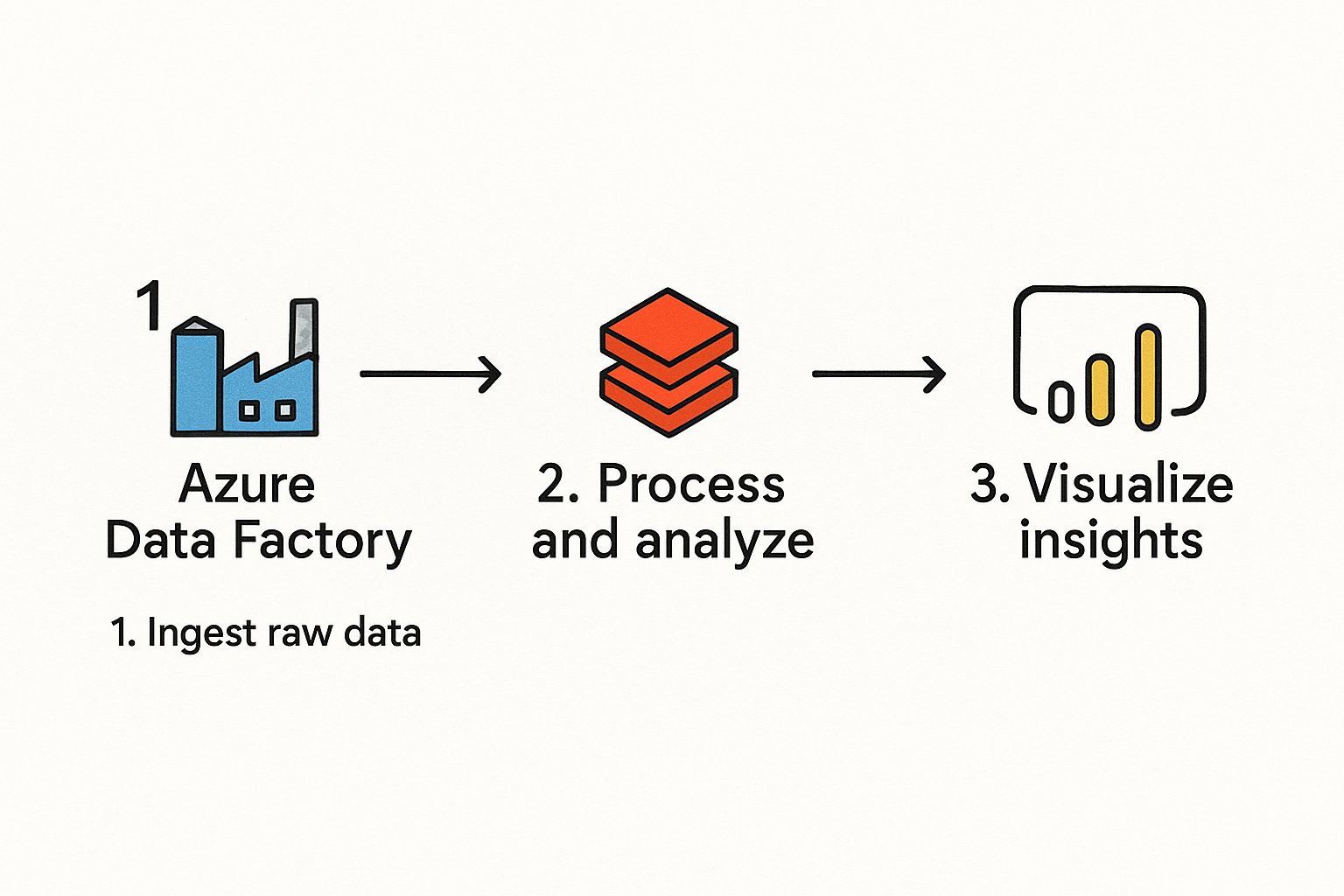

    This guide simplifies your search by curating the seven best resources available. We cut through the noise to provide a direct comparison of top-tier options, from official certificate programs to deep-dive expert courses and live, instructor-led classes. For each platform, we provide direct links, key features, and actionable insights to help you identify the perfect fit. This curated list is your roadmap to finding the most effective training microsoft sql server to elevate your skills, advance your career, and solve complex data challenges. We will help you move from learning to doing, equipping you with the practical knowledge needed for real-world application.

    1. Coursera: Microsoft SQL Server Professional Certificate

    For those seeking a structured and comprehensive path to mastering SQL Server, the Microsoft SQL Server Professional Certificate on Coursera is an exceptional choice. This program stands out because it's developed directly by Microsoft, ensuring the content is authoritative, up-to-date, and aligned with industry standards. It offers a clear, guided learning journey, making it ideal for beginners who need a solid foundation or professionals looking to formalize their skills with a recognized credential.

    Coursera: Microsoft SQL Server Professional Certificate

    The self-paced format provides the flexibility that busy professionals need, allowing you to complete your training for Microsoft SQL Server on your own schedule. Upon completion, you earn a shareable certificate from Microsoft and Coursera, which can significantly enhance your professional profile on platforms like LinkedIn.

    Key Features & Program Structure

    The certificate program is a deep dive into SQL Server, broken down into five distinct courses that build upon each other. This modular approach allows you to master one concept before moving to the next.

    • Course 1: Introduction to Databases and SQL: Covers the fundamentals of relational databases and basic SQL commands.
    • Course 2: Microsoft SQL Server Fundamentals: Focuses specifically on the architecture and core components of SQL Server.
    • Course 3: Querying, Programming, and Functions with T-SQL: Dives into Transact-SQL for complex data manipulation and scripting.
    • Course 4: Database Administration with Microsoft SQL Server: Teaches essential administrative tasks like security, backups, and performance tuning.
    • Course 5: Generative AI for Database Professionals: A modern, forward-thinking module on integrating AI tools to streamline database tasks.

    Expert Insight: The inclusion of a Generative AI module is a unique and valuable differentiator. It prepares learners not just for current database roles but also for the future of data management, where AI-assisted development and administration are becoming standard.

    Pricing and Access

    Accessing this professional certificate requires a Coursera Plus subscription (typically around $59/month) or purchasing the certificate program individually. A significant advantage is the availability of financial aid, making it an accessible option for learners from diverse financial backgrounds.

    Website: Coursera: Microsoft SQL Server Professional Certificate

    2. LinkedIn Learning: SQL Server Online Training Courses

    For professionals who value flexibility and a vast library of choices, LinkedIn Learning is a powerhouse for on-demand SQL Server training. It stands out due to its sheer volume and breadth of content, with over 1,300 courses and videos covering every conceivable topic from beginner fundamentals to advanced performance tuning. This platform is perfect for self-directed learners who want to pick and choose specific skills to develop or for those who need a quick refresher on a particular function.

    LinkedIn Learning: SQL Server Online Training Courses

    The seamless integration with your LinkedIn profile is a major advantage. Upon completing a course, you can easily add the certificate to your profile, providing tangible proof of your commitment to continuous learning. This direct link makes it an excellent tool for professionals actively looking to enhance their career visibility and demonstrate up-to-date expertise in Microsoft SQL Server.

    Key Features & Program Structure

    LinkedIn Learning's strength lies in its modular, à la carte approach rather than a single, rigid curriculum. You can build your own learning path by selecting from thousands of expert-led video tutorials.

    • Extensive Course Catalog: Find content on almost any SQL Server topic, including T-SQL querying, database administration, business intelligence (BI), and Azure SQL.
    • Expert-Led Instruction: Courses are taught by seasoned industry professionals who bring practical, real-world experience to their lessons.
    • Flexible, On-Demand Learning: Watch videos anytime, anywhere, on any device. The bite-sized format is ideal for fitting training for Microsoft SQL Server into a busy schedule.
    • Integrated Learning Experience: Courses often include exercise files and quizzes to reinforce learning, and the platform’s connection to your professional network adds a unique social dimension. For those preparing for official certifications, combining these courses with specialized practice tests can be a highly effective strategy.

    Expert Insight: The most effective way to use LinkedIn Learning is to create custom "Collections." Curate a playlist of courses from different instructors to build a personalized learning path that covers a topic from multiple angles, giving you a more well-rounded understanding than a single course might provide.

    Pricing and Access

    Access to all SQL Server courses is available through a LinkedIn Learning subscription, which typically costs around $29.99/month or $19.99/month with an annual plan. Many users can gain free access through their employer or local library. A one-month free trial is also available for new users, offering a great way to explore the platform's offerings without commitment.

    Website: LinkedIn Learning: SQL Server Online Training Courses

    3. Global Knowledge: Microsoft SQL Server Training Courses

    For professionals who thrive in a live, interactive learning environment, Global Knowledge offers a premier destination for instructor-led training. Unlike self-paced online platforms, this option provides real-time access to industry experts, making it an excellent choice for those who benefit from direct interaction, Q&A sessions, and structured classroom accountability. It is particularly well-suited for corporate teams and individuals seeking in-depth, hands-on learning experiences that lead directly to Microsoft certifications.

    Global Knowledge: Microsoft SQL Server Training Courses

    The platform’s strength lies in its blend of virtual and in-person training formats, catering to different learning preferences and logistical needs. This focused approach to training for Microsoft SQL Server ensures learners receive high-quality, comprehensive instruction backed by robust course materials and lab environments.

    Key Features & Program Structure

    Global Knowledge structures its courses around specific Microsoft certification paths and job roles, from database administration to business intelligence. This alignment ensures the skills you learn are directly applicable to industry demands.

    • Live Instructor-Led Training: Choose between virtual classrooms or traditional in-person sessions at training centers worldwide.
    • Official Microsoft Curriculum: Courses are aligned with Microsoft's official curriculum, preparing you for certifications like "Administering a SQL Database Infrastructure."
    • Hands-On Labs: Each course includes comprehensive lab exercises that allow you to apply theoretical knowledge in a practical, controlled environment.
    • Experienced Instructors: Learn from vetted professionals with extensive real-world experience in SQL Server implementation and management.
    • Corporate Training Solutions: Offers customized training plans, private classes, and flexible scheduling for enterprise clients.

    Expert Insight: The "guaranteed-to-run" class schedule is a significant advantage for professionals who need to plan their training around tight deadlines. This commitment removes the uncertainty of class cancellations, allowing you to confidently book and prepare for your course.

    Pricing and Access

    Global Knowledge is a premium training provider, and its pricing reflects the live, instructor-led format. Courses are priced individually, often ranging from $2,000 to $4,000 or more depending on the duration and complexity. While this is a significant investment compared to on-demand video courses, the value comes from personalized instruction and a highly structured learning experience. Corporate discounts and bundled training packages are also available.

    Website: Global Knowledge: Microsoft SQL Server Training Courses

    4. SQLskills: Online SQL Server Training

    For seasoned professionals looking to dive into the deep, technical nuances of SQL Server, SQLskills: Online SQL Server Training offers an unparalleled level of expertise. This platform stands out because it is run by world-renowned experts like Paul S. Randal and Kimberly L. Tripp, whose deep knowledge is legendary in the SQL Server community. Their courses are not for beginners; they are designed for experienced DBAs and developers who need to master complex topics like performance tuning, internals, and high availability.

    SQLskills: Online SQL Server Training

    The training is highly focused on real-world, practical application, moving beyond theoretical knowledge to solve the complex problems that professionals face daily. The availability of lifetime access for purchased courses ensures that your investment continues to pay dividends, allowing you to revisit advanced concepts and stay current as your career progresses. This makes SQLskills an essential resource for anyone serious about top-tier training for Microsoft SQL Server.

    Key Features & Program Structure

    SQLskills organizes its training into specialized, in-depth courses called "pluralsight-style," which consist of recorded demos and presentations. This format allows you to learn from the best in the industry on your own schedule.

    • Expert-Led Content: Courses are created and taught by Microsoft MVPs and industry pioneers, providing insights you won't find elsewhere.
    • Deep Technical Focus: The curriculum covers advanced areas like performance tuning, query optimization, disaster recovery, and SQL Server internals.
    • Lifetime Access: When you purchase a course, you get lifetime access to the materials, including all future updates, which is a significant value proposition.
    • Exclusive Q&A: Students gain access to exclusive, course-specific discussion forums where they can ask questions and interact directly with the instructors.

    Expert Insight: SQLskills is the go-to platform when you need to understand the "why" behind SQL Server's behavior, not just the "how." The focus on internals and performance troubleshooting equips you with the skills to diagnose and solve the most challenging database issues, a critical skill for senior-level roles.

    Pricing and Access

    Courses on SQLskills are sold individually, with prices reflecting the depth and expert level of the content. While the initial investment is higher than many subscription-based platforms, the lifetime access model and the unparalleled quality of instruction provide long-term value. This is an investment in deep, career-defining expertise.

    Website: SQLskills Online Training

    5. Business Computer Skills: SQL Server Instructor-Led Training

    For learners who thrive in a traditional classroom setting, even a virtual one, Business Computer Skills offers an excellent solution for live, instructor-led training. This platform stands out by focusing on small class sizes, ensuring each student receives personalized attention from professional trainers. It’s an ideal choice for those who prefer interactive learning and immediate feedback over self-paced video courses, providing a direct line to expert guidance.

    Business Computer Skills: SQL Server Instructor-Led Training

    The hands-on approach is a core component of their methodology, with a strong emphasis on practical exercises that reinforce theoretical concepts. This makes the training for Microsoft SQL Server highly effective, as you immediately apply what you learn. A unique and valuable feature is the free repeat option, allowing you to retake the same course within six months for reinforcement, a benefit rarely offered by other training providers.

    Key Features & Program Structure

    Business Computer Skills provides a focused curriculum that caters to different skill levels, from foundational knowledge to more advanced T-SQL programming. The courses are structured as intensive, full-day sessions delivered live online or in person at various locations.

    • Small Class Sizes: Guarantees personalized interaction and a more engaging learning environment where questions are encouraged.
    • Hands-On Learning: Every course is built around practical, real-world exercises to ensure you can apply your new skills directly to your job.
    • Free Repeat Option: Students can retake their course for free within six months, which is perfect for solidifying knowledge. To get the most out of this, you could create a study schedule. You can learn more about how to use flashcards for studying on az204fast.com to reinforce the material between sessions.
    • Expert Instructors: All training is conducted by seasoned professionals with significant industry experience in SQL Server.

    Expert Insight: The combination of small class sizes and a free repeat policy is a powerful one. It lowers the pressure on learners to master everything in a single pass and provides a safety net that encourages deeper, more confident learning. This model is particularly beneficial for complex topics like advanced query writing.

    Pricing and Access

    Pricing is per course, with options for different levels (e.g., Intro, Intermediate, Advanced). The cost is competitive for live instruction and includes comprehensive course materials. While schedules are fixed, the platform offers both virtual and in-person classes, providing some flexibility to accommodate different needs.

    Website: Business Computer Skills: SQL Server Instructor-Led Training

    6. ONLC Training Centers: Microsoft SQL Server Certification Courses

    For learners who thrive in a structured, instructor-led environment, ONLC Training Centers offers a robust alternative to self-paced learning. ONLC specializes in live training, available either at one of their many physical locations or remotely from your home or office. This approach is perfect for those who benefit from real-time interaction, Q&A with an expert, and a scheduled curriculum to keep them on track. It provides a classic classroom experience, modernized for today's hybrid work culture.

    ONLC Training Centers: Microsoft SQL Server Certification Courses

    This method of training for Microsoft SQL Server is highly effective because it combines expert instruction with hands-on labs, ensuring you not only understand the concepts but can also apply them. The direct access to experienced instructors means you can get immediate clarification on complex topics, a benefit not always available in pre-recorded courses.

    Key Features & Program Structure

    ONLC’s courses are designed to prepare students for specific Microsoft certification exams, covering a wide range from fundamental to advanced levels. The focus is on practical, job-ready skills.

    • Instructor-Led Format: All classes are led by a live instructor, facilitating an interactive and engaging learning experience.
    • Flexible Attendance: You can attend in-person at an ONLC facility or join the same live class online, offering great flexibility.
    • Comprehensive Materials: Students receive high-quality courseware and access to hands-on labs to practice their skills.
    • Satisfaction Guarantee: ONLC stands behind its training with a money-back guarantee, providing peace of mind.
    • Free Refresher Courses: You can retake the same course for free within six months, which is excellent for reinforcing knowledge before a certification exam. Discover more about the path to getting Microsoft certified.

    Expert Insight: The free refresher course option is a significant advantage. It allows you to revisit complex material or brush up on skills just before a job interview or certification test without any additional cost, maximizing the value of your initial investment.

    Pricing and Access

    Instructor-led training is a premium service, and ONLC's pricing reflects that, often costing more than on-demand video courses. However, the cost includes live instruction, comprehensive materials, and post-class support. Courses are priced individually, and schedules are fixed, so you'll need to plan your attendance in advance. This model is often ideal for corporate-sponsored training.

    Website: ONLC Training Centers: Microsoft SQL Server Certification Courses

    7. Amazon: Microsoft SQL Server 2019: A Beginner's Guide, Seventh Edition

    For learners who prefer a traditional, self-directed study approach, "Microsoft SQL Server 2019: A Beginner's Guide, Seventh Edition" by Dusan Petkovic, available on Amazon, is an outstanding resource. This book stands out by offering a highly detailed, methodical pathway into the world of SQL Server. It is an ideal choice for those who want to build a foundational understanding from the ground up and appreciate having a physical or digital reference manual at their fingertips.

    Unlike interactive video courses, this guide provides the depth and structured narrative that only a well-written book can offer. It's a fantastic way to supplement other forms of training for Microsoft SQL Server, allowing you to dive deeper into specific topics at your own pace. The tangible nature of a book also makes it a lasting reference you can return to throughout your career.

    Key Features & Program Structure

    Authored by an experienced professor, this guide is meticulously structured to take you from core concepts to more advanced features. The content is packed with hands-on exercises, clear explanations, and practical examples that reinforce learning.

    • Comprehensive Coverage: Starts with database fundamentals and progresses through T-SQL querying, database design, and administration.
    • Hands-On Exercises: Includes numerous step-by-step examples and "Try This" exercises to ensure you are actively applying what you learn.
    • Structured Learning Path: The chapters are organized logically, making it easy for a beginner to follow along without feeling overwhelmed.
    • Flexible Formats: Available in both paperback and eTextbook formats, catering to different reading preferences.

    Expert Insight: The true value of this book lies in its role as a long-term reference. While online courses are excellent for guided learning, having a comprehensive text like this on your shelf is invaluable for quickly looking up syntax, concepts, or administration tasks on the job.

    Pricing and Access

    This book is an extremely affordable one-time purchase, typically priced between $30 and $50 for the paperback or Kindle version on Amazon. This makes it a highly accessible entry point for anyone, without the commitment of a monthly subscription.

    Website: Amazon: Microsoft SQL Server 2019: A Beginner's Guide, Seventh Edition

    Training Offerings Comparison of Top 7 Microsoft SQL Server Programs

    Training Option Implementation Complexity 🔄 Resource Requirements ⚡ Expected Outcomes 📊 Ideal Use Cases 💡 Key Advantages ⭐
    Coursera: Microsoft SQL Server Professional Certificate Moderate – Self-paced multi-course series Low – Online access and subscription Solid foundational to advanced SQL skills, recognized cert Beginners to advancing learners Official Microsoft content, affordable, flexible
    LinkedIn Learning: SQL Server Online Training Courses Low – On-demand video tutorials Low – Subscription and internet access Broad skill coverage, certificates linked to profiles Self-paced learners across all skill levels Extensive library, expert-led, free trial available
    Global Knowledge: Microsoft SQL Server Training Courses High – Live virtual/in-person classes High – Instructor-led, classroom costs Certification prep and practical skills with real-time help Professionals needing Interactivity and certification Interactive, experienced instructors, corporate support
    SQLskills: Online SQL Server Training Moderate – Recorded expert sessions Moderate to High – Paid courses Advanced technical training with updates and Q&A Experienced professionals focusing on deep skills Expert-led, lifetime access, regularly updated
    Business Computer Skills: SQL Server Instructor-Led Training High – Small live classes with hands-on Moderate – Instructor fees Practical skills from fundamentals to advanced Learners seeking personalized, hands-on approach Affordable, small classes, hands-on, repeat option
    ONLC Training Centers: Microsoft SQL Server Certification High – Live instructor-led with labs High – Classroom or online instructor Certification prep with practical application Certification candidates needing flexible options Satisfaction guarantee, refresher courses, experienced instructors
    Amazon: Microsoft SQL Server 2019: A Beginner's Guide Low – Self-study book Low – Purchase of book Foundational to intermediate SQL Server knowledge Self-learners preferring reading and exercises Affordable, comprehensive reference, self-paced

    Your Next Step in SQL Server Proficiency

    Embarking on the path of training for Microsoft SQL Server is a commitment to mastering a cornerstone of modern data management. As we've explored, the landscape of available resources is vast and varied, offering a tailored solution for virtually every learning style, career goal, and budget. Your journey from novice to expert is not defined by a single course but by a strategic and continuous learning process.

    The key takeaway is that there is no one-size-fits-all answer. The "best" training for you is the one that aligns with your specific needs. From the academic rigor of Coursera's Professional Certificate to the broad, accessible library of LinkedIn Learning, self-paced online options provide incredible flexibility. For those who thrive on direct interaction and immediate feedback, the instructor-led programs from Global Knowledge, Business Computer Skills, and ONLC offer a structured, hands-on path toward certification and real-world readiness.

    How to Choose Your Path

    To make an effective decision, you must first define your objectives.

    • For Foundational Knowledge: If you are just starting, a comprehensive resource like the Microsoft SQL Server 2019: A Beginner's Guide book or a structured certificate program from Coursera provides the solid base you need.
    • For Career Advancement & Specialization: To move into a senior role or specialize in areas like performance tuning, an investment in deep-dive training from an authority like SQLskills is invaluable. Their focused curriculum can dramatically accelerate your expertise.
    • For Continuous Learning & Skill Refreshers: Professionals who already possess a baseline knowledge will find a subscription like LinkedIn Learning to be a powerful tool for staying current and exploring adjacent technologies.
    • For Certification & Structured Learning: If your primary goal is to pass a certification exam, instructor-led courses from ONLC or Global Knowledge provide targeted preparation and expert guidance.

    A Blended Approach to Mastery

    Ultimately, the most successful professionals adopt a blended learning strategy. You might begin with an instructor-led course to grasp complex concepts, then use a book for reference and reinforcement. Later, you could subscribe to an online platform to fill knowledge gaps and explore new features as they are released.

    Key Insight: True mastery of Microsoft SQL Server is not a one-time event. It's an ongoing process of learning, applying, and adapting. The tools you choose are your partners in this journey.

    As you advance, remember that the world of data is rapidly moving to the cloud. The skills you build in SQL Server are directly transferable and foundational for cloud-based platforms like Azure SQL Database. Your investment in training for Microsoft SQL Server today is also an investment in your future readiness for cloud data services. The key is to commit, apply your knowledge in practical, hands-on projects, and remain curious. Your path to proficiency is a marathon, and with these resources, you are well-equipped for every mile.


    As you master SQL Server and look to validate your skills in the cloud, consider how modern learning techniques can accelerate your next certification. For developers aiming for the Azure AZ-204 certification, AZ-204 Fast uses evidence-based methods like spaced repetition to make studying more efficient and effective. See how a smarter approach to learning can help you master Azure development skills at AZ-204 Fast.